Top 6 Social Media Marketing Challenges of 2024

With over 3 billion users online, ignoring social media is an unaffordable luxury for marketers. Yet, even seasoned marketers can struggle to reach a significant portion of this vast audience. The social media landscape is constantly evolving, making it feel chaotic even when you follow best practices.

Here’s a startling statistic: 42% of marketers plan to stop working with social media in the next 2 years. 49% of marketers have difficulty identifying and responding to trends.

You might think that major brands have it all figured out, but they face challenges too. Viralpep constantly overcomes modern challenges in the field of social media marketing and wants to share its experience. We have prepared a list of the most common social media marketing challenges, as well as ways to overcome them. Let’s complement each other’s knowledge, so we can minimize mistakes and overcome difficulties and challenges painlessly. Remember, Viralpep is here to help.

Social Media Marketing Challenges 2024

  1. Finding Social Talent

    Hiring social media professionals is tougher than ever. The demands on social marketers have soared. Today, brands need experts who can strategize, write compelling copy, and create engaging content across multiple formats—all while understanding internet culture.

    Research reveals that over half (52%) of marketers find hiring experienced talent to be their biggest challenge. This shortage of skilled social media managers makes it difficult for brands to build effective teams.

    If you’re navigating the job boards, you’re not alone. Finding the right talent is a growing challenge in our fast-paced industry.

  2. Running Out of Creative Content Ideas

    Coming up with fresh content ideas can be one of the most frustrating social media challenges. A creative rut can disrupt your entire workflow.

    Growing your social media presence is a continuous effort. Whether a campaign flops or goes viral, you need to keep the momentum going with engaging content.

    Take inspiration from success stories like Duolingo on TikTok, where creative content has propelled the brand to new heights. Experiment with different platforms and social networks. Unexpected platforms like Kodi can enhance your marketing efforts and help you reach your target audience. Of course, you need to do some research first, consider the Kodi Firestick update, and regularly track the results of your advertising campaign. It’s also useful to analyze competitors from other regions, but this may require a VPN.

    Don’t get bogged down by what your competitors or legacy brands are doing. Creativity often ebbs and flows, even for social marketers. Stay proactive by engaging in regular brainstorming sessions to keep your content ideas flowing.

  3. Controlling Hard-Selling

    Promoting your brand or offerings is important, but moderation is key. While it’s good to highlight what you bring to the table, avoid overwhelming your audience with constant self-promotion.

    Excessive self-hype, whether for a brand or individual, can turn off your audience quickly. The result? They might leave before you can even say “Buy now!”

    As Matt Kohut, managing partner of KNP Communications, says: “Pay careful attention to the ratio of audience-oriented versus self-oriented posts.” In other words, focus more on what your audience will find meaningful or useful, rather than on yourself. Share information that matters to them, connect people, and learn based on their interests. This approach will help others see you as humble, resourceful, and sincere. Whether you’re showcasing your corporate or personal brand, find the right balance. Aggressive, ad-style promotions are outdated.

  4. Establishing Strong Relationships With Influencers

    Building strong relationships with influencers is more important than it seems. According to a HubSpot study, 50% of millennials trust influencers for product recommendations. This trust creates a bond between influencers and their followers, something brands often struggle to achieve.

    Influencers can bridge the trust gap between consumers and brands, making them essential partners in modern marketing strategies. It could even be international connections. If your product or service is broadly specialized and international, involve international influencers or those who specialize in your niche abroad. You can conduct research on your niche in a specific region using VeePN VPN, which allows you to fake your virtual location. For example, collaborating with an Asian influencer can bear fruit even in other countries if your product is associated with Asia.

    The 2017 Pepsi and Kendall Jenner ad is a textbook case of influencer marketing gone wrong. The commercial staged a Black Lives Matter protest for Pepsi’s global diversity campaign, featuring Jenner leaving a photoshoot to join the protest and offering a Pepsi to a police officer. This act was intended to symbolize unity but was widely criticized for trivializing a serious movement.

    Bernice King, daughter of Martin Luther King Jr., mocked up an ad with a tweet of her father confronting police, captioned, “If only Daddy would have known about the power of #Pepsi.” After the backlash, Pepsi pulled the ad and apologized, highlighting the importance of choosing the right influencer and message alignment to avoid damaging your brand.

  5. Over-Reliance on Marketing Automation Tools

    Relying too much on automation and AI tools for social media marketing? Be cautious! While they’re great for tasks like scheduling posts and tracking performance, they can strip away the human touch that makes social media engaging.

    Imagine you run a restaurant and have all your posts scheduled. A famous food critic drops by unexpectedly and trashes your best dish online. Suddenly, everyone is talking about you. But because you depend entirely on automation, you miss the chance to engage with the buzz, whether it’s negative or positive. You’re left in the dust, unable to respond, clarify, or capitalize on the attention. Don’t let automation trap you in the slow lane—keep the human element alive.

  6. Falling Engagement Rates

    This five-word question has ignited numerous discussions across webinars, LinkedIn posts, and think pieces. It’s no surprise—constantly shifting social media algorithms can make chasing organic traffic feel like a game of whack-a-mole, where hitting one target means missing the next.

    In our latest quarterly survey, marketers ranked keeping up with rapidly changing algorithms and features as their second biggest social media challenge. While earning reach and interactions can be tough without paid promotions, it’s not an impossible battle. With strategic planning and consistent effort, organic social traffic can still thrive.

Conclusion

Social media marketing will always be about challenges and difficulties. How marketers overcome them is much more important. The challenges vary, but the key to overcoming them is having a proactive plan. By engaging experienced specialists, interacting with influencers and creating interesting content, you will be able to overcome stagnation and break through to the next level. Viralpep is ready to help you with this: indirectly, with the help of our blog articles, or directly in the form of a service for promotion or vision of social networks.
How To Increase Your Social Media Engagement In 2024

Imagine yourself on a wildlife safari, seeking the perfect snapshot of a rare bird. A flurry of movement catches your eye—a flock of these elusive creatures! Do you cautiously approach them, trying to capture their natural behavior? Perhaps you strategically offer them food to gain their trust. Or maybe you decide to observe from a distance without disturbing their habitat. This dilemma mirrors the challenges faced by social media marketers in their quest to engage with their audience.

Much like encountering rare birds in the wild, social media engagement can be powerful and nuanced, depending on the strategies employed. Marketers worldwide experiment with various tactics to attract and maintain engagement.

If social media marketing is a jungle and engagement is an endangered species, think of us as your guide to the jungle. Today, we will reveal the strategies successful marketers use to grow and maximize social media engagement effectively.

But first, what exactly is social media engagement?

Social media engagement encompasses all interactions with your content, including likes, comments, and shares. It also encompasses:

  • Shares or retweets
  • Shares or retweets
  • Likes
  • Growth in followers and audience
  • Click-through rates
  • Mentions, both tagged and untagged
  • Use of branded hashtags

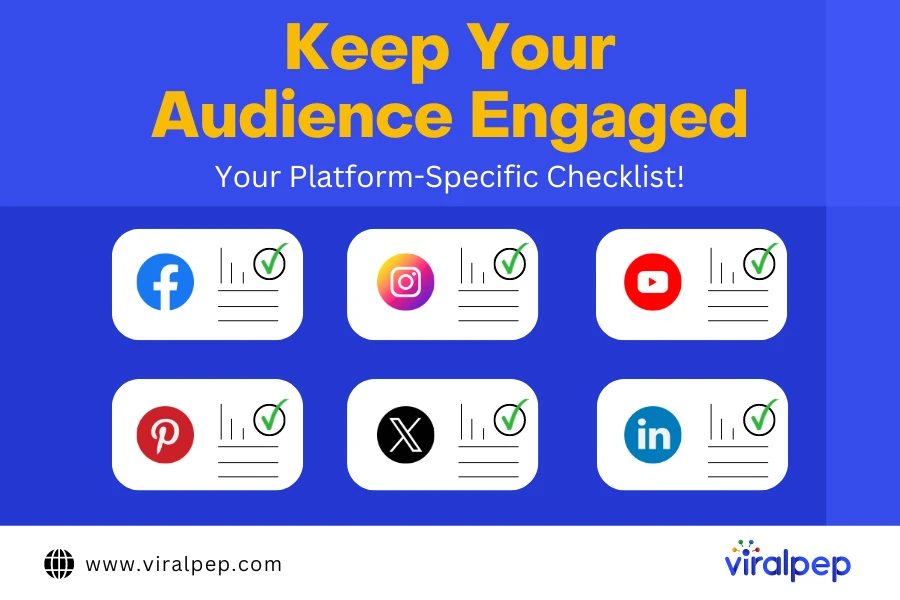
Let’s check your social media engagement checklists to better understand the definition of social media engagement.

How to Measure the Impact of Your Social Media Engagement

Assessing the impact of social media engagement on your business involves tracking key metrics that reflect audience interaction and content effectiveness:

  • Engagement Rate

    This metric helps determine how actively your audience interacts with your content. Engagement rate is typically calculated by dividing the total post interactions by the number of followers, reach, or impressions, then multiplying by 100%. The formula can vary depending on the platform, but it generally provides a good gauge of audience activity.

  • Reach and Impressions

    Reach refers to the number of unique users who view your post, while impressions denote the total number of times your post is displayed. These metrics are crucial for understanding the overall visibility and potential audience of your content.

  • Click-Through Rate (CTR)

    This is the percentage of users who click on a link in your post. CTR is essential for assessing the effectiveness of calls to action in your content, whether you’re directing users to a website, blog post, or product page.

  • Shares and Brand Mentions

    Monitoring the number of shares and mentions your posts receive can give insights into how well your content resonates with your audience. Content that is frequently shared often indicates higher engagement and wider reach.

  • Video Views and Watch Time

    For platforms like YouTube, Instagram, and TikTok, it’s important to track how many users watch your video content and the duration of their viewing. These metrics can indicate the appeal and relevance of your videos to your audience.

  • Conversion Rate

    This measures the frequency at which users take a desired action—such as signing up for a newsletter or making a purchase—after engaging with your content. It connects your social media efforts directly to business results.

High engagement on your posts and account not only boosts visibility due to algorithm preferences but also builds a community of active and engaged followers. These followers are more likely to interact with your brand and convert into customers.

Another significant benefit of an engaged audience is the opportunity for direct interaction. An engaged audience provides more insights into their preferences, needs, and challenges, making it easier to tailor your content and services. Comments on your posts, for example, can be a valuable source of feedback and ideas for new content, helping you continuously refine your strategy.

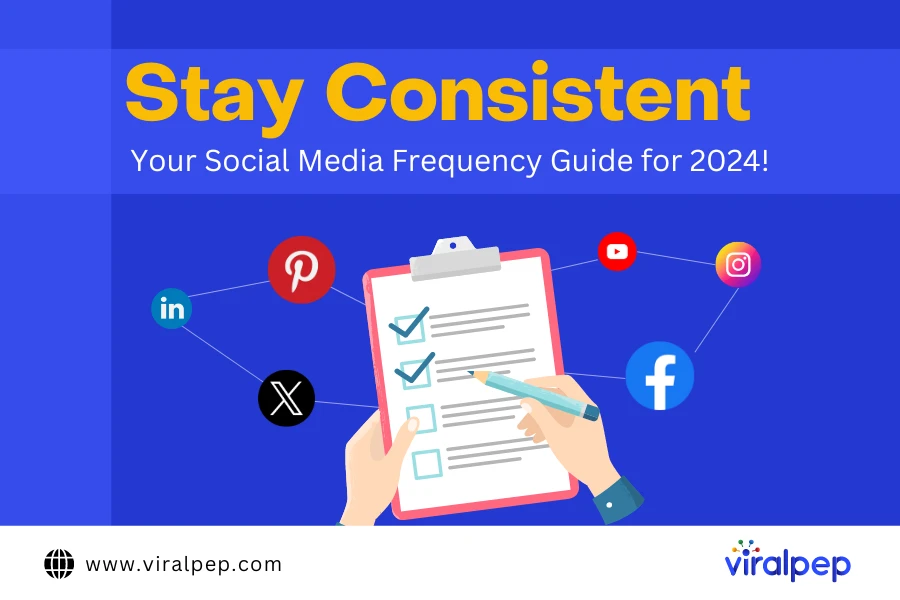
Social Media Frequency Checklist

How often should you follow a social media checklist? Should it be daily, weekly, or monthly? While doing everything daily would be ideal, it’s not practical for most brands.

Social Media Frequency Guide

To help clients determine the optimal frequency, we categorize our checklists into two main categories — inbound and outbound social media activities.

  1. Inbound Social Media Engagement

    This involves responding to comments and messages received by your brand on social media platforms, such as replying to direct messages on Facebook. Inbound engagement includes managing positive feedback and addressing customer concerns or complaints.

    Ideal Frequency: This type of engagement is critical and should ideally be monitored daily. Allocating a few minutes each day to interact with your audience is recommended as they are actively engaging with your brand.

  2. Outbound Social Media Engagement

    This refers to actively seeking and participating in social media conversations, like joining discussions around trending hashtags. Unlike inbound engagement, which is essential for maintaining your brand’s reputation, outbound activities are more flexible and can be pursued based on available resources.

    Ideal Frequency: These activities can be scheduled in advance. For brands aiming to cultivate an engaged social media presence, dedicating time 2-3 times a week to outbound engagement is advisable.

Your Social Media Engagement Checklist by Platform

  1. Facebook Engagement Checklist

    Facebook is a dominant platform among social advertisers, with 97% choosing it as their primary platform. Due to its widespread adoption and robust targeting capabilities, integrating Facebook into your social engagement strategy is vital.

    Social Media Platform Checklist

    • Inbound Facebook – Social Media Actions

      Handling incoming direct messages to your Facebook page, whether daily, every other day, or weekly (depending on message volume).

      • Review and respond promptly to customer service issues and complaints.
      • Acknowledge and thank customers for positive messages.
      • Provide pre-written responses to common inquiries.
      • Monitor and manage public comments daily, every other day, or weekly as per comment volume.
      • Engage with positive comments using brand-appropriate responses.
      • Respond to questions with accurate information and relevant links.
      • Address negative comments promptly and discreetly via direct messages.
      • Manage spam and inappropriate comments by hiding or deleting them.
    • Outbound Facebook – Social Media Actions

      • Encourage users who have liked your content to follow your page for ongoing updates.
      • Engage with content from partner brands to foster relationships.
      • Create a set of branded posts designed for general engagement.
      • Utilize Facebook’s search feature to monitor trending topics in real-time using relevant keywords, events, or locations.
      • Leverage audience insights to refine targeting for ads and engage potential customers like your existing audience.
  2. Instagram Engagement Checklist

    Instagram is known for its emphasis on visual content, such as photos and videos. Just like on Facebook, it’s crucial to promptly address customer service issues and pay attention to positive comments, tagged posts, and especially Instagram Stories.

    • Inbound Instagram – Social Media Actions

      • Review and respond promptly to customer service inquiries and issues.
      • Acknowledge and thank customers for positive or friendly messages.
      • Provide pre-written responses to common questions or issues.
      • Monitor comments daily, every other day, or weekly depending on comment volume.
        • Respond to positive comments using brand-appropriate responses.
        • Like and engage with other comments.
        • Address questions or concerns in comments with the correct information.
      • Handle negative comments discreetly via direct messages.
      • Manage spam or inappropriate comments by flagging or deleting them.
      • Monitor tagged or mentioned user content and seek permission before re-sharing, ensuring proper credit for user-generated content (UGC).
    • Outbound Instagram – Social Media Actions

      • Monitor posts and stories under company-specific or use instagram hashtags in social media marketing.
      • Analyze competitor Instagram accounts to identify effective strategies.
      • Engage with influencers in your industry to expand reach and influence.
      • Interact with users within your target audience by following, liking, and commenting on their content.
  3. Twitter Engagement Checklist

    Using Twitter effectively for your brand may not suit every company, as not everyone can achieve the playful engagement style of brands like Wendy’s. However, achieving significant impact on your Twitter channel requires consistent engagement and a strong brand personality. Here are some examples of brands excelling on Twitter for inspiration.

    • Inbound Twitter – Social Media Tasks

      Monitor incoming direct messages to your Twitter account daily, every other day, or weekly, depending on the volume of messages.

      • Quickly flag or ignore spam or inappropriate messages to maintain a positive user experience.
      • Respond promptly to customer service inquiries or issues, ensuring quick resolution.
      • Thank customers for positive or friendly messages to foster a positive brand image.
      • Use prepared responses to address common questions or issues effectively.

      Regularly check @mentions daily, every other day, or weekly, depending on volume, and engage with positive mentions or retweets.

      • Like or reply to positive tweets or retweets with a genuine and brand-appropriate response.
      • Provide accurate information in response to questions to support your audience.
      • Respond to negative tweets or complaints promptly and discreetly via direct message for resolution.
      • Flag or delete spam or inappropriate tweets to uphold community standards.
    • Outbound Twitter – Social Media Tasks

      • Retweet relevant posts from other accounts to showcase valuable content within your industry.
      • @mention partners, complementary brands, new followers, or members of your target audience to foster connections.
      • Follow and engage with users within your target audience to build relationships and increase visibility.
      • Monitor and participate in conversations under relevant hashtags to stay informed and engage with trending topics effectively.
  4. LinkedIn Engagement Checklist

    LinkedIn can be a powerful platform for B2Bs and brands targeting professional audiences to enhance awareness and generate leads. While the capabilities of a “brand” page on LinkedIn are limited, leveraging the personal profiles of key stakeholders is crucial. Many brands focus on thought leadership and utilize tools like LinkedIn Navigator for outbound programs, but a robust engagement strategy is essential to support these initiatives effectively.

    • Inbound LinkedIn – Social Media Actions

      • Monitor direct messages daily, every other day, or weekly based on volume.
      • Promptly handle spam and inappropriate messages for professionalism.
      • Respond to hiring or sales inquiries with appropriate information.
      • Address questions or issues with friendliness and respect.
      • Respond to customer service issues promptly and escalate as needed.
      • Evaluate and accept connections aligned with network criteria (location, industry, audience).
      • Review Company Profile comments regularly and respond positively.
      • Provide accurate information and site links in responses.
      • Address negative comments discreetly via direct messages.
      • Remove spam or inappropriate comments to maintain professional standards.
    • Outbound LinkedIn – Social Media Actions

      • Tag relevant individuals and use hashtags in posts.
      • Engage by liking and commenting on relevant newsfeed updates.
      • Join industry groups and interact by liking, reacting, and commenting on posts.
      • Prioritize brand guidelines in contentious discussions.
      • Utilize LinkedIn Navigator or messaging services for effective prospecting.
      • Focus on relationship-building through valuable content rather than direct sales pitches.
  5. Pinterest Engagement Checklist

    Pinterest is a visual discovery platform where users find inspiration and ideas for their interests and projects. For brands looking to connect with an audience through creative and visually appealing content, Pinterest offers unique opportunities to drive engagement and brand awareness.

    • Inbound Pinterest – Social Media Actions

      • Check direct messages daily, every other day, or weekly based on volume.
      • Quickly handle spam and inappropriate messages.
      • Respond promptly to customer inquiries with helpful information.
      • Thank users for positive feedback to build brand positivity.
      • Address common questions with friendly and informative responses.
      • Monitor pin comments regularly and engage positively.
      • Resolve negative comments privately via direct messages.
      • Remove spam or inappropriate comments to maintain quality interactions.
    • Outbound Pinterest – Social Media Actions

      • Share visually appealing pins reflecting your brand’s image.
      • Like and comment on follower and industry pins to foster engagement.
      • Stay updated on Pinterest trends and use relevant keywords.
      • Collaborate with influencers to create resonant content.
      • Use Rich Pins to enhance product or service information.
      • Analyze Pinterest Analytics to optimize future pin strategies.

    All in all, here we aim to provide you with the necessary checklist to enhance your social media marketing. To encourage better interaction, authenticity, consistent brand voice, responsiveness, and innovative community engagement are important. It’s advisable to use social media management tool to streamline and boost your efforts for better outcomes.

To Wrap Up

Effective social media engagement requires vigilant monitoring. Understanding your starting point is essential before attempting to enhance performance. Utilize Viralpep’s robust social media analytics tool to monitor and optimize your engagement strategies closely.

With our analytics, you can assess key engagement metrics across Instagram, Facebook, Twitter/X, and LinkedIn, identifying top-performing content that resonates best with your audience:

Our social media management tool enable you to manage interactions effectively, and cultivate a loyal following—all accessible through Viralpep’s intuitive dashboard.

Start maximizing your social media efforts by consistently engaging with your followers authentically. Take advantage of Viralpep’s 15-day trial to explore our engagement and analytics tools firsthand!

FAQs about Social Media Engagement

What is social media engagement?

Social media engagement refers to the interactions and activities users have with your social media content. These interactions include actions like liking, sharing, commenting on posts, and more, depending on the specific platform.

How do you measure social media engagement?

To measure social media engagement, businesses often track the following key metrics:

  • Likes
  • Comments
  • Shares
  • Follows
  • Mentions
  • Impressions
  • Use of branded hashtags

Typically, the focus is on organic engagement, which grows naturally rather than through paid advertising or partnerships. Using social media engagement tools can help streamline the process of tracking and analyzing these metrics.

What are some of the best social media engagement tools?

Some top social media engagement tools include Viralpep, TweetDeck, Sprout Social, and Sprinklr. These tools allow you to monitor and measure engagement across various social media platforms and leverage the data to enhance your social media strategies, potentially improving your return on investment.

How To Add a Collaborator on Instagram After Posting?

Introduction

Instagram has evolved from just a platform for sharing photos to a powerful tool for businesses, influencers, and content creators to connect with their audience.

Collaborations, a dynamic strategy used by many successful Instagrammers, have the potential to skyrocket your online presence and engagement. While most collaborations are planned, there are times when you want to add collaborators to your posts after they’ve been published.

In this guide, we’ll walk you through adding collaborators to your Instagram posts after posting them.

11 Easy Steps for Adding Collaborators on Instagram After Posting

Adding collaborators to your Instagram posts after they’ve been posted might not be as intuitive as during the initial posting process, but it’s certainly possible. Here’s a step-by-step guide to help you achieve this:

  1. Step 1: Open Instagram

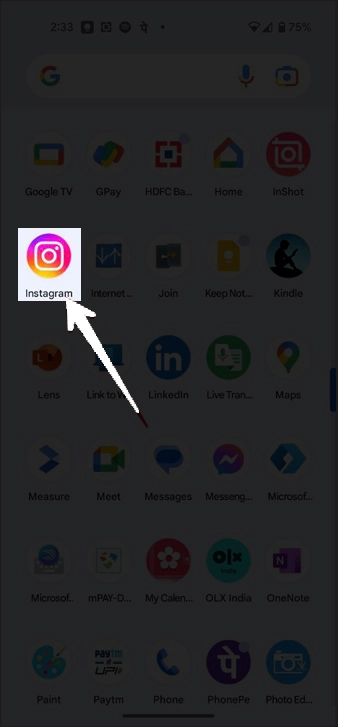
    Launch the Instagram app on your mobile device. Ensure you’re logged into the account where you want to add collaborators to a post.

    Open the instagram

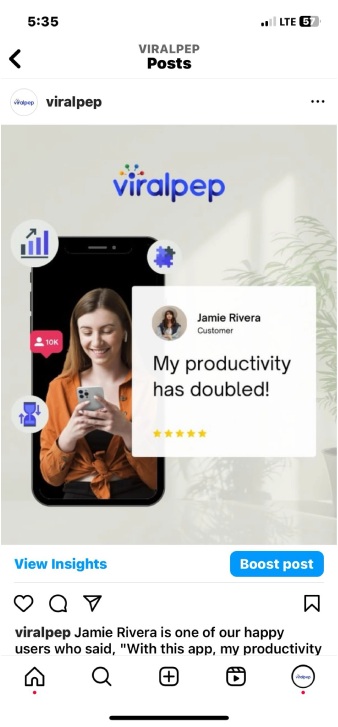
  2. Step 2: Locate the Post

    Navigate to the post to which you want to add collaborators. You can do this by scrolling through your profile or using the search function.

    viralpep instagram post

  3. Step 3: Access Post Options

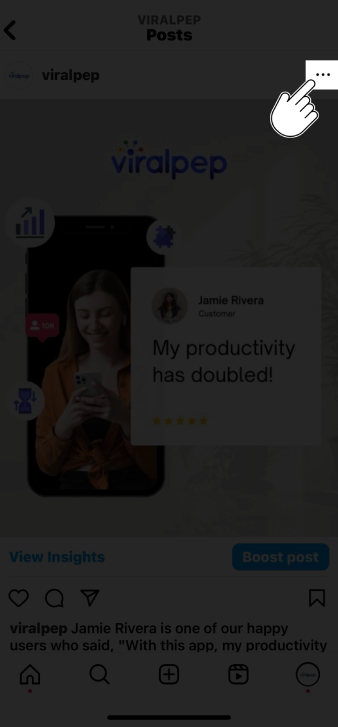
    Once you’ve located the post, tap on it to open it. Look for the three dots (…) at the post’s top-right corner. These dots represent the post options.

    access post options

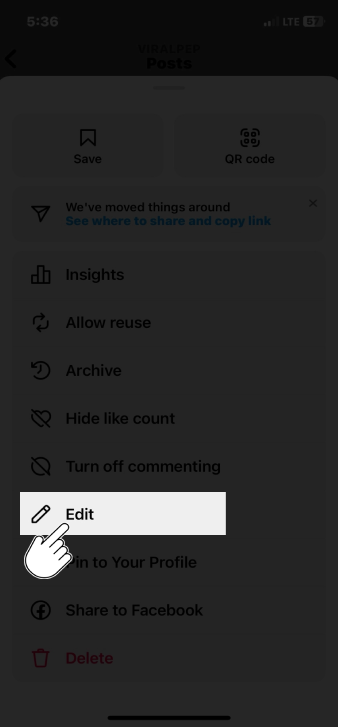
  4. Step 4: Edit the Caption

    From the post options menu, tap on the “Edit” option. This will allow you to make changes to the post, including adding collaborators.

    In the editing mode, you can edit the post’s caption. Go ahead and make any changes you want to the caption. This is where you will mention or tag your collaborators.

    edit the caption

  5. Step 5: Tag the Collaborators

    To tag your collaborators in the caption, use the “@” symbol followed by their Instagram username.

    As you type, Instagram will suggest usernames matching your typing. Select the appropriate username from the suggestions.

    • Add the “@” symbol in the caption field followed by the collaborator’s username (e.g., @collaboratorusername).

    • Instagram will automatically suggest usernames as you type, making finding and tagging your collaborator easier.

    • Write a brief mention, such as “Collaboration with the talented [Collaborator’s Name] 🎉” to acknowledge their contribution.

    Tag Collaborators

  6. Step 6: Verify Collaboration

    Before proceeding, ensure that the collaborator you want to add is aware and agrees to be tagged or mentioned in your post. It’s essential to maintain transparent and respectful communication throughout the process.

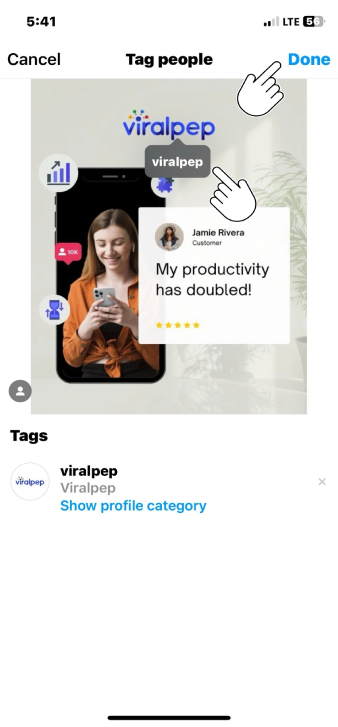
  7. Step 7: Add Collaborators to the Photo

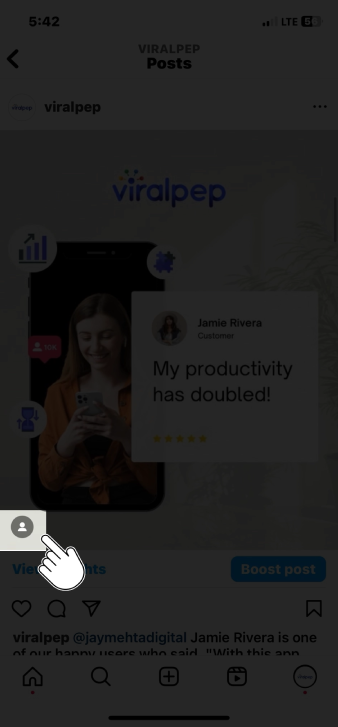
    • If your collaborator is visible in the photo, you can also tag them directly on the image.

    • Tap on the photo where you want to add the tag.

    • Tap the “Tag People” option.

    • Type your collaborator’s username; once again, Instagram will suggest usernames as you type.

    • Position the tag over your collaborator’s image in the photo.

    • Save the tag placement.

    Add Collaborators

  8. Step 8: Save Changes

    Review the changes you’ve made after you’ve added the collaborators’ usernames to the caption. Double-check the usernames to ensure accuracy. Once satisfied, tap the “Done” button to save your changes.

  9. Step 9: Engage with Collaborators

    Now that you’ve successfully added collaborators to your post, engage with them. Like and respond to their comments, and encourage them to interact with the post. This collaborative engagement boosts the post’s visibility to your audiences.

  10. Step 10: Notify Collaborators

    It’s a good practice to notify your collaborators that you’ve added them to the post. Send them a direct message or tag them in a comment to let them know. This shows courtesy and ensures they know their inclusion in the post.

  11. Step 11: Engage with Collaborator

    After making the necessary changes, engage with your collaborator by responding to their comments and encouraging them to interact with the post.

    Collaborators’ engagement can boost the visibility of your post to their audience as well.

Tips for Successful Collaborations on Instagram

  • Plan Ahead: Whenever possible, plan your collaborations to ensure a smooth process and avoid last-minute adjustments.

  • Communication: Maintain open and clear communication with your collaborators to ensure mutual understanding and agreement.

  • Tagging Etiquette: Be respectful when tagging collaborators in your posts, ensuring they are comfortable with their association.

  • Mutual Promotion: Encourage your collaborator to share the post with their audience, expanding the reach of the collaboration.

  • Quality Content: Create social media post content is engaging, visually appealing, and aligns with both your and your collaborator’s brand.

Conclusion

Adding collaborators to your Instagram posts after publication is a straightforward process that can enhance your content and expand your reach.

Following these steps and maintaining respectful communication with your collaborators, you can seamlessly integrate their contributions into your posts and create meaningful connections with your audience.

Remember, successful collaborations can lead to increased engagement, new followers, and a stronger presence on Instagram.

For more effective social media management and to streamline your collaborations, consider using platforms like Viralpep, which offers comprehensive tools for scheduling, posting, and analyzing your social media post. Learn more about its features and benefits here and explore how it can help enhance your social media strategy here.

FAQs

Can I add collaborators to my Instagram posts even if they weren't part of the original content creation?

Yes, you can! Our guide outlines a step-by-step process to seamlessly add collaborators to your existing Instagram posts after sharing them.

Do I need special permission from collaborators to add them to my posts after publishing?

While it’s courteous to inform collaborators, specific permissions may vary. It’s best practice to communicate openly and ensure everyone is comfortable with their inclusion in your post.

Can I tag collaborators directly on the image itself?

Absolutely! Our guide covers tagging collaborators within the photo, enhancing visibility and engagement with your collaborative partners.

Will editing the caption of a post affect its performance or engagement?

Generally, minor edits like adding collaborators shouldn’t significantly impact a post’s performance. Engaging with collaborators and your audience can actually boost engagement.

How can I encourage my collaborators to promote the post to their audience?

In our guide, we share tips on fostering mutual promotion. Engage with your collaborators and encourage them to share the post with their followers to maximize reach.

Can I add multiple collaborators to a single post?

Absolutely! You can add multiple collaborators to a post using the same process outlined in our guide. Just ensure that everyone is comfortable with their inclusion.

Is there a time limit for adding collaborators after posting a photo?

There’s no strict time limit, but it’s best to add collaborators relatively soon after posting for optimal engagement and visibility benefits.

Yes, the process is similar for carousel posts. You can edit the caption and tag collaborators within the post, just as you would with a single-image post.

What if a collaborator doesn't want to be added to my post after it's published?

Respect their decision. Collaboration should be mutually beneficial and respectful. Communicate openly and consider their preferences.

Are there any etiquette guidelines for adding collaborators post-publishing?

Communication and respect are key. Always communicate with collaborators, give proper credit, and ensure your post aligns with your and their brand values.

How to View Instagram Memories: A Step-by-Step Guide

Introduction

Instagram is not just a platform for sharing your daily moments but also a repository of cherished memories.

In 2018, Instagram introduced a feature called “Memories” (similar to Facebook’s “On This Day”) that allows you to revisit and relive your old posts.

If you’re curious about how to view Instagram Memories, you’re in the right place. In this step-by-step guide, we’ll walk you through accessing and enjoying your past moments on Instagram.

9 Easy Steps on How To View Instagram Memories

Let’s highlight easy steps that will help you to view Instagram memories.

  • Step 1: Open the Instagram App

    Start by opening the Instagram app on your smartphone. Ensure you are logged in to the account you want to access memories.

    open instagram app

  • Step 2: Go to Your Profile

    Tap on your profile picture or the silhouette icon in the bottom right corner to access your profile page. This is where you’ll find all the posts you’ve ever shared on Instagram.

    go to profile

  • Step 3: Access Memories

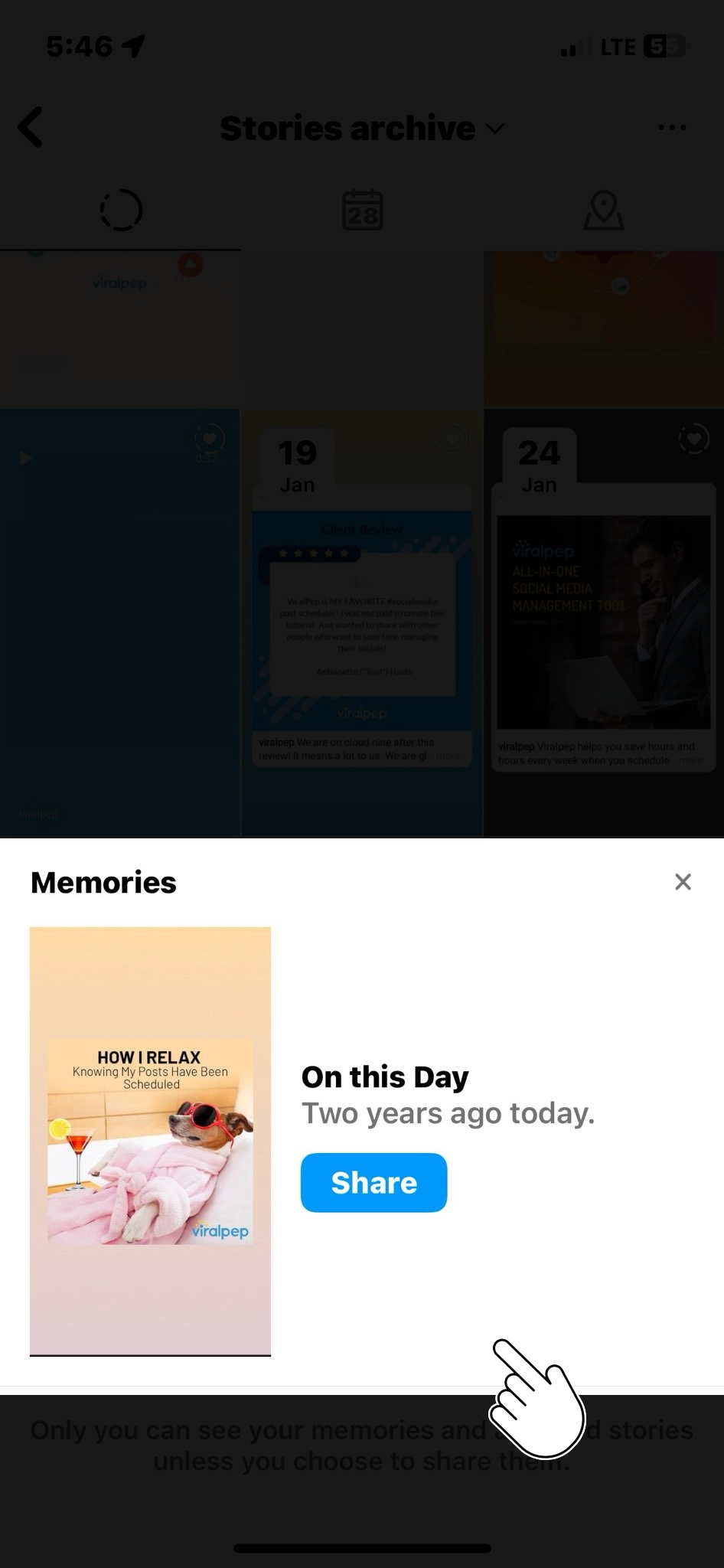
    Now, on your profile page, you’ll notice a clock-like icon with an arrow around it at the top right corner of the screen. This is the “Memories” icon. Tap on it.

    Access Memories

  • Step 4: Explore Your Memories

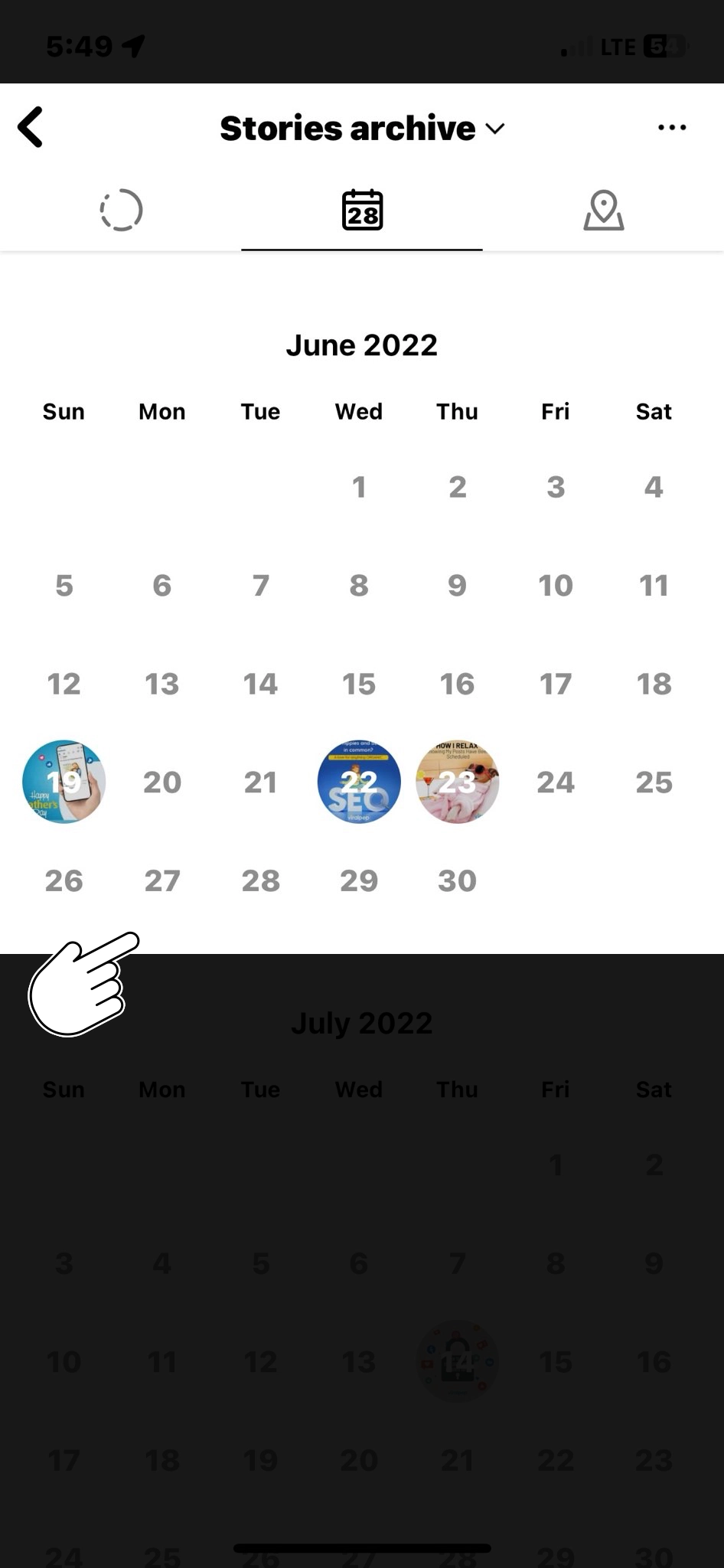
    After tapping the Memories icon, Instagram will take you to the “On This Day” page. Here, you’ll see a collage of posts you shared on the same date in previous years. Scroll down to explore different memories from various years.

    Tip: If you’d like to create your own custom memories, try using collage generator to combine your favorite moments.

    Explore Your Memories

  • Step 5: Interact with Your Memories

    Instagram Memories allows you to interact with your old posts just like you would with current ones. You can like, comment, and share these memories with your followers if your privacy settings permit.

    Interact with Memories

  • Step 6: Share Memories in Your Story

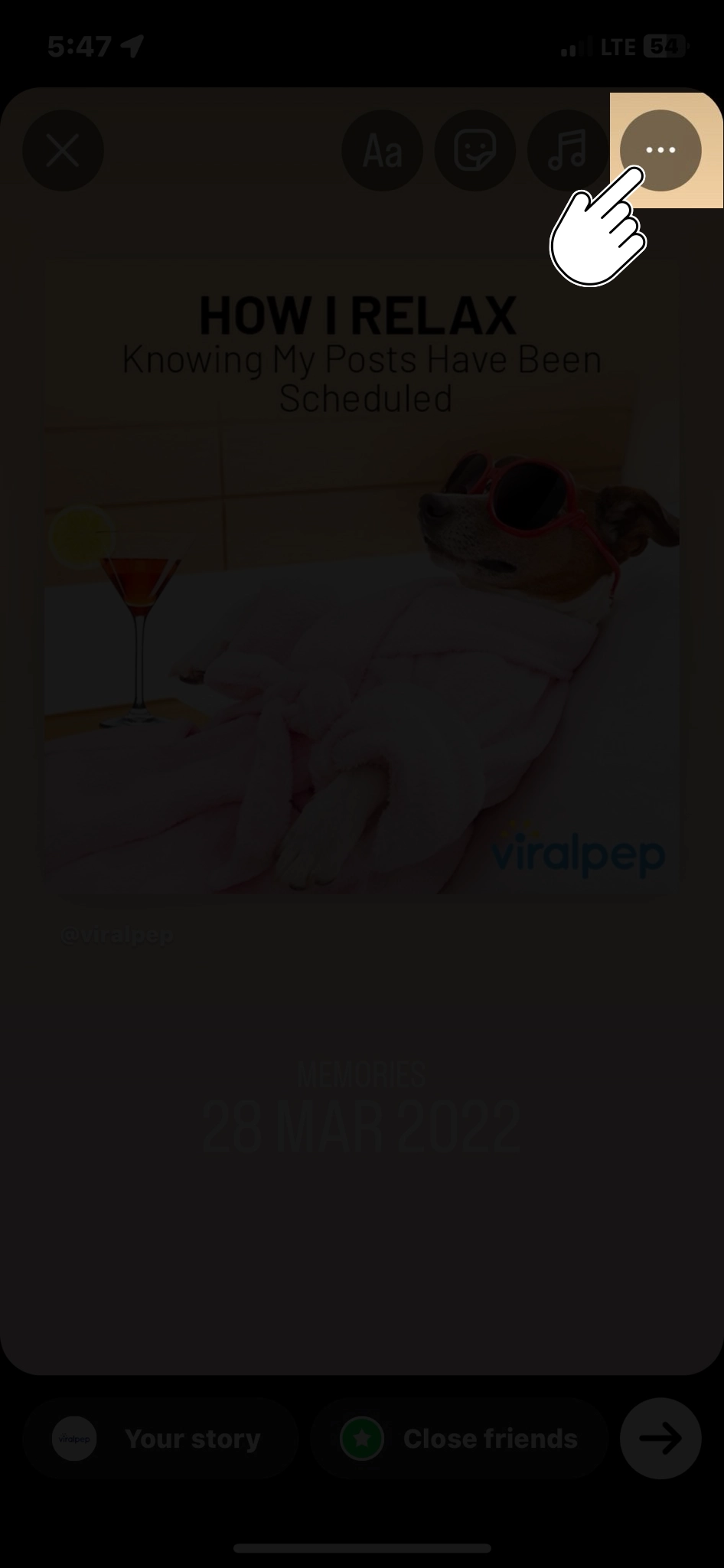
    If you want to share a specific memory with your Instagram story, tap the Share icon (a paper airplane) beneath the post. You can add stickers, text, or drawings to make it more personalized before sharing it with your story.

    share memories in story

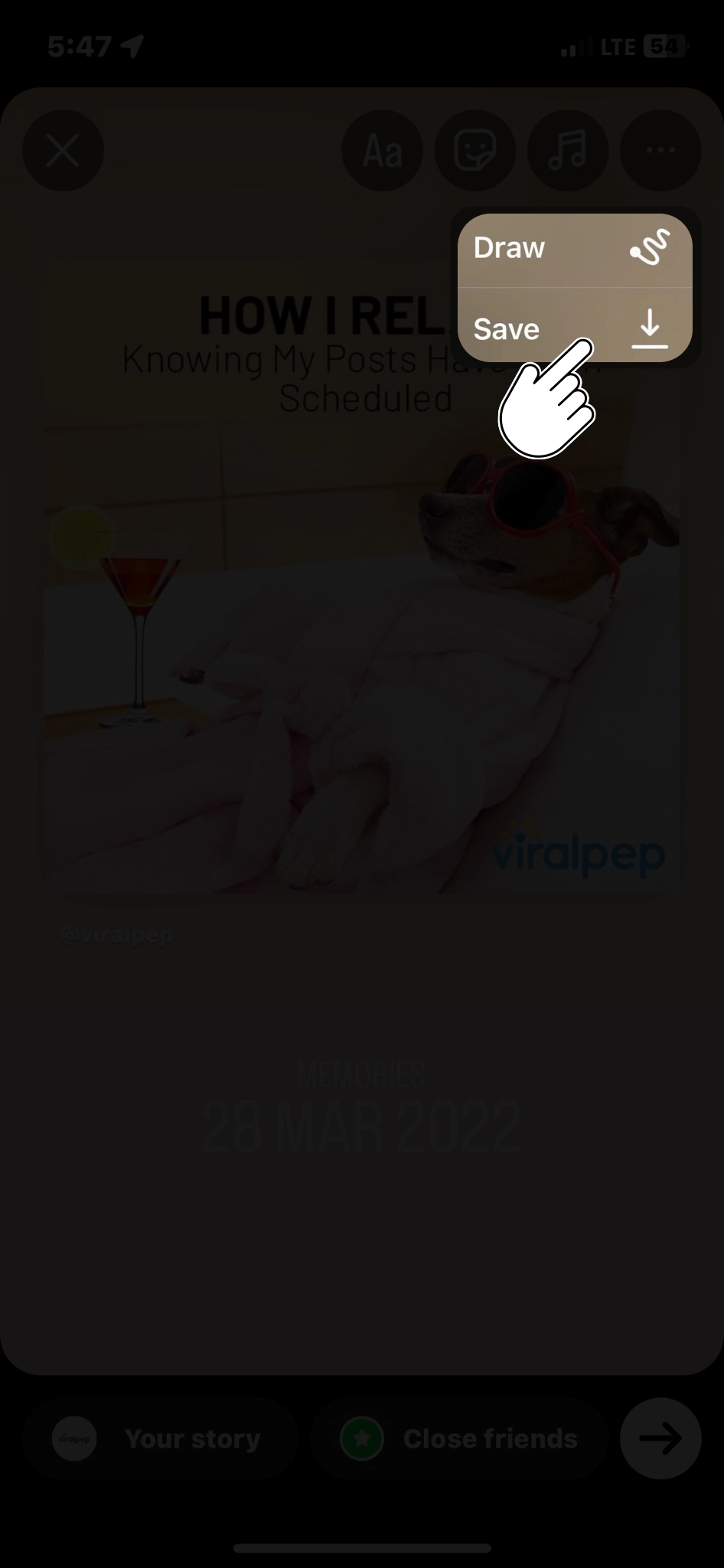
  • Step 7: Save Memories

    Tap the Save icon (a downward arrow) below the post to save memory to your device’s photo library. This way, you can keep a copy of your cherished moments offline.

    Save Memories

  • Step 8: Access Older Memories

    To explore memories from earlier years, tap the calendar icon at the top right of the “On This Day” page. This will allow you to select a specific date and see memories from that day in the past.

    access older memories

  • Step 9: Adjust Your Memory Notifications

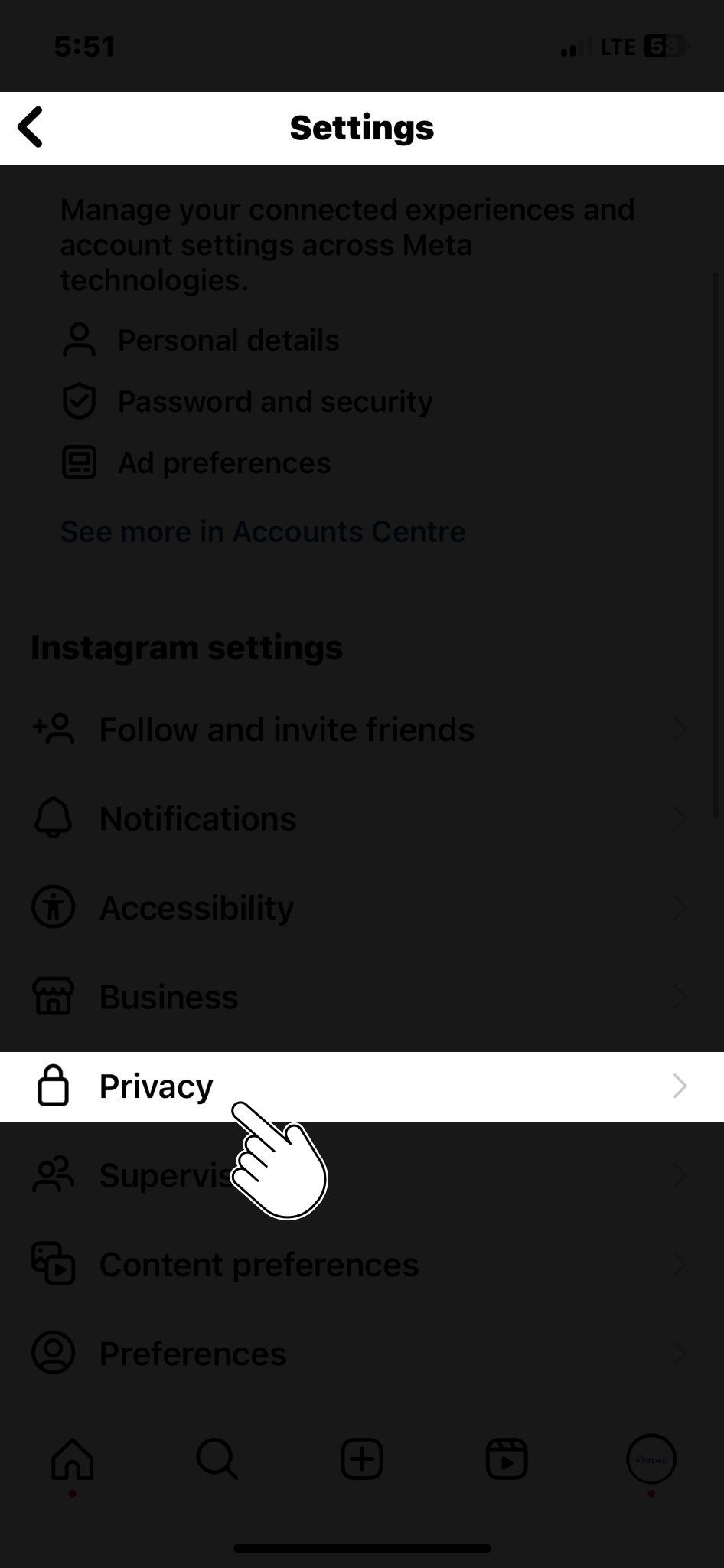
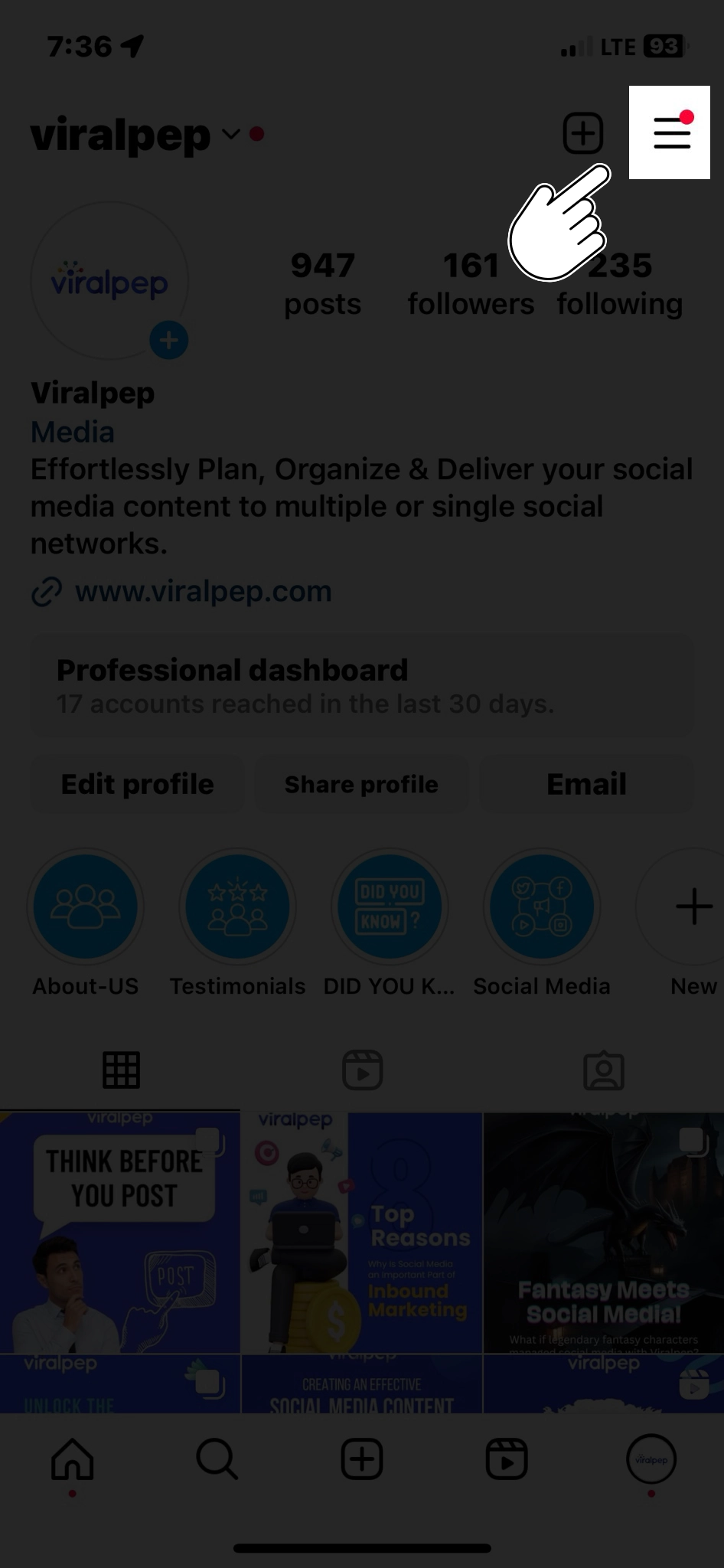
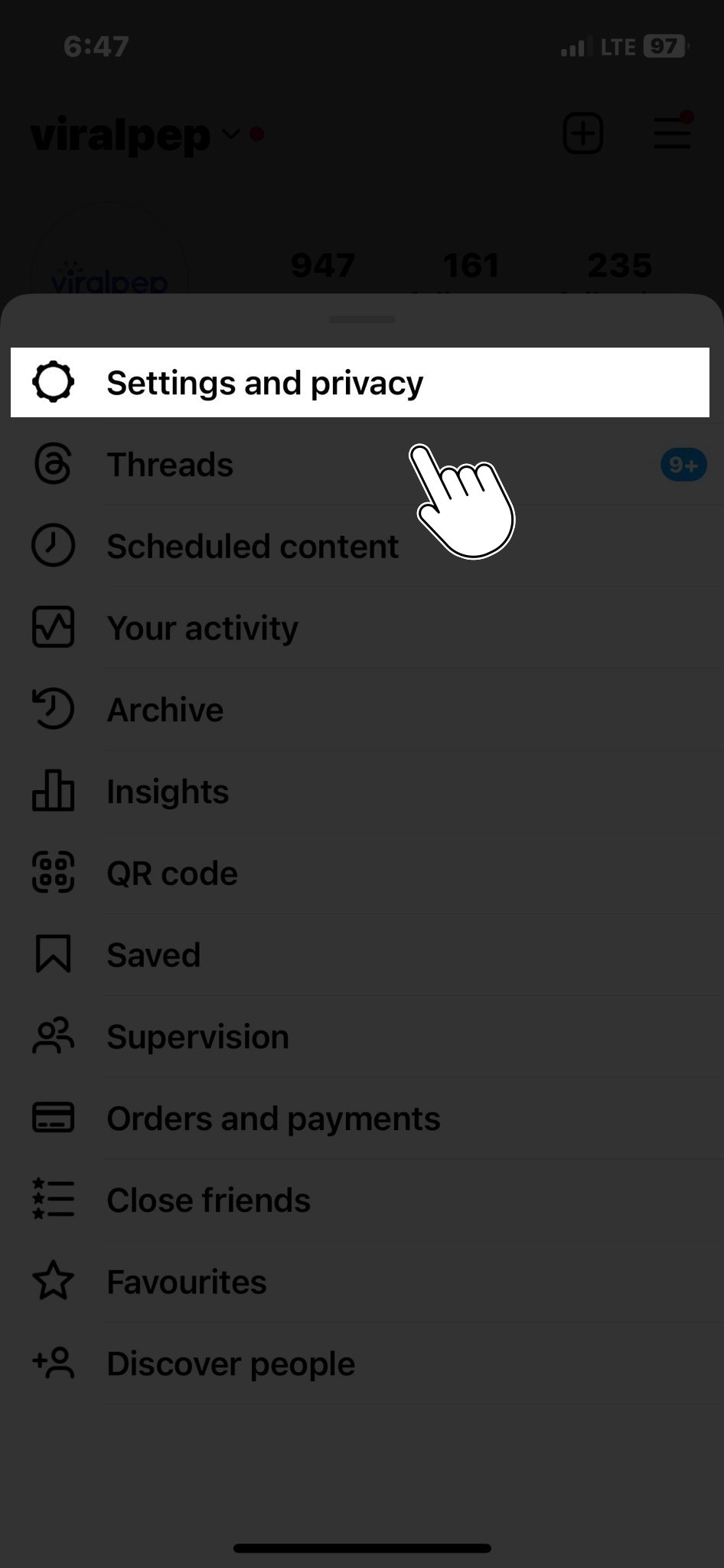
    Instagram also lets you set up notifications to receive daily reminders of your past posts. To do this, tap the three horizontal lines at the top right corner of your profile, go to “Settings,” then select “Privacy,” and finally, “Memories.” From here, you can adjust your memory notification preferences.

    Go to Privacy

Conclusion

Instagram Memories is a wonderful feature that helps you relive the moments you’ve shared on the platform.

Whether it’s a special vacation, a milestone event, or a random moment, this feature lets you reconnect with your past digitally.

Follow these simple steps, and you can easily view, share, and save your Instagram memories. So, take a trip down memory lane and rediscover the magic of your past Instagram posts.

Visit Viralpep for more insights and strategies to help you schedule and publish posts seamlessly across multiple platforms from one place.

FAQs

What are Instagram Memories?

Instagram Memories is a feature that allows users to revisit and relive their old posts. It’s a way to see what you posted on the same date in previous years.

Can I access Instagram Memories from a computer?

Currently, Instagram Memories is primarily designed for mobile devices. You can access it through the Instagram app on your smartphone, but it may not be available on the web version.

How far back in time can I go with Instagram Memories?

You can explore memories from previous years as long as you have posts on Instagram from those years. The exact range will depend on when you started using the platform.

Can I edit my old posts in Instagram Memories?

No, you cannot directly edit old posts through Instagram Memories. If you want to edit or delete an old post, you’ll need to locate and edit it in your profile as you would with any current post.

Are Instagram Memories visible to my followers?

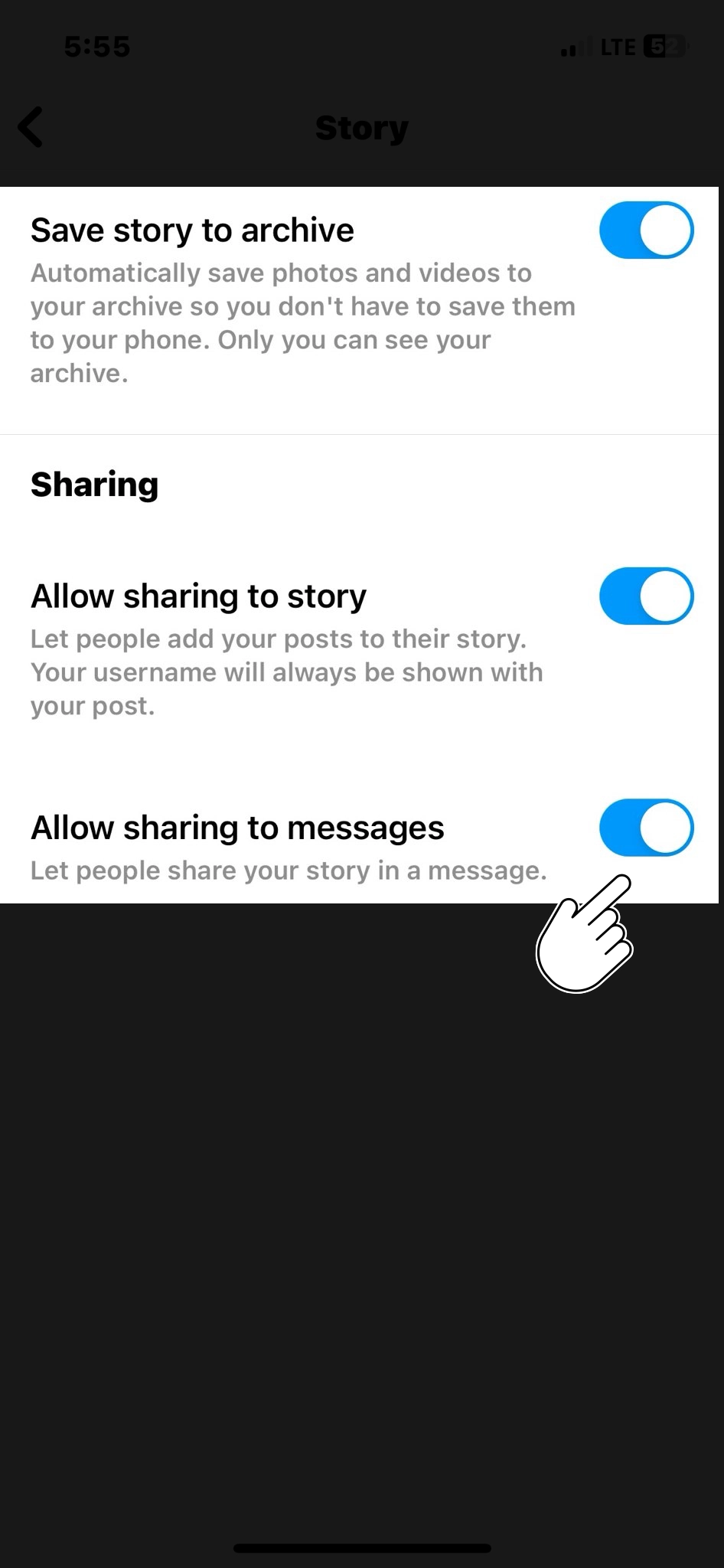
Your Instagram Memories are private by default. You can share them with your followers by selecting the “Share to Story” option for specific memories, but they won’t be visible on your main profile unless you manually repost them.

How do I turn off Instagram Memories notifications?

Educational posts can cover gemstone properties, jewelry care, and the latest trends. Use visually appealing graphics, informative videos, and easy-to-understand language to captivate your audience.

Can I view Instagram Memories for multiple accounts if I manage more than one?

Yes, if you manage multiple Instagram accounts and are logged into them on the same device, you can access Instagram Memories for each account separately.

Is there a way to search for specific memories or posts within Instagram Memories?

You can use the search bar at the top of the “On This Day” page in Instagram Memories to search for specific memories using keywords, usernames, or hashtags.

Can I see memories from a specific date that are not today?

Absolutely. To access memories from a specific date, tap the calendar icon at the top right corner of the “On This Day” page, and select the date you’re interested in.

Is there a limit to how many memories I can view or share daily?

There isn’t a specified limit to the number of memories you can view or share daily. You can explore and share memories as much as you like, depending on your preferences and the content you want to revisit.

15 Pre-Launch Instagram Posts Ideas to Spice Up Your Account

Introduction

Launching a new product, service, or venture is exciting for any business or individual. However, the key to a successful launch is creating buzz and anticipation around your offering even before it hits the market.
With its vast user base and engagement potential, Instagram is the perfect platform to build excitement. In this blog, we’ll explore some creative pre-launch Instagram post ideas to help you generate anticipation for your big launch.

Exploring Pre-Launch Instagram Post Ideas

  1. Teasers and Countdowns

    Create a sense of urgency by posting teaser images or videos about your upcoming launch. Include a countdown timer in your post or caption to keep your audience engaged and constantly aware of the approaching launch date.
    countdown begin
    For example, you can post daily countdown updates with intriguing captions like “7 days until something big is coming!” or “Get ready for the reveal in 10 days!”

  2. Behind-the-Scenes Sneak Peeks

    People love to get a glimpse behind the curtain. Share behind-the-scenes photos and videos that offer a sneak peek into the making of your product or the process behind your service.
    Behind the scenes
    This not only humanizes your brand but also builds curiosity among your followers.

  3. User-Generated Content (UGC)

    Encourage existing customers or followers to create content about your upcoming launch. You can organize a UGC contest with a unique hashtag and repost the best entries on your profile.
    This not only builds excitement but also leverages the power of social proof.

  4. Interactive Q&A Sessions

    Host live Q&A sessions or use Instagram’s Stories feature to answer questions related to your upcoming launch. This allows you to address any doubts or concerns your audience may have and provides an opportunity to create a direct connection with your followers.

  5. Product Teasers

    Gradually unveil your product or service by sharing teaser images or videos focusing on specific features or aspects. Highlight the benefits and unique selling points that make your offering stand out.

  6. Testimonials and Reviews

    If you have early adopters or beta testers, showcase their testimonials and reviews. Hearing positive feedback from others can build trust and excitement around your launch.

  7. Collaborations and Partnerships

    Leverage collaborations with influencers or other brands that align with your product or service. Teaming up with someone influential can help you reach a broader audience and add credibility to your launch.

  8. Storytelling

    Craft a compelling narrative around your launch. Share the story of how your idea came to be, the challenges you’ve overcome, and the vision behind your product or service. Instagram’s carousel feature is perfect for this.

  9. Limited-Time Offers or Exclusive Access

    Create a sense of urgency by offering limited-time promotions or exclusive access to your launch for your Instagram followers. Make sure to communicate the value of these offers clearly.

  10. Interactive Polls and Quizzes

    Engage your audience using interactive elements like polls, quizzes, or surveys related to your launch. This not only keeps your followers involved but also provides you with valuable insights.

  11. Progress Updates

    Regularly update your followers on the progress of your launch preparations. Share your milestones, challenges, and successes. This transparency can make your audience feel like they are part of the journey.

  12. Virtual Events

    Host virtual launch parties, webinars, or live demos on Instagram Live. These events can be great opportunities to showcase your product or service and interact with your audience in real-time.

  13. Instagram Ads

    Consider running targeted Instagram ads to reach a broader audience and create awareness about your upcoming launch. Use compelling visuals and copy to pique interest.

  14. Hashtag Campaigns

    Create a unique and catchy hashtag for your launch and encourage your followers to use it in their posts. This can help create a buzz and make your launch more discoverable.

    A branded hashtag can also encourage more people to get Instagram shares by making launch content easier to discover and share before your official launch.

  15. Story Highlights

    Organize your pre-launch content into Instagram Story Highlights. This makes it easy for new followers to catch up on the excitement leading to your launch.

Conclusion

Building anticipation for your big launch on Instagram requires creativity, consistency, and engagement.
By implementing these pre-launch Instagram post ideas, you can create a buzz that drives interest and sets the stage for a successful launch.
Remember to tailor your approach to your specific audience and brand personality, and don’t forget to measure the impact of your pre-launch efforts to refine your strategy for future launches.
Get ready to see your hard work pay off as you unveil your exciting new venture to the world!

FAQs

Why is it important to create pre-launch buzz on Instagram?

Building anticipation on Instagram can help create excitement and awareness about your upcoming launch, leading to a more successful launch day. It can also help you engage with your audience and generate interest early on.

How far in advance should I start posting pre-launch content on Instagram?

The timing depends on your specific product or service and audience. However, it’s generally a good idea to start at least a few weeks to a month before the launch to build up anticipation gradually.

What types of content work best for pre-launch Instagram posts?

Content like teasers, behind-the-scenes shots, user-generated content, and product sneak peeks work well. However, it ultimately depends on your brand and what resonates with your audience.

Should I use Instagram Stories for pre-launch content?

Absolutely. Instagram Stories can be a highly engaging way to share pre-launch content, as they’re temporary and create a sense of urgency. You can use them for countdowns, Q&A sessions, and behind-the-scenes glimpses.

How can I encourage user-generated content (UGC) related to my launch?

Encourage your followers to create content by hosting a UGC contest with a unique hashtag. Offer incentives or rewards for the best entries and showcase them on your profile.

What are some tips for running successful Instagram ads to promote my pre-launch?

Ensure your ad visuals are compelling, target the right audience, and use engaging ad copy. A/B testing can help you refine your ads for better performance.

Should I collaborate with influencers for my pre-launch strategy?

Collaborating with influencers can be a powerful way to reach a broader audience. Ensure that the influencer aligns with your brand and target demographic.

How can I measure the success of my pre-launch Instagram strategy?

Track key metrics like engagement, follower growth, website traffic, and conversions. You can use Instagram Insights and other analytics tools to monitor your progress.

Is it essential to have a dedicated hashtag for my pre-launch campaign?

A unique and catchy hashtag can make your campaign more discoverable and cohesive. It helps users find all related content easily.

What are some common mistakes to avoid in a pre-launch Instagram strategy?

Some common mistakes include overpromoting, not engaging with your audience, neglecting to plan a content calendar, and ignoring feedback from followers.

How to Create Engaging Instagram Carousel Posts: A Step-by-Step Guide

Introduction

Instagram has become a powerhouse platform for sharing visual content with over a billion monthly active users.

One of its engaging features is the carousel post, allowing users to share a collection of photos or videos within a single post. Scheduling carousel posts can be a game-changer to maintain a consistent and strategic presence on Instagram.

In this blog post, we’ll show you how to schedule carousel posts on Instagram. You’ll learn how to create stunning carousel posts, plan them ahead of time, and publish them automatically at the best times for your audience. Let’s get started!

What is an Instagram Carousel Post?

An Instagram Carousel Post is multimedia content that allows users to share multiple photos and videos within a single post.

Unlike a regular Instagram post that typically features just one image or video, a carousel post lets you swipe through a series of images or videos horizontally, similar to a slideshow.

Here are the key features and characteristics of an Instagram Carousel Post:

  • Multiple Content Pieces: Carousel posts can include up to 10 photos or videos in a single post. Each image or video is considered a separate content piece.
  • Swipeable Format: Users can swipe left or right to navigate the images or videos within the carousel.
  • Individual Captions and Hashtags: You can assign unique captions, emojis, and hashtags to each image or video in the carousel. This allows you to provide context, tell a story, or share specific information related to each piece of content.
  • Variety and Creativity: Carousel posts offer an opportunity to showcase various content, such as product images, behind-the-scenes glimpses, step-by-step tutorials, customer testimonials, event highlights, and more.
  • Engagement and Interaction: Followers can engage with each piece of content within the carousel by liking, commenting, or sharing. This can encourage more interaction and discussions compared to a single-image post.
  • Increased Visibility: Carousel posts have the potential to reach a larger audience and gain higher engagement due to the multiple images or videos they contain. They also provide an opportunity to incorporate a diverse range of hashtags, which can enhance discoverability.
  • Storytelling and Narrative: Carousel posts are often used for storytelling, allowing users to present a sequence of images that tell a complete narrative or convey a specific message.

Carousel posts provide a versatile and engaging way to share content on Instagram, allowing you to showcase your creativity, tell stories, and connect with your audience more interactively.

When Should We Opt For Instagram Carousel Post?

Instagram Carousel Posts are a versatile and engaging format that can be strategically used in various situations to enhance your content and connect with your audience.

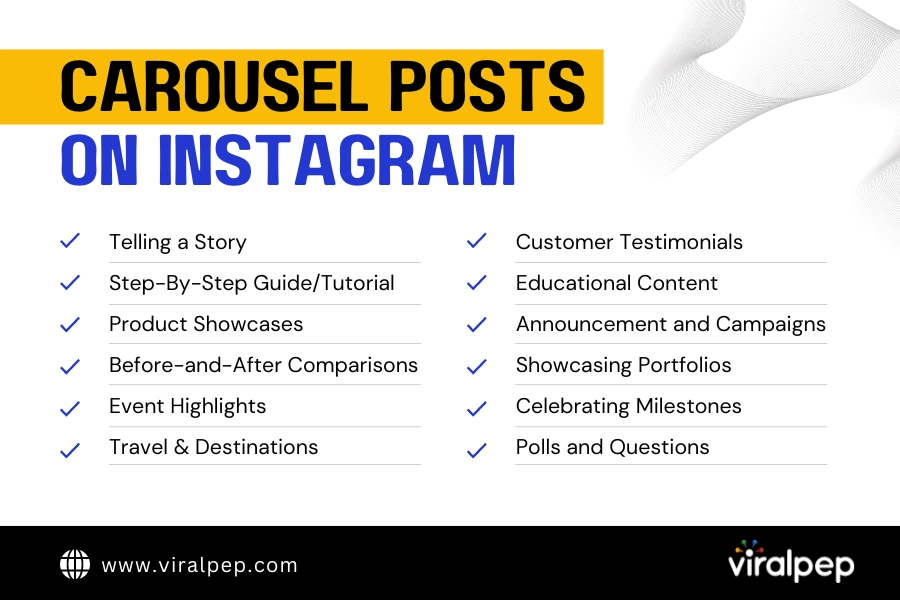
Let’s explore some of the best scenarios when you should consider opting for an Instagram Carousel Post:

  • Telling a Story: A carousel post is a great choice if you have a narrative to share that involves multiple images or videos. It allows you to present a sequence of content pieces that tell a compelling story together.
  • Step-by-Step Guides or Tutorials: If you want to provide your followers with a detailed step-by-step guide, tutorial, or DIY project, a carousel post can help you break down the process into easy-to-follow visuals.
  • Product Showcases: For businesses, carousel posts can effectively showcase a collection of products from the same line or category. Each image can highlight a different product, and the captions provide details about features, benefits, and usage.
  • Before-and-After Comparisons: If you want to demonstrate the transformation achieved through your product or service, a carousel post can effectively showcase before-and-after images or videos.
  • Event Highlights: If you’ve hosted an event, such as a workshop, conference, or party, a carousel post can capture different moments, speakers, or activities from the event.
  • Travel and Destinations: If you’re sharing travel experiences or highlighting a specific destination, a carousel post can showcase various aspects of the location, such as landmarks, local cuisine, and cultural experiences.
  • Customer Testimonials: For businesses, carousel posts can feature customer testimonials or reviews, where each slide highlights a different customer’s experience or feedback.
  • Educational Content: Carousel posts are an excellent way to share educational or informative content, such as fun facts, trivia, or tips related to your niche.
  • Announcements and Campaigns: If you’re launching a new product, service, or marketing campaign, a carousel post can help you present different aspects or features of your promotion.
  • Highlighting Portfolios: If you’re an artist, photographer, designer, or creative professional, carousel posts can showcase a series of your work in a single post, allowing followers to see various creations.
  • Celebrating Milestones: Use carousel posts to celebrate achievements, milestones, or anniversaries. Each slide can represent a different stage of your journey.
  • Engaging with Polls or Questions: You can use carousel posts to engage your audience with polls, questions, or interactive content. Each slide can present a question or option for your followers to respond to.

Remember, the key to a successful carousel post is coherence and relevance. Ensure that the images or videos within the carousel contribute to a unified message, theme, or story.

Why Schedule Carousel Posts?

Scheduling carousel posts on Instagram offers several important benefits that can significantly enhance your social media marketing strategy and overall online presence.

schedule Carousel posts

  • Consistency: Consistency is key to building a strong online presence. Scheduling carousel posts ensures that your content is consistently delivered to your audience, which helps build brand recognition and trust.
  • Time Efficiency: Planning and scheduling content in advance allows you to allocate your time more efficiently, reducing the daily stress of creating and posting content.
  • Strategic Planning: Scheduling enables you to align your carousel posts with specific marketing campaigns, events, or product launches, ensuring that your content is timely and relevant.
  • Optimal Posting Times: Analyzing your audience’s engagement patterns can help you determine the best times to post on Instagram. Scheduling tools often provide insights into your followers’ activity, allowing you to schedule carousel posts for peak engagement hours and maximize your reach.
  • Global Reach: Scheduling carousel posts accommodates different time zones, helping you reach a wider and more diverse audience.
  • Enhanced Creativity: Scheduling in advance allows you to plan and create more cohesive and visually appealing carousel posts. You can experiment with different themes, styles, and narratives, producing more creative and impactful content.
  • Reduced Stress: The pressure of daily posting can lead to burnout and subpar content quality. Scheduling carousel posts alleviates this stress and allows you to focus on creating exceptional content rather than scrambling for last-minute ideas.

Scheduling carousel posts on Instagram is a strategic approach that offers numerous advantages for individuals, businesses, and influencers.

Step-by-Step Guide to Scheduling Carousel Posts

Follow these steps to schedule carousel posts on Instagram effectively:

carousel post on instagram

  1. Step 1: Choose a Scheduling Tool

    There are various third-party scheduling tools available in the market. When selecting a scheduling tool, consider your specific needs and preferences.

    Most of these tools offer free plans with limited features and paid plans with more advanced options.

  2. Step 2: Connect Your Instagram Account

    Once you’ve selected a scheduling tool, create an account and connect your Instagram business profile.

    This typically involves the following steps:

    • Log in to the scheduling tool using your Instagram credentials.
    • Grant necessary permissions to the tool to access your Instagram account.
    • Follow the on-screen instructions to complete the account connection process.

    This usually involves granting permissions and authorizing the tool to access your Instagram account.

  3. Step 3: Create Your Carousel Post

    Gather the images or videos you want to include in your carousel post. Ensure these visuals are relevant to your brand, message, or campaign.

    Maintaining a cohesive theme or story throughout the carousel is essential to engage your audience effectively.

  4. Step 4: Arrange and Edit Content

    Use the scheduling tool’s interface to arrange your images or videos in the desired order.

    Edit each element, applying filters, captions, and hashtags to enhance your carousel’s overall visual appeal and message.

    Moreover, you’ll come across many tools that offer a drag-and-drop interface, allowing you to reorder your content easily.

    • Edit each element: Apply filters, adjust brightness, contrast, and saturation to maintain a consistent look throughout the carousel.
    • Write captions: Craft engaging captions for each image or video. Consider telling a story, sharing a tip, or asking questions to encourage interaction.
    • Add hashtags: Include relevant hashtags to increase the discoverability of your carousel post. Use a mix of popular and niche-specific hashtags.
  5. Step 5: Schedule Your Post

    Select the date and time you want your carousel post to be published.This step requires careful consideration of your audience’s time zones and peak engagement times.

    Consider your audience’s peak engagement times and time zones for maximum reach. Most scheduling tools provide insights into the best posting times based on your audience analytics.

  6. Step 6: Review and Confirm

    Before finalizing your schedule, review the carousel post, captions, hashtags, and publishing time.

    • Check captions for accuracy and clarity.
    • Ensure hashtags are relevant and properly formatted.
    • Verify that images or videos are correctly arranged and edited.
    • Double-check the scheduled date and time.

    Re-verify that everything aligns with your branding and marketing goals.

  7. Step 7: Publish or Queue

    Once satisfied with your scheduled carousel post, you can either queue it for publishing at the designated time or directly publish it, depending on your scheduling tool’s features.

  8. Step 8: Monitor and Engage

    After your carousel post goes live, monitor its performance using the analytics provided by the scheduling tool. Track metrics such as likes, comments, shares, and profile visits to gauge its effectiveness.

    Engage with comments, respond to messages, and interact with your audience to foster meaningful connections.

Conclusion

You’ve just learned how to schedule carousel posts on Instagram.

Now you can create stunning carousel posts, plan them ahead of time, and publish them automatically at the best times for your audience.

Scheduling carousel posts on Instagram is a powerful strategy for maintaining a consistent, engaging, and well-planned content calendar.

Effective engagement and interaction are key to building meaningful relationships and achieving marketing goals on this visually driven platform.

FAQs

What is a carousel post on Instagram?

A carousel post on Instagram is multimedia content that allows you to share multiple photos or videos within a single post. Users can swipe left or right to view the different images or videos in the carousel.
Scheduling carousel posts offers benefits such as maintaining consistency, saving time, strategic planning, optimal posting times, global reach, and enhanced creativity in your content.
To schedule carousel posts, you can use third-party scheduling tools. These tools allow you to upload and arrange your content, add captions and hashtags, choose a posting time, and schedule the post to be published automatically.

Can I edit a scheduled carousel post after it's been scheduled?

Most scheduling tools allow you to edit scheduled posts before they are published. You can adjust captions, hashtags, posting times, and even the order of images or videos within the carousel.
Many scheduling tools provide insights and analytics on your audience’s engagement patterns. Use these insights to determine the best times to schedule your carousel posts based on when your followers are most active.
Yes, scheduling tools typically allow you to schedule carousel posts for multiple days, weeks, or even months in advance. This feature is especially useful for planning and executing long-term content strategies.
Scheduled carousel posts can receive similar engagement levels as manually posted ones, especially if you optimize posting times based on audience behavior. Factors like content quality, captions, hashtags, and relevance to your audience influence engagement.
While scheduling carousel posts offers numerous benefits, it’s important to note that unforeseen events or changes in your content strategy might require adjustments to your scheduled posts. Additionally, Instagram’s algorithm may prioritize real-time interactions, affecting the visibility of scheduled posts.

How to Delete Drafts Reel on Instagram

Introduction

Have you ever found yourself scrolling through your Instagram Reels, only to stumble upon drafts you completely forgot about? We’ve all been there.

Those half-finished, abandoned creations can clutter your creative space and make finding the content you want to share difficult. But fear not!

In this blog post, we’ll guide you through the simple process of deleting draft Reels on Instagram, helping you tidy up your profile and make room for fresh, polished content.

Easy Steps For Deleting Draft Reels on Instagram

So, if you’re ready to reclaim your creative space and say goodbye to those forgotten drafts, let’s dive in and learn how to delete draft Reels on Instagram!

  1. Understanding Instagram Reels Drafts

    Before diving into the deletion process, let’s first understand what Instagram Reels drafts are. When you create a Reel but decide not to publish it immediately, Instagram allows you to save it as a draft.

    This feature is handy if you want to continue editing or refining your video before sharing it with your audience. Drafts are unfinished Reels that are saved privately to your account, visible only to you.

  2. Locating and Accessing Your Reel Drafts

    To delete your Reel drafts, you must identify and access them within the Instagram app. Follow these steps:

    • Open the Instagram app on your mobile device.

      open instagram app
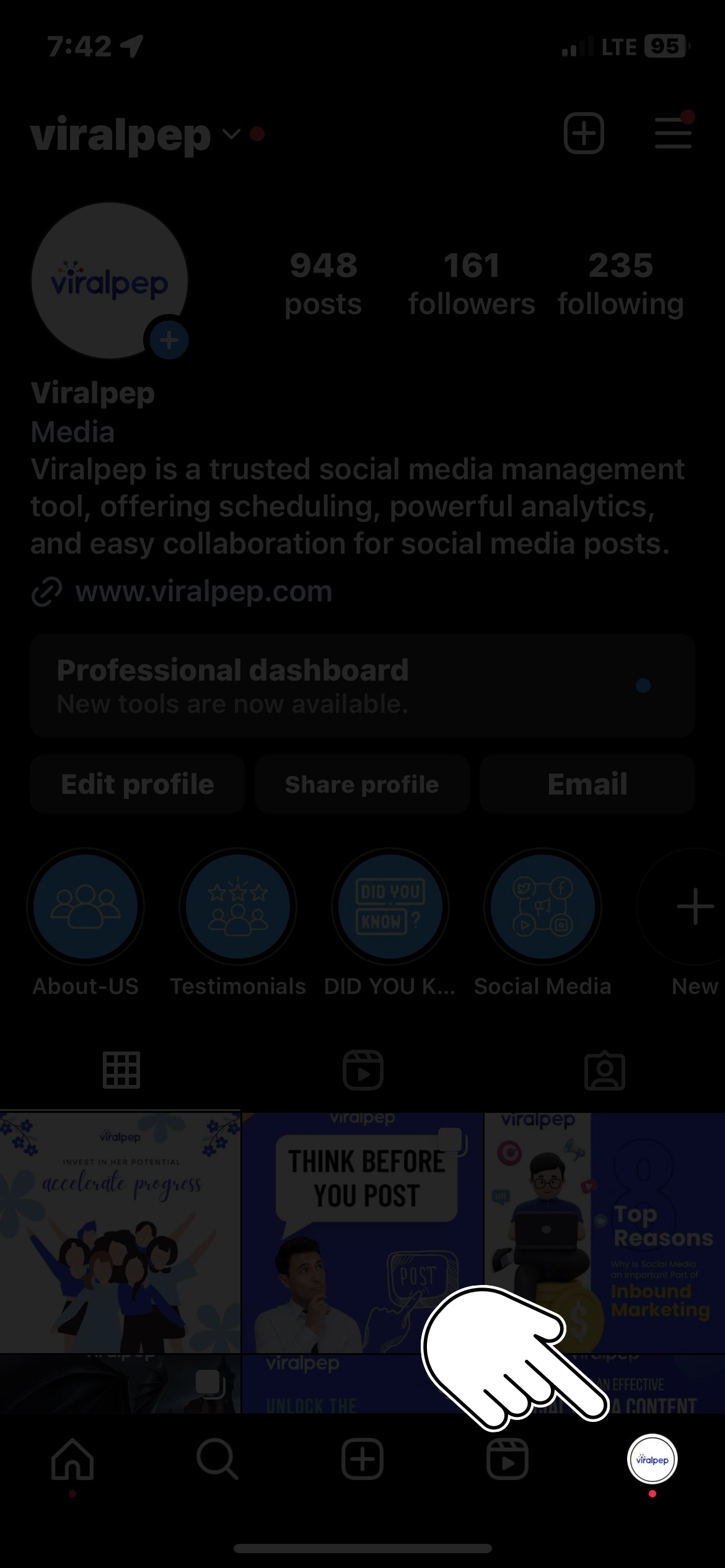
    • Tap on your profile picture at the bottom right corner to access your profile.

      Tap profile picture
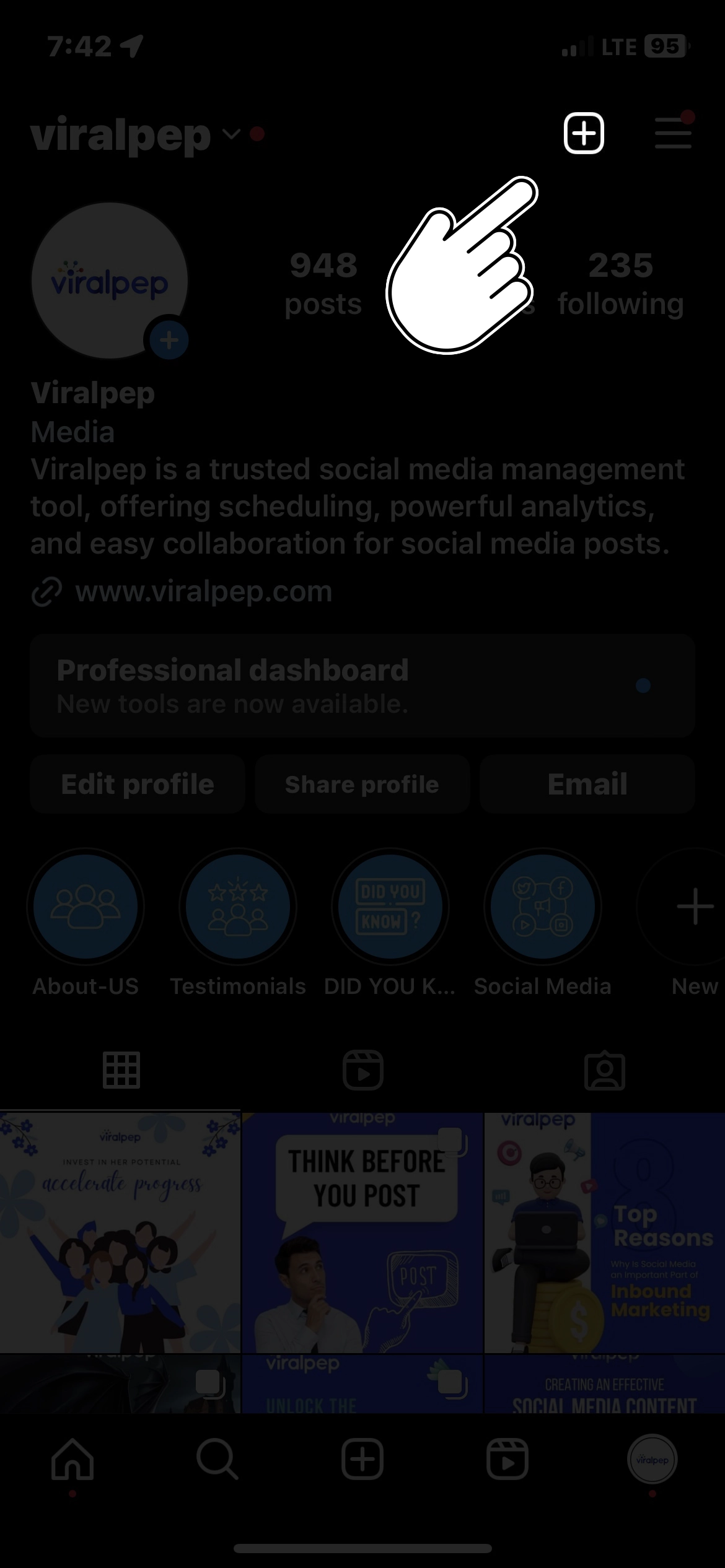
    • Tap the “+” icon at the top right corner to create a new post.

      create new post
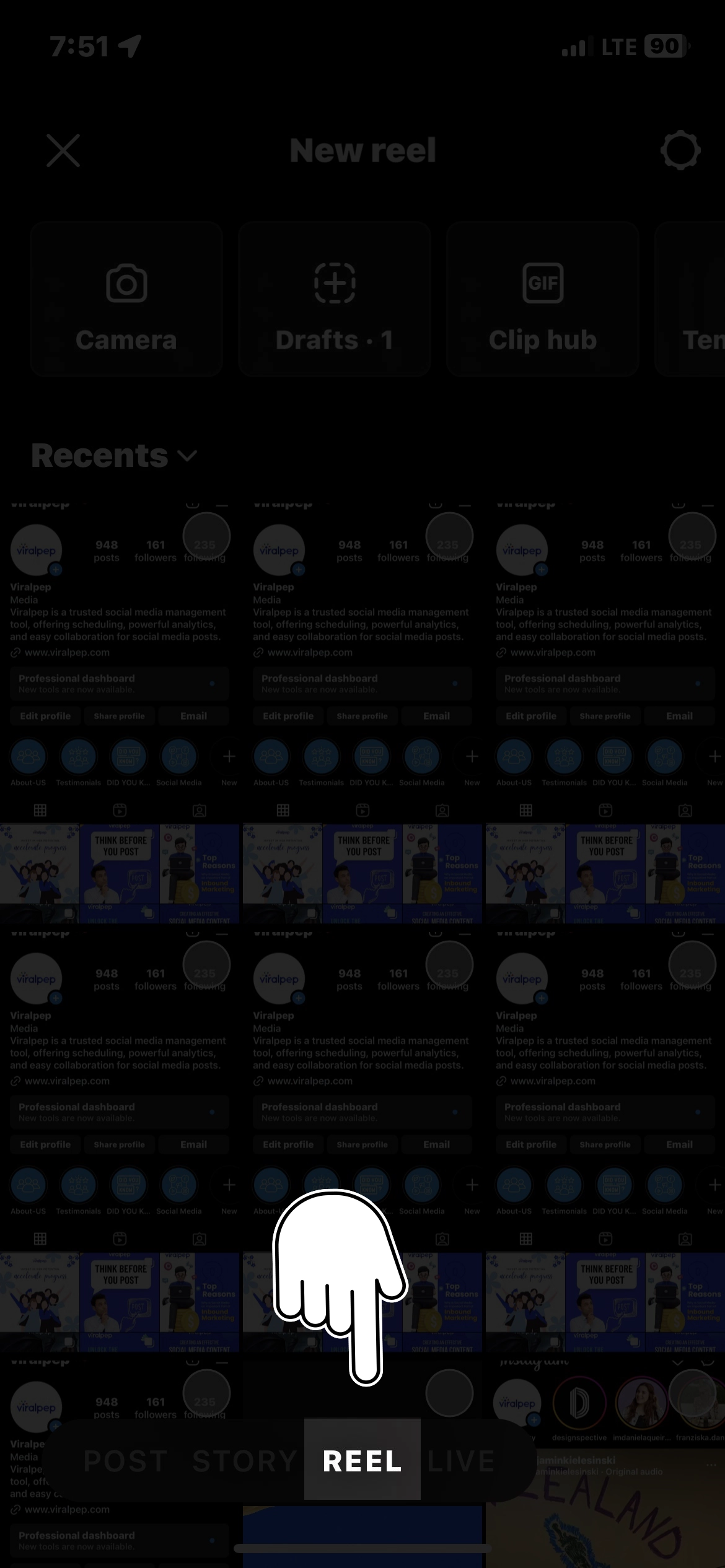
    • Select the “Reel” option at the bottom of the screen.

      click on reel
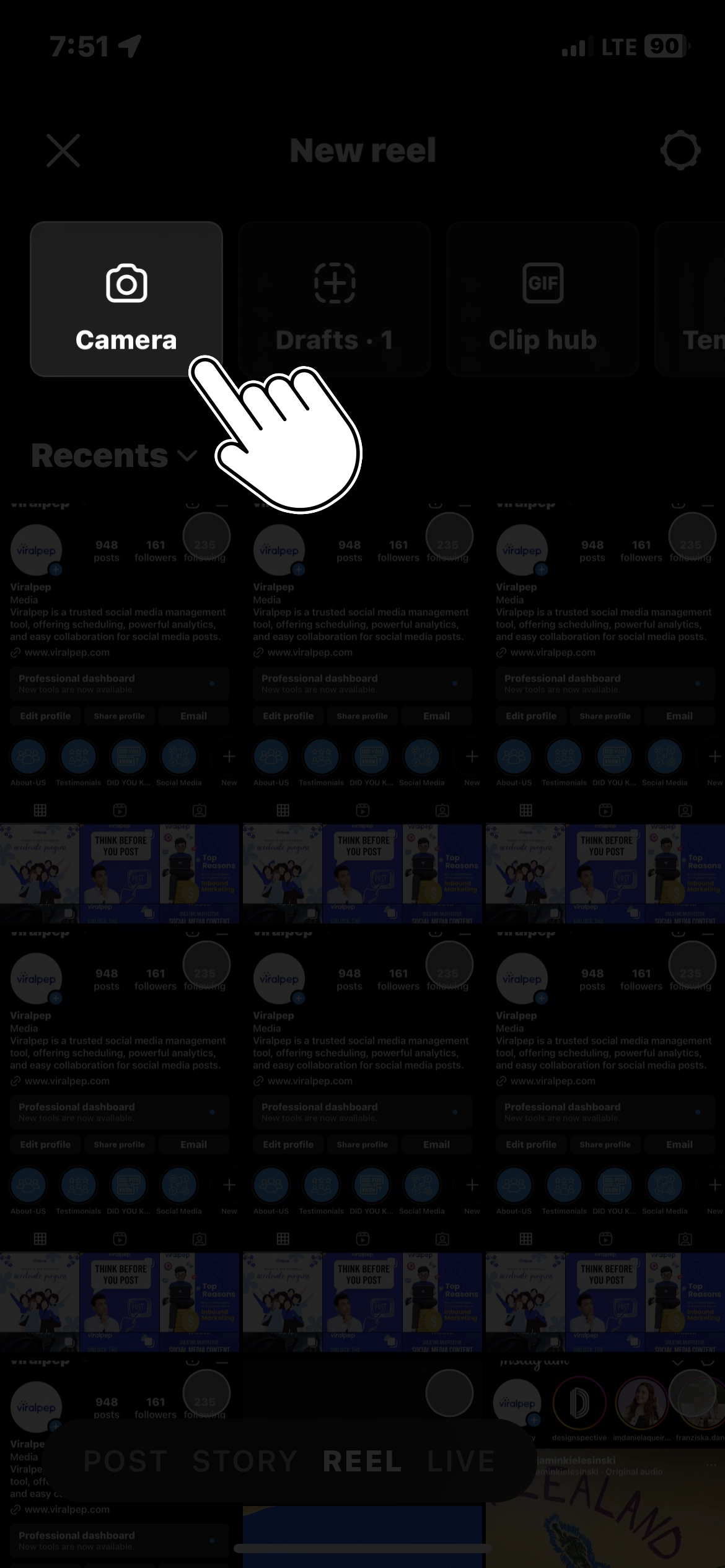
    • Tap on the “Library” option on the left side of the screen.

      tap on library
    • Scroll down until you find the “Drafts” section. Tap on it to view your saved Reel drafts.

      Instagram draft section
  3. Deleting Reel Drafts

    Once you have located your Reel drafts, deleting them is straightforward. Here’s how you can delete drafts on Instagram:

    To delete draft reels on Instagram, you can follow these easy steps:

    • Open the Instagram app on your mobile device.

      open instagram app
    • Tap on your profile icon at the screen’s bottom right corner. This will take you to your profile page.

      Tap profile picture
    • On your profile page, tap the “+” icon at the bottom middle of the screen to create a new post.

      create new post
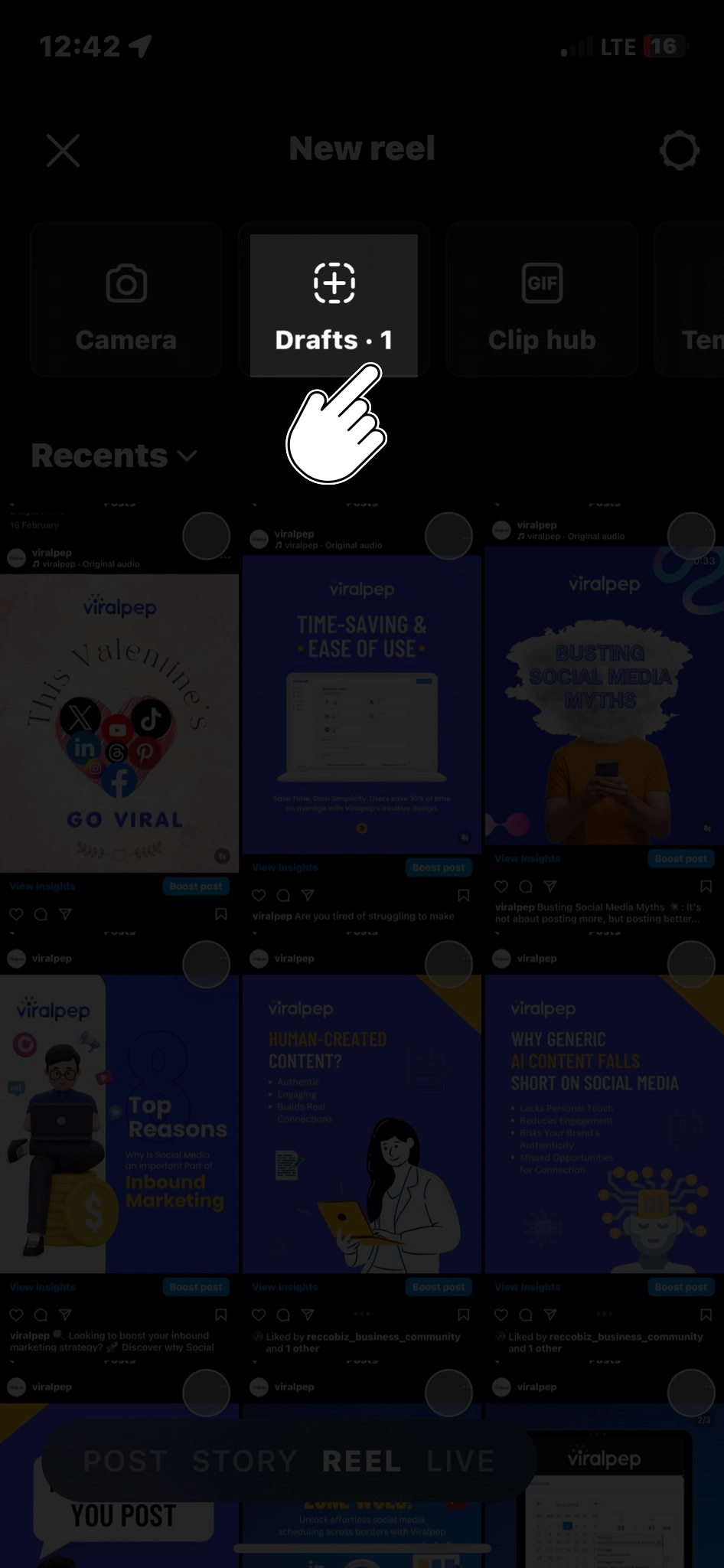
    • You will see the “Reels” option at the bottom of the screen. Tap on it to access your draft reels.

      choose the reel option
    • In the top left corner of the screen, you will find a back arrow (“<") and the word "Drafts" below it. Tap on it to view your draft reels.

      Select on draft
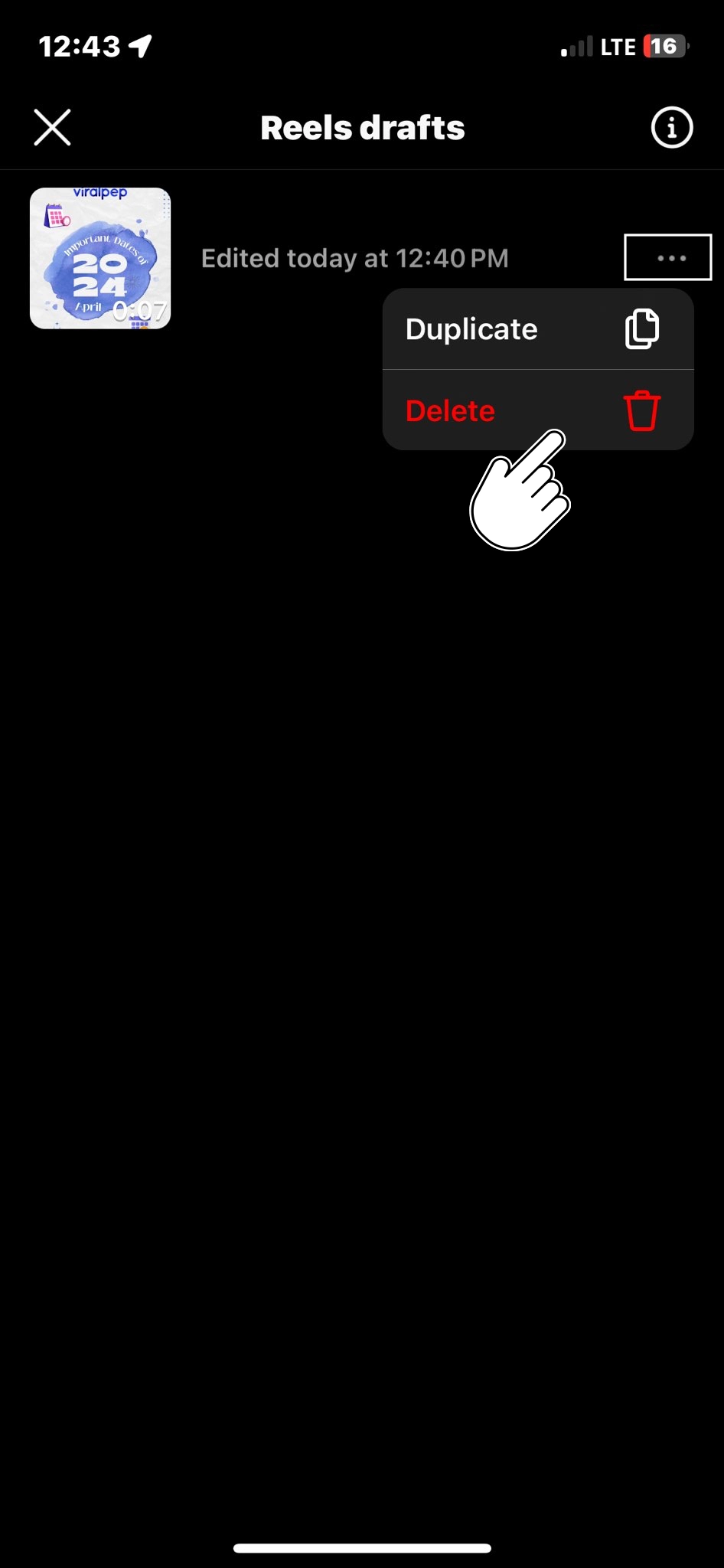
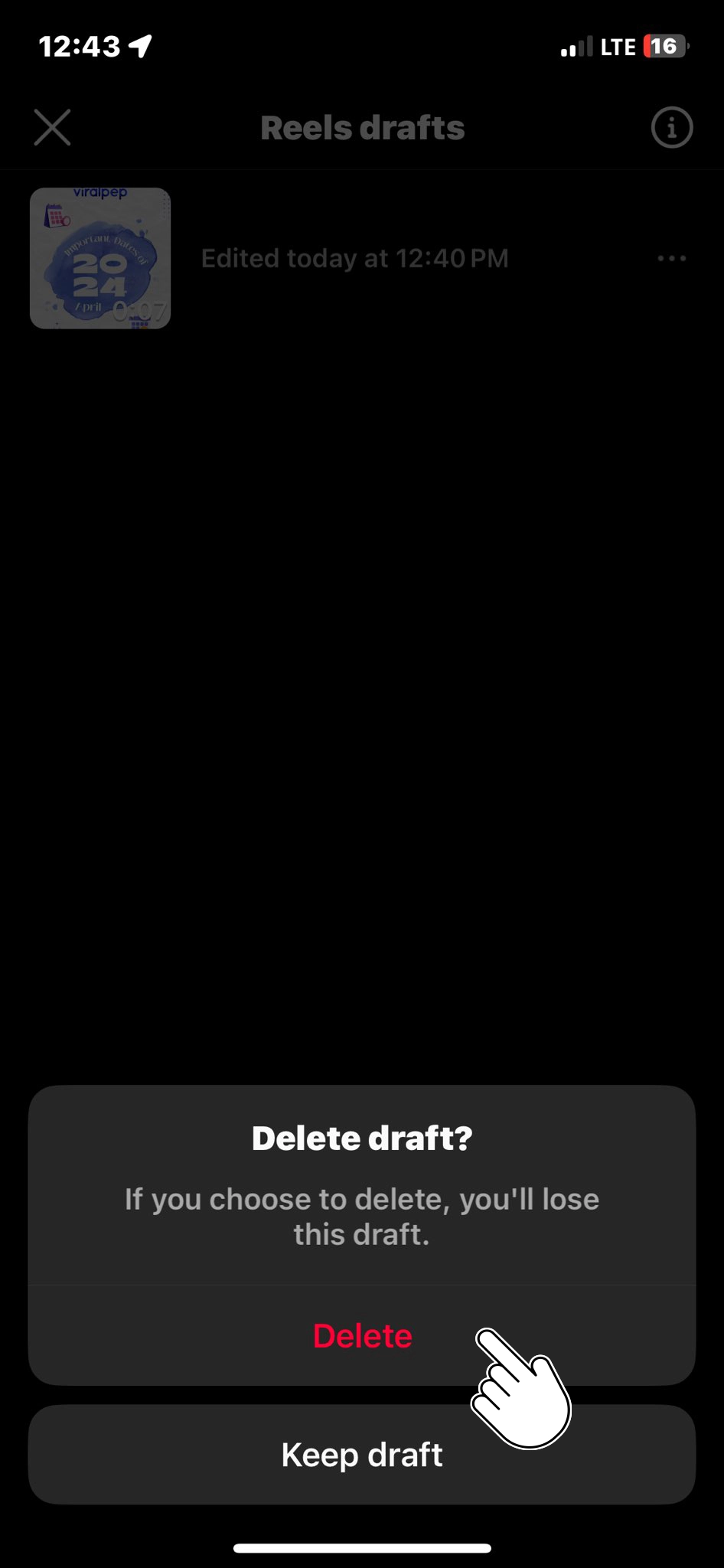
    • Your draft reels will appear on the screen. Tap and hold on to the reel you want to delete. This will bring up a menu.

      Click on three dot
    • From the menu options, select “Delete” or “Discard.” The exact wording may vary slightly depending on your device.

      Select on delete option
    • A confirmation message asking if you want to delete the draft reel. Tap “Delete” or “Discard” to confirm and delete the reel.

      Click on delete

    Following these steps, you can delete draft reels from your Instagram account.

  4. Keeping Your Profile Clean and Organized

    Deleting your Reel drafts helps declutter your account and ensures that only your best and most relevant content is shared with your audience.

    By removing drafts, you no longer need to create space for new and exciting Reels. Additionally, a clean and organized profile can enhance your personal or brand image, making it easier for visitors to navigate and enjoy your content.

  5. When to Keep Drafts

    While deleting drafts can be beneficial, there may be instances where you want to keep certain drafts for future use.

    For example, saving it as a draft can be advantageous if you have a partially completed Reel that you still intend to finish or publish later.

    However, it’s important to periodically review your drafts and delete those that no longer serve a purpose or align with your content strategy.

Conclusion

Cleaning up your Reels by deleting drafts on Instagram is a simple yet effective way to maintain an organized and visually appealing profile.

Implementing the best Instagram marketing secrets, as outlined in this blog post, you can easily locate and remove unnecessary drafts, ensuring that only your finest content is shared with your followers.

Remember, a tidy profile reflects your dedication to quality and helps captivate and engage your audience more effectively. So, take a few minutes to delete those outdated drafts and unleash your creativity with fresh and engaging Instagram Reels!

FAQs

Can I delete multiple draft Reels at once on Instagram?

Unfortunately, there is currently no option to delete multiple draft Reels at once on Instagram.

Will deleting a draft Reel remove it from my account permanently?

Deleting a draft Reel will permanently remove it from your account. Once deleted, you won’t be able to recover the draft or reaccess it.

Why can't I find the "Drafts" section on my Reels tab?

It might be because you haven’t saved any draft Reels if you can’t find the “Drafts” section on your Reels tab. The “Drafts” section only appears when you have one or more draft Reels available.

Can I delete a draft Reel from the web version of Instagram?

The web version of Instagram does not support creating or managing Reels, including deleting draft Reels. You will need to use the Instagram mobile app to delete draft Reels. However, Instagram’s features and interface may change over time, so it’s always a good idea to check the latest version of the app for any updates.

Can I recover a deleted draft Reel on Instagram?

No, it cannot be retrieved once you delete a draft Reel on Instagram. Ensure you have selected the correct draft for deletion, as the action is permanent and irreversible.

Is there a limit to the number of draft Reels I can have on Instagram?

Instagram does not specify a specific limit on the number of draft Reels you can have. However, there might be a practical limit based on factors such as available storage on your device or Instagram’s server capacity.

Can I edit a draft Reel and save the changes instead of deleting it?

Yes, you can edit a draft Reel on Instagram before posting it. Open the draft Reel, make the necessary changes, and save the updated version. The changes you make will replace the previous version of the draft Reel.

How to Get Verified on Facebook: A Detailed Guide

Introduction

Welcome, social media enthusiasts and aspiring verified Facebook users! Are you ready to unlock the secrets of obtaining the elusive blue verification checkmark on Facebook?

We’re thrilled to present to you an interactive guide that will take you on an exciting journey toward boosting your online credibility and standing out in the virtual crowd.

While obtaining a blue verification checkmark on Facebook is not easy, it is achievable with the right approach.

So fasten your seatbelts and prepare to embark on an interactive adventure toward getting the blue verification checkmark on Facebook. Unlock your authenticity and set you on the path to digital success! Are you ready? Let’s dive in!

What is a Blue Tick on Facebook?

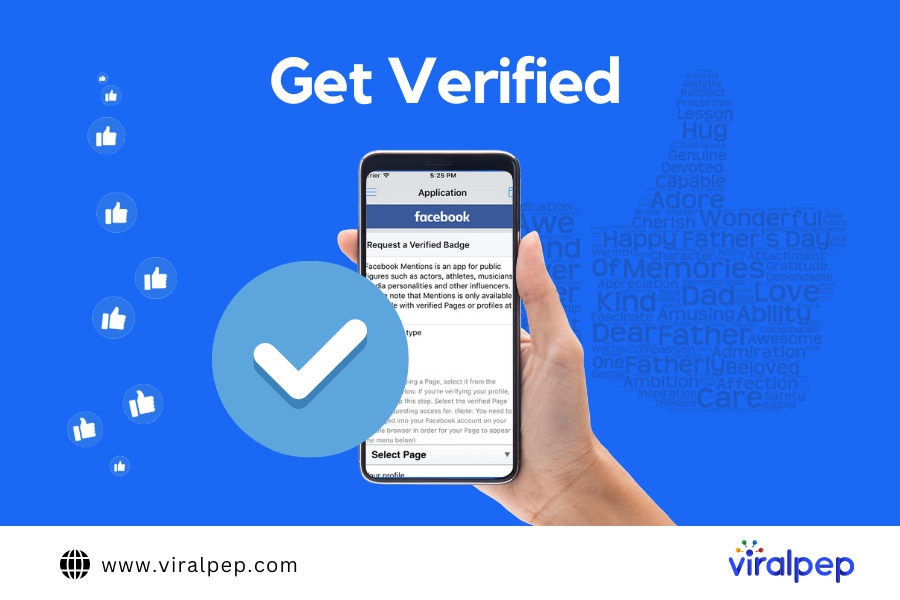
The blue tick on Facebook is a verification badge that appears next to the name of a profile or page. It symbolizes authenticity and credibility, indicating that the account represents a real person, registered business, or entity of public interest.

The blue tick helps users identify legitimate profiles or pages from impersonators, fan accounts, or unofficial entities. It adds more trust and credibility to the verified account, particularly for public figures, brands, and businesses on the platform.

Steps To Get a Blue Tick on Facebook

While Facebook does not provide a publicly disclosed, step-by-step process for obtaining a blue verification checkmark, you can take several general steps to increase your chances.

  1. Establish a Presence

    Before pursuing verification, it’s important to ensure that your Facebook presence is well-established and meets the criteria for verification.

    Build a genuine following, engage with your audience, and maintain an active presence by consistently sharing high-quality content that aligns with Facebook’s community guidelines.

  2. Meet the Eligibility Requirements

    Facebook has specific eligibility criteria for verification. While the exact details are not publicly disclosed, meeting the following general requirements will increase your chances:

    Authentication Confirmation
    • Authenticity and Uniqueness: Your profile must represent a real person, a registered business, or an entity of public interest.

    • Completeness: Ensure your profile or page has a complete and up-to-date “About” section, including a detailed bio, relevant contact information, and links to your official website or social media platforms.

    • Popularity: Demonstrate a significant public following and engagement on Facebook. This can be achieved through many followers, post interactions, press coverage, and overall online presence.

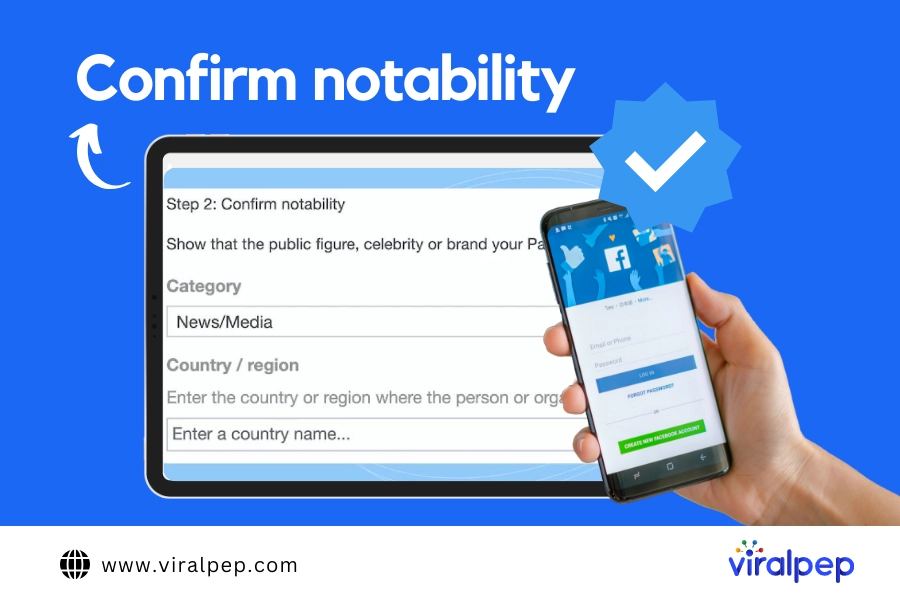
  3. Building External Credibility

    Creating a strong online presence outside of Facebook can greatly enhance your chances of verification. Consider the following steps:

    confirm notability
    • Establish a website: An official website adds credibility to your profile or business. Make sure it contains accurate and up-to-date information.

    • Cross-platform verification: Connect your Facebook profile with other verified social media accounts, such as Twitter, Instagram, or LinkedIn. This interlinking demonstrates your authenticity and can positively impact the verification process.

    • Press and media coverage: Actively seek media coverage or press mentions. Being featured in reputable publications or interviewing well-known journalists can bolster your credentials.

  4. Submit a Verification Request

    Once you have fulfilled the eligibility requirements and established a strong online presence, you can submit a verification request to Facebook. Follow these steps:

    Submit a Verification Request
    1. Go to the Facebook Verification Request page.

    2. Select the type of account you wish to verify (personal or business).

    3. Provide the required personal or business identification information, including official documents like government-issued ID, business licenses, or articles of incorporation.

    4. Include additional information to support your verification request, such as press articles, awards, or notable achievements.

  5. Be Patient and Persistent

    The verification process on Facebook can be lengthy and selective. It’s important to be patient and understand that Facebook receives numerous daily requests.

    While waiting for a response, continue to focus on building your online presence, engaging with your audience, and sharing valuable content.

Conclusion

Obtaining the blue verification checkmark on Facebook is a testament to your authenticity and credibility. While it may not be easy, following the above guidelines can significantly improve your chances.

Remember to build a strong online presence, meet the eligibility requirements, establish external credibility, and submit a comprehensive verification request using a reliable social media scheduling tool.

However, it’s essential to note that verification is ultimately at Facebook’s discretion, and meeting all the criteria does not guarantee approval.

Stay persistent, continue to grow your presence, and focus on delivering value to your audience, whether or not you receive the coveted blue checkmark.

FAQs

How can I increase my chances of getting the blue verification checkmark on Facebook?

To increase your chances, build a strong online presence, meet the eligibility requirements (authenticity, completeness, and popularity), establish external credibility (such as a website and cross-platform verification), and submit a comprehensive verification request.

What are the eligibility requirements for the blue verification checkmark on Facebook?

While Facebook doesn’t disclose the exact requirements, key factors include authenticity, uniqueness, completeness of profile information, and a significant public following with engagement. Meeting these criteria increases your chances of verification.

Do I need to have a website to get verified on Facebook?

While having an official website is not mandatory, it adds credibility to your profile or business and can positively impact the verification process. Ensure your website contains accurate and up-to-date information.

How do I submit a verification request on Facebook?

To submit a verification request, go to the Facebook Verification Request page, select the type of account (personal or business), provide the required identification information, and include additional supporting materials like press articles or notable achievements.

How long does it take to get verified on Facebook?

The verification process on Facebook can be lengthy and selective. Facebook receives numerous requests daily, so it’s important to be patient. There is no fixed timeline for approval, but you can continue building your online presence while waiting.

Is getting verified on Facebook guaranteed if I meet all the criteria?

Meeting all the eligibility requirements does not guarantee verification on Facebook. The verification process is at Facebook’s discretion, and they consider various factors before granting the blue checkmark.

What should I do if my verification request is denied?

If your verification request is denied, you can wait for some time and then consider reapplying. In the meantime, focus on building your online presence, engaging with your audience, and sharing valuable content.

Can I hire a service or pay to get verified on Facebook?

Facebook does not accept payment or offer services to expedite or guarantee verification. Beware of scams or third-party services claiming to provide guaranteed verification.

Is the blue verification checkmark available for personal profiles or only for businesses and public figures?

The blue verification checkmark can be obtained by both personal profiles and business/public figure pages as long as they meet the eligibility requirements and demonstrate authenticity, uniqueness, and public interest.

How to Get Blue Check on Instagram?

Introduction

Are you ready to elevate your online presence, establish credibility, and gain that coveted badge of authenticity? Join us as we delve into the world of Instagram verification and guide you through the steps to get the elusive blue checkmark.

For every Instagram enthusiast, there’s always an interactive journey toward unlocking the coveted blue checkmark on Instagram!

As one of the most popular platforms, Instagram has its way of verifying accounts with a blue checkmark badge, signifying authenticity and Instagram credibility.

While this coveted blue checkmark was previously reserved for celebrities and public figures, Instagram has expanded its verification process to include a wider range of accounts.

In this blog post, we will guide you through the steps to increase your chances of getting that elusive blue checkmark on Instagram.

What is a Blue Tick on Instagram?

A blue tick on Instagram is a verification badge next to an account’s name. It is a small blue checkmark icon that signifies the authenticity and credibility of the account.

The blue tick helps users identify that the account they are viewing belongs to a notable public figure, celebrity, brand, or organization that Instagram has verified.

Steps For Getting Blue Check On Instagram

To increase your chances of getting the blue checkmark on Instagram, follow these steps:

  1. Build a Strong Presence

    Before you can even think about getting verified on Instagram, it’s essential to establish a strong presence on the platform.

    This involves creating a consistent and engaging feed, posting high-quality content, and regularly interacting with your followers, including your recent Instagram followers.

    Focus on developing your personal or brand identity and ensure your account reflects it compellingly.

  2. Be Authentic

    Authenticity is crucial when it comes to getting verified on Instagram. The platform wants to verify genuinely notable accounts with a significant impact.

    So, ensure that your account showcases your unique contributions, expertise, or achievements.

    This could include being a public figure, celebrity, influencer, well-known brand, or representing a notable organization.

  3. Adhere to Instagram’s Guidelines

    Familiarize yourself with Instagram’s verification guidelines to understand the platform’s requirements.

    Instagram typically verifies accounts that are in the public interest and are likely to be impersonated.

    Ensure that your account follows the community guidelines, terms of service, and copyright regulations to maintain a clean track record.

    Follow instagrams guidelines

  4. Increase Your Popularity and Engagement

    Unlocking the secrets of Instagram marketing can elevate your chances of verification. Instagram verification is often associated with having a substantial following and a high engagement rate.

    Focus on growing your audience organically by regularly posting compelling content, using relevant hashtags, and engaging with your followers.

    Building a loyal and engaged community around your account will significantly enhance your chances of getting verified.

  5. Establish Your Online Presence

    Being present on other digital platforms and having a strong online presence can boost your verification prospects.

    Link your Instagram account to your official website, blog, or other social media profiles to demonstrate your authenticity and credibility.

    The more comprehensive your online presence, the more likely Instagram will consider you for verification.

    Online Presence

  6. Make a Verification Request

    Once you have established a strong presence on Instagram and fulfilled the requirements, it’s time to submit a verification request.

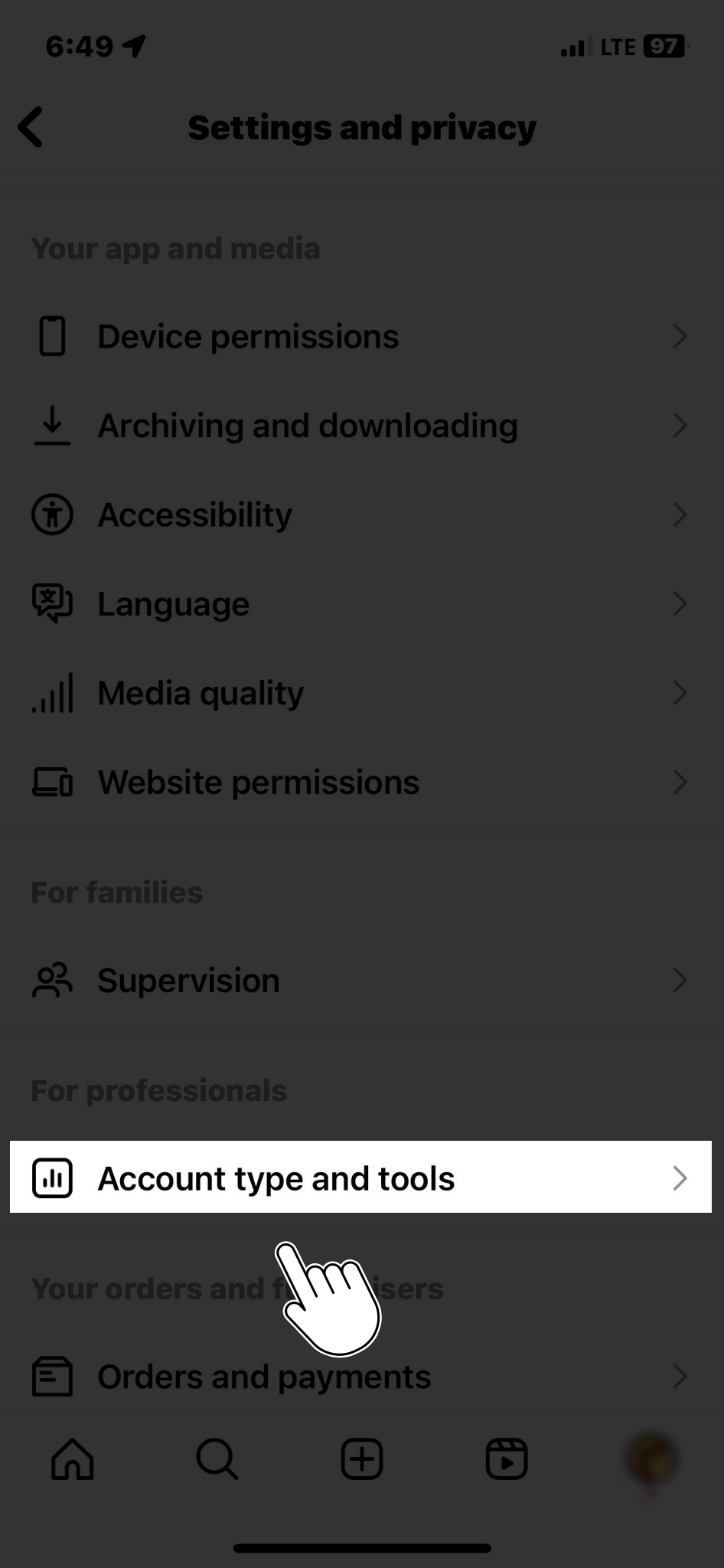
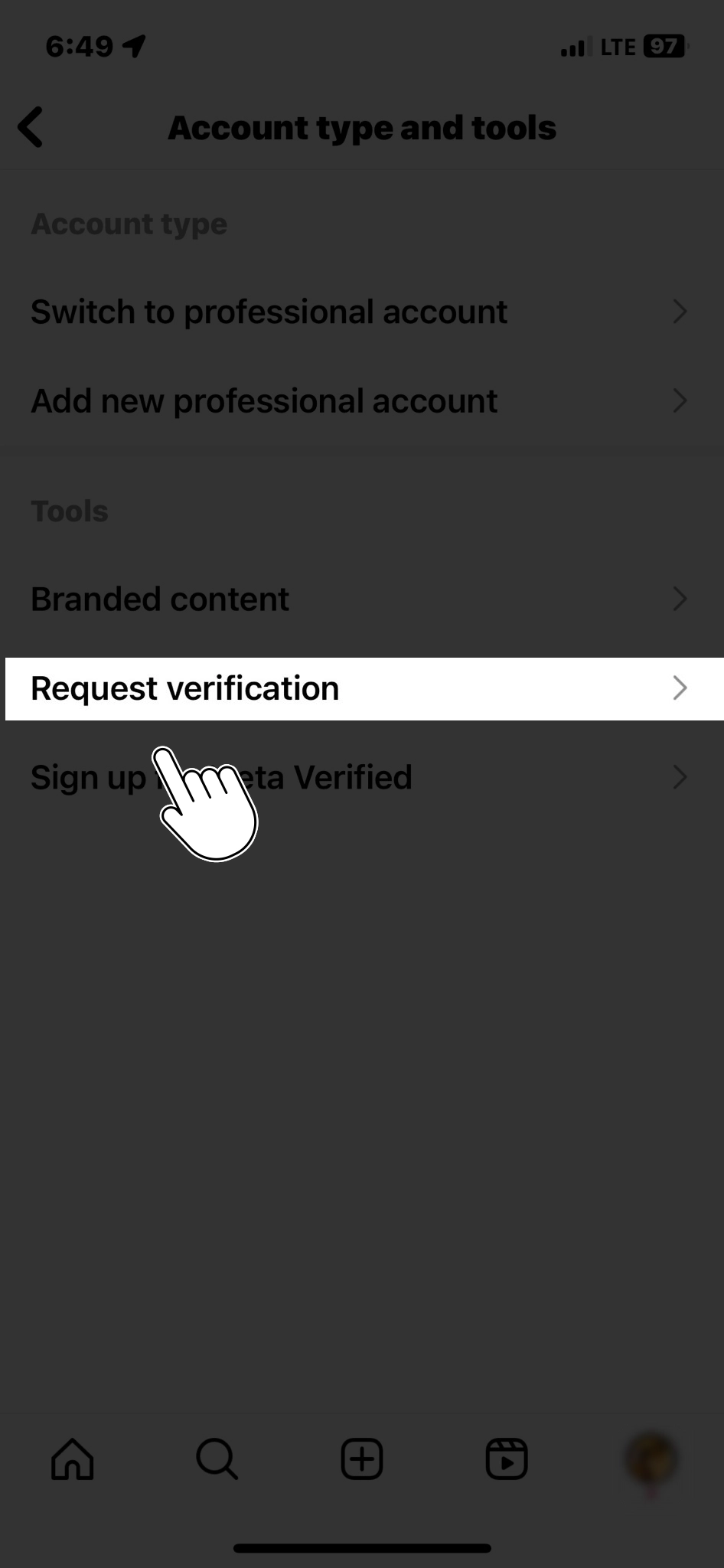
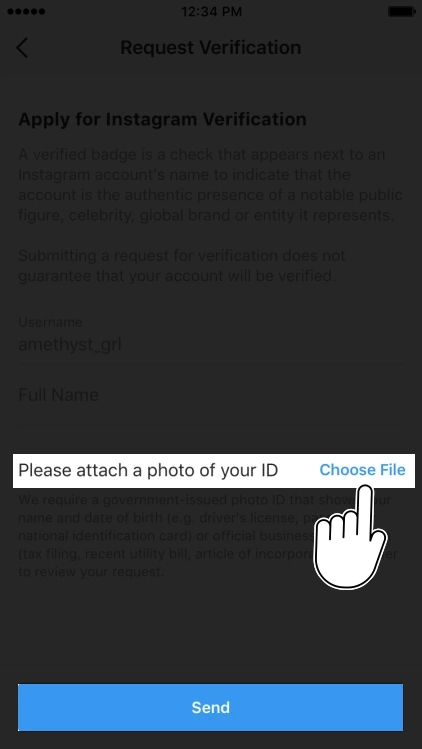
    To do this, go to your account settings, click “Request Verification,” and provide the required information.

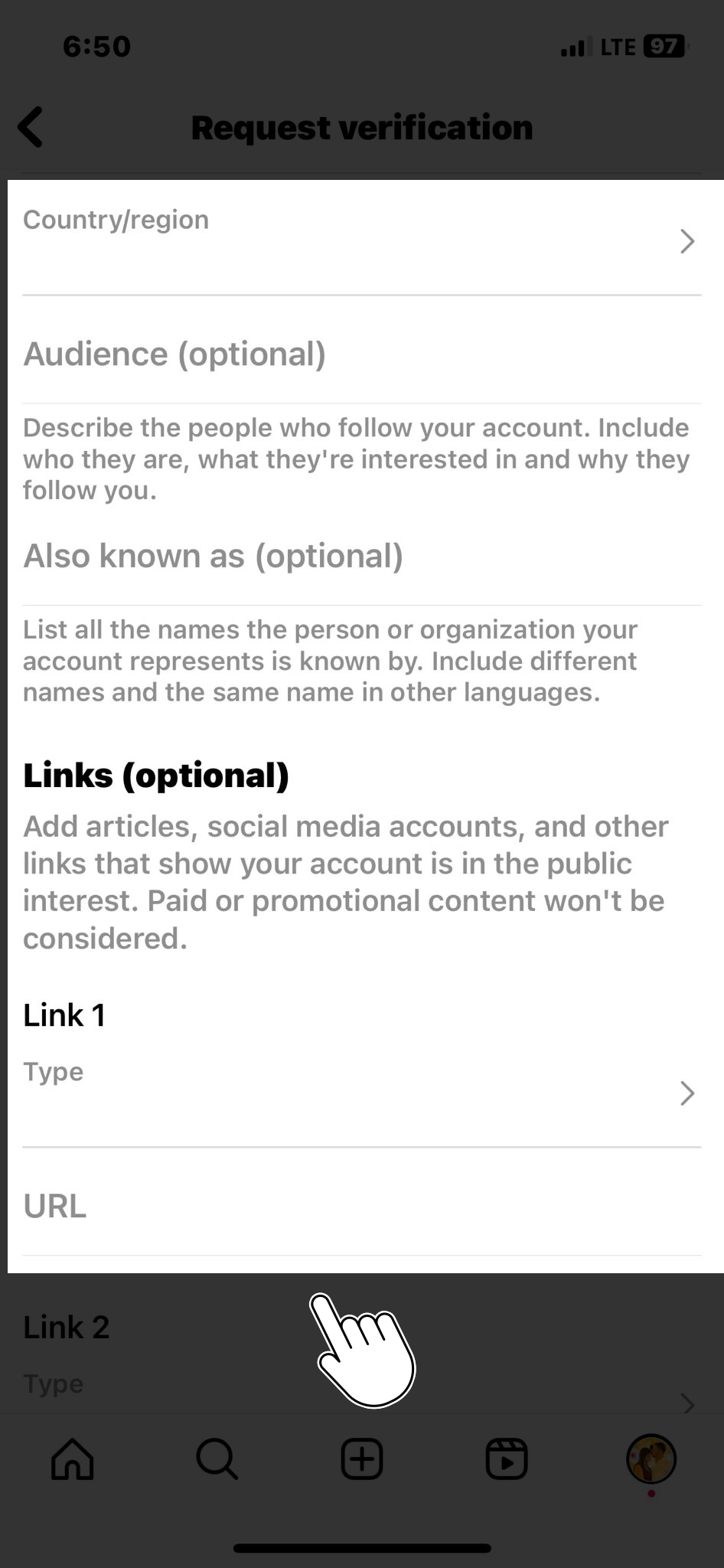
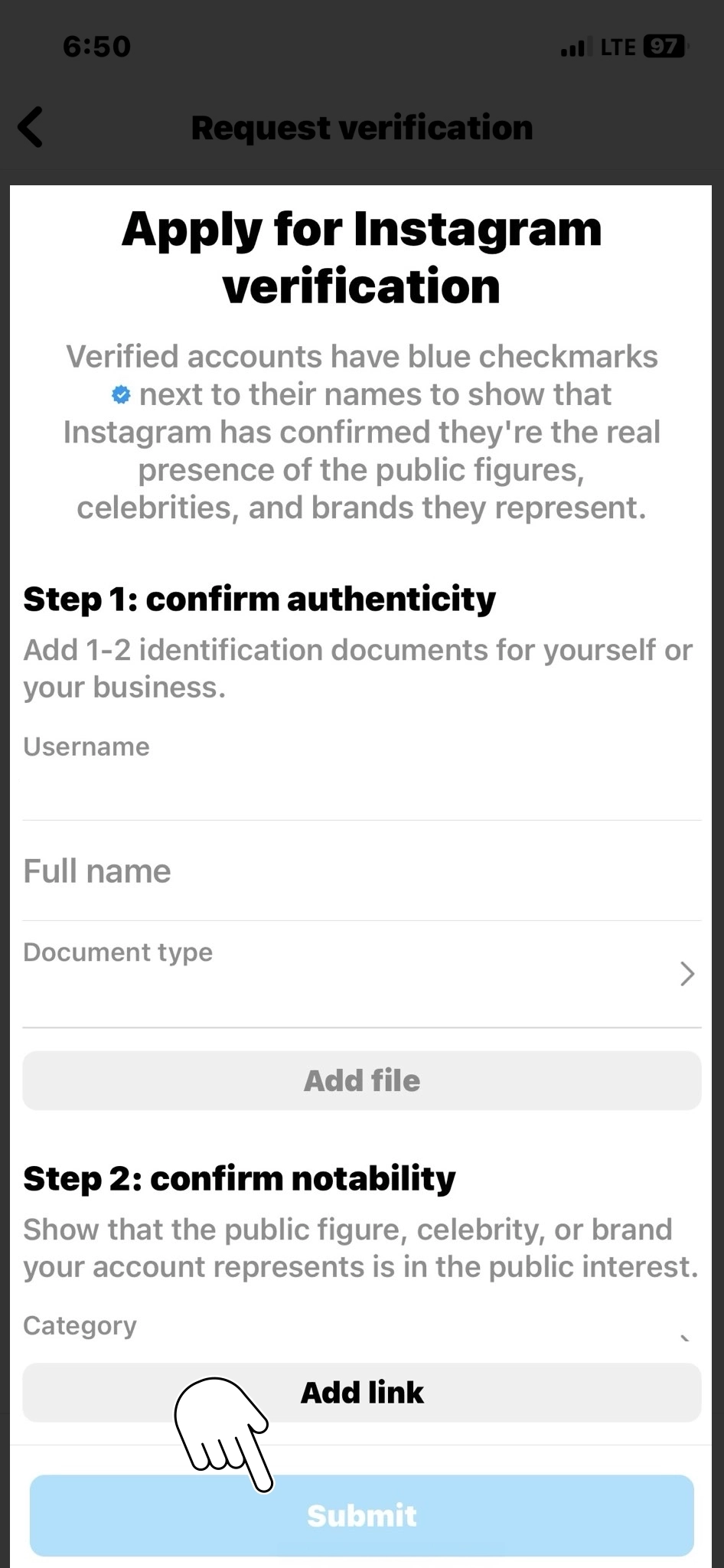
    Instagram will ask you to provide your account username, full name, and supporting documents, such as a government-issued photo ID, business documents, or media articles about you.

    verification request

    To make it easier for you, let’s go through straightforward steps to get verified on Instagram.

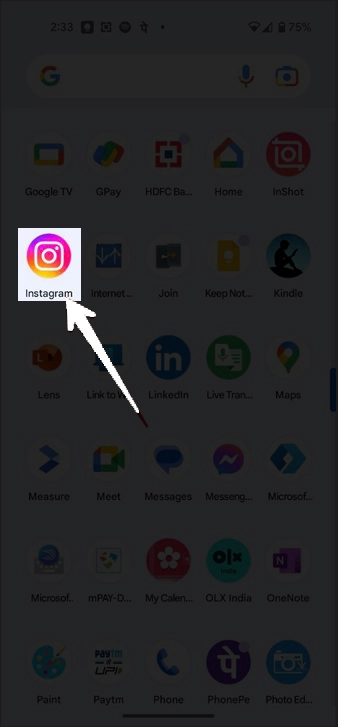
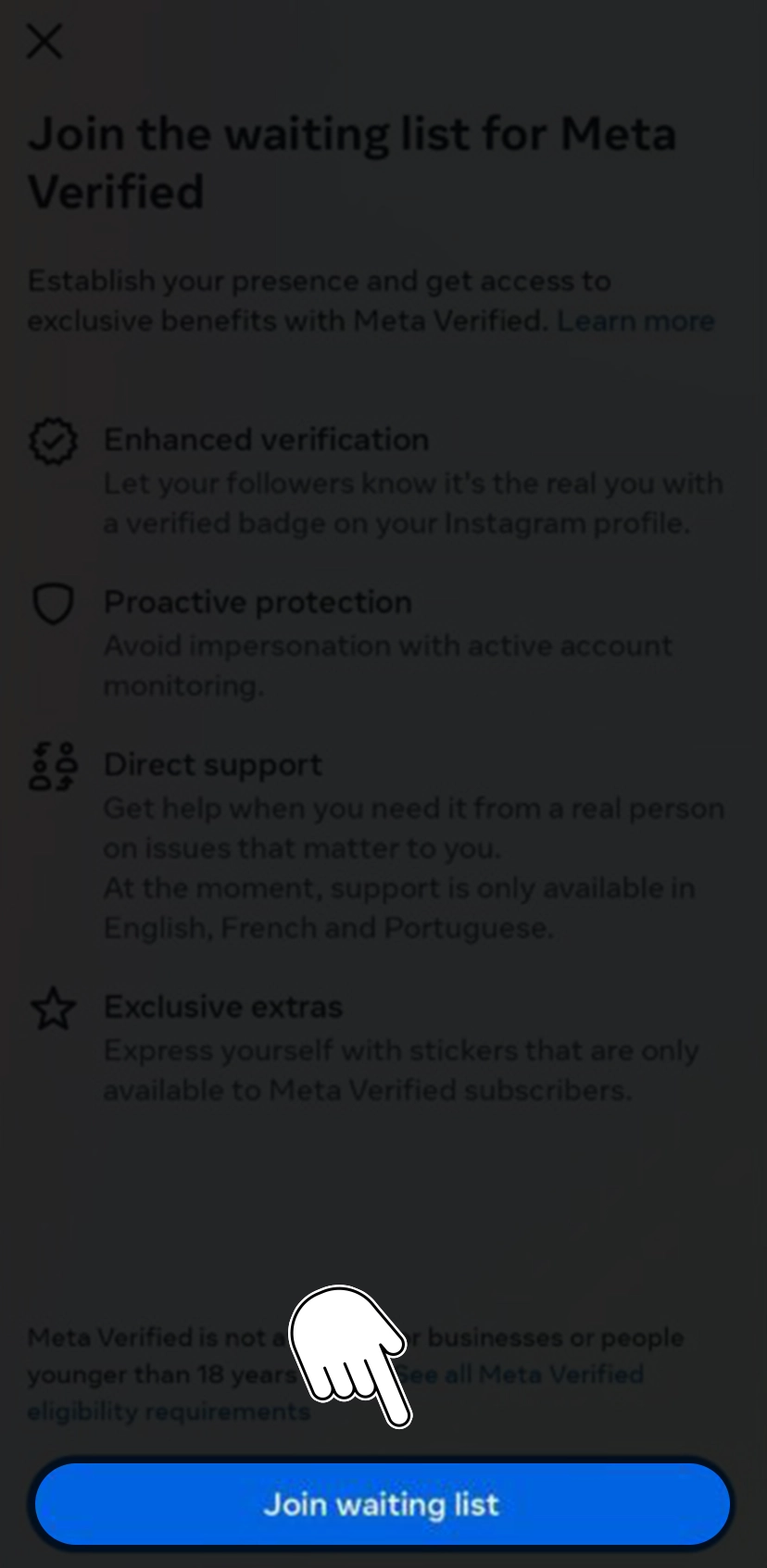
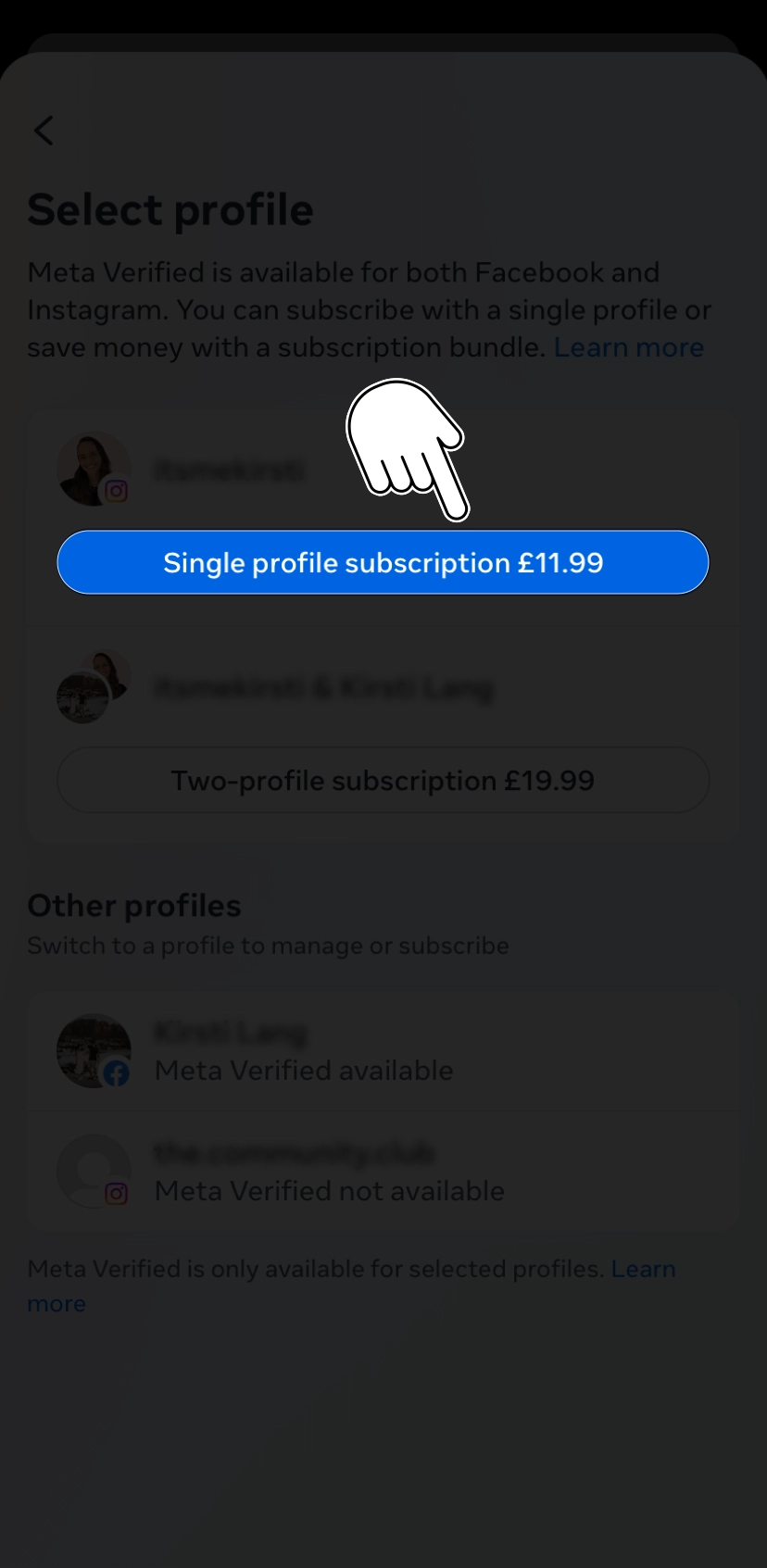
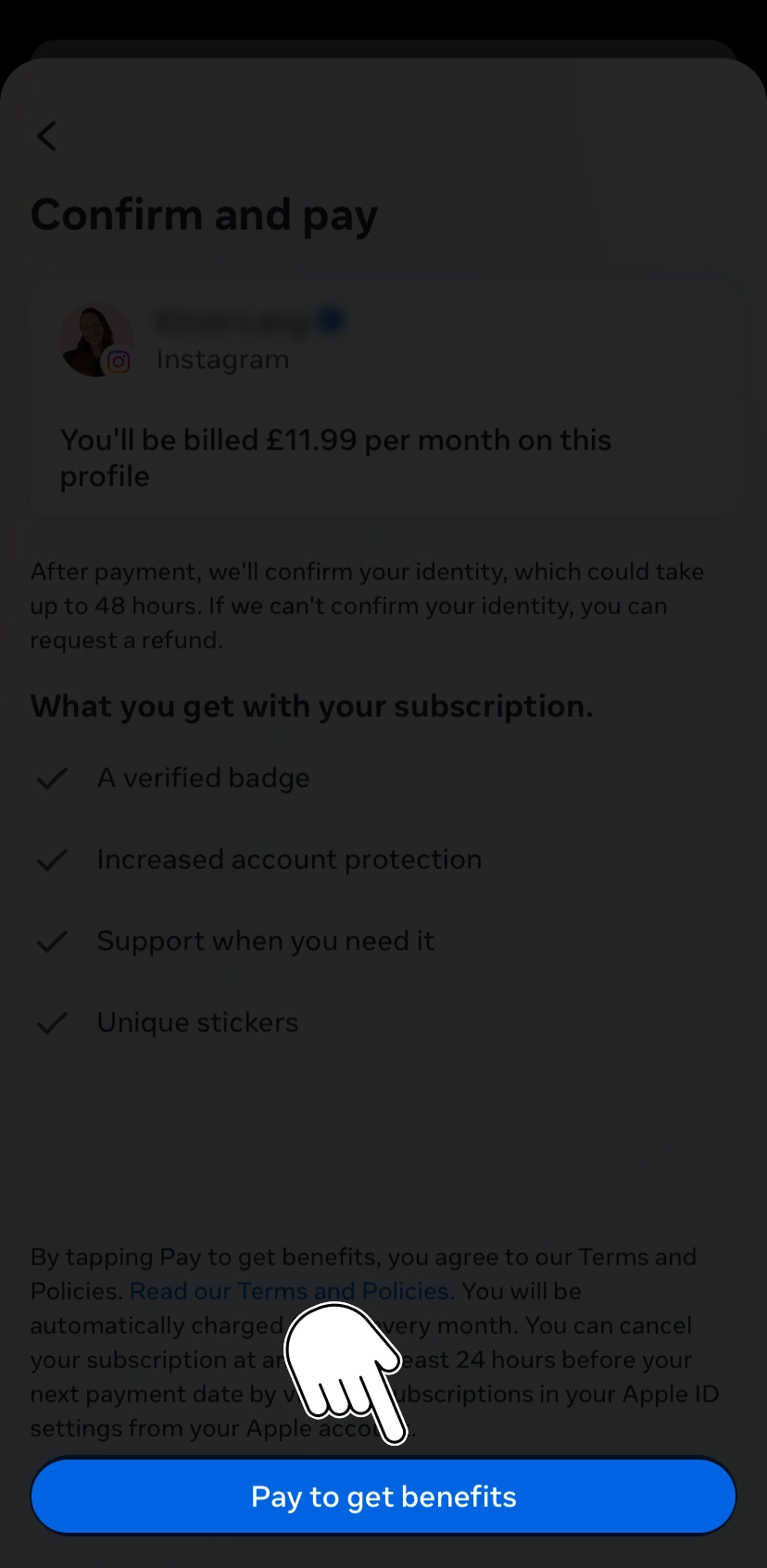
    • First, open Instagram on your Android mobile phone or iPhone.

      Open Instagram Account

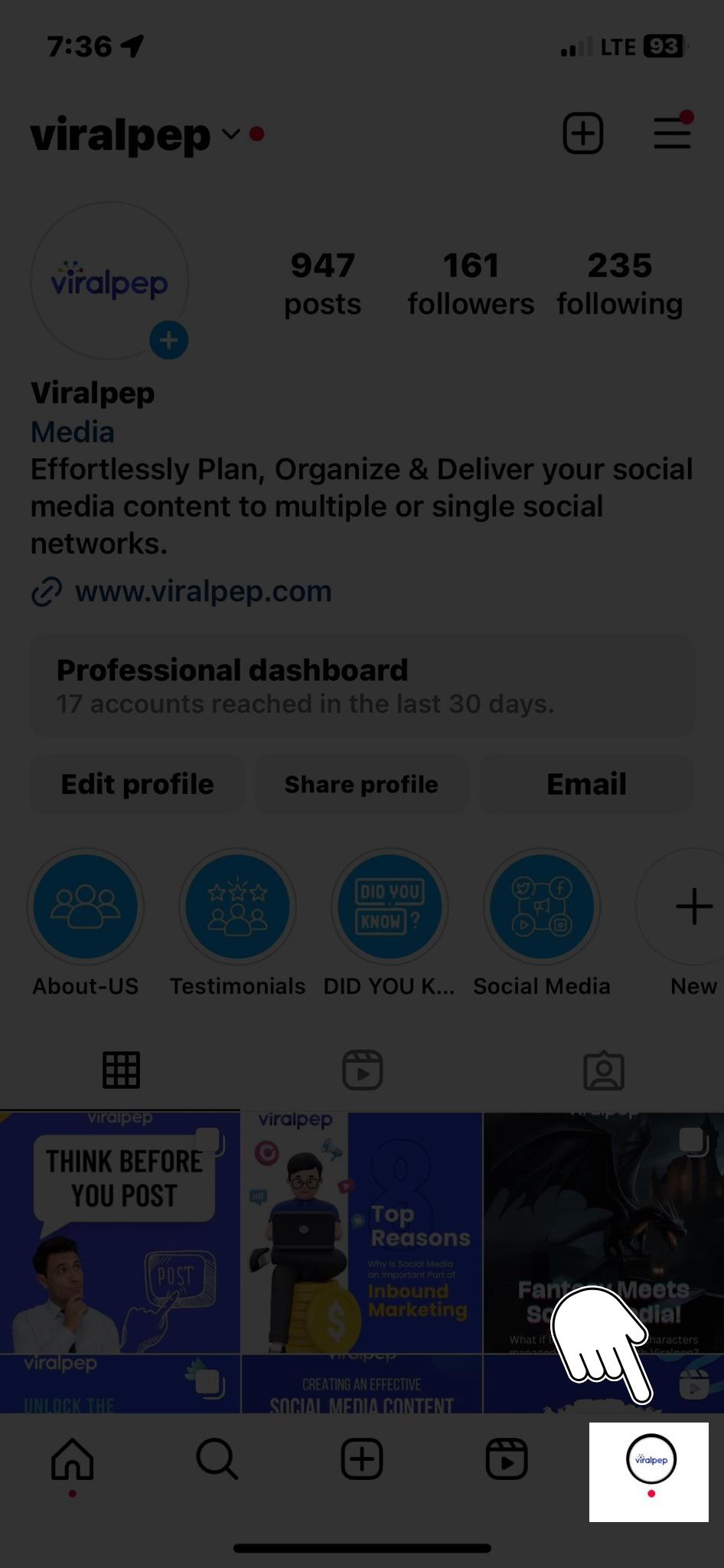
    • Just navigate to your profile icon from the bottom tab.

      click on instagram profile

    • Select the ‘hamburger menu’ from the top right corner tap ‘Settings and privacy.’

      Select the hamburger menu
      tap settings and privacy

    • Scroll down and select ‘Account type and tools.’

      select account type and tools

    • Now, select ‘Request verification.’

      request verification

    • Fill out the form by adding personal details and links to articles that present you as a notable figure. You can also add links to your other social media handles.

      Fill Up Form

    • Once done, hit ‘Submit,’ and your application will be processed.

      click on submit

    Apart from this verification method, another method for getting verified on Instagram, known as the paid version, is “Meta Verified.”

    • Open Instagram on your Android mobile phone or iPhone.

      Open Instagram Account

    • Tap on your profile icon from the bottom tab.

      click on instagram profile

    • Now select the ‘hamburger menu’ from the top right corner.

      Select the hamburger menu

    • From here, tap ‘Meta Verified.’

      tap meta verified

    • If it says ‘Join the waiting list’ up top, it means Meta Verified has not yet been enabled for your account.

      join waiting list

    • However, if the next screen shows a ‘Subscribe’ button, you’re good to go and can get a blue tick by providing identity proof and making the payment.

      select subscribe button

    • If you wish to subscribe, select the ‘Pay now’ button on the next screen, and you will be prompted to pay Rs 699 per month through Google Play on Android, while on iPhone, the payment can be made through App Store for the same amount.

      Pay to get benefits

    • Once you’re done with the payment, Instagram will ask for your identity proof which can be fulfilled by submitting a government ID. It will also ask for a selfie video to verify you’re real.

      submitting id proof

    • Since it’s a subscription, you will be automatically charged monthly. Make sure to cancel the subscription through Play Store or App Store settings to discontinue the verification badge.

      Cancel subscription

Be Patient and Persistent

Once you submit the verification request, the best part is to be patient; the process can take some time.

Instagram receives many verification requests, so it may take several weeks or months to respond. If your request is denied, don’t be discouraged.

Take time to evaluate your account and work on areas needing improvement. You can submit another request after 30 days.

Some Important Things To Note

  • Ensure your username is what you’d like before applying for a verified badge. Once verified, you may not change the username on your account.

  • Suppose you receive a verified badge using false or misleading information during the verification process. In that case, the Instagram team might remove your verified badge and take additional action to deactivate your account.

Conclusion

Obtaining the blue checkmark verification badge on Instagram requires effort, consistency, and meeting the platform’s criteria.

You can increase your chances of getting verified by building a strong presence, being authentic, adhering to guidelines, increasing your popularity and engagement, establishing an online presence, and submitting a verification request.

Remember, while verification may enhance your credibility, focusing on creating meaningful connections with your audience and delivering valuable content that resonates with your followers is essential.

FAQs

How many followers do you need to get verified on Instagram?

The platform does not publicly disclose the number of followers required to get verified on Instagram. While having a large following can certainly contribute to the credibility and impact of your account, it is not the sole determining factor for verification.

How long does it take to get verified on Instagram?

The time it takes to get verified on Instagram can vary. Instagram receives a high volume of verification requests, and the review process can take several weeks or even months.

Can I use one Meta Verified subscription on both Instagram and Facebook?

Instagram and Facebook had separate verification processes, and verification on one platform did not automatically grant verification on the other. While Facebook owns both platforms, their verification systems are distinct.

Is the blue tick removed from my account if I fail to pay the monthly subscription amount?

Instagram has no monthly subscription fee for the blue tick verification badge. Verification on Instagram is based on meeting specific criteria and submitting a verification request.

Who can get the blue checkmark on Instagram?

Initially reserved for celebrities and public figures, Instagram has expanded its verification process to include a wider range of accounts. It now considers accounts in the public interest that have a high likelihood of being impersonated.

What is the importance of having a blue checkmark on Instagram?

The blue checkmark badge signifies authenticity and credibility. It helps users differentiate between genuine accounts and impersonators. The blue checkmark can enhance your online presence, establish trust with your audience, and potentially attract more followers.

How can I increase my chances of getting verified on Instagram?

To increase your chances of getting verified, focus on building a strong presence by posting high-quality content and engaging with your followers. Be authentic and demonstrate your unique contributions, expertise, or achievements. Adhere to Instagram’s guidelines, increase your popularity and engagement, and establish a comprehensive online presence.

What documents are required for verification on Instagram?

When submitting a verification request, Instagram may ask for supporting documents such as a government-issued photo ID, business documents, or media articles about you. The documents required can vary depending on whether you’re an individual or representing a brand or organization.

How long does it take to get verified on Instagram?

The verification process on Instagram can take several weeks or even months. Instagram receives a high volume of verification requests, so patience’s important. You can submit another request after 30 days if your request is denied.

Can I buy or pay for Instagram verification?

Buying or paying for Instagram verification is against the platform’s guidelines. Verification is a process that relies on the authenticity, credibility, and impact of an account. It cannot be achieved through monetary transactions.

Does having a blue checkmark guarantee success on Instagram?

While the blue checkmark can enhance your credibility, it does not guarantee success on Instagram. Building meaningful connections with your audience, delivering valuable content, and consistently engaging with your followers are essential for long-term success on the platform. The blue checkmark is not a substitute for genuine engagement and quality content.

Guide to Instagram Marketing: 11 Tips That Truly Deliver Results

Introduction

In order for businesses to interact with their target audience and increase brand awareness, social media platforms have become crucial. Among these platforms, Instagram has emerged as a powerhouse, offering a visually captivating space for businesses to showcase their products and services.

However, simply having an Instagram presence is not enough. To truly unlock the platform’s potential, businesses must tap into the hidden gems of Instagram marketing. For every seasoned marketer or newbie, it’s the golden opportunity to gain an edge and attract a legion of loyal followers on the Instagram platform.

This blog will reveal the secrets to Instagram marketing success and provide practical tips to elevate your brand’s presence on the platform.

Exploring 11 Best Instagram Marketing Secrets That You Must Adopt

Instagram has become a powerful platform for marketing and promoting businesses. To promote your efforts to sell on Instagram, here are 11 secrets of Instagram marketing that you should adopt:

Best instagram marketing secrets

    1. Be Well-Versed With Your Target Audience

      One fundamental and successful Instagram marketing secret is understanding your target audience. Knowing their demographics, interests, and online behavior is crucial to engage with recent followers on your instagram and attract potential customers effectively.

      Take the time to conduct thorough market research and create buyer personas that represent your ideal customers. You can modify your content and messaging to appeal to your target audience demographic, ensuring maximum engagement and conversion rates.

    2. Draft Engaging and Appealing Visual Content

      Instagram is a visually-driven platform, making high-quality, eye-catching content a necessity. Use professional photography or compelling graphics to capture the attention of your audience.

      As a part of social media secrets, you must experiment with various formats, such as carousel posts, videos, and Instagram Stories, to keep your content fresh and engaging. Remember to maintain consistency in your visual branding, using a consistent color palette, filters, and fonts to create a cohesive and recognizable brand aesthetic.

    3. Craft Captivating Captions

      While Instagram is primarily a visual platform, don’t underestimate the power of captivating captions. A well-crafted caption can enhance visual content, provide context, and inspire engagement.

      Use your captions to tell stories, ask questions, or spark conversations with your audience. One of the best recommendations to tackle social media secrets using Instagram is to incorporate relevant hashtags to increase the discoverability of your posts. Moreover, you can efficiently engage your followers by swiftly answering comments and direct messages.

    4. Leverage Influencer Marketing

      Influencer marketing is one of the superior Instagram marketing secrets to consider and has become a game-changer on Instagram. Working with influencers that support your business can increase exposure for your goods and services and their brand reputation.

      When choosing influencers, focus on relevance and authenticity. Look for influencers who align with your brand values and have an engaged and loyal following. Establish clear goals and expectations for the collaboration, and track the performance of the influencer campaigns using metrics like reach, engagement, and conversions.

    5. Harness the Power of Instagram Stories

      Instagram Stories offer a special chance to show off your brand’s individuality and establish a closer connection with your audience.

      As one of the best Instagram marketing secret techniques, you can eventually use features like polls, quizzes, and swipe-up links to encourage engagement and enhance the website and landing page traffic. Leverage behind-the-scenes content, exclusive promotions, and sneak peeks to create exclusivity and build your followers’ anticipation.

    6. Engage and Interact with Your Audience

      Building a strong community on Instagram requires active engagement and interaction with your audience. Respond promptly to comments, direct messages, and mentions to foster a sense of connection and build trust.

      By showcasing user-generated content and holding competitions or giveaways, you can show your fans how much you value them. Creating a dialogue with your audience can gain valuable insights, strengthen relationships, and turn followers into loyal customers.

    7. Make Effective Use of Hashtags

      Hashtags are crucial in Instagram marketing strategies and can be considered a secret weapon for effective promotion. Remember, Instagram hashtags are powerful tools for Instagram marketing. It’s important to maintain a genuine and authentic approach.

      Use them strategically, engage with your audience, and provide valuable content to foster long-term relationships and achieve marketing success on Instagram.

    8. Create and Maintain Scheduled Instagram Posts on Hand

      Scheduled Instagram posts are considered the prime secret in Instagram marketing; professionals and businesses widely use them to optimize their social media strategy. However, scheduled social meida posts can be considered a valuable tool and a method worth implementing.

      While scheduling Instagram posts can be beneficial, it’s essential to maintain flexibility and adapt to real-time events or trends. Monitoring engagement, responding to comments, and interacting with your audience in real time are equally important aspects of successful Instagram marketing.

    9. Run Instagrams Ads

      Running Instagram ads can be a highly effective social media strategy for Instagram marketing. Instagram marketing requires a well-rounded social media strategy that combines organic content creation, community engagement, and paid advertising.

      By implementing these Instagram marketing secrets and adapting your approach based on analytics and user feedback, you can enhance the performance of the effectiveness of your Instagram ads.

    10. You Can Even Make Use of Monetization Tool

      Monetization tools can be valuable for Instagram marketing, allowing you to maximize your revenue potential on the platform.

      Monetization tools are just a means to support your Instagram marketing efforts. It’s important to focus on providing value to your audience, maintaining authenticity, and building a strong brand presence.

    11. Always Use Robust Editing Applications

      Editing apps can indeed be a valuable secret weapon for Instagram marketing. Using the perfect editing app, you can enhance your photos and videos to make them more engaging and visually appealing.

      While editing apps can enhance your visuals, the content and storytelling are equally important for effective Instagram marketing. Focus on creating high-quality, valuable, engaging content that resonates with your target audience, and use editing apps to amplify its impact.

      So, it would be best to adopt these common Instagram Marketing secrets for the perfect social media strategy. Instagram marketing is an ongoing process that requires experimentation, creativity, and adaptation for social media marketing. Stay consistent, be authentic, and interact with your audience to build a strong brand presence on the platform.

Final Thoughts on Instagram Marketing Secrets

Instagram holds a treasure trove of marketing opportunities for businesses. By implementing the secrets of Instagram marketing revealed in this blog, you can elevate your brand’s presence on the platform and drive meaningful results.

Understand your target audience, create engaging social media content, craft engaging captions, leverage influencer marketing, harness the power of Instagram Stories, and actively engage with your audience.

Consistency and authenticity are key to building a successful Instagram marketing strategy. Stay true to your brand’s values and continuously monitor and adapt your approach based on data and feedback. Unlock the hidden gems of Instagram marketing secrets and watch your brand thrive in the digital landscape.

FAQs

How can I increase my Instagram following?

      • Post high-quality content consistently
      • Use relevant hashtags
      • Communicate with your audience by answering their queries and comments.
      • Connect with influencers or other businesses in your specialized market.
      • Run Instagram contests or giveaways

Which is the best content on Instagram?

      • Eye-catching photos and visuals
      • Videos, including IGTV and Instagram Reels
      • Behind-the-scenes content
      • User-generated content (UGC)
      • Inspirational or motivational quotes

How can I improve my engagement on Instagram?

      • Write compelling captions that encourage conversation
      • Ask questions in your posts to prompt responses
      • Like and comment on other users’ posts within your target audience
      • Use Instagram Stories to share interactive content, such as polls or quizzes
      • You can eventually organize Instagram Live sessions to interact with your followers in real-time

Should I use Instagram ads to promote my business?

      • Instagram ads can effectively reach a wider audience and deal with website visits or product purchases.
      • Consider using Instagram ads if you have a clear goal and a budget for advertising.
      • You can adopt different techniques like applying different ad formats, targeting options, and creative elements to optimize your results.

How can I leverage Instagram influencers for my marketing strategy?

      • Identify influencers whose audience aligns with your target market
      • Reach out to them with a personalized message or email to propose a collaboration
      • Specify the goals and expectations of the partnership
      • Provide clear guidelines or creative direction for the sponsored content
      • Track and measure the results of the influencer campaign to assess its impact

How important is it to analyze Instagram metrics?

      • Analyzing Instagram metrics is crucial to understand the effectiveness of your marketing efforts.
      • Track metrics like engagement rate, reach, impressions, and follower growth to gauge your performance.
      • You can even make use of Instagram Insights or third-party analytics tools to gain insights into your audience demographics, peak activity times, and top-performing content.

Are there any best practices for using Instagram hashtags?

      • Research relevant hashtags for your niche or industry.
      • Use a mix of popular hashtags (with high search volume) and niche-specific hashtags (with more targeted reach).
      • Aim for a balance between broad and specific hashtags to maximize visibility.
      • Avoid using banned or spammy hashtags that could negatively impact your account.

Should I switch to an Instagram business account?

    • Switching to an Instagram business account provides access to valuable features like Instagram Insights, contact buttons, and the ability to run ads.
    • If you’re using Instagram for business purposes, it’s recommended to switch to a business account for better analytics and visibility.