The Ultimate Guide to the Best Time to Post on Instagram for Maximum Engagement

When it comes to Instagram, timing can make all the difference. The question on everyone’s mind is: When is the best time to post on Instagram for maximum engagement?

We get it—there’s nothing worse than crafting an epic post and then watching it flop because it went up during a social media dead zone. To avoid that, it’s key to share your Instagram Stories, Reels, feed posts, and carousels at the times when your audience is most active.

To help you out, we’ve analyzed engagement data from over 5.5 million Instagram posts through Viralpep. We’ve analyzed which days and times are prime for interaction and which formats get the most likes, comments, and shares.

So, let’s break down everything you need to know about the best time to post on Instagram—whether you’re a marketer, creator, influencer, or just a casual Insta-user.

When is the Best Time to Post on Instagram?

Let’s clear this up right away: there’s no one-size-fits-all answer for the best time to post on Instagram. If only it were that simple! However, our analysis reveals that certain days and times tend to get more engagement than others.

But before we dive into the data, let’s talk about why engagement matters.

Each part of Instagram—the main feed, Stories, Reels, and Explore page—is powered by its own algorithm. And guess what? Engagement signals like likes, comments, shares, and saves tell Instagram that your content is hitting the right note. This boosts your chances of getting featured in the Explore and Reels sections, which can seriously speed up your growth.

So, while exact posting times might not be as critical as they used to be (RIP chronological feed), they’re still important for crafting an effective social media strategy.

Ready to get into the nitty-gritty numbers?

The Best Times To Post On Instagram

Finding the ideal time to post on Instagram can really boost your engagement. Based on an analysis of over 5 million Instagram posts, the sweet spot for posting is generally between 7 a.m. and 8 a.m. on weekdays.

This peak time likely occurs because people often check their phones first thing in the morning or while commuting to work.

Our heatmap reveals that Instagram user behavior follows predictable patterns throughout the week. The darkest green areas on the heatmap represent times with the highest engagement—these are your prime posting times. Conversely, the lighter green to white areas indicate lower engagement, so you might want to avoid posting during these periods.

Early mornings on weekdays are ideal, with engagement peaking around 7 a.m. Engagement tends to dip as people focus on work as the day progresses. There’s usually another boost around midday during lunch breaks, making it a good time to post as well.

Engagement picks up slightly in the evenings. On Thursdays and Fridays, there’s a noticeable spike at 4 p.m., possibly due to people winding down from work as the weekend approaches. Scheduling Instagram posts around this time can be particularly effective.

Weekends show a different trend. Engagement generally drops on Saturdays and Sundays, with only a modest increase in activity on Saturday mornings and Sunday evenings. The best times to post on weekends are 7 a.m. on Saturday and 7 p.m. on Sunday, though these times still don’t reach the engagement levels seen during weekdays.

The Best Times to Post on Instagram (Day-by-Day Breakdown)

Here’s a breakdown of the best time to post on Instagram today for each day of the week:

  • Monday: 7 a.m.
  • Tuesday: 7 a.m.
  • Wednesday: 7 a.m.
  • Thursday: 7 a.m.
  • Friday: 4 p.m.
  • Saturday: 7 a.m.
  • Sunday: 7 p.m.
  1. Best Time to Post on Instagram on Monday

    For Mondays, the sweet spot is early in the morning, around 7 a.m. That’s when you’ll get the most engagement. You can also catch a little boost at 4 p.m. and 8 p.m.

    • Best Time to Post on Monday: 7 a.m.
  2. Best Time to Post on Instagram on Tuesday

    Tuesdays also shine in the morning, with the best time to post on Instagram happening at 7 a.m. If you’re posting later, aim for the early evening around 6 p.m. for some extra love.

    • Best Time to Post on Tuesday: 7 a.m.
  3. Best Time to Post on Instagram on Tuesday

    Wednesdays are similar, with 7 a.m. being the peak time for engagement. Don’t expect any major spikes later in the day.

    • Best Time to Post on Wednesday: 7 a.m.
  4. Best Time to Post on Instagram on Tuesday

    For Thursdays, your best bets are 7 a.m., 8 a.m., or 4 p.m. These times tend to get the most engagement throughout the day.

    • Best Time to Post on Thursday: 7 a.m.
  5. Best Time to Post on Instagram on Friday

    Fridays are a bit different. The magic happens at 4 p.m., but you’ll also see good engagement between 7 a.m. and 8 a.m. Fridays generally offer more high-engagement moments.

    • Best Time to Post on Friday: 4 p.m.
  6. Best Time to Post on Instagram on Friday

    On Saturdays, aim for 7 a.m. for the best engagement, though weekends typically have lower activity compared to weekdays. Posting between 4 p.m. and 8 p.m. can also work well.

    • Best Time to Post on Saturday: 7 a.m.
  7. Best Time to Post on Instagram on Friday

    Sundays are best for evening posts, between 6 p.m. and 9 p.m. Mornings are usually slow as people are taking their time to wake up.

    • Best Time to Post on Sunday: 7 p.m.

What is the Best Day of the Week to Post on Instagram?

When it comes to the best time to post on Instagram overall, weekdays are generally your best bet. If you’re looking for the top days to maximize engagement, Monday and Friday take the lead. They’re a step ahead of the rest of the week in terms of getting likes and comments.

On the flip side, weekends aren’t ideal. Saturday and Sunday see significantly lower engagement compared to weekdays, so it’s wise to concentrate your posts during the week for better results.

Best Time to Post Different Instagram Content Types

Wondering when to post different types of Instagram content for maximum engagement? Let’s explore the best times to publish each format and boost your engagement rates.

  1. Best Times to Post Instagram Reels

    So, when is the best time to post on Instagram Reels? Aim for between 7 a.m. and 8 a.m. on weekdays. This timing aligns perfectly with the prime moments for engagement on Instagram.

    People use different parts of Instagram at different times—Stories to catch up with friends, Exploring to discover new content, and Reels for entertainment. To effectively schedule your Instagram Reel– for maximum visibility, try posting in the evening. Your followers will have more time to scroll and enjoy your content before they hit the hay, as opposed to the rush of morning hours.

  2. Best Time to Post Instagram Videos

    The ideal time to schedule social media video posts on is between 6 p.m. and 9 p.m. During these hours, users are more likely to engage with video content as they unwind after work or school, leading to higher viewership and interaction rates. Videos posted at this time can capture attention when users have more leisure time to watch and engage.

  3. Best Time to Post Instagram Stories

    For Instagram Stories, the optimal time to post is also between 6 p.m. and 9 p.m. This timeframe sees the highest levels of engagement as users scroll through their feeds in the evening. However, if you’re in the B2B sector, posting Stories during lunchtime (11 a.m. to 1 p.m.) can be beneficial.

    During lunch breaks, business professionals often browse their apps, increasing the chances of reaching a targeted audience. Utilizing a Social Media Stories Publishing Tool can help streamline this process, allowing for timely and effective posts. Despite this, evening remains the peak time globally for Instagram Stories engagement.

  4. Best Time to Go Live on Instagram

    The best time to go live on Instagram is in the evening, typically after 7 p.m., when users are more relaxed and available to tune into live broadcasts. Going live at this time increases the likelihood of capturing your audience’s attention as they are more likely to be at home, ready to interact with content in real-time.

  5. Best Time to Post Instagram Carousels

    Instagram carousels, like videos and Stories, perform best when posted between 6 p.m. and 9 p.m. This is when users are most active and have the time to engage with multi-image posts, which often require more attention than single photos. Posting carousels during these hours can increase engagement as users are more likely to swipe through all images and interact with the content.

How to Find Your Best Time to Post on Instagram Using Insights?

While the recommended peak posting times can serve as a great starting point, it’s essential to customize your strategy based on your specific audience’s behavior. Pairing general engagement data with your own Instagram analytics can help you find the best times to reach your target followers and increase your follower count. By analyzing your own data, you may uncover different time slots when your audience is most active.

If you have a creator or business account, follow these steps to use Instagram Insights and find your optimal posting times:

  1. From your profile, tap the ≡ icon in the top right corner.
  2. Select “Insights.”
  3. Under the “Overview” section, tap on the metrics or content categories for more detailed insights.
  4. Tap “Total Followers” to access data about your audience, then scroll down to view their most active times by hour and day.

Using this information, you can tailor your posting schedule to better align with when your followers are online, potentially increasing engagement and visibility. Keep in mind that user behavior can shift over time, so it’s important to periodically revisit your Insights to adjust your strategy accordingly.

How to Find Your Own Best Time to Post on Instagram?

While the general timeframes mentioned earlier can give you a solid starting point, don’t just follow them blindly. The best time to post on Instagram can vary from one account to another, and your ideal posting times might not line up perfectly with the general recommendations.

There’s no one-size-fits-all answer to “when is the best time to post on Instagram.” Your peak engagement times will likely be unique to your audience.

If your followers are super consistent throughout the week and active during workdays and weekends, your ideal posting time might differ from the norm. For example, if your audience is most active in the early evening and tends to engage more on Wednesdays around 6 p.m. in your local time zone, that’s your sweet spot.

Take Viralpep’s experience, for instance. Our audience engages best when we post between 8 a.m. and 11 a.m. PST on weekdays. Mondays at 7 p.m. PST, or 10 p.m. EST, are especially effective for us. However, weekends show lower engagement, so we often skip posting on Saturdays and Sundays.

Ultimately, to nail down the best time to post on Instagram for your specific audience, track your own engagement data. Experiment with different posting times and use your insights to find out what works best for you. This way, you can fine-tune your strategy to maximize engagement and get the most out of your Instagram presence.

Your Ultimate Checklist for Crushing Instagram Posts

Finding the best time to post on Instagram is vital for maxing out your engagement, but it’s just one part of the equation. To really make your posts pop, use this checklist:

  • Use Instagram’s Latest Features: Instagram loves it when you use new tools like Stories and Reels. They’re a great way to get your content in front of fresh eyes and boost your visibility.
  • Try Different Content Types: Mix things up with various content formats to see what your audience digs. It’s also a cool way to reuse and repurpose your content.
  • Nail Your Captions: Fascinating research shows captions that are either super long (over 2,000 characters) or super short (under 20 characters) get the most engagement. Don’t forget to throw in some emojis to make your captions pop!
  • Rock Your Content: Posts with trending content generally get more love. Viralpep’s scheduling feature makes it easy to keep your content on point.
  • Prioritize Real Engagement: Forget chasing algorithm tricks. Instead, focus on authentic interactions—reply to comments, share user-generated content, and engage with your followers’ posts.
  • Analyze and Adjust: Use Instagram Insights to find out which posts are killing it. Viralpep’s social media analytics tool can also help you quickly spot your top-performing content.

What’s your secret for figuring out the best time to post on Instagram? Drop your tips @Viralpep on social media and let’s chat!

Conclusion

Few things are as frustrating as not getting the reach you hoped for on the Instagram posts you’ve worked so hard to create. Fortunately, now you have the knowledge to avoid this. By applying the strategies and timing discussed, you can identify the optimal times to post on Instagram and gradually improve your engagement.

While you may not see immediate results, consistency is key. Over time, you’ll notice better interaction with your audience and increased visibility among potential prospects.

However, remember that even posting at the best times can only take you so far—your content still needs to engage and resonate with your audience. If your posts don’t spark interest, even perfect timing won’t bring in the desired likes or comments.

If you’re a social media marketer managing multiple Instagram accounts, the most efficient solution is to leverage an Instagram automation tool like Viralpep. Viralpep allows you to schedule social media posts, stories, and reels in advance, ensuring that your content is shared at the most opportune times without the hassle of manual posting.

By using Viralpep, you can optimize your posting schedule, maximize engagement, and save valuable time. Ready to experience the benefits for yourself? Start using Viralpep today to streamline your social media strategy and watch your Instagram engagement grow!

Frequently Asked Questions

Is it better to post on Instagram at night or in the morning?

It’s usually better to post in the morning, around 7 a.m., when users are most active. This is often the best time to post on Instagram for higher engagement.

What’s the worst time to post on Instagram?

Late afternoons on Saturdays and Sundays are the worst times to post, as engagement is lower. Weekday mornings or evenings are the best time to post on Instagram today.

What is the best time to post on Instagram?

The best time to post on Instagram is generally around 7 a.m. on weekdays, based on engagement data. Track your own audience to confirm when is the best time to post on Instagram for you.

When is the best day to post on Instagram?

Monday and Friday are the best days to post on Instagram, with higher engagement. If you’re wondering what is the best time to post on Instagram, weekdays outperform weekends.

Does the time you post on Instagram matter?

Yes, the time you post matters. Posting at the best time to post on Instagram can boost visibility and engagement. Aim for peak activity times for better results.

When is the best time to post Reels and Stories on Instagram?

For Reels, the best time to post on Instagram is 7 a.m. to 8 a.m. on weekdays. For Stories, evening posts work best, as users are winding down before bed.

Should I post twice a day on Instagram?

Posting twice a day can work, but it’s crucial to know when is the best time to post on Instagram. Start with once a day during peak times and adjust based on engagement.

What are the Average Best Times to Post on Instagram?

The average best time to post on Instagram is 7 a.m. on weekdays. Specific times are:

  • Monday to Thursday: 7 a.m.
  • Friday: 4 p.m.
  • Saturday: 7 a.m.
  • Sunday: 7 p.m.

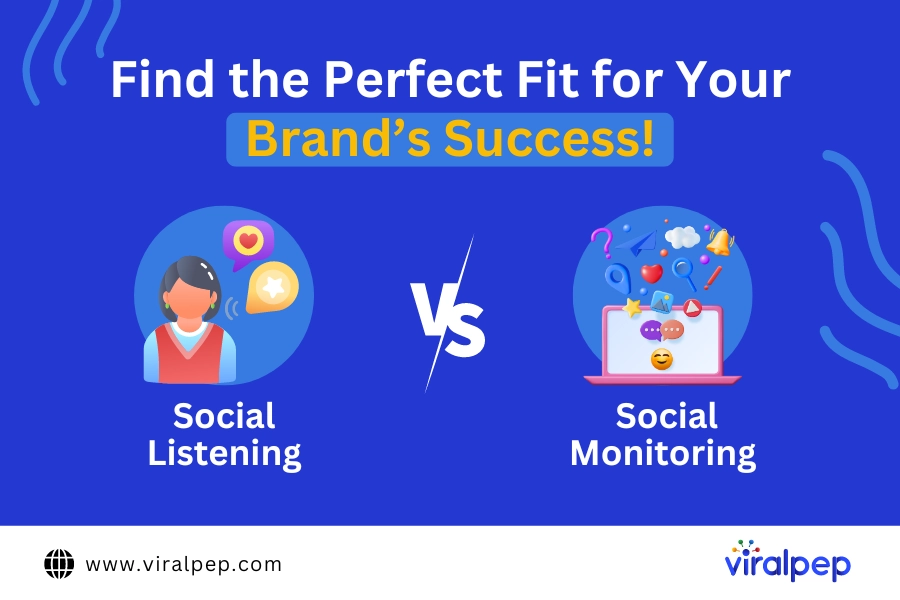
Social Listening vs. Social Monitoring: Which Strategy Fits Your Brand?

What’s the difference between social media monitoring and social media listening? While these terms are often used interchangeably, they serve distinct purposes.

Here’s a breakdown:

  • Social media monitoring focuses on tracking direct mentions of your brand—comments, messages, and conversations—and responding to these engagements.
  • Social media listening, on the other hand, involves analyzing broader discussions across your industry, brand, and relevant topics. This helps you gain insights into audience sentiment and refine your overall strategy.

Both are essential for businesses. Monitoring tells you what’s being said about your brand, while listening helps you understand why it’s being said.

For instance, imagine you’re overseeing marketing for an e-commerce brand and have just launched a new product. Social media monitoring might show that many customers are talking about it, signaling potential success. But social media listening could reveal that a significant portion of those mentions are negative, with further analysis pointing to shipping delays as the real issue. Monitoring shows the surface-level data, but listening uncovers the root cause.

In this article, we’ll explore social media monitoring and listening in detail, and explain the key differences between the two.

What is Social Listening?

Social listening involves tracking and analyzing all conversations across social media platforms that are relevant to your business, brand, or industry. It goes beyond simply monitoring mentions by extracting deeper insights from discussions happening across various channels, providing a fuller picture of public sentiment and emerging trends.

While social media monitoring focuses on tracking direct mentions, tags, and interactions with your brand, social listening delves into understanding the underlying context, emotions, and themes behind these conversations. This can include untagged brand mentions, industry-related discussions, and even customer pain points, offering valuable information that monitoring alone might miss.

Here’s what social listening can help you uncover:

  • Social share of voice: This helps you evaluate how much of the conversation in your industry revolves around your brand versus your competitors. Understanding your social share of voice lets you gauge brand awareness and recognition compared to others in your space.
  • Brand sentiment: Social listening provides a clear picture of customer feelings toward your brand, helping you assess whether the perception is positive, neutral, or negative. It allows you to capture both explicit praise and complaints, along with more nuanced emotional responses that can shape your brand image.
  • Social ROI: By analyzing social media engagement, sentiment, and conversion metrics, social listening helps you determine the effectiveness of your social media efforts. This allows you to measure how well your strategies are performing in generating leads, building brand loyalty, or increasing sales.
  • Trends and opportunities: Social listening reveals emerging topics, memes, or industry shifts before they become mainstream. Identifying new trends early allows you to create timely content and engage with your audience in relevant ways, helping position your brand as a thought leader in your niche.
  • Audience insights: You can also gain a deeper understanding of your audience’s interests, needs, and preferences through the themes and topics they discuss most frequently. This can inform everything from product development to marketing strategies.
  • Crisis management: Early detection of negative conversations or complaints through social listening allows businesses to address issues before they escalate into a full-blown crisis. It enables you to engage with dissatisfied customers and rectify problems swiftly, maintaining your brand’s reputation.

Most importantly, businesses can use the insights from social listening to make strategic, data-driven decisions rather than relying on assumptions or guesswork. Whether it’s refining your messaging, creating social media content that resonates, or adjusting your products or services, social listening provides actionable intelligence that aligns your business with your audience’s needs and expectations.

By integrating social listening into your overall strategy, you’re better positioned to stay ahead of competitors, build stronger relationships with your audience, and continually improve your social media performance.

Why Social Listening Matters?

Here are a few reasons why social listening is a game-changer in the digital marketing landscape. It enables businesses to connect, adapt, and thrive in today’s dynamic world of customer engagement and increases social media engagement.

  1. Tracking Social Mentions

    Social listening tracks every mention of your brand across the web, offering a detailed view of how your brand is perceived. A comprehensive strategy goes beyond just tagged mentions, expanding to untagged mentions and even monitoring competitors and industry events to measure your audience reach.

    This approach provides valuable data, such as the platforms where your brand is most discussed and the frequency of mentions for your brand and your competitors. With these insights, you can better understand your brand’s online presence and make informed decisions to enhance your digital marketing efforts.

  2. Engaging in Relevant Conversations

    Diving into conversations about your brand or industry offers insights into what your customers truly want. You can discover which features they love, what they appreciate most, and the areas that receive the most complaints.

    With this information, you can build on your strengths and improve where needed. Additionally, actively participating in discussions where your brand isn’t explicitly mentioned allows you to provide valuable information or advice, positioning your brand as a trusted expert. This approach often leads to long-term customer loyalty as people connect with brands that demonstrate genuine care and expertise.

  3. Identifying Loyal Fans and Influencers

    Social listening is an effective way to discover authentic influencers who can convey your brand message to the right audience and help you select influencers for your brand. It also helps you identify loyal customers who consistently support your brand and recommend it to others. These advocates are invaluable in your brand’s journey, providing genuine endorsements and fostering community.

    Another aspect of social listening involves engaging with your audience in innovative ways. For example, utilizing video chat platforms like Emerald Chat for random video chat, an alternative of Omegle, can provide direct insights into customer opinions and preferences. This allows brands to interact with their audience in real-time, creating meaningful connections and gathering valuable feedback.

  4. Analyzing the Competition

    Social listening extends beyond your brand by offering insights into what customers say about your competitors. By paying attention to these conversations, you can identify where your competitors may fall short and avoid similar pitfalls.

    Moreover, you can capitalize on areas where your competitors are struggling, giving you a competitive advantage. Extracting insights from social media conversations and blog comments is useful for understanding customer sentiments and preferences. This information helps you refine your strategies and tailor your offerings to meet the needs of your target audience better.

The Benefits of Social Media Listening

Without social media listening tools, you risk overlooking key industry trends and customer preferences, missing valuable opportunities for growth and improvement. While social media monitoring focuses on what is being said and by whom, listening goes deeper to uncover the sentiment and context behind those conversations. Without social listening, businesses might misinterpret customer feedback or misunderstand their audience’s feelings, leading to misguided actions or missed chances to enhance their products, services, or messaging.

What is Social Media Monitoring?

Social monitoring is like “reading the room” in the digital world. It involves tracking and responding to mentions of your brand across the internet, including on social media, forums, blogs, and review sites.

The main goal is to identify every mention of your brand, product, or service and respond in a way that adds value. For positive mentions, a simple “thank you” works well. For negative ones, a sincere apology followed by a commitment to make things right is crucial—along with taking the steps necessary to fulfill that promise.

Social monitoring involves searching for:

  • Your brand name (including any common misspellings)
  • Product names (including misspellings)
  • Competitor names

In short, social media monitoring is an extension of your customer support, specifically within social media platforms. It involves actively watching all conversations related to your brand and engaging with each one accordingly. The goal is to proactively connect with as many audience members as possible, building a sense of connection and loyalty between your brand and its customers.

Why Social Monitoring Matters?

Social monitoring offers several key benefits for businesses, helping them build stronger relationships with customers, address concerns proactively, and maintain a positive brand reputation in the constantly changing online environment.

  1. Assisting Customers with Queries

    One of the most straightforward ways customers express their thoughts is by tagging brands on social media to ask questions, make statements, or share complaints. Failing to respond to these tags means missing out on a critical aspect of your customer service efforts.

    Social media monitoring helps you identify these tags and respond quickly with the right information. Embracing this practice is essential for brands to stay relevant and competitive in a crowded market. Proactively addressing customer inquiries and concerns can enhance your brand’s reputation and strengthen your relationship with your audience.

  2. Identifying Relevant Trends

    By closely monitoring mentions of your brand and your competitors, you can spot the latest trends in your industry and leverage them to your advantage.

    These trends provide valuable insights into what users are interested in and present opportunities to adapt your products or services to meet their needs. Understanding your customers through social monitoring gives you critical information that can help boost your sales and maximize revenue. This data is key to optimizing your offerings and achieving long-term success in a competitive market.

  3. Keeping an Eye on Competitors

    Tracking mentions of your competitors offers vital insights into their strengths and weaknesses, which is essential for developing effective product and marketing strategies.

    But don’t just stop at monitoring customer mentions. Dive deeper into analyzing their content, campaigns, and related products. Identify what types of content drive the most engagement and explore ways to create your unique versions (without copying). Likewise, observe any mistakes your competitors make and avoid repeating them. Learning from the competition can refine your strategies and stay ahead.

  4. Gathering Social Proof

    A genuine, positive customer review builds trust in your brand. Social monitoring helps you find these glowing comments about your products, which you can proudly use as social proof. People naturally trust other customers’ recommendations more than a brand’s promotional messages.

    You don’t need to worry about appearing boastful. If your brand genuinely provides a valuable customer experience, sharing feedback is only fair. Your customers deserve to hear about the great service you provide, and you deserve recognition for your hard work. Embrace the positive reviews and let them showcase your business/brand’s excellence.

The Benefits of Social Media Monitoring

Failing to monitor social media mentions is like ignoring a ringing phone—many brands miss out on crucial insights that could drive more informed, strategic decision-making.

Social media monitoring plays a vital role in your brand’s communication strategy. It allows social media managers and customer service teams to stay on top of interactions, acting as the first line of response to incoming conversations, questions, and concerns across your social platforms. This real-time awareness is essential for managing your brand’s reputation and engaging effectively with your audience.

Social Listening vs. Monitoring: Key Differences

Although social media monitoring and social listening are often used interchangeably, there are important distinctions between the two. Understanding these differences is essential for leveraging each effectively to benefit your business or brand. It’s important to note that this isn’t about determining which strategy is better. Instead, it’s about understanding the benefits of social listening and the benefits of social media monitoring, and using both approaches to maximize your social media ROI.

  1. Micro vs. Macro Focus

    Social monitoring operates on a micro level, where customer service teams actively search for customer queries, issues, and comments to provide timely responses. This approach involves scanning various public platform feeds to identify and address relevant mentions.

    In contrast, social listening functions on a macro level, focusing on how customers perceive your brand and your entire industry. It involves analyzing conversations involving your customers, competitors’ customers, and industry experts to understand your brand’s position within the market comprehensively.

    Think of social monitoring as observing individual trees, while social listening is about viewing the entire forest. While social monitoring is critical to social listening, the latter provides a broader perspective that extends beyond individual interactions to offer a holistic view of your brand within the industry.

  2. Active vs. Responsive Approach

    Social listening is a proactive exercise, where you actively seek out customer and industry feedback to identify gaps or areas for improvement. This approach is about uncovering opportunities and addressing potential issues directly.

    The insights gathered from social listening often lead to long-term strategic decisions. For example, brand mentions might highlight a missing feature, influencing the company’s product development. Industry conversations could reveal trends that prompt early adoption of new tools, giving your brand a competitive edge.

    Conversely, social monitoring is more reactive. Customers initiate the interaction by tagging your brand with questions, complaints, statements, or suggestions, and your brand responds accordingly.

    This is why social monitoring is often integrated into broader social listening strategies. While monitoring tagged mentions is a great way to gauge customer sentiment, it’s just one aspect. Both active listening and responsive monitoring work together to provide a comprehensive approach to understanding and engaging with customers and the industry.

  3. Manual vs. Automated Processes

    One of the most straightforward differences between social listening vs social monitoring lies in their execution—one is manual, while the other is largely automated.

    With social monitoring, you can either use a tool to compile all brand mentions or manually check your notifications for relevant mentions. However, responding to each mention requires direct, hands-on effort.

    The process of social listening necessitates the use of specialized automated tools. It surpasses the simple tracking of tagged mentions on social media. By inputting relevant keywords and phrases into the system, the tool can reveal digital conversations, comments, articles, podcasts, videos, and other content related to those specific terms.

    Additionally, automated tools allow you to monitor mentions of your competitors effectively, which is challenging to do manually, especially when considering social media marketing challenges. By leveraging the right automation tools, you can efficiently manage and analyze vast amounts of data, providing comprehensive insights that manual monitoring alone cannot offer.

Final Thoughts on Social Monitoring and Listening

Social monitoring and listening are essential for staying connected to conversations about your brand, competitors, and industry as a whole. However, getting started can be a bit daunting. You’ll need to determine which keywords, hashtags, and topics to track, monitor multiple social platforms, and learn how to interpret the vast amount of data you collect. This can quickly feel overwhelming, especially if you’re new to the process.

Social monitoring helps you track direct mentions and engagements, giving you real-time insights into what people are saying about your brand. On the other hand, social listening allows you to look beyond individual mentions and analyze broader industry trends, audience sentiment, and emerging themes. Together, these tools provide a full view of how your brand is perceived and allow you to refine your strategy accordingly.

Understanding how to leverage these insights effectively is crucial for optimizing your marketing, customer service, and product development. For example, listening can help identify pain points or desires that customers express, enabling you to improve offerings or shift messaging before a trend becomes mainstream.

Our comprehensive social listening guide simplifies the learning process. you’ll learn how to:

  • Track the right keywords, hashtags, and topics relevant to your brand and industry.
  • Measure brand sentiment and customer emotions to understand how your brand is perceived.
  • Identify trending discussions, allowing you to stay ahead of competitors and join relevant conversations.
  • Analyze content performance across platforms to enhance your social media strategy.
  • Implement actionable insights from listening reports to drive business growth.

With Viralpep’s powerful social media management tools, you can streamline your social monitoring efforts. By mastering these skills, you’ll engage with your audience in more meaningful ways, stay informed on industry trends, and make data-driven decisions that can strengthen your overall strategy. Let Viralpep be your partner in navigating the complexities of social media insights.

The Ultimate Guide to Finding the Best Time to Post on Facebook

The topic of Facebook’s organic reach is a continual point of discussion among marketers. If you’re someone who finds Facebook engagement metrics frustrating, this post is tailored for you.

Even with the challenges, there’s still a significant opportunity to reach your audience’s feeds. The key is identifying the best time to post on Facebook to maximize likes, comments, and shares.

While many marketers turn to paid ads, not everyone has the budget to boost social media reach consistently. So, the big question remains: when is the best time to post on Facebook?

Moreover, is there just one ideal time, or are there multiple optimal times for posting on Facebook?

Utilizing free Facebook analytics tools can help you assess your audience’s activity patterns, but solving this puzzle requires a deeper dive. We analyzed over 50,000 Facebook accounts and their posts to uncover the best times to post on Facebook.

Finding the perfect timing can be challenging, but our data-driven insights and tips will guide you in your search.

Let’s get started!

When is the Best Time to Post on Facebook?

The best time to post on Facebook is around 10 a.m. on Fridays. Mondays at 10 a.m. and Tuesdays at 9 a.m. also show strong engagement, making them prime times to connect with your audience, according to Viralpep data.

  • Mondays: 9 a.m. to noon
  • Tuesdays: 9 a.m. to 2 p.m. and 5 p.m.
  • Wednesdays: 9 a.m. to 3 p.m. and 5 p.m.
  • Thursdays: 8 a.m. to 2 p.m. and 5 p.m.
  • Fridays: 9 to 11 a.m.
  • Best days to post on Facebook: Mondays through Thursdays
  • Worst day to post on Facebook: Sundays

Facebook remains the most widely used platform by marketers, with 89% of them leveraging it, and it boasts a staggering 3.05 billion monthly active users. Its influence on social media usage is undeniable for consumers and marketers. Compared to last year, periods of high engagement on Facebook still occur in mid-mornings during weekdays, aligning with standard business hours.

The best times to post on Facebook are typically Mondays through Fridays, starting around 9 a.m. and continuing until early afternoon, around 2 p.m. What does this mean for marketers? It suggests that most users are taking short breaks during their routines to check Facebook, making this the ideal time to schedule posts for maximum interaction.

With a robust Facebook marketing strategy, businesses can connect with the right audiences through their content, whether it’s informing them about products or offering exclusive deals. Remember, engagement is a blend of how frequently you post on social media and the type of content you share.

When are the best days and times to post on Facebook?

While we have insights on the ideal times to post on Facebook in general, how does it vary for each day of the week?

Friday is the top day for posting on Facebook, with strong engagement from about 9 a.m. to 4 p.m. The ideal time to post is around 10 a.m. Mondays and Tuesdays are also excellent days for posting, though engagement tends to dip slightly midweek.

The worst day to post on Facebook is Saturday since engagement is significantly lower than the rest of the week. Similarly, Sundays should also be avoided for good engagement and reach.

While the general posting times mentioned earlier provide a good starting point, they might not perfectly align with the habits of your specific audience. Discovering your best time to post on Facebook is vital for effective social media management. Identifying when your audience is most active and engaged will enhance your overall strategy.

If you’re looking for the best days and times to post on Facebook, check out the analysis below:

  1. Best times to post on Facebook on Mondays

    The optimal posting time is between 9 a.m. and noon. While there’s decent engagement from 9 a.m. to 6 p.m., the highest engagement occurs just before lunchtime.

  2. Best times to post on Facebook on Tuesdays

    The best window is from 9 a.m. to 2 p.m., with another peak at 5 p.m. Engagement remains steady throughout the business day.

  3. Best times to post on Facebook on Wednesdays

    Wednesdays see high activity from 9 a.m. to 3 p.m., with an additional surge at 5 p.m., making it one of the most active days to post.

  4. Best times to post on Facebook on Thursdays

    Similar to Wednesday, Thursdays show strong engagement from 8 a.m. to 2 p.m., with another peak at 5 p.m.

  5. Best times to post on Facebook on Fridays

    Fridays are best for posting between 9 a.m. and 11 a.m., as users begin to shift into weekend mode. However, there’s still steady activity throughout the workday.

  6. Best times to post on Facebook on Saturdays

    On Saturdays, the best engagement happens between 8 a.m. and 11 a.m. Overall, weekends, including Saturday, tend to lower engagement than weekdays.

  7. Best times to post on Facebook on Sundays

    The optimal time on Sundays is between 9 a.m. and 11 a.m. Like Saturdays, Sundays typically see reduced engagement across most social platforms.

Why does timing matter when posting on Facebook?

Think of scheduling social media posts like planning an event. Hosting an event in the middle of the night will likely result in a smaller turnout than if you choose a time during the day or evening when more people are awake and active.

In the same way, engagement on your social channels depends on your audience’s activity. If your followers aren’t online, they won’t be able to interact with your posts.

When is the best time to post on Facebook? In theory, it’s simple: the best time is when your audience is most likely to be online. This is when your content has the greatest chance of being seen and engaged with, signaling to Facebook’s algorithm to expand the reach of your posts.

In practice, it’s more complex. Your audience may not be active at the same time as others. Time zones and differing behaviors between weekdays and weekends add to the complexity.

Here are a few key points to keep in mind:

  • Facebook is the world’s most popular social network.
  • The average Facebook Page posts five times per day.
  • Users spend nearly 20 hours a month on Facebook.
  • Millennials represent nearly half of Facebook’s audience.
  • Only 19% of teens use Facebook daily.

Luckily, there are tools to help determine the optimal day and time for posting on your specific Facebook Page. We’ll explore those in the final section, but for now, here are some general tips to guide your Facebook posting strategy.”

How to find your best time to post on Facebook with Insights

Unfortunately, with a recent update, Facebook removed the feature that showed when your fans are online, so you’ll need to track this manually.

If you’ve been posting on Facebook for some time, you can review your existing metrics for insights. If you’re just starting out, I recommend using the suggested posting times for about a month and then following the steps below to analyze your results.

Here’s the approach I suggest

  1. Log in to your Facebook Page. Click on your profile picture at the top right and select your Page from the dropdown menu.
  2. Click on “Professional Dashboard” from the left menu.
  3. Click on “Content” in the left sidebar.
  4. Choose a timeframe, such as ‘Last 90 days’. Click on “Date” and select “Post Reach” to sort posts by reach. Focus on posts you haven’t boosted to gauge organic reach.
  5. Note the day and time of day for the top ten posts and their content types (video, photo, text).
  6. Switch to “Engagement” and repeat the process with the top ten posts. Look for patterns in posting times and days.
  7. Check for recurring patterns or trends, like specific days or times when posts perform best. If needed, expand to 20 or 30 posts for a broader view.

Viralpep will guide you on the best day to post on Facebook, the ideal type of content to share, and how frequently to post for your specific target audience.

How to find your best time to post on Facebook with Viralpepe

A social media management tool like Viralpep helps you dive deep into your analytics, offering tailored insights for your brand’s accounts across all networks, collectively and individually. Gain a competitive edge by comparing your performance with competitors to uncover new engagement opportunities.

Viralpep simplifies this process by providing insights based on your historical performance. To use Viralpep, follow these steps:

  1. Ensure your Facebook Page or group is linked to Viralpep. Follow their guide to connect to a Facebook Page or group.
  2. You’ll need to be on Viralpep’s Essential. You can try the basic plan for free for 15 days or check Viralpep’s pricing for details here.
  3. Click on “Analytics” in the top menu.
  4. Choose Facebook from your channel list on the left.
  5. Viralpep will show you optimal posting times and suggest schedules to boost engagement.

With these methods, you can fine-tune your posting strategy to reach your audience when they’re most active.

Best Times to Post on Facebook Marketplace

If you use Facebook Marketplace for social selling, understanding the best time to post on Facebook Marketplace is just as important. Since marketplace users often browse during off-hours, aim for times outside the traditional workday, such as early mornings, evenings, and weekends. Analyzing your sales performance on the platform can also help pinpoint the best posting times for your products.

Wrapping It Up

Now that we’ve debunked the myth of a best time to post on Facebook, it’s time to focus on experimentation. Dive deep into your audience’s specific behaviors to identify when they are most active. Utilizing tools like Facebook Insights and Viralpep helps you identify the best times to post on Facebook business pages and optimize engagement.

Analyzing your data will provide the most accurate insights into your audience’s habits, helping you tailor your approach effectively. Whether you’re posting on your business page, facebook reels, or the marketplace, there is no one-size-fits-all solution, so testing is crucial.

Additionally, use Viralpep to plan and publish your posts at optimal times. With thorough testing and a solid strategy, managing your social media accounts becomes straightforward, allowing you to boost social media engagement and improve your overall visibility on Facebook.

So, don’t wait—start optimizing your posts today!

What is Social Selling? A Complete Guide to Modern Sales Strategies

Social selling is reshaping the sales landscape. Yep, you heard that right!

Social selling is all about leveraging social media to generate leads and build relationships. It’s a crucial part of nurturing connections, building trust, and engaging with your target audience to drive sales.

We’ve been living in the era of selling on social media for a while now. Whether you’re familiar with the term or not, you’ve likely witnessed this approach: using popular social selling platforms like LinkedIn, Facebook, Instagram, and Twitter to forge relationships, interact with prospects, and close deals. It’s not just a trendy buzzword; it represents a fundamental shift in how we approach sales in our interconnected world. And it has the potential to enhance your sales strategy significantly.

Social selling, social sales, selling on social media, or social selling with LinkedIn merges the worlds of sales and social media. It’s where sales professionals connect with and nurture potential customers online, combining classic sales principles with the power of social selling platforms for a more effective, comprehensive approach.

The benefits of social selling are numerous. From gaining real-time insights into your prospects and personalizing your interactions, to shortening the sales cycle, social media selling tools open up a wealth of opportunities. For instance, LinkedIn found that 78% of social sellers outperform those who don’t use social media.

You might be wondering how selling on social media can transform your business. Don’t worry; this guide has you covered!

This guide will walk you through best practices and actionable steps to excel at social media selling.

Let’s dive in.

What Is Social Selling?

First, let’s clarify what social selling is—and what it isn’t.

Social selling is not about spamming strangers with unsolicited pitches on social media. It’s about using social networks to find, understand, and engage with prospects meaningfully and personally.

In a nutshell, social selling involves using platforms like LinkedIn, Facebook, and Instagram to add value to potential customers—answering questions, responding to comments, and sharing relevant content—until they view you as a trusted leader in your field.

Traditional sales tactics, such as cold calling and generic emails, no longer cut it. Today’s customers are digitally savvy and expect a more personalized approach. They conduct their research, seek out opinions, and prefer to engage with salespeople on their own terms. Social selling platforms allow you to connect with customers where they are—on social media—and build relationships that foster trust and lead to sales.

The choice of social selling platforms will depend on where your prospects hang out and which platforms align best with your offerings. Here’s a quick overview of the best social media for selling products:

  • LinkedIn: The go-to platform for B2B social selling, offering a wealth of professional data and opportunities for thought leadership.
  • Facebook: With its vast user base, it provides diverse targeting options and a more relaxed environment for engagement.
  • Twitter: While its popularity has shifted somewhat, Twitter is excellent for real-time interaction and social listening.
  • Instagram and Pinterest: Ideal for businesses with strong visual content, these platforms are powerful tools for engagement.
  • Threads: Meta’s latest social platform, which gained 100 million users within its first week of launch in July 2023. It’s similar to Twitter and is rapidly gaining popularity.

Understanding what is social selling and its vital role in the modern sales process is the first step toward mastering it. Let’s explore how you can build your own foundation for social selling success.

How Does Social Selling Work?

Thinking about diving into selling products on social media for your biz? Start by setting up your branded profiles on the major social selling platforms. Or, if you’re looking for a shortcut, team up with influencers in your niche who already have a loyal following.

The magic of social selling is all about creating social media content that really clicks with your target audience. Ensure your posts show that your brand gets your customers and vibes with their values. But don’t just hit “post” and walk away—get involved! Join the conversation, stay on top of trends, and hit up those direct messages.

Your goal here isn’t just to close sales but to build solid, ongoing relationships with potential buyers. Social selling is more about generating leads and growing your brand than just pushing for quick sales. Keep it real, stay engaged, and watch your brand’s influence grow.

Why Is Social Selling Crucial In The Digital Era?

In the digital era, buyers have a world of information at their fingertips. They research products, dive into reviews, and compare options before making a purchase decision.

Traditional sales methods can feel pushy and outdated in this context. Modern buyers prefer a consultative approach where salespeople offer genuine value and insights rather than just pushing a hard sell.

  • Influencing Buyer Decisions

    In a world dominated by social selling platforms, your online presence can make or break your chances of winning over a customer. A solid social selling strategy helps you build credibility and position yourself as a trusted advisor in your field.

    People are more inclined to engage with someone they see as knowledgeable and approachable, rather than a faceless entity.

  • Building Trust and Credibility

    Trust is the foundation of any successful sales relationship. Social selling allows you to foster trust by sharing valuable content, engaging in genuine conversations, and showcasing your expertise.

    As you connect with your audience, you create a rapport that goes beyond just transactions, helping to build long-lasting customer loyalty.

  • Essential Social Selling Strategies

    Your personal brand is your online persona—it’s how potential customers perceive you. Here’s how to build a strong personal brand:

    • Optimize Your Profile: Make sure your social media profiles are polished and complete. Use a clear, professional photo, craft an engaging bio, and make your contact details easy to find.
    • Be Consistent: Keep your tone and message consistent across all your platforms. Consistency helps you build recognition and trust with your audience.
    • Showcase Your Expertise: Share your insights and knowledge through posts, articles, and comments. Establish yourself as a thought leader by providing valuable content that resonates with your field.

What Are the Benefits of Social Selling?

Adopting a social selling strategy brings several key advantages

  • Unlock New Market Opportunities

    Social media has become a central hub for buyers, especially younger generations who spend significant time online. These users are more likely to engage with social media content and consider it an important factor in their purchasing decisions. For brands aiming to connect with these customers, social selling offers a powerful avenue to tap into new markets and drive engagement.

  • Gain Insights into Customer Preferences

    A crucial element of social selling is social listening, which involves tracking social media interactions to understand customer preferences and behaviors. Marketing teams can analyze how consumers engage with posts and identify popular content trends. Similarly, sales teams can observe public discussions about their products or services to identify opportunities for interaction and support.

    Social listening also helps you stay informed about trending topics, even if they don’t directly mention your business. Engaged social media followers can provide valuable feedback through surveys and direct interactions, giving you insights into their interests and opinions on potential product updates or new launches.

  • Enhance Your Brand Equity

    Social selling is an effective way to build and strengthen your brand’s reputation. By focusing on posting valuable content and engaging in genuine conversations, you foster long-term relationships with your target audience. Both individuals and B2B clients are more likely to prefer brands with whom they have an established connection. Consistent, meaningful engagement helps you build a positive reputation and enhances your brand equity over time.

Key Pillars of Social Selling

  1. Prospecting: Identify and Connect with Your Ideal Buyer

    Prospecting is about identifying and reaching out to potential buyers or influencers who can drive your sales.

    Start by creating a buyer map. This tool helps pinpoint your ideal customers, understand their buying behaviors, and tailor your sales pitch to address their needs. Here’s how to map out your buyers:

    • Define Your Ideal Customer: Identify the industry, company size, and stage where your product fits best.
    • Identify Key Stakeholders: Determine who is involved in the buying decision and what challenges you can solve for them. For instance, a Sales CRM might address pipeline visibility for sales managers, ROI for CFOs, or process streamlining for COOs.
    • Target Titles and Keywords: List relevant job titles and keywords, like Sales Manager, VP of Sales, or Head of Business Development.

    Now you’re ready to start prospecting. A LinkedIn extension can help accelerate this process by giving you real-time data on profile views, connection tracking, and engagement cues directly within your workflow.

  2. Content Creation & Distribution: Develop and Share Valuable Materials

    Effective social selling relies on high-quality content. Your marketing team should provide valuable content assets like videos, blogs, eBooks, case studies, and sales scripts. Maximize content effectiveness with:

      • Marketing Collaboration: Sales and marketing teams should work together. Sales reps can offer insights into common buyer questions and pain points, helping marketing create more targeted content.
      • Organize and Update Content: Ensure content is easy to find and up-to-date. Avoid disorganized systems with numerous files and folders that waste time and lead to outdated information. Use employee advocacy or sales enablement tools to streamline content management.

    Sales Enablement Solutions:

      • Centralize content access, so reps can quickly find and share approved materials.
      • Keep reps informed about industry trends and company updates.
      • Track engagement to see what content performs best.
  3. Social Listening: Monitor Brand Conversations and Trends

    Social listening involves monitoring conversations about your brand on social media. This includes mentions, product discussions, and customer feedback.

    • Track Brand Mentions: Use tools to monitor mentions and keywords related to your brand.
    • Set Up Alerts: Monitor your target prospects’ activities, such as leadership changes or funding events, to seize engagement opportunities.
  4. Managing Social Relationships: Oversee Engagement and Follow-Ups

    Managing a social selling program requires handling interactions across multiple platforms. To streamline this process, utilize Sales Engagement Tools, as they assist in the following ways:

    • Consolidate interactions from various channels into a single dashboard.
    • Notify you when to reply, follow up, or engage with posts.
    • Provide real-time insights into prospect activity.
    • Monitor individual reps’ performance and content effectiveness.
  5. CRM Integration: Turn Social Interactions into Sales Opportunities

    The ultimate goal is to turn social conversations into tangible sales.

    • Centralize Lead Data: A CRM helps capture and centralize lead information from all sources, including social media, your website, PPC campaigns, and more.
    • Manage Sales Processes: After initial social interactions, use your CRM to schedule meetings, manage your sales workflow, and automate follow-ups.
    • Boost Retention & Value: A CRM can help keep existing customers engaged, identify upsell opportunities and manage dormant accounts.
    • Align Sales and Marketing: Integration with your CRM ensures transparency and accountability between teams.

    Implementing these components will enhance your social selling strategy, helping you build relationships and drive sales effectively.

Best Practices for Social Selling: Examples and Action Items

Here are some recommended best practices for developing a robust social selling strategy.

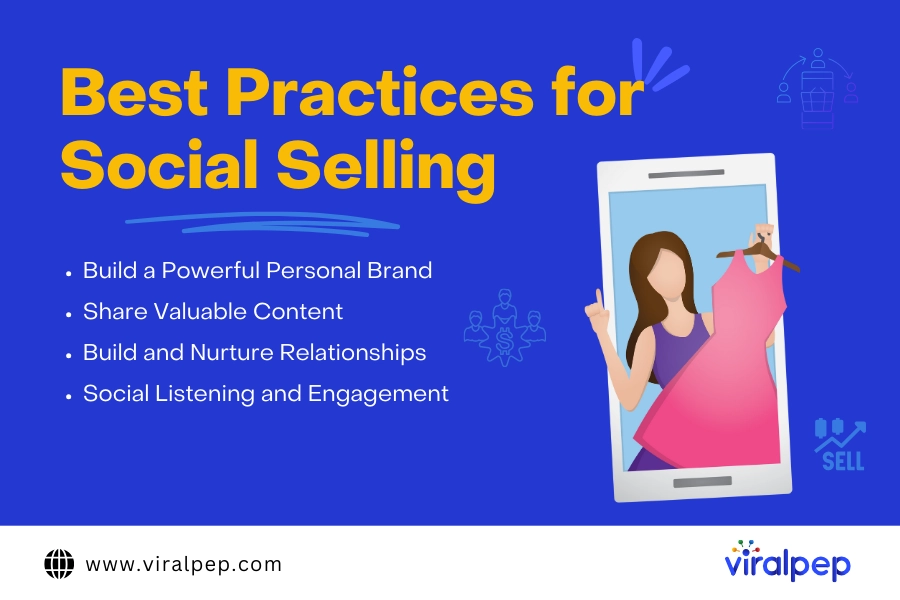
Best Practices for Social Selling

  1. Build a Powerful Personal Brand

    A compelling personal brand is essential for effective social selling. Your online presence should clearly convey who you are, what you do, and how you provide value. Here’s how to get started:

    • Optimize Your Profile: Ensure your social media profiles are complete and professional on the platforms most relevant to your audience. Include a high-quality headshot, a bio highlighting your industry experience, and details about your expertise and achievements.
    • Showcase Your Expertise: Regularly share content demonstrating your knowledge and leadership. From tips and tricks to curated articles and short videos, consistently posting valuable content will build your credibility and enhance your brand.
    • Show Your Personality: People are interested in the person behind the product or service. Let your personality shine through your online interactions so that people feel a genuine connection with you.
  2. Share Valuable Content

    Content is the currency of social selling. It’s what you exchange for your audience’s attention. Here are some tips to get you started:

    • Curate Relevant Content: Subscribe to industry publications and newsletters relevant to your niche. Regularly review these sources for content that would interest your audience and share it on your social platforms.
    • Create Original Content: While curating content is valuable, producing your own unique insights is even better. Start with short tips and tricks for social posts, and consider writing articles for LinkedIn. Short selfie videos sharing product tips or industry dos and don’ts can also be effective.
    • Mix Up the Format: Engage your audience with various content formats such as videos, live streams, slideshows, and carousels. Collaborating with other thought leaders on posts can also help expand your reach.
  3. Build and Nurture Relationships

    Social selling is about fostering relationships, not just making connections. Here’s how to cultivate these relationships:

    • Engage Daily: Go beyond just liking posts. Spend 5-10 minutes each day leaving thoughtful comments and participating in conversations with your followers.
    • Follow Up Consistently: Maintain contact with your connections even when you’re not actively selling to nurture the relationship. Tools like social CRM systems can help automate this process.
    • Personalize Your Messages: Customize your interactions based on each connection’s interests and needs. Keep notes about your key contacts to personalize your communications effectively. Again, a social CRM can assist with this.
  4. Social Listening and Engagement

    Social listening—monitoring mentions and tags of your brand on social platforms—is crucial for understanding your prospects and customers. Here’s how to practice effective social listening:

    • Monitor Relevant Conversations: Use social media analytics tools to track conversations about relevant topics, brands, or keywords.
    • Respond Timely: Quick responses are key. Address mentions, comments, and direct messages as promptly as possible—ideally within minutes.
    • Track Competitors: Keep an eye on your competitors to gain insights into their strategies and customer feedback.

Implementing these best practices can significantly enhance your social selling efforts. Remember, social selling isn’t a one-size-fits-all approach. Experiment with different strategies to discover what works best for you and your audience.

Final Thoughts

Social selling isn’t just a fleeting trend; it’s a total game-changer for today’s sales scene. Leveraging the best social selling tools, building genuine connections, and offering valuable content to your audience can set you apart from your competitors. Try these strategies and witness a remarkable improvement in your sales efforts.

Mastering social selling means building solid relationships and growing your customer base like a pro.

Stick with these basics and keep tweaking your approach, and you’ll get to know your market inside out, speed up your sales cycle, and see your revenue rise. If you’re ready to level up your social media game, check out Viralpep —it’s your go-to tool for supercharging your social selling success.

How to Get More Followers on Instagram: A Comprehensive Guide

In the digital age, making an Instagram Reel go viral might feel like hitting the jackpot. Imagine your reel blowing up with over 7.5 million views, 273K shares, 99.7K likes, and 16.8K saves—yet, the follower count barely budges. WTH, right?

Even though that wasn’t your endgame, this experience has prompted you to reconsider how to get more followers on Instagram. If a meme that even got Instagram’s big cheese, Adam Mosseri, to notice didn’t give you a major follower boost, what will?

Instagram is the MVP for many brands’ social media game. It’s a powerhouse for driving traffic, boosting sales, and engaging peeps. But if your growth and engagement numbers are looking kinda sad, don’t sweat it—you’re definitely not flying solo.

The competition on Insta is fierce, and cracking the algorithm code can feel like solving a Rubik’s Cube. Nevertheless, investing in growing your audience is absolutely worth it. A bigger follower count means more opportunities to engage and delight your customers.

With over 2 billion monthly active users and features like shoppable posts, Instagram is a goldmine for businesses of all shapes and sizes. But here’s the real talk: unless you’re a household name, leveling up your follower count takes some serious hustle.

Ready to amp up your Insta game and figure out how to get more Instagram followers? This post will walk you through some tried-and-true strategies to help you snag your first 5,000 followers or smash through to the next 5k.

Let’s dive in and make your Instagram pop!

Types of Instagram Followers

Understanding the types of followers on Instagram is crucial for devising a growth strategy that works. Here’s a breakdown:

  1. Fake Followers

    Fake followers are accounts created to inflate follower counts artificially. They don’t engage with your content, and their presence can harm your credibility. Instagram actively identifies and removes these accounts, so it’s essential to avoid purchasing them.

  2. Ghost Followers

    Ghost followers are real accounts that no longer interact with your content. They can skew your engagement metrics and make it harder to reach your target audience. Identifying and removing these followers can help improve your engagement rates.

  3. Organic Followers

    Organic followers are genuine users who follow you because they are interested in your content. They are the most valuable as they engage with your posts and are more likely to become loyal supporters or customers.

20 Ways to Get More Instagram Followers

Before diving into the juicy details, let’s get one thing straight: this post is all about building an organic following answering the burning question, how do you get Instagram followers?

And yes, that’s a big deal!

Some brands try to cut corners when it comes to getting more Instagram followers. We’re not about that life—no shady shortcuts here. We’re not about that life—no shady shortcuts here. However, if you’re looking for a quick boost in followers while working on long-term organic strategies, you can check out this service to buy Instagram followers. Keep in mind that this is just one approach, and organic growth remains the most sustainable option

Here’s the tea: Instagram’s algorithm is super smart and will ditch low-quality accounts and fake engagement from sketchy bots. So, if you’re looking for legit growth, it’s all about putting in the work.

Trust us, it’s totally worth it. Check out our top tips for boosting your Instagram followers the real way. Read on below for the deets!

  1. Optimize Your Instagram Account

    Ensure your Instagram profile is fully optimized. Use a clear and recognizable profile picture, write a compelling bio and include a link to your website or a landing page. A well-optimized profile makes a strong first impression and can convert visitors into followers.

  2. Create a Cohesive Instagram Feed

    A visually appealing and cohesive Instagram feed attracts and retains followers. Use consistent colours, filters, and themes to make your profile aesthetically pleasing. This consistency helps build your brand’s identity and makes your profile more engaging.

  3. Keep a Consistent Content Calendar

    Consistency is key in maintaining and growing your follower base. Develop a content calendar to plan and schedule posts regularly. Aim to post at least once a day to keep your audience engaged and attract new followers. Tools like Viralpep can help you manage and schedule your content efficiently.

  4. Write Descriptive Captions with Keywords

    Captions are an essential part of Instagram posts ideas. Write descriptive captions that include relevant keywords to improve discoverability. For instance, if you’re posting about a new product, include keywords like “new arrivals” or “exclusive offers.” This can also help with how do you get Instagram followers organically.

  5. Find the Best Hashtags for Your Followers

    Hashtags increase the visibility of your posts. Research and use a mix of popular and niche hashtags relevant to your content and audience. Aim for a balance—using highly popular hashtags can increase reach, while niche hashtags can attract a more targeted audience.

  6. Find Your Best Time to Post

    Posting at the right times can significantly impact your engagement rates. Use Instagram Insights to determine when your followers are most active. Experiment with different posting times to find the optimal schedule for your audience.

  7. Make Sure Your Instagram Content is Accessible

    Accessibility is crucial for reaching a broader audience. Use alternative text (alt text) for images, ensure videos have captions, and choose high-contrast colours to make your content accessible to users with visual impairments.

  8. Collaborate with Brands, Creators, and Influencers

    Partnerships can expose your profile to new audiences. Collaborate with brands, creators, or influencers who align with your values and target audience. Whether through shoutouts, joint campaigns, or guest appearances, these collaborations can boost your follower count.

  9. Create More Instagram Reels

    Instagram Reels are a great way to engage users with short, entertaining videos. They have high potential for viral reach, so create Reels that resonate with your audience. Use trending sounds and creative editing to capture attention. This can help you gain followers on Instagram free.

  10. Optimize Your Instagram Stories Highlights

    Instagram Stories Highlights allow you to keep your best Stories visible on your profile. Use them to showcase important content like product features, behind-the-scenes moments, or user testimonials. Well-curated Highlights can attract new followers and keep current ones engaged.

  11. Create Memes and Other Shareable Content

    Memes and shareable content can increase your reach and engagement. Create Engaging Instagram Carousel Post that resonates with your audience’s interests and sense of humour. Encourage followers to share your posts to expand your reach organically.

  12. Lean into User-Generated Content

    Encourage your followers to create content related to your brand. User-generated content (UGC) builds community and trust. Share UGC on your profile to show appreciation for your followers and attract new ones through social proof.

  13. Cross-Promote Your Instagram on Other Channels

    Promote your Instagram profile across your other marketing channels. Add your Instagram handle to your website, email newsletters, and other social media platforms. This cross-promotion can drive traffic to your Instagram profile and help you gain followers on Instagram for free.

  14. Analyze High-Performing Content

    Regularly review your Instagram analytics to understand which content performs best. Focus on creating similar posts to maintain and grow your follower base. Pay attention to metrics such as likes, comments, shares, and saves.

  15. Experiment on Threads

    Threads, Instagram’s newer feature for more personal and text-based interactions, can help you connect with your audience in a different way. Use Threads to share insights, updates, or engage in conversations with your followers.

  16. Get Verified on Instagram

    Getting verified can enhance your credibility and visibility on Instagram. The blue checkmark helps you stand out in search results and reduces the risk of impersonation. To get verified, follow Instagram’s verification guidelines and meet their criteria.

  17. Interact with Your Audience in Comments and Stories

    Engagement is crucial for growth. Respond to comments and messages promptly and interact with your audience through Stories. Use interactive features like polls and Q&A sessions to encourage engagement and build relationships.

  18. Understand Your Analytics

    Tracking your performance is essential for growth. Use Instagram Insights or third-party tools to monitor key metrics. Understanding your audience’s preferences and behaviour helps you tailor your content strategy for better results.

  19. Try Instagram Promotions and Ads

    Instagram promotions and ads can boost your reach and attract new followers. Create targeted ads to reach your desired audience and increase your visibility. Experiment with different ad formats to see what works best for your brand.

  20. Share Your Profile Link Externally

    Promote your Instagram profile link outside of Instagram. Share it in blog posts, on your business cards, and through other digital marketing efforts. Increasing your profile’s visibility on various platforms can help you gain followers Instagram free.

At Viralpep, we specialize in providing social media management solutions that help businesses grow their online presence. Our social media scheduling tool and strategies are designed to enhance your Instagram marketing efforts and drive real, organic growth. Explore our services to see how we can help you gain followers on Instagram free and achieve your social media goals.

Conclusion

Growing your Instagram following requires a combination of strategic planning, engaging content, and active interaction with your audience. By implementing these 20 strategies, you can increase your followers organically and build a robust Instagram presence. Remember, consistency and quality are key to long-term success. For more expert tips and tools to boost your Instagram growth, visit Viralpep and take your social media strategy to the next level.

Top 7 Ways How Social Media Impacts Your Business

The impact of social media on business is immense, both positively and negatively. Do you agree? 90% of businesses do. A recent survey found that 71% of consumers who had a positive social media experience with a brand are likely to recommend it to others. This highlights the importance of leveraging popular social media platforms to stay competitive. With nearly five billion people using social media worldwide, we are talking about long-term social media impacts, not a temporary trend.

We have already written about the importance and impact of social media marketing for business growth in 2023. The article is still relevant, but we want to talk not only about growth, but also the importance of social media for the very existence of a business and maintaining a competitive advantage.

How does Social Media Impact Your Business?

  1. Improving Customer Service

    Social networks are an essential part of effective omnichannel support. Consumers expect swift, thoughtful responses to their tags and direct messages—76% value quick replies, and 70% want personalized responses, according to the latest research. Another study shows that three-quarters of consumers expect quick responses within 24 hours or less.

    Customer satisfaction and brand loyalty over the long term depend on the speed of response. The lifetime value of customers increases significantly, which has a positive impact on revenue growth. If the service team is experiencing a large influx of users and it is difficult to cope with this volume, you can integrate a chatbot or AI Assist. They provide first aid, thereby reducing the number of requests for minor issues.

    Social networks should be only part of your channels of interaction with clients and partners. Do not forget about instant messengers, phone calls, faxes. You should not ignore any of the channels, but you can adapt some to your needs. For example, use call recording to optimize efforts and protect the interests of the company. You can also use digital faxing instead of an analog fax. What do you need for this? First, download an application, fax from an iPhone or something similar will do. Second, register and get your number. You are all set to use fax. Explore the available options for communication channels with clients and use the most of them.

  2. Increasing Reach of Potential Clients

    A report by Search Logistics states that 90% of marketers see increased exposure and 75% see increased traffic from social marketing. Social media is key for brand awareness and customer engagement. Here are some tips:

    • Segment Your Audience: Ensure your target audience uses the platform.
    • Use Visuals: Pair content with eye-catching visuals to boost engagement.
    • Initiate Conversations: Engage by building conversations and tagging others.
    • Measure Your Efforts: Use external tools to track and optimize your social activities.

    Even if your marketing strategy is focused on inbound marketing and deep SEO work on your website, you still need social media. We have already talked about 8 key reasons, we will not repeat them now.

  3. Brand Promotion

    Index data shows that 68% of consumers follow brands on social media to stay informed about new products or services. This highlights social media’s power in building brand awareness. Influencer marketing is a particularly effective tactic, as nearly half of consumers trust influencers as much as six months ago, with 30% trusting them even more.

  4. Increase Brand Loyalty

    A 2017 survey of 5,700 marketers found that 69% build loyal fans through social media. Similarly, 66% of users aged 18-24 and 60% of those aged 25-34 are more loyal to brands they follow online. Our recent survey in Chicago showed that 60% of small business customers follow their regular service providers on Facebook. Additionally, 54% believe businesses engaging with clients on social media provide better service.

  5. SMM is Cheaper Than SEO (usually)

    This is not quite an obvious and rather profound question. With a similar reach (Google has 4.3 million users, and social networks have 4.6 million), SMM is usually cheaper. This is in terms of monthly expenses. Plus, SMM allows you to conduct deeply targeted advertising campaigns and achieve only target views.

    This is true when considering the short-term perspective and medium-term goals. Interestingly, SEO is even cheaper in the long term. But both SMM and SEO can go viral in the future and work on organic traffic with minimal expenses on advertising services. A combination of business development in Google and social networks is obviously the best strategy.

  6. Convenient Tool for Collecting Reviews

    Social media platforms enable businesses to gather direct feedback from customers, enhancing the brand’s image and relationships. Ensuring customers feel heard and valued fosters happiness and loyalty. Companies that address customer service requests on social media can earn 20% – 40% more revenue per customer.

    Here’s another statistic from The 2024 Influencer Marketing Report – about half of consumers make purchases once a month or more often inspired by an influencer’s post on social media. More than 85% do this at least once a year. Today, about 90% of business owners and managers admit that social media is essential for customer retention. All this is thanks to closer connections with customers and potential buyers, including through collecting and analyzing feedback.

  7. Increase Sales

    According to We Are Social’s Digital in 2018 Global Overview, 17% of the world’s population shops and pays bills online. Leading economies like the UK, South Korea, Germany, Sweden, and the U.S. have the highest e-commerce penetration. Notably, people aged 18 to 34, with the most buying power, are heavily influenced by social media in their purchasing decisions. A Nielsen study found that 25% of new vehicle buyers in the U.S. used Twitter to help make their choice. Among 600 senior marketers, 39% reported a medium ROI from organic social media, while 20% saw the highest ROI from it. Paid social ads provided medium ROI for 36% and high ROI for 17%.

How Viralpep Can Help You?

Viralpep can optimize your SMM efforts at all stages: from post creation to in-depth analytics:

  • Create and schedule posts: You can create and schedule social media posts for networks including Facebook, Instagram, LinkedIn, Twitter, and Pinterest. Upload videos, reels, and enhance your post captions with our URL shortener.
  • Flexible Management: Our platform offers role assignment, task delegation, team monitoring, and customizable access through role-based controls. The team management feature also keeps your strategy adaptable and responsive.
  • Publishing Planning: Viralpep simplifies your social media strategy with its social media scheduling tool, Multiple Timezone Support, Multimedia Post capabilities, and Post Preview. Reach a global audience by scheduling posts across different time zones, enrich content with images and videos, and preview posts before they go live.
  • Real-time Social Media Analytics: Optimize your data with advanced filters, receive instant notifications for significant changes, and gain comprehensive insights into audience demographics and engagement trends. Effortlessly track events and understand your global impact.

Final Thoughts

The impact of social media on business performance is undeniable. Companies use these platforms to boost brand visibility, engage customers, and drive strategic marketing. Social media can enhance brand value but also carries risks of negative publicity if not managed well.

Of course, social media comes with challenges for businesses. First of all, it is the complexity of managing social networks and maintaining an active communication strategy with clients and stakeholders. Viralpep is the solution to this problem. Our platform is not just a publication planning tool, but a whole system for managing your social networks. Now is the best time to try the intelligent features of our platform and take your SMM to the next level. Start now with our 15-day free-trial, regardless of whether you are an individual or a company.

AI Social Media Content Generator for 10x Faster Post Creation

According to the 2023 State of Marketing AI Report, 64% of marketers find AI very important to grow in the first year. The primary motto of using AI in marketing is to streamline repetitive tasks and reduce time.

Whether marketing on social media websites, creating content, or email marketing, the use of AI can benefit everywhere. This especially applies to content creation, including writing post descriptions, bios, and copies.

AI content generators can help users write social media posts of various kinds. If you’re an active social media user, you should also try using them. In case you don’t know which one to use, explore a few best tools below.

Jasper

Jasper (formerly Jarvis AI) has been around for a long time as a reputed content generator. Not only blog posts, it can be used to create social media and other forms of natural, high-quality, engaging marketing content.

Create Amazing Caption 10x Faster with AI

You can use Jasper to create organic social media content for:

  • Twitter
  • Instagram
  • Facebook
  • Quora
  • YouTube

It comes with many pre-built templates that are used to generate the content. For example, a Quora Answers template to write answers on Quora and a Photo Post Captions template to be used for Instagram and Facebook.

So, instead of writing post descriptions and other social media content yourself, use this generative AI to do it in less time. Focus on proofreading the copy and work on the necessary improvements.

Best for: Generating high-quality post descriptions, ad copies, and answers for different social media platforms

Features:

  • Uses advanced AI to create engaging, well-structured social media posts based on minimal input.
  • Can maintain your desired brand voice in the post descriptions. However, you’ll need to define your style and tone by providing examples of existing content, using the best humanizers for social media.
  • 50+ templates to write marketing content of various types and for different social media platforms.
  • Supports multiple languages so that you can create content for a global audience.

Pricing: Three pricing plans: Creator at $49/month, Pro at $69/month, and Business with custom pricing. Try Creator and Pro free with a Free 7-Day Trial.

jasper pricing

Radaar.io

Radaar.io isn’t just a post generator, it is a social media management platform to write content, schedule posts for publishing, engage followers, and track performance. It is ideal for businesses to harmonize their social media presence.

Radar Social Media Content Generator Tool

With this tool, you can track and analyze how people are engaging with your posts and monitor the social media conversions, too.

Even AI-based post generation is easy with this tool. Simply go to AI Post Generator, share your prompt, choose a media provider and language, and click on Generate.

Radar AI Based Post Generation

Once the post previews appear on the screen, choose the one that best resonates with your brand voice and audience. Edit the post if some changes are required. Add a location, chain comments, and tag profiles, and schedule the post for publication.

Best for: Writing social media posts with description and images, scheduling for publishing, and tracking the performance.

Best features:

  • All-in-one social media management tool
  • Writes posts, chooses an image, and schedules the posts for publishing
  • Support six media providers and seven languages

Pricing : Writing social media posts is free with this tool; only signing up is required.

AI Sentence Generator

Try the AI Sentence Generator by Editpad in case you’re looking for a free-of-cost solution to generate social media post descriptions, captions, and bios.

AI Sentence Generator with Editpad

To use it, provide a few keywords or a sentence about the image or video you’re posting. Its advanced AI and NLP will understand your prompt/post topic and keywords and write content accordingly in no time.

AI Sentence Generator Tool

Interestingly, you can generate multiple creative sentences simultaneously. Then you can choose the one that you find most compelling. Whether you want to generate a single sentence or a whole post, you can use this tool.

Brainstorm ideas for social media post descriptions, bios, and other content. Use the generated sentences as inspirations and work on them further to develop your content.

Best for: Quickly generating sentences about social media posts for free.

Features:

  • The tool has a straightforward, easy-to-use interface.
  • Uses advanced AI and NLP algorithms to understand prompts and keywords and then generate posts accordingly.
  • Perfect for creating short, engaging social media updates.

Pricing :Free to use

Canva

Canva is a famous graphics design tool that helps marketing teams and graphic designers create and edit social media posts in seconds. With pre-built design templates, users can design posts for all social media handles, such as:

  • Facebooks
  • Instagram
  • Google+
  • X (formerly Twitter)
  • Pinterest
  • And the list goes on

Canva AI Art Generator Tool

Instead of putting too much time into creating visuals, users can now focus on other productive tasks, such as research, description, etc.

Recently, the platform introduced AI features, such as AI Art Generator, Magic Design, etc., to further simplify the graphic design process. Instead of creating a design from scratch, use these features to generate ready-to-publish visuals.

Enter a prompt into the text input box that describes what type of visuals you want, and the Magic Design feature will generate relevant visuals. For example, if you enter “Generate an onboarding plan for Val”, it generates this output:

Generate an AI Graphic with Canva

Once the output is generated, pick an image that seems to be the best as per your requirements. Then work on the image to improve it further.

Best for: Creating and generating images, videos, visuals, and other media types for all social media platforms.

Features :

  • Drag-and-drop interface to create graphics easily.
  • Pre-built templates to promptly design visuals for all social media platforms, such as LinkedIn, Facebook, Instagram, and more.
  • Millions of design elements, such as images, icons, fonts, and illustrations.
  • Share your design file’s link with anyone for real-time collaboration.
  • AI Art Generator and Magic Design to generate designs via AI technology.

Pricing: The free plan grants access to basic design tools for unlimited time and Magic Design for 30 days. Canva Pro, at $14.99/month, and Canva for Teams, at $29.00/month, unlock all the premium and AI features.

Pictory

Social media posts do include videos , too. Right? But how to create them? Well, one way is to record them and edit them, while the other is to use AI to generate them.

Pictory is here to help with all this. It is an AI tool that helps social media users and brands to create engaging videos from a script, text, blog post, or article in minutes. No need to put hours into creating video in the traditional way.

In addition, this tool embeds realistic AI voice, music, and matching footage in just a few key presses. You can even create short branded clips from long-form videos.

Best for: Creating comprehensive videos from text, blog posts, articles, scripts, or existing long-form videos via AI.

Best features:

  • Create video, shorts, visuals, transitions, and voiceovers
  • Can convert text, blog posts, scripts, etc., into videos
  • Allows editing the video it generates
  • Uses real-life AI voice overs in the videos
  • Offers a large library of stock images and videos

Pricing: It is a paid tool. Get its Starter plan at $25/month, Professional plan at $49/month, Teams at $119/month, or Enterprise plan at a custom pricing.

Conclusion

In today’s fast-paced digital world, leveraging AI tools to streamline your social media content creation is not just an option but a necessity. The platforms and tools discussed—from Jasper’s versatile content generation to Pictory’s innovative video creation—offer powerful solutions to accelerate and enhance your social media strategy. By integrating these AI-driven tools into your workflow, you can save time, improve content quality, and focus on strategic growth.

If you’re ready to take your social media management to the next level, consider giving Viralpep a try. With Viralpep’s advanced features, including social media content scheduling and analytics, you can efficiently manage all your social media channels from a single platform.

Start your journey to smarter social media management with Viralpep’s 15-day free trial! Experience firsthand how our tool can simplify your social media tasks and boost your online presence. Explore our blog for more insights and tips, and join the Viralpep community today!

The Ultimate Guide to Creating a Social Media Calendar

Managing even one social media account can be difficult. Maintaining your social media accounts requires you to multitask a lot since you must upload content, engage with followers, and manage activities in your blog, similar to top educational websites for kids. Thankfully, there is a better way.

Have you ever considered creating a social media calendar to plan your posts? We’ll show you how in the next 5 minutes. With the tips given here, you’ll learn to schedule your social media posts ahead of time, guaranteeing a steady flow of high-quality content. Our tips for creating a social media content calendar will help you offer consistent and high-quality content to your audience.

What is a social media calendar, and why is it important?

Simply put a social media content calendar schedules all your posts. It helps you establish a source for future post-planning, post-monitoring, and collaboration with cross-functional teams. This calendar design can be beneficial if you manage several social media accounts on different platforms, such as Instagram, Facebook, LinkedIn, TikTok, and Twitter.

If you are still thinking, “What is a social calendar?” Think of it as date-and-time-specific plans that can help you post regularly with a unique voice, manage several accounts, and decide what to publish on each one.

How to create a content calendar for social media

Now that you know what is a social media content calendar, there are several applications you can use to create a schedule for your posts. These tools monitor your posts, produce reports based on past publication schedules and post cadence, provide visibility, and get your team to work together.

But they don’t do anything without instructions and input from you. And to give the best instructions to your team and tools, you must:

Have clear and easily defined objectives

The last thing you should do is start generating ideas on social media posts before defining your goals for putting them in the public domain. This is especially crucial for businesses, as your social posts should align with your organization’s core goals or immediate needs.

To have balanced goals, make them SMART. This is an acronym for Specific, Measurable, Achievable, Relevant, and Time-bound.

  • Examples of social media planning goals that meet this SMART guide are:
    Increase Instagram followers by 25% in the first quarter of 2025: This goal is specific, measurable, and time-bound. Depending on your business’s resources and overall strategy, it may be achievable and relevant.
  • Boost engagement rate on Facebook posts by 15% within ten weeks from 1st April 2025: This goal is relevant to customer engagement, time-bound, and measurable.
  • Generate 30 new leads monthly using LinkedIn: This is specific, time-bound, measurable, achievable, and relevant, depending on your resources and efforts.

A clear goal gives you direction and metrics to aspire to. It also ensures that even if personnels change, new hires can easily slot in and keep their eyes on the ball. This will also prevent your social media strategy from swaying or hinging on the direction or efforts of any one employee. That way, you can avoid the risk of disjointed messaging being broadcast to your audience if you change your social media manager.

Know your audience

Since your goals rely on your audience taking specific actions influenced by your posts, you must know how to influence that audience. You can take either of these two approaches to get a more detailed understanding of your followers.

  1. Use social media insights

    Facebook, Instagram, LinkedIn, and other major social media platforms have this feature. Although each platform shows slightly different information, social media insights tell you about your current audience.

    On Facebook
    • Demographics: Here, you can see the ages, genders, and locations of your followers.
    • Reach and Impressions: This tells you how well your post is doing based on the number of people who have seen it.
    • Page views: You can monitor the traffic coming to your Facebook page.
    • Engagement metrics: This section lets you understand the kinds of posts your audience is most interested in by monitoring their reactions, comments, and shares on each post.
    On Twitter
    • Audience Insights: This shows you the age, gender, language, and interests of your followers.
    • Tweet Activity: You can see the engagement metrics of your tweets and media, like the number of retweets, replies, likes, and link clicks each tweet has.
    • Follower Growth: You can track changes in your follower count over time using this tool.
    On Instagram
    • Follower Breakdown: This data lets you know your audience’s age range, gender, and the parts of the world from which they are reaching out.
    • Activity Metrics: Here, you can monitor when your followers are most active and post at those periods for the best visibility.
    • Content Performance: You can look at this statistic to know the posts, stories, and reels driving the most engagement and then tailor your other content accordingly.
  2. Create online polls

    You can also understand your audience by simply interacting with them and asking them for feedback. Create surveys with tools like SurveyMonkey and Google Forms and share them on your social media apps for your followers to respond to.

    For the surveys, you can get more detailed information from your followers. But it’s best practice to keep your survey short to increase the chances of your followers filling them out. If possible, keep your questions to one page of a Google Form.

    You can ask your followers about their content and media preferences, pain points, interests, and preferred social media apps. If you want to get more direct responses with fewer details, use polls. Facebook, YouTube, and Twitter allow you to create polls on specific topics for your audience to respond to. If you want to make your poll more catchy, try Instagram’s question stickers.

  3. Create buyer personas

    You can create detailed buyer personas after gaining insights from social media analytics and online polls. These personas are fictional characters representing your idea of the perfect customers for your business based on the information you’ve gotten from steps 1 and 2 above. You can sort them based on demographics (age range, gender, and location) or psychographics (interests, hobbies, values, and lifestyle).

    These personas will help you understand your ideal audience’s online behavior, purchasing patterns, and decision-making processes. Identifying these, alongside your audience’s challenges and needs, will help tailor your content and products to serve or influence them.

    A quick example would be your team creating a buyer persona of a marketing manager, Olena. Based on your insights, you can assume Olena is a female aged 25-35 living in a major city. She values work-life balance and is interested in productivity tools. Olena frequently consumes marketing blogs and industry podcasts. Active on LinkedIn and Twitter, Olena prefers short, actionable content and engages with webinars and online courses. Her pain points include finding trustworthy campaign automation apps that help her boost customer engagement.

    This persona covers Olena’s psychographics, demographics, traits, and pain points. By understanding the customers that Olena represents, you can more accurately define their needs and tailor your social media posts to address them.

    To make the most of these personas, it’s important to consider several factors when developing your social media schedule:

    1. Platform Preferences: Knowing where your personas are most active (e.g., LinkedIn for Olena) helps you prioritize those platforms in your scheduling.
    2. Content Timing: Understanding when your personas are most likely to engage (e.g., during work breaks for professionals) allows you to schedule posts at optimal times.
    3. Content Format and Frequency: Tailoring your content to the types preferred by your personas (e.g., short actionable tips for Olena) and determining how often to post can improve engagement.
    4. Pain Points and Needs: Addressing the specific challenges your personas face (e.g., finding effective automation tools) in your content can increase relevance and drive action.

    Which of the above is a factor to consider when developing a social media schedule? We’ll say all of them unless your project or goal suggests otherwise.

Develop a content strategy

You must have a content strategy to ensure consistency in your calendar. When discussing how to plan content for social media, a well-crafted content strategy will define consistency in your posts’ theme and branding. Before you can build this plan, you need to decide what kind of content you want to publish and what subjects you want to cover.

Create content pillars and themes

Build your content strategy around themes and pillars to ensure it has solid foundations and can withstand personnel and trend changes. These themes are categories that are rooted in your brand’s values. They will help your posts stay relevant across different social platforms.

Depending on your business values and niche, your content theme may be educational, promotional, entertaining, etc. These different themes serve different purposes and appeal to various audiences. For example, promotional themes underline product launches, holiday-themed offers, and membership discounts. On the other hand, if you prefer to post memes, show behind-the-scenes content, or jump on fun Twitter trends, your theme is likely entertainment-focused.

Content pillars do not focus on the big picture as themes do. Instead, they guide specific topics within a theme to ensure consistency. For example, workouts, nutrition, and well-being might be your pillars under the instructional subject of a fitness brand.

Choose your calendar tool

There are several digital tools, like Asana, Google Calendar, Trello, etc., for creating social media content calendars. Your choice will depend on your budget, posting frequency, collaboration needs, and expertise level. Irrespective of your choice, each tool listed here has pros and cons.

  1. Google Calendar

    Perks: This tool is free and suitable for startups with limited budgets. It is also easy to share with team members and integrate seamlessly with other Google tools.

    Cons: Limited in terms of content-specific features.

  2. Viralpep

    Perks: The tool gives you a bird’s-eye view of your social media strategy, from a daily basis to a weekly review. It also allows you to schedule posts to match different time zones and specifies collaboration, allowing you to define users’ access levels and roles.

    Cons: Professional plan does not let you manage teams.

  3. Asana

    Perks: It has task management features and a project tracking option while integrating well with other tools

    Cons: It can be complex for users unfamiliar with project management software.

  4. Excel or Google Sheets

    Perks: These software are highly customizable, so you can include as much detail as you need. They’re great for small teams or solo managers.

    Cons: They require manual updates and can become clunky as the content volume grows.

  5. Trello

    Perks: It has a visual layout with boards, lists, and cards, is easy to drag and drop, and integrates with various apps.

    Cons: This may require a learning curve for those unfamiliar with Kanban-style boards.

Assign Specific Topics or Content Types to Each Day

When planning social media posts, detail specific topics or content types for each day. Let these posts be based on your themes and pillars. This action is strategic and keeps you consistent while ensuring you stay organized. It also guarantees that your audience will always know what content to expect from your page.

Managing your audience’s expectations isn’t the only reason to pre-plan your posts for specific days. This tip can also help you game the algorithm. Social apps are built to promote activity. Therefore, the algorithms will push content from more active accounts farther than those from dormant ones. So, regularly posting will improve your visibility on apps like Instagram and Facebook.

An example of how you can assign specific content or pillars to specific days can look like this:

  • Monday: Educational blog post on Facebook and LinkedIn
  • Tuesday: Instagram stories showing a day in the life at your company
  • Wednesday: Twitter poll to engage your audience
  • Thursday: Live Q&A session on Instagram or Facebook
  • Friday: Fun behind-the-scenes video on TikTok

Review your posts to optimize your social media calendar

After you have your calendar up and running, don’t rest on your laurels. Use analytics tools like Viralpep to track the performance of your posts and identify which types of content your audience engages with the most.

Adjust your strategy based on these insights to continually improve engagement. Before you start monitoring your posts, define what success looks like for your social media efforts. Establish clear objectives and KPIs that align with your business goals. These indicators may be leads generated, engagement growth, referral traffic from social media, etc.

When you analyze your posts’ performances, you notice patterns. You can identify your top-performing posts and find what made them stand out. You can also compare results across platforms and make data-driven adjustments to your calendar. This periodic review and cycle of monitoring and optimization will help you build a strong, dynamic social media presence that drives meaningful results.

Conclusion

You need a content calendar if you want your social media marketing campaign to be successful. It is a powerful way to streamline your efforts, ensure consistency, and achieve business goals.

Having read this article, you are now well-equipped to create a calendar that will continuously improve your social media performance. But remember, you’ll do even better with continuous learning and adaptation. So, stay updated with industry trends, and be ready to pivot your strategy as needed to master social media management and grow your business.

Boost Social Media Engagement with ChatGPT: 10 Quick & Easy Examples

ChatGPT, an advanced AI model, excels in generating text with remarkable accuracy. Whether you’re looking for social media content, coding help, or an AI essay writer, ChatGPT can assist with impressive flexibility and precision.. With an astounding growth from 1 million users in its first week to over 50 million within the same month, its popularity underscores its capability to facilitate users effectively. Despite its impressive 175 billion neural parameters, ChatGPT’s potential is unlocked only with the right prompts. Social media remains a critical tool for engaging specific audiences, and ChatGPT can significantly enhance this process—provided you use it correctly. To simplify things, we’ve compiled ten straightforward ways to leverage ChatGPT to create social media content and build a dedicated fanbase for your brand.

Navigating ChatGPT Prompts for Social Media Success

ChatGPT prompts are more than just questions; they act as the starting point for interacting with AI. Think of them like the key that starts a conversation with a machine. When you input a specific prompt into a ChatGPT model, you guide how the AI responds, tailoring it to meet your needs. Whether you’re seeking a joke, a detailed explanation, or a compelling social media post, the right prompt makes it possible. However, the art lies in crafting prompts that are not just questions but smart directives. Prompts are significant because they can generate specific outputs, making them invaluable for marketers, writers, and anyone utilizing AI. In essence, ChatGPT prompts serve as your portal to intelligent and customized communication—simple yet incredibly powerful. To maximize their effectiveness, it’s essential to follow a basic formula when interacting with ChatGPT:

  • Define Your Objective: Start with a clear goal. Are you informing, entertaining, engaging, or prompting action?
  • Specify Your Audience: Identify your target audience—Millennials, parents, fitness enthusiasts, or tech enthusiasts?
  • Highlight Your Brand’s Voice: Define your brand’s tone—is it playful, formal, inspirational, or quirky? This helps ChatGPT align with your brand’s personality.
  • Detail the Content-Type: Specify if you need a catchy caption, a detailed post, or a quick poll.
  • Mention Desired Engagement: Do you aim for likes, shares, comments, or clicks? This guides the AI in creating actionable content.
  • Incorporate Keywords: Include relevant keywords you want the content to focus on, like “sustainable fashion” or “gourmet coffee”.
  • Set Length Constraints: Specify any word limits, especially for platforms like Twitter.
  • Ask for Variations: Request multiple options to choose from, allowing flexibility and choice.
  • Review and Refine: Always review the generated content to ensure it aligns with your brand and message.

By following this formula, ChatGPT can help produce engaging content that resonates perfectly with your brand and audience. Let’s use this knowledge for deeper understanding…

How to Use ChatGPT Prompts for Social Media

Interested in harnessing the power of ChatGPT for your social media strategy? These 9 essential tips will help you create engaging and innovative content using this potent AI tool. effective use of chatgpt prompts for social media

  1. Start With a Clear Idea

    Before using ChatGPT to generate content, ensure you have a clear concept of your message. For example, ChatGPT can assist in brainstorming new posts, crafting compelling headlines, and refining content on LinkedIn. Specific prompts guide the AI in generating ideas that keep your feed fresh and exciting. This initial clarity lays the foundation for coherent and impactful social media content.

  2. Use Specific Prompts

    Precision in your prompts is crucial. The more detailed and targeted your prompts, the more tailored the output will be. Instead of asking for generic “marketing tips”, request specific guidance like “content marketing strategies for a small online business”. This specificity directs ChatGPT to create content aligned precisely with your social media campaign goals, ensuring relevance and uniqueness in your brand voice. In addition to specificity, also…

  3. Provide Context

    Giving context to ChatGPT is like providing a roadmap to your destination. Include details such as the platform targeted, audience demographics, desired post length, and intended tone. This contextual understanding enables ChatGPT to craft content seamlessly integrated into your social media strategy. The result is posts that resonate with your followers and align with your brand identity.

  4. Experiment With Different Tones

    ChatGPT’s ability to adapt to various tones is akin to having a versatile writer at your disposal. Whether you need a playful tone for an Instagram post or a formal tone for a LinkedIn article, ChatGPT can adjust to suit your needs. Experimenting with different tones helps you connect with diverse audience segments, adding dynamic flair to your social media presence and enhancing engagement.

  5. Create Engaging Social Media Posts

    Engagement is key on social media platforms. ChatGPT can assist in crafting fun and engaging content. For instance, Facebook can generate witty copy to capture attention, spark conversations, and boost engagement. It can also help create compelling calls to action that encourage interaction with your posts. Injecting creativity can transform ordinary content into shareable posts that resonate with your audience. Not satisfied with the initial results? In that case…

  6. Request Alternatives

    ChatGPT’s ability to generate alternatives allows for iterative refinement. If the first response doesn’t meet expectations, request another, exploring different angles and ideas. This iterative process enables you to fine-tune your content to align perfectly with your vision. It’s akin to having multiple drafts and revisions instantly available, facilitating the creation of polished social media posts without time constraints. Outsmarting ChatGPT? Here’s how…

  7. Use ChatGPT as a Prompt Generator

    Think creatively! Task ChatGPT with generating specific prompts for different campaigns. This approach fosters originality in your copy, offering a fresh perspective to your social media marketing strategy.

  8. Train the AI

    Transform ChatGPT into your personalized assistant by training it with examples and guidelines tailored to your needs. For example, on Twitter, use it to craft engaging polls, develop themed content series, and engage followers on relevant topics. It’s invaluable for drafting niche-specific questions and maintaining a consistent brand voice. Most importantly…

  9. Review and Edit

    ChatGPT serves as a starting point, not the final product. Always review and edit content before publication. Use tools like Quetext to ensure originality and alignment with your brand voice. This step is crucial to transforming good content into outstanding content that reflects your brand’s unique personality. With all the benefits come challenges, too. Let’s see how you can become…

Avoid These Pitfalls While Using ChatGPT

ChatGPT’s natural language processing capabilities make it a seamless tool for creating social media content. However, to ensure error-free and valuable results, consider these precautions:

  • Be Specific with Prompts: The quality of ChatGPT’s output depends heavily on the specificity of your prompts. Avoid generic commands and provide relevant examples to guide its responses effectively.
  • Avoid Math Problems: The free ChatGPT excels in language tasks but struggles with complex math. Use the paid version for advanced calculations, focusing ChatGPT on its strength in generating text-based content.
  • Multitask Effectively: ChatGPT can handle multiple tasks simultaneously. Optimize your prompts to maximize efficiency and avoid wasting time on single-task commands.
  • Iterate and Improve: Continuously refine your prompts and allow ChatGPT to learn and improve its outputs over time. Experiment with different approaches to enhance the quality of results.
  • Use Personas for Context: Provide context by using personas in your prompts. For example, instead of a generic command like “Write me a social media ad copy,” specify, “Act as a professional copywriter and create a social media ad copy.” This helps ChatGPT tailor its response more accurately.
  • Verify Facts Independently: While ChatGPT provides useful information, especially in written content, it’s essential to independently verify facts for accuracy. Recent reports suggest that errors can occur, so cross-checking information remains crucial.

Following these guidelines, you can effectively use ChatGPT to generate engaging and accurate social media content while mitigating potential pitfalls.

10 Quick Examples of Using ChatGPT for Social Media Posts

As the world continues to move quickly in the digital era, maintaining an active presence on social media is crucial for engaging with your audience and expanding your brand. However, consistently producing fresh, captivating content can pose a significant challenge. This is where ChatGPT comes into play. This AI-powered tool is designed to assist you in generating innovative and compelling social media posts quickly and effortlessly. Here’s how you can make the most of ChatGPT for your social media strategy, along with ten prompt examples to help kickstart your creativity.

  1. Instagram Post for a Fitness Brand

    Prompt: “Create an engaging Instagram post for a fitness brand promoting a new workout routine.” Output: Ready to take your fitness to the next level? ? Try our new HIIT workout routine designed to burn fat and build muscle in just 20 minutes a day! #FitnessGoals #HIITWorkout #GetFit

  2. Twitter Update for a Tech Company

    Prompt: “Write a tweet announcing the launch of a new AI-powered product.” Output: We’re excited to introduce our latest innovation – an AI-powered assistant that revolutionizes the way you work! ? Say hello to increased productivity and smarter solutions. #TechInnovation #AI #ProductLaunch

  3. Facebook Post for a Restaurant

    Prompt: “Create a Facebook post promoting a new seasonal menu at a restaurant.” Output: ? Fall flavors have arrived! Come savor our new seasonal menu featuring pumpkin spice lattes, roasted butternut squash soup, and more. Perfect for cozying up as the weather cools down. Reserve your table today! #SeasonalMenu #Foodie #FallFlavors

  4. LinkedIn Update for a Marketing Agency

    Prompt: “Write a LinkedIn post sharing tips on digital marketing trends for 2024.” Output: Stay ahead of the curve with these top digital marketing trends for 2024! ? From AI-driven insights to immersive AR experiences, discover how to elevate your marketing strategy. Read our latest blog for more insights. #DigitalMarketing #MarketingTrends #2024Insights

  5. Pinterest Pin for a DIY Blog

    Prompt: “Generate a Pinterest description for a DIY home decor project.” Output: Transform your space with this easy DIY macrame wall hanging!?✨ Follow our step-by-step guide to add a touch of boho charm to any room. Perfect for beginners and seasoned crafters alike. #DIYHomeDecor #Macrame #Crafting

  6. Instagram Story for a Travel Agency

    Prompt: “Create an Instagram Story promoting a holiday package to Hawaii.” Output: ? Dreaming of a tropical getaway? ? Swipe up to explore our exclusive holiday package to Hawaii – includes flights, accommodation, and guided tours. Limited spots available! #HawaiiVacation #TravelGoals #Paradise

  7. Twitter Thread for a Financial Advisor

    Prompt: “Write a Twitter thread offering financial advice for young professionals.” Output: ? Financial tips for young professionals! Start by creating a budget to track your income and expenses. #FinanceTips #Budgeting Invest in your future by contributing to a retirement account early. The power of compound interest is your friend! #Investing #RetirementPlanning Pay off high-interest debt first to save money in the long run. #DebtFree Build an emergency fund with 3-6 months’ worth of expenses. #Savings Continuously educate yourself on financial literacy. Knowledge is power! #FinancialLiteracy #YoungProfessionals

  8. Facebook Ad for an Online Course

    Prompt: “Create a Facebook ad copy for an online course on graphic design.” Output: ? Ready to unleash your creativity? Enroll in our online graphic design course and master the skills to create stunning visuals. Limited-time discount available! Sign up now. #GraphicDesign #OnlineLearning #CreativeSkills

  9. LinkedIn Article Summary for a Health Blog

    Prompt: “Write a summary for a LinkedIn article about the benefits of mindfulness meditation.” Output: Discover the transformative power of mindfulness meditation. ?‍♂️ Our latest article delves into the numerous health benefits, including reduced stress, improved focus, and enhanced emotional well-being. Learn practical tips to incorporate mindfulness into your daily routine. #Mindfulness #Meditation #HealthWellness

  10. Instagram Reel Caption for a Fashion Brand

    Prompt: “Generate a caption for an Instagram Reel showcasing a new summer collection.” Output: ☀️Step into summer with our latest collection! From breezy dresses to chic accessories, find your perfect look for sunny days ahead. Watch our reel for some style inspiration! #SummerFashion #OOTD #NewCollection

How ChatGPT Can Personalize Your Social Media Strategies

ChatGPT is more than just another AI writing assistant it’s a powerful tool for personalizing your social media content and boosting social media engagement. By understanding and adapting to your audience’s preferences and behaviors, ChatGPT helps you craft content that resonates deeply. Whether you need fresh content ideas, creative themes, or unique angles, ChatGPT offers a wealth of suggestions to keep your social media presence vibrant and relevant. Overcome creative blocks and consistently produce engaging posts with ease.

  1. Analyze Engagement Patterns

    Combine ChatGPT with Viralpep’s advanced analytics to gain valuable insights into how your content performs. By analyzing engagement patterns and user interactions, you can identify what types of content resonate most with your audience. This data-driven approach enables you to refine your strategy and create posts that drive better results.

  2. Predict Trends and Adapt Quickly

    Stay ahead of the curve by using ChatGPT to predict emerging social media trends and shifts in user behavior. This foresight allows you to proactively adjust your content strategy, ensuring your posts are always timely and relevant. Leverage these insights to craft content that aligns with current trends and captures your audience’s attention.

  3. Establish Thought Leadership

    Elevate your brand’s authority using ChatGPT to generate insightful and authoritative content. From high-quality blog posts to in-depth industry analyses, ChatGPT helps you position your brand as a thought leader. Pair this with Viralpep’s scheduling tools to effectively distribute your content across social media channels and build a strong, credible presence.

  4. Streamline Content Creation and Scheduling

    Integrate ChatGPT with Viralpep to streamline your content workflow from creation to publication. Use ChatGPT to generate engaging posts and Viralpep to automate social media scheduling and publishing. This seamless integration helps you maintain a consistent content calendar and reach your audience with timely, well-crafted posts.

  5. Monitor and Adjust Your Strategy

    Continuously refine your social media strategy by combining Viralpep’s analytics with ChatGPT’s content capabilities. Monitor performance metrics, adjust your content approach based on insights, and optimize your posting schedule. This iterative process ensures your strategy remains dynamic and responsive to your audience’s needs.

You & AI in Social Media Marketing!

Utilizing ChatGPT for social media is about efficiency and creativity. It’s akin to having a knowledgeable assistant at your disposal, ready to assist at any moment. Whether you’re a solo social media manager or part of a larger marketing team, ChatGPT can streamline your workflow and enhance your social media strategies. The key is seamlessly integrating AI into your approach, leveraging its capabilities to boost creativity and effectiveness without losing the personal touch. It’s not about replacing human effort but maximizing it. Combining AI with social media management tools like Viralpep can significantly elevate your social media presence. Experience the benefits firsthand with a 15-day free trial of Viralpep!

The Power of Facebook Marketing: A Must-Have in Your Toolkit

In today’s digital environment ignoring Facebook as a marketing means is a missed opportunity. With over 3 billion active users, Facebook offers unparalleled reach and targeting capabilities. Whether it’s creating brand awareness, nurturing leads, or boosting sales, Facebook enables you to engage with your audience at every stage of the buyer’s journey. The key to unlocking Facebook’s marketing potential lies in developing a strategic approach. This includes crafting targeted campaigns, creating engaging content, and analyzing data to optimize your efforts. Tools like Viralpep can be valuable assets in this process, helping you track key metrics and gain valuable insights to refine your strategy. Don’t allow your competitors to steal the limelight on Facebook. Take the first step by creating your Facebook business page and exploring the advertising options available. Remember, by leveraging the power of Facebook marketing, you can connect with a massive audience, build brand loyalty, and ultimately achieve your business goals.

What is Facebook Marketing?

Facebook marketing involves promoting a business or brand and its products or services through a Facebook business Page. These Pages act as a secondary website, where brands can directly advertise and sell to their target audience. Facebook’s advertising platform allows for organic promotion and paid posts, including photos, carousels, videos, and links, to maximize facebook engagement. With a well-planned strategy, Facebook can support the entire customer journey, from awareness to purchase and loyalty.

Benefits of Facebook Marketing for Your Business

Including Facebook in your social media strategy can enhance brand awareness, increase customer engagement, and reach new audiences. With over 62% of U.S. social commerce buyers using Facebook regularly, it offers significant potential for brand amplification and a high return on investment. benefits of facebook marketing Here are five reasons why Facebook marketing should be part of your strategy:

  1. Improve Your Brand’s Visibility

    While many users visit Facebook to connect with friends and family, a significant number also use it for customer service, entertainment, and following brands. This provides an opportunity to present your brand to visitors with varying motivations, from curiosity to active engagement, including purchases. The average conversion rate on Facebook for sales is 8.25% across industries.

  2. Create More Engaging Content

    Facebook provides ongoing opportunities to engage your target audience with diverse content. Retailers can use Carousels or Stories to showcase new products or user-generated content, B2B brands might share video testimonials, and food brands can poll followers about new flavors. Beyond organic facebook posts, Facebook supports ad content in four formats: images, video, carousel, and collections, allowing you to engage prospective customers with captivating visuals.

  3. Appeal to Your Target Audience

    Facebook analytics offers detailed data about your performance and audience preferences, enabling you to tailor your content to meet your audience’s needs and improve engagement. Facebook ads also provide sophisticated tools for market segmentation, including geographic, demographic, behavioral, income, lifestyle, and interests. Using these parameters ensures you get the best return on ad spend (ROAS).

  4. Incorporate E-commerce Directly

    Create online stores within Facebook and make them visible on Instagram to reach more audiences. You’ll need business accounts on both sites, but the setup process is straightforward. Once set up, refine your online catalog to target new and returning customers, creating a Page that blends news, articles, offers, and competitions.

  5. Easily Measure Your Results

    Facebook offers one of the best suites of social media analytics, providing metrics on likes, comments, shares, Page views, and other key performance indicators (KPIs). Track each customer’s journey to your Page to determine the most effective strategies. Facebook’s analytics suite helps you understand reach, engagement, likes, video stats, and e-commerce performance.

You can track user interactions and conversions beyond the platform and onto your website using Facebook Pixel.

How to Use Facebook Marketing for Your Business

You’ll need a business Page and a Facebook ad account to implement Facebook marketing effectively. A Facebook Ad Account via Meta Ads Manager enables you to create and manage campaigns on Facebook and Instagram that raise brand awareness and convert prospects into customers. Here’s a step-by-step guide to get started:

  • Create a Facebook Business Page

    A well-developed Facebook Business Page is essential for your marketing efforts. It represents your brand, provides important information to your customers, and can significantly impact first impressions.

    1. Step 1: Set Up a New Page

      On your main Facebook profile, click on “Pages” and then “Create New Page”. Name the Page to match your brand or business and select the appropriate category.

    2. Step 2: Add Biographical Information

      Use the “bio” section to describe your business, what it offers, and what makes it unique. Click “Create Page” once you’re done.

    3. Step 3: Provide Business Details

      Include contact information to ensure customers can reach you easily.

    4. Step 4: Design Your Page’s Look

      Choose a cover image and a profile picture that align with your brand’s visual identity. The cover image spans the top of your Page, while the profile picture is circular. Some brands use a founder or CEO’s photo for the profile picture, while others use their logo.

    5. Optional Features:

      Add action buttons like “Book now” or “View shop”. Set up direct messaging options, including Facebook messages, WhatsApp, and email. Following these steps will create a Facebook Business Page that effectively promotes your brand and engages your audience.

  • Create a Facebook Ad Account

    Once your Facebook Page is set up, the next step is to create an ad account. This is done through Meta Business Suite (formerly Facebook Business Manager). If you don’t have a Business Manager account, you can follow a detailed guide to set one up. To complete the following steps, you must be a page administrator or have been assigned an admin, editor, or advertiser Page role by an existing Page administrator. Set up an ad account from your Meta Business Suite dashboard by following these steps:

    1. Step 1: Link Your New Page

      Navigate to “Pages” and click “Add Page”. Your new Page will appear in Business Manager.

    2. Step 2: Create a New Ad Account

      Under “Ad accounts”, click “Create Ad Account” (or “Add Ad Account” if you already have an existing account). Note: Facebook sets a limit on the number of ad accounts a business can have, which can increase with advertising spend. You can check your ad account limit in Business Manager.

    3. Step 3: Name the New Account

      Provide a name for your new ad account and complete the required details such as time zone, currency, and payment method. Link the Business Page you added earlier to this new ad account. By following these steps, you’ll be able to create and manage ad campaigns effectively, leveraging Facebook’s advertising platform to enhance your marketing efforts.

Boost Your Facebook Marketing with Innovative Tools

As you dive into Facebook marketing, having the right tools can significantly enhance your efficiency and results. One such tool is Viralpep, which seamlessly integrates with Facebook to streamline your marketing efforts and boost your overall strategy. boost facebook marketing with innovative tools

  1. Effortless Content Planning and Creation

    Viralpep offers an intuitive platform for planning and creating engaging social media content. With features that allow you to draft, schedule, and publish posts across your Facebook Page and other social media channels, you can maintain a consistent and engaging presence without the hassle. This ensures that your content aligns with your marketing goals and reaches your audience optimally.

  2. Enhanced Analytics and Insights

    Tracking performance is crucial for refining your Facebook marketing strategy. Viralpep’s robust social media analytics tools provide in-depth insights into your posts’ performance. By monitoring metrics like engagement rates, click-through rates, and conversion statistics, you can make data-driven decisions to enhance your content strategy and improve ROI.

  3. Streamlined Team Collaboration

    Effective collaboration is key to successful marketing. Viralpep facilitates smooth team coordination by allowing you to manage roles and permissions, ensuring your team works efficiently. Whether you’re coordinating with content creators, designers, or marketing strategists, Viralpep helps streamline the process.

  4. Simplified Content Scheduling

    Consistency is critical for maintaining audience engagement. Viralpep’s social media scheduling feature lets you plan your posts in advance, ensuring your content is published regularly without requiring constant manual effort. This saves time and helps you stay organized and on top of your marketing calendar.

  5. Integrated Reporting and Optimization

    With Viralpep, you can easily generate reports to analyze the success of your campaigns. These reports provide actionable insights into what’s working and what needs adjustment. By continuously optimizing your approach based on these insights, you can enhance your Facebook marketing strategy and achieve better results.

Final Thoughts

In 2024, Facebook remains a dominant force in social media, making it essential to develop your best Facebook marketing strategy. Are you ready to compete with posts showcasing delicious food and picturesque vacation shots? You can do this! By taking strategic steps and using the right Facebook marketing tools, you’re on track to fill your social media calendar with captivating posts that will engage your followers and boost your brand’s presence. Remember, Viralpep is here to support your successful Facebook presence with a user-friendly interface that simplifies content planning, creation, scheduling, and analysis. It also facilitates team and client collaboration with the team management feature. Give it a try with our 15-day free trial!