Audience Segmentation Strategies for Better Ad ROI

Knowing that 56% of advertised impressions go unseen, you cannot afford to consider your target audience as a single unit. Effective segmentation sees your audience as distinct clusters that differ in behaviors and needs, which allows for campaign personalization. If you don’t perform segmentation, every advertisement message that you push to your audience on social media would be overspending due to the broad appeal. An effective breakdown enhances engagement, conversion, and ROI. With in-depth audience insight accompanied by motivation factors, personal and effective campaigns become a reality.

Understanding Segmentation Beyond Demographics

Too many strategies operate based on or are mainly focused on age or location, simple demographical categorization. While these factors matter to a point, they do take far too many simplistic factors that often miss the real drivers of your customers. Instead, look deep for variables like hobbies, content habits, purchase intent, and pain points. By understanding these, your campaigns will be sharper and far more relevant.

In order to gain profound insights, utilize data from different sources. Examine survey responses, interactions across platforms, and even customer support inquiries. Gathering data from various touchpoints reveals clusters and trends that could uncover hidden segments.

Building Detailed Customer Personas

Developing customer personas becomes easier from these distinct segments. Collaborate with the sales, support, and product teams to gather valuable information and generate more precise personas. Such profiles must be dynamic, evolving with fresh data instead of remaining stagnant. The more such personas are actually adjusted, the better different groups can be precisely targeted with the required message.

Most importantly, assign relevant narratives that resolve the challenges, goals, and motivators of that segment. Such an empathetic strategy allows the messaging to be truly perceived as targeted, which increases attention and trust.

Integrating Advanced Tools for Smarter Segmentation

Automation and AI have been integrated into audience segmentation with modern platforms. Even so, a person’s intuition and creativity remain key. Combining software automation with your distinct artistry ensures that your segments will convert.

For businesses running paid ads, the custom audience platform for your Meta ads provides a gap bridge between analytics and action. This enables audience group creation, testing, and deployment with high precision and confidence.

Customizing Content for Each Segment

By tailoring specific messages, such as creative assets as well as calls-to-action, to your defined segments, you can address the needs and interests of these sub-groups. For example, for certain segments, an extensive technical how-to guide could be the motivating factor. Different segments may suitably respond to distinct approaches.

You may want to test carousels, interactive ads, as well as video content, as they may appeal to specific groups in different ways. Make sure to test and measure these and use insights to optimize the remaining campaign materials.

Improving Targeting With Contextual Triggers

Static definitions are no longer sufficient. Tailor your campaigns to be activated by milestones, behaviors, and real-time actions relevant to each segment. A user may have viewed your pricing page thrice, or perhaps their company has just announced a significant project. Attaching your messaging to these contextual moments showcases your brand’s real-time messaging, boosting response rates.

Strategically scheduled automated workflows for these triggers will uphold personalization while supercharging your operational efficiency. This way, your time becomes unchained for high-level strategic planning and creative campaign development.

Implement Multi-Channel Integrated Segmentation

Your audience engages with you on multiple platforms. Therefore, your strategy for segmentation needs to be equally comprehensive. Segmenting for social media, email, and paid advertising should be unified. A segment of eco-conscious shoppers, for example, should receive aligned messaging and eco-conscious advertising in their inbox, Instagram feed, and Google search results.

Seamless experiences across multiple channels reinforce brand messaging through cross-channel integration. Using marketing automation platforms enables the syncing of segments to deliver integrated, cohesive campaigns automatically, with no manual effort.

Measuring and Iterating for Constant Improvement

Tracking results needs to go beyond the basic metrics of clicks and conversions. Define specific objectives for every segment of a campaign and assess each campaign against those objectives. Leverage A/B experiments and actual feedback to confirm your hypothesis or uncover additional possibilities.

Don’t forget to let data lead you. Change your segmentation strategy based on what truly drives the results. Foster cross-functional collaboration for ongoing pattern, winning, and refinement reviews to track progress with your team.

Conclusion

Having more data to work with is not the important part. Rather, it is the effective strategy and tactics that yield the most value from the data already present. Enhanced audience targeting improves control and sharpens clarity. Begin with behavioral data, implement frequent tests, and use automation to ensure responsiveness in your segments. Properly executed, segmentation transforms from simply being a backend chore to a primary growth driver for every campaign.

Security Tips for Social Networks: How to Remain Safe Online

Staying active on social networks is a significant part of modern life, offering a way to connect with others, share experiences, and consume information. With this engagement comes inherent security risks that can jeopardize personal data and privacy. Understanding these risks and implementing robust security practices is important for maintaining a safe online presence.

Understanding Privacy Settings

Most social media platforms provide privacy settings that allow users to control who has access to their information. It’s crucial to familiarize yourself with these settings, as they vary between platforms. Consider configuring your profile to restrict viewership to friends only, which can minimize unwanted attention from strangers. Review past posts and remove any sensitive information that could be harmful if misused. Another important aspect is to regularly audit your friends or followers list.

Ensuring that you are only connected to trusted individuals can significantly reduce risks. Social networks use algorithms to suggest friends based on mutual connections, so being mindful of who you accept and limiting access limits your exposure. This proactive approach helps strengthen your personal data security online. It’s advisable to customize the sharing options for individual posts, which can elevate your privacy.

Be Wary of Phishing Attempts

Phishing is one of the most common tactics cybercriminals employ to steal information. Users should be vigilant about unsolicited messages from unfamiliar sources, especially those that request personal details or direct users to unfamiliar websites. Many phishing attempts disguise themselves as official communications from social media platforms, making it paramount to recognize red flags such as poor grammar or suspicious links.

Utilizing antivirus software can bolster your defense against phishing activities. Such programs are designed to detect and eliminate threats, providing a safeguard against these fraudulent schemes. Phishing often relies on urgency, causing users to act without careful consideration. Take the time weeding through messages and only interact with verified entities. If you accidentally engage with a phishing attempt, change your passwords immediately.

Use Strong, Unique Passwords

Creating robust passwords is the first line of defense against unauthorized access. Rather than using easily guessable options like birthdays or pet names, incorporate a mix of upper and lower case letters, numbers, and special characters. Passwords should be at least 12 characters long to enhance their strength. It’s advisable to use a different password for each social media account to limit exposure in case one account becomes compromised.

Password managers can simplify this process by securely storing and organizing your login credentials. This tool enables users to generate and remember complex passwords, reducing the burden of memorization. Regularly updating your passwords is important, even if you haven’t experienced a security breach.

Limit Location Sharing

Location sharing is a feature many social networks offer, allowing users to tag posts with their physical location. While this can be fun, it can expose users to unwanted dangers. Limiting the visibility of location data is advisable, especially when posting about sensitive locations or when vacationing. Consider disabling location services for social media apps, or only enabling them for posts you’re comfortable sharing publicly. Being mindful of when and how you share your location can deter unwanted attention from strangers.

Users broadcast their whereabouts, creating opportunities for malicious actors to target them in real life. Regularly adjusting these settings protects your privacy and can prevent potential harassment or theft. It is prudent to wait until after returning home to share vacation photos, minimizing risks associated with revealing that your residence is currently unattended.

Engage Mindfully with Content

Social networking often involves interaction with diverse content. Being discerning about what you engage with is crucial. Avoid clicking on links or interacting with content that appears suspicious or unverified. Engage with reputable sources and verify news before sharing, as fake news can spread rapidly and have damaging consequences. Understanding cybersecurity practices means staying informed about trending scams and tactics. Users should educate themselves on recognizing misleading information and understanding the implications of sharing it.

Engaging mindfully fosters a responsible online environment, deterring clickbait-related content and scams. Businesses and organizations are increasingly victimized by social engineering tactics aimed at compromising their networks. Good practices, such as following firewall security tips for enterprise networks, can help protect both personal and professional accounts from being compromised. Familiarizing yourself with common scams will further secure your online presence.

Stay Updated on Security Protocols

Both users and social media platforms have responsibilities regarding security. Consistently updating your applications ensures you benefit from the latest security patches, fortifying your defenses against vulnerabilities. Social platforms frequently roll out updates to prevent breaches; thus, keeping these applications up to date safeguards against known issues. Awareness of the latest security features and updates enhances user safety.

Following tech news or subscribing to security alerts can keep you informed. Keeping abreast of these changes enables users to leverage new tools designed for enhanced privacy. Engaging with communities dedicated to cybersecurity can be beneficial; sharing knowledge fosters collective awareness and better practices.

Building a culture of safety online ensures users remain protected. As online communities grow, understanding how to secure your social networking presence becomes imperative. A combination of mindfulness, best practices, and staying informed contributes to a safer experience. By implementing these coping tactics, individuals can confidently enjoy the benefits of social connectivity while effectively minimizing risks.

What Every Independent Contractor Should Know About Legal Risk

Being an independent contractor can be a great way to gain flexibility and control over your work schedule. Not to mention, you have the ability to choose the projects you work on.

But while you can choose projects that will be the most interesting or lucrative, that doesn’t necessarily mean you can choose projects that will be safest for your business. Indeed, the freedom that independent contractors enjoy is the same freedom that can expose them to legal and financial risks if they don’t have the proper protections in place.

So what do you need to know about legal risk as an independent contractor, and how can you take steps to protect yourself and your income?

Contracts Are Your First Line of Defence

The first thing to know is that contracts are your first line of defence. When you’re offering your services independently, the only thing between you and any potential disputes is a clear, well-drafted agreement that fully defines the scope of work and what’s expected of you.

Verbal agreements or vague emails aren’t enough if a disagreement arises, and your clients, no matter how well-meaning they are, will know this. A solid contract protects both of you by setting clear expectations from the start, reducing the risk of any misunderstandings, missed deadlines, or payment issues.

Insurance Is Key to Longevity

If you want to make it as an independent contractor long term, then reliable contractor insurance will be key to anchoring your business and protecting it from unexpected liabilities. Even with a contract, of course, there’s still a chance that things can go wrong. Perhaps your client claims damages, or a third party gets harmed as a result of your work.

You can say it won’t happen to you, but the truth is, over 40 million lawsuits are filed every year in the US, and many of these are being fought by businesses without the necessary insurance. The same businesses that assumed it wouldn’t happen to them and are now paying the price for that assumption.

Liability Is On You

Unlike employees, independent contractors are personally responsible for mistakes, accidents, or legal claims that arise from their work. With this in mind, it’s crucial to understand the full scope of your liability and take proactive steps to mitigate it.

This not only means having proper insurance and contracts, but following industry best practices at every turn, documenting your work thoroughly, and communicating clearly with clients. Remember, there’s no employer to absorb the risks here. You are directly responsible for your reputation, finances, and future opportunities, so make sure you protect them.

Taxes and Compliance Are Your Responsibilities

Just as you’re responsible for what might go wrong, you’re also responsible for handling your own taxes and compliance obligations. This includes filing income taxes, paying self-employment taxes, keeping accurate records, and following any industry-specific regulations, such as data protection rules, licensing requirements, or safety standards, depending on your field.

To make sure you don’t slip up, we’d recommend using strong accounting software or perhaps working with a tax professional to help you navigate deadlines and deductions. When it comes to compliance, we’d also recommend regularly reviewing your contracts and any applicable laws to ensure you’re operating within the rulebook.

Prepare, Prepare, Prepare

Lastly, we want to reiterate how easy it is for a dispute to be made against you. As we mentioned previously, tens of millions of lawsuits are filed every year in the US, and no independent contractor is immune to it happening to them, no matter how careful they are in getting things right. The best way to protect yourself, then, is to prepare in advance. Carry out regular dispute planning, and develop some strategies to address potential conflicts before they escalate.

By being proactive, you’re not reducing the likelihood of legal disputes, but you are reducing the likelihood that they will bite into your business and strip away your reputation, which can easily happen to contractors, even if they’re not in the wrong. Set aside some time to review your strategies, and in doing so, you’ll ensure that you can continue delivering your services with confidence and clarity.

Top 5 Best ChatGPT Alternatives You Should Try In 2025

ChatGPT gets most of the attention when people talk about AI chatbots, but it’s not the only option out there. Depending on what you need, it might not even be the best choice for you. Some alternatives to ChatGPT are better for specific tasks, cost less, or work better with the apps you already use.

If you’re looking for something cheaper, if you want it to work better with the tools you already have, or if you just like a different way to do things, there are good options worth thinking about. Here are five that stand out to us in 2025.

1. Overchat AI

Overchat AI takes the top spot because it allows you to ask many AI models in one place, including ChatGPT, Claude, and Gemini. Instead of paying separate subscriptions for different AI tools, you get everything for just $4.99 per week.

Overchat AI is particularly useful because you can switch between different AI models depending on what you’re working on. Do you need help with coding? You can use Claude. Want to search for current information? Switch to a model that’s better at web search. Are you working on creative writing? Choose the model that best handles that.

The interface is simple and doesn’t try to overwhelm you with a ton of features you’ll never use. You can chat with the AI models just like you would with ChatGPT, but you have more options when one model isn’t giving you the results you want. For students and professionals who use AI regularly, it makes more sense to have access to multiple models at this price than to pay $20+ per month for individual subscriptions. You can choose the right tool for each task without spending too much money.

2. Claude

Claude from Anthropic is known for being more professional and thoughtful than other AI chatbots, especially for coding. In fact, recent surveys show that businesses almost always use Claude for their coding tasks, and rarely use ChatGPT.

What makes Claude stand out is its high accuracy coupled with its focus on being helpful without being pushy or overly enthusiastic. The AI is designed with strong safety guardrails, so you’re less likely to get weird or inappropriate responses. This makes it very reliable for professional use.

Claude also has a nifty feature called Projects, where you can add specific information about your work that the AI will remember throughout your conversations. This is especially helpful for ongoing projects where you don’t need to explain the same context every time. The free version lets you do basic things, but you’ll run into limits if you use it a lot. The paid version, which costs $20 a month, is competitive with ChatGPT Plus.

3. Google Gemini

If you use Gmail, Google Docs, or Google Drive, then Gemini is a great option. It works directly with Google’s apps, so you can ask it to help with emails, analyze documents, or find information in your files without switching between different tools.

This integration with Google tools is something that ChatGPT can’t match easily. If you already pay for Google Workspace or use Google’s apps often, having an AI that understands your workflow is really helpful. Google is also planning to add Gemini directly into Chrome and Android, which could make it even more useful in the future.

The free version is good for simple tasks, and the paid version, which costs $19.99 per month (with two months free at the start), has more advanced features.

The drawback is that Gemini still feels less polished than ChatGPT in some ways, and it doesn’t have as many customization options. But for people who use Google, the ease of use is often more important than these limits.

4. Microsoft Copilot

Microsoft Copilot uses the same technology as ChatGPT (since Microsoft invested in OpenAI), but it’s built into Microsoft’s apps and services. If you use Windows, Edge, or Office apps like Word and Excel, Copilot provides a more integrated experience. The best thing about Copilot is how it works with Microsoft Edge. It sits in the sidebar and can answer questions about whatever webpage you’re currently viewing. You can also use it with other Office apps, like Word, Excel, and PowerPoint.

People who already use Microsoft’s ecosystem will find this integration convenient. Instead of copying and pasting between ChatGPT and your work apps, you can get AI help right where you’re already working.

The free version has basic capabilities, and Copilot Pro, which costs $20 per month, unlocks more features across Microsoft’s apps. If you’re already paying for Microsoft 365, adding Copilot can be a good choice to improve your productivity.

5. Perplexity

Perplexity is different. It focuses on research and web search.

Other AI chatbots can search the web, but Perplexity is designed specifically to find and cite information from current sources.

Perplexity is valuable because of how it handles sources. Instead of just giving you an answer, it shows you exactly where the information came from and lets you dig deeper into the original sources. You can also choose to search only academic papers, news sites, or social media.

For students, researchers, or anyone who needs to find current information and cite sources, Perplexity is often better than general-purpose chatbots. It’s designed to be clear about where information comes from. The free version is quite capable, and Perplexity Pro, which costs $20 a month, gives you access to more advanced models and additional searches. If you mostly use AI for research and not for talking to people, Perplexity is worth thinking about.

Which Alternative Should You Choose?

The best alternative to ChatGPT depends on what you need it for. If you want access to multiple AI models without having to pay for multiple subscriptions, Overchat AI is the best option. Most of these services offer free versions or trials, so you can test them out before committing to a paid plan. The world of AI chatbots is always changing, but these options each have their own strengths. Depending on what you need, they are all worth considering.

Maximizing ROI with AI in Electrical Takeoff: Why Drawer AI Is a Game Changer

In construction and electrical contracting, precision is non-negotiable. An inaccurate takeoff — the process of calculating materials and labor requirements — can lead to wasted time, overspending, and reduced profit margins. Traditionally, electrical takeoffs involved manual counting and calculations, which were slow and error-prone.
With the rise of AI-driven solutions like drawer ai, the process is now faster, more accurate, and significantly more profitable. But what is the real return on investment (ROI) of adopting AI for electrical estimating? Let’s break it down.

What Is Electrical Takeoff?

An electrical takeoff involves listing and measuring all materials needed for an installation, such as:

  • Wiring and conduit
  • Electrical panels
  • Switches and outlets
  • Light fixtures

Alongside materials, contractors must estimate labor hours to accurately plan costs and timelines. Manual takeoffs often take days to complete and carry a high risk of mistakes. AI changes this by automating the process and enabling real-time updates.

How Drawer AI Improves Electrical Takeoffs

1. Speed and Efficiency

Drawer AI processes digital blueprints in minutes rather than hours or days. According to their benchmarks, contractors can save up to 70% of the time usually spent on manual takeoffs. This allows teams to bid on more projects and focus on higher-value tasks.

2. Accuracy and Error Reduction

Human error in material counts or labor estimates often leads to costly overruns. Drawer AI uses machine learning to detect symbols, routes, and device placements with high precision. This dramatically reduces missed items, miscalculations, and change orders.

3. Real-Time Updates

With access to live material pricing and labor rates, AI-driven takeoffs remain accurate even when market conditions shift. If costs change, estimates are updated instantly — something that manual methods simply cannot achieve.

Measuring ROI with Drawer AI

ROI is about weighing the financial benefits against the cost of investment. Drawer AI highlights several clear areas where contractors see gains:

  • Time and labor savings – up to 70% faster takeoffs, translating to fewer man-hours and lower costs.
  • Error reduction – fewer miscalculations mean fewer overruns, less rework, and stronger profit margins.
  • Client satisfaction – faster, more reliable estimates build trust and help win bids.
  • Material optimization – precise calculations minimize waste and prevent over-ordering.

Real-World ROI Example

Consider a contractor who typically spends 15 hours completing a medium-sized electrical takeoff. By using Drawer AI, that process drops to just 5 hours.

  • Labor saved: 10 hours
  • Hourly rate: $50
  • Savings per project: $500
  • Projects per year: 10

That’s $5,000 saved annually just in labor — not including reduced errors and material waste. Drawer AI reports customers achieving 35% overall cost savings and a 10× ROI on software investment.

Why Contractors Choose Drawer AI

Beyond time and cost savings, the AI software provides:

  • Automated conduit routing and wire sizing
  • Voltage drop calculations built directly into the software
  • Cloud collaboration for teams
  • Easy adoption with ongoing training and support

Conclusion

For contractors and project managers, integrating Drawer AI into the estimating workflow is more than a technological upgrade — it’s a strategic investment. By saving time, reducing costly mistakes, and delivering higher accuracy, AI takeoff software provides tangible ROI from the very first project.

If staying profitable and competitive matters, adopting AI in electrical takeoff isn’t optional anymore — it’s essential.

FAQ

What are the main benefits of using Drawer AI compared to manual takeoff?

Drawer AI reduces takeoff time by up to 70%, increases accuracy, and enables contractors to handle more bids and projects efficiently.

How precisely does Drawer AI count electrical devices and materials on drawings?

Drawer AI uses machine learning to detect and quantify components on digital plans with high reliability, minimizing missed items and counting errors.

Does Drawer AI provide real-time updates for material pricing and labor rates?

Yes, the software can access live data for costs and rates, ensuring estimates reflect current market conditions.

What ROI can contractors expect from implementing Drawer AI in electrical estimating?

Contractors report savings of up to 35% in costs, 10x ROI on investment, and reduced labor hours and errors, leading to higher profitability

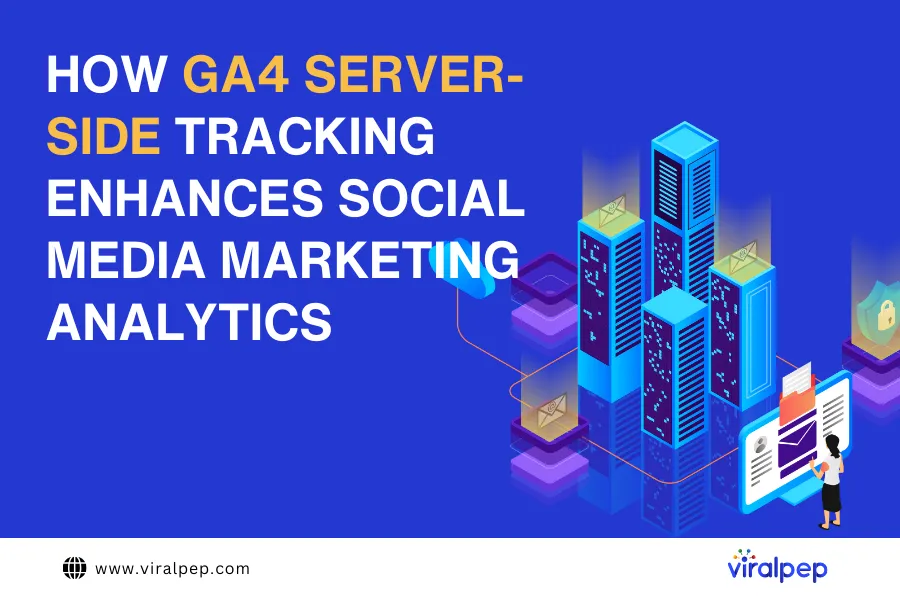
How GA4 server-side tracking enhances social media marketing analytics

GA4 is the thing many social marketers ignore, and do so in vain. In fact, it drastically enhances the analytics, and if you implement GA4 server-side tracking, the effect is doubled or even tripled. Such a boost becomes possible because a server-oriented configuration allows you to bypass and ignore most of the issues client-side tracking faces nowadays. This, in turn, results in a more complete and insightful picture of how the campaigns launched on social media are performing.
This text is for those who are not sure yet if GA4 is something they might need, or those who haven’t implemented a server-side tracking setup for their business. We will discuss the advantages it provides and what it takes to implement it.

From client-side to server-side: is it worth bothering?

Short answer – yes, it is worth it. The idea of client-side tracking is based on using a tiny piece of JavaScript code called a “tracking pixel” placed on the website. When a client visits such a website, this code is executed and the data about the client’s actions is sent to Google Analytics. This method has been considered a standard for years thanks to its cheapness and ease of implementation.

Hold on, however. We wrote that the tracking pixel fires every time a client accesses your website? Not anymore. The modern digital landscape has several factors that influence this process by blocking the script:

  • ad blockers often stop it from execution;
  • ITP settings in modern browsers are also configured to block the tracking scripts;
  • privacy policies often punish companies for sharing the client’s data with analytical platforms without consent.

Social media marketers rely on customer data in planning their campaigns and working on marketing strategies. With all those interruptions, however, they build all their work on very unstable soil. With incorrect or incomplete data, they will make wrong assumptions and move in a completely different direction.

Server-side tracking comes as a panacea for the things described above. With such a configuration, instead of sharing the tracked data with GA4 directly, the browser first sends it to your cloud server. There, it is prepared for further analysis, enriched, and edited to comply with the privacy policies. When ready, this array of high-quality and preprocessed data is sent to GA4. This leads to better and more insightful analytical reports, improved marketing planning, and finally, to increased ROAS and growing income.

From ‘Why?’ to ‘How?’

After discussing why server-side tracking in combination with GA4 is better than client-side, it is worth learning how it can be implemented. Many marketers are intimidated by the fact that they need to host a GTM container, move all the tags, and change their habits. It is not big news that people who are used to something suffer when switching to something else. However, we should inform you that the whole process is not as complicated and confusing as it may seem at first glance.

The tools

To switch to server-side tracking, you do not need to be a tech expert or seasoned programmer; you must know the needed tools, though. The first one to familiarize yourself with is the Google Tag Manager container, and if you are already thinking that you know what it is, hold on. Have you ever worked with its server version?

So, to host a server GTM container, you will need a cloud server. While well-known providers like Google Cloud Platform or Amazon Web Services might be the first option coming to your mind, hold the horses. There are solutions designed specifically for server-side tracking and hosting a server GTM container, simplifying the overall configuration process significantly. If you have never heard about them, check Stape or its analogues; you will be pleasantly surprised.

The steps

When you are familiar with the basic tools needed to switch to server-side tracking, let’s move to the basic steps.

  1. Create a server GTM container via Google’s official service, copy its configs, and paste them into your server container settings where you host it.
  2. Update the tracking script on your website. You need the one that will send data to your server instead of scripts that communicate with third-party platforms.
  3. Set up the tags in your server GTM container. The tag will decide to “grab” the needed data from the received array and send it to the analytical platform (enriching and making it compliant prior). There are specific tags for Facebook, TikTok, LinkedIn, and other social media platforms you may advertise on. To operate with GA4, you will need a GA4 server GTM tag.

When all is done, your server will start receiving data from the website, processing it accordingly, and sending it to the social media analytics platform defined by the tags you use.

Further maintenance

After you finish the initial setup and start working in the new server-side tracking framework, you still need to check the tags and scripts regularly to ensure that your social media marketing efforts are scaffolded by compliant and complete data. Privacy policies and browser technologies continue to evolve, GA4 keeps getting regular updates, and you must follow all the news to throttle your server-side tracking setup fully.

Conclusion

We are not pushing you to switch to server-side tracking if you use GA4. We are insisting that it is a must nowadays, no matter what platform you work with. Server-side tracking is a tool without which half of your marketing efforts on social media will be wasted (same as marketing budgets). The earlier you start, the easier it will be to switch, and the earlier you will get improved results!

Mobile-First Marketing: Leveraging Next-Generation Connectivity Solutions

Mobile isn’t just a tool to reach customers; it’s the first step to interact, learn, and decide in today’s digital economy. You may order lunch, watch films, and read product evaluations on your phone. Thus, marketers must fundamentally rethink their strategy because this change in how people buy products is permanent. Marketing tactics that prioritize mobile devices are essential.

Being mobile-first goes beyond fitting your website on a smartphone’s screen. Knowing how people use their phones, where they are, and what networks they are on allows you to present them with personalized and helpful information at the right time. To achieve this, you can employ mobile proxies – a paramount tool in our hyper-connected society.

The Rise of Mobile-First

Everything is becoming mobile-first. People today live through their phones. Smartphones are the default device for everyone, from Gen Z teenagers to busy CEOs who work from home. Everything, from the search intent to the brand interaction, starts on mobile. If your online presence does not perform perfectly on mobile, you are at a disadvantage.

However, identifying mobile users can be more challenging. They switch networks, move between apps, and access content from different places. Tracking this behavior, customizing experiences, and testing ads across locations can be difficult, especially with stricter data privacy laws and network constraints. Such activity is where mobile-first tactics need an edge: one that combines realistic user behavior simulation with stable internet access. Here, mobile proxies come in to save the day!

Why Mobile Marketing Lacks Connectivity: The Missing Piece

Marketers spend a lot of time ensuring their messaging, speed, and user interface are as good as possible. However, one thing that is often overlooked is how people use connectivity. Different mobile users access content in different ways. People in New York who use 5G will have a different experience than people in Texas who use LTE.

You need to know about these disparities to make campaigns that matter. You have to see what they see, load what they load, and act the way they do. You can’t use generic IP addresses for ad verification, regional SEO testing, or checking how well an app works in different areas. You need tools that simulate genuine mobile settings, such as IP geolocation and carrier networks.

A 4G LTE mobile proxy is a perfect example of a solution that does this. These proxies let marketers pretend to be real mobile consumers by sending their traffic through actual devices on mobile carrier networks. It’s the closest approach to emulating your customer’s online experience.

What 4G LTE Proxies Do That Other Tools Can’t

4G LTE mobile proxies come from genuine SIM cards, so websites and apps see them as real mobile users. This is different from datacenter proxies or VPNs. This method gets beyond most anti-bot systems, gives you accurate information about other regions, and makes it easier to do testing, research, and ad monitoring without being blocked or given incorrect data.

Marketers use mobile proxies to:

  • Ad Validation: Ensure that mobile advertising looks right on multiple carriers and in different parts of the US.
  • Competitive Monitoring: Find out how competitors reach local mobile users without being noticed.
  • Localized SEO Testing: Discover what appears in mobile search results for different zip codes or cities.
  • Check the Performance of Apps: See how they work on different types of networks and signal intensities.

These solutions are getting better as 5G becomes more ubiquitous, giving marketers even more detailed control and insight into mobile environments.

How to Keep Up in a World of Mobile Phones

The companies that are successful today aren’t just mobile-friendly; they’re mobile-native. They know how varied settings affect how people act and change their conduct to fit. They see mobile marketing as a combination of technological and behavioral science, whether it’s making users’ load times faster or testing payment gateways in certain states.

They can adapt quickly because they can see what they need to see with solutions like 4G LTE mobile proxy. They don’t have to assume how their campaign looks in California compared to Florida; they can see it live, make modifications, and fix problems within hours.

You can’t match that level of flexibility with static tools or generic analytics dashboards.

Making Sure Your Strategy Will Work in the Future

As connections change and 5G offers even quicker and lower-latency mobile experiences, marketers must stay ahead. The next generation of advertisements won’t only be “mobile-friendly.” They’ll also be aware of network conditions, specific devices, and local contexts.

To test, grow, and optimize in real time across regions, brands must be able to access mobile proxies. This special infrastructure makes mobile-first marketing possible.

Conclusion

It’s not about making your desktop experience fit on a smaller screen when you do mobile-first marketing. It’s about putting yourself in the shoes of a mobile user and thinking about how they search, scroll, and buy. You need tools that let you see things from their perspective to really get good at this. And with mobile proxy solutions, that perspective is finally real, available, and powerful.

Now is the time to add mobile proxies to your marketing stack if your brand is serious about going digital. In the fight to catch people’s attention, the best thing you can do is experience the mobile world through your audience’s eyes.

Inside Sales Support Without Hiring In-House

In today’s hyper-competitive sales landscape, companies are constantly challenged to drive revenue growth while managing costs and resources efficiently. Building and maintaining an in-house sales team can be both time-consuming and expensive—especially for startups and mid-sized businesses aiming to scale quickly. That’s where inside sales support without hiring in-house comes in.
Outsourced inside sales is no longer a niche solution—it’s a strategic growth lever embraced by forward-thinking businesses. Let’s explore what it is, how it works, and why it’s transforming how companies generate leads, close deals, and expand into new markets.

What Is Inside Sales Support (Without Hiring In-House)?

Inside sales support refers to the internal sales process where reps engage with leads remotely—using calls, emails, social media, and CRMs—to move them through the pipeline. Traditionally, this meant hiring, onboarding, and training full-time staff to perform outreach, qualify leads, and set appointments.

But with outsourced models, businesses can tap into experienced sales professionals who handle these responsibilities without adding to your payroll or HR burden. These external reps operate as an extension of your brand, using proven processes and tools to drive consistent results.

Why More Companies Are Outsourcing Inside Sales

Outsourcing inside sales has evolved from a cost-cutting measure into a powerful revenue driver. Here’s why:

Lower Operational Costs

Hiring a single in-house SDR (Sales Development Representative) in the U.S. can cost up to $118,000 per year after factoring in salary, benefits, taxes, software licenses, and management overhead. By contrast, outsourced inside sales services often start around $4,000–$10,000/month, with flexible pricing models based on leads, meetings, or sales outcomes.

This model allows you to:

  • Skip recruiting and onboarding cycles
  • Avoid long-term commitments
  • Reduce infrastructure and tool expenses

Faster Time-to-Value

Most outsourced providers can build and deploy a fully functional sales team in 30–45 days. Instead of spending months training new hires, you hit the ground running with trained professionals who already know how to penetrate markets, qualify leads, and drive conversions.

Scalability Flexibility

Whether you’re entering new markets, running seasonal campaigns, or expanding product lines, outsourced sales lets you scale up or down without staffing constraints. This flexibility is especially useful for:

  • Startups needing rapid market testing
  • SaaS companies launching new features
  • Enterprises conducting regional expansions

Key Services Offered by Outsourced Inside Sales Teams

A well-rounded inside sales support provider handles much more than cold-calling. Here’s what top providers typically offer:

Lead Generation Prospecting

Outreach via email, phone, and LinkedIn to connect with decision-makers in your target industries.

Appointment Setting

Sales-qualified leads (SQLs) are passed to your account executives with calendar invites and notes.

Lead Qualification

Not every lead is created equal. Outsourced reps filter and score leads based on your criteria to ensure your internal team focuses on the most promising prospects.

CRM Integration Reporting

Real-time updates in your CRM (Salesforce, HubSpot, etc.) ensure transparency, pipeline accuracy, and campaign tracking.

Account Management Nurturing

Some advanced providers also handle follow-ups, upsell opportunities, and customer reactivation.

What to Look for in an Outsourced Inside Sales Partner

Not all outsourced providers deliver the same level of performance. Here are 3 critical factors to consider before choosing a partner:

1. Cultural Alignment

Your outsourced team must act as an extension of your brand. Misalignment in tone, communication style, or professionalism can undermine trust with your prospects. Choose a provider that takes time to understand your voice, mission, and ideal customer profile.

2. Transparency Communication

The best partners provide full visibility into performance. Ask if they allow direct communication with their SDRs, provide weekly reports, and offer dashboards with campaign metrics.

3. Clear KPIs Goals

Work with a provider that defines success based on your goals—whether that’s meetings booked, qualified leads, or revenue. Avoid vendors that are vague about performance benchmarks or try to hide behind vanity metrics.

Real-World Success Stories

Numerous businesses have accelerated growth by leveraging outsourced inside sales support:

  • Optimas Solutions boosted their sales pipeline by teaming with external SDRs who ran hyper-targeted campaigns across niche manufacturing sectors.
  • Layfield Group generated a $1.25 million pipeline in just 15 weeks through strategic outbound efforts.
  • Körber Supply Chain closed over $6 million in deals by outsourcing both inside and field sales for major verticals.

These results underscore the real ROI of outsourced support—when done right.

Is This Model Right for Your Business?

Inside sales outsourcing is ideal for companies that:

  • Lack the time or budget to build a full in-house team
  • Need rapid market penetration
  • Want to reduce risk while increasing outreach
  • Prefer focusing their internal team on strategy and closing deals

Industries like SaaS, manufacturing, logistics, and B2B services benefit the most, but the model is flexible enough to serve nearly any sector.

The Bottom Line on Scalable Inside Sales Growth

If you’re still trying to scale your pipeline using internal resources alone, you may be leaving revenue on the table. Embracing inside sales support without hiring in-house isn’t just a cost-saving move—it’s a growth strategy. It gives you expert outreach, speed, flexibility, and scalability without the headaches of traditional hiring.

Ready to unlock more meetings, more leads, and more growth—without increasing your headcount? The right outsourced sales partner can make that happen.

About the Author
Vince Louie Daniot is a seasoned content strategist and SEO specialist, where he helps B2B brands generate demand through high-impact, search-optimized content. With a strong focus on outbound marketing and sales development, Vince brings a unique blend of storytelling and conversion-driven writing to every campaign. When he’s not crafting content that ranks, he’s advising startups on how to scale smarter with lean go-to-market strategies.

How to Build Brand Identity on Social Media

Your brand is more than the logo or font you picked after a few hours of debating between serif and sans-serif. It’s how people recognize you, talk about you, and remember you across the noisy and crowded world of social media.
Global social media statistics show that there were 5.31 billion social media users worldwide at the start of April 2025, making it an indispensable tool for businesses aiming to build and enhance their brand presence.

A strong brand identity on social media is no longer optional. But what strategies can help you create a personality your audience won’t scroll past?

1. Keep Your Messaging Consistent but Never Boring

Like your favorite coffee shop playlist, your brand voice needs a vibe. Are you witty and sarcastic? Warm and helpful? Bold and no-nonsense? Whatever your brand voice is, let it carry through every caption, comment, DM, and story.

Ensure your tone is recognizable whether you’re posting a behind-the-scenes reel or responding to a customer question. Consistency builds familiarity. Familiarity builds trust. Trust builds sales.

2. Let Visuals Do the Heavy Lifting

You don’t need a Hollywood-level budget to stand out visually. But you do need a cohesive look. Think colors, filters, typography, and image styles that align across platforms.

You could write poetry in your captions, but if your post looks like it was made in the Microsoft Paint era, no one’s stopping to read it. Studies show that social media posts containing images versus text alone garner significantly more user engagement.

3. Pick the Right Platforms Instead of Trying to Be Everywhere

You don’t need to conquer every social media platform. Pick the ones that make sense for your business and audience, and go all in.

  • Instagram is your spot for aesthetics, short-form videos, and relatable behind-the-scenes content.
  • LinkedIn is for professional credibility. Great for thought leadership, case studies, and showing your team doesn’t live in a cave.
  • TikTok is perfect if you’re fast, fun, and can surf the chaos of trends without drowning.
  • Twitter/X works for fast takes, quick updates, and brands that have something to say and the guts to say it.

4. Stop Selling, Start Storytelling

People don’t log on to social media to get sold to. They show up for the memes, the drama, and the dog videos. Your ‘Buy Now’ post won’t do much unless it has a hook, some heart, or at least a good punchline.

Stories connect. They tell people how you got started, how your product helped someone, or what disaster happened in your office when the coffee machine broke. Real is always greater than polished.

5. Turn Your Followers into Friends, But Not in a Weird Way

A strong brand identity isn’t built by talking at people but by talking with them. That means replying to comments, answering DMs, sharing user content, and showing up consistently, not just when you have a sale to plug in.

If you want a fanbase that sticks around, you must give them reasons to.

6. Partner With the Right People

Influencers, content creators, and brand ambassadors can be a serious boost if they match your brand values and audience. It doesn’t always have to be the biggest names with blue checks. Micro-influencers with tight-knit, trusting communities can also make a significant impact.

For example, a travel brand that partners with travel content creators, eSIM service providers, or similar gains more credibility. Content relevancy and intent help build trust.

Wrap Up

Building a strong brand identity on social media takes time, consistency, and the occasional meme. It’s what people see, hear, and remember across your social channels, so ensure it reflects who you are, what you value, and why anyone should care.

Can Hackers Access Social Media Through Schedulers?

Social media schedulers are a staple for brands, influencers, and marketing teams. Tools like Buffer, Hootsuite, Viralpep, Later, and Sprout Social help automate content across platforms like Instagram, Facebook, LinkedIn, and TikTok.

With just a few clicks, you can schedule weeks of posts and manage multiple accounts in one place.

But here’s the catch: when all your accounts are connected to one tool, that tool becomes a high-value target for hackers.

So, can hackers access your social media through schedulers? The short answer is yes – but only if your setup is vulnerable. Let’s break it down.

What Do Social Media Schedulers Actually Do?

Social media scheduling tools connect to your accounts using something called an API (Application Programming Interface).

This connection allows the tool to perform certain actions – like publishing posts, replying to comments, or accessing analytics – on your behalf.

You give these tools permission once, and they keep that access until you revoke it.

That means your scheduler becomes a kind of remote control for your social media – and that’s why it’s important to secure it like you would your phone, computer, or email.

How Hackers Exploit Social Media Schedulers

Let’s get specific about the methods cybercriminals use:

1. Stolen Access Tokens or Credentials

When you authorize a scheduler, you’re generating a token or a set of keys that lets it act on your behalf. If those credentials are leaked – through phishing, a breach, or malware – a hacker can hijack your scheduler and, by extension, your accounts.

2. Exploiting Platform Vulnerabilities

No software is immune to bugs. If there’s a flaw in the scheduler platform (like a broken authentication process or poor encryption), attackers can exploit it to gain unauthorized access.

In past cases, even massive companies like Twitter have seen such breaches linked to third-party app vulnerabilities. Viralpep uses extreme security measures to ensure your data is safe with us.

3. Hijacking Team Member Accounts

Many schedulers let multiple users share access. If even one of those accounts has a weak password, no two-factor authentication (2FA), or falls for a phishing scam, your entire brand’s social media presence could be at risk.

4. Malicious Browser Extensions

Some malware is designed to monitor browser activity and steal session tokens. If you or your team members log into a scheduler while infected, hackers could silently grab credentials without anyone noticing.

Why Hackers Target Scheduling Tools

Let’s say you’re a hacker. Would you rather try to hack into ten different Instagram accounts – or just break into one scheduler connected to all ten?

Schedulers are single points of access. That means:

  • Hackers can control multiple platforms at once.
  • They can post spam, scams, or fake news using your verified profile.
  • They can delete content, steal messages, or leak sensitive information.
  • They may impersonate your brand to phish your followers.

A successful attack can damage your reputation in minutes.

Real-World Examples: Even the Big Guys Get Hit

In January 2024, CNN’s TikTok account was briefly hijacked after a targeted attack exploiting third-party access. While the company didn’t confirm exactly how the breach occurred, experts pointed to scheduler connections as a likely weak link.

Another example: in early 2024, the U.S. Securities and Exchange Commission’s Twitter account was hacked and used to post fake announcements. This too was believed to involve access through a third-party application.

These cases show that even government agencies and global media outlets can fall victim if security isn’t airtight.

So, How Can You Protect Yourself?

Here’s the good news: with the right practices, you can still use schedulers safely. Use these best practices:

  • Strong, unique passwords: Don’t use the same password across multiple platforms. Password managers help here.
  • Enable two-factor authentication (2FA): Most schedulers support this, and it adds a huge barrier for hackers.
  • Limit access: Only allow trusted team members to use scheduling tools. Review permissions monthly.
  • Revoke unused app permissions: If a tool no longer needs access to your social media, remove it.
  • Check activity logs: Look out for unusual logins, IPs, or scheduled posts you didn’t authorize.
  • Train your team: One careless click on a phishing email can expose everything.

A Hidden Threat: Outdated or Abandoned Tools

Another overlooked danger is old scheduling platforms you no longer use. You might have connected them months ago and forgotten all about them – but those API tokens might still be active.

If hackers compromise those tools, they could still get into your accounts. That’s why regular audits of connected apps are essential.

What About VPNs?

Let’s be clear: VPNs aren’t a silver bullet. But when used correctly, they’re an important part of your security toolkit, especially for remote workers or teams on the go.

For example, logging into your scheduler from a coffee shop might expose your session to snoopers on public Wi-Fi. Using a VPN for MacBook Air in that situation adds encryption to your internet traffic, which makes it harder for attackers to intercept your data.

While a VPN won’t prevent password theft or phishing, it will reduce your risk of network-level attacks.

Checklist: Lock Down Your Scheduler Today

Here’s a simple checklist to strengthen your scheduler setup:

  • Use a password manager to store unique logins.
  • Turn on 2FA for both your scheduler and all your social media accounts.
  • Review and limit team access regularly.
  • Revoke app permissions you no longer need.
  • Scan for unknown or suspicious browser extensions.
  • Use a VPN, especially on public networks.
  • Check scheduler logs for unusual activity.
  • Keep your software and plugins up to date.

Final Thoughts

Social media schedulers are incredibly useful – but they also introduce risk. By linking all your accounts to a single platform, you create a convenient hub. Unfortunately, that convenience works both ways: if hackers break in, they gain control of everything.

That doesn’t mean you should avoid schedulers. It just means you need to be proactive about security.

Use strong passwords, 2FA, and regular audits. Be careful who you give access to. And don’t forget that third-party vulnerabilities – like the ones highlighted in Hootsuite’s recent coverage – are real and growing.

A few minutes of prevention could save you weeks of brand damage!