
How to Find Instagram Influencers: A Comprehensive Guide

Instagram has transformed into a leading platform for influencer marketing, allowing brands to reach and engage their target audience through trusted voices. With millions of influencers across various niches, identifying the right ones for your brand can be challenging. However, leveraging the right tools and strategies can make this process seamless and highly effective.

In this guide, we will walk you through a detailed step-by-step approach to finding the best Instagram influencers for your brand. You’ll learn how to analyze influencers, evaluate their engagement, and use advanced tools to streamline influencer discovery, collaboration, and performance tracking. Whether you’re looking for micro-influencers with high engagement or macro-influencers with a massive reach, this guide will help you make well-informed decisions.

Why Instagram Influencers Are Important for Your Brand

Influencer marketing is one of the most effective ways to grow a brand, with studies showing that 49% of consumers depend on influencer recommendations when making purchasing decisions.

Some key benefits of partnering with Instagram influencers include:

  • Higher Engagement Rates: Instagram influencers have a loyal audience that trusts their opinions and recommendations.
  • Increased Brand Awareness: Working with popular influencers can expose your brand to thousands or even millions of potential customers.
  • Targeted Marketing: Collaborating with niche influencers ensures your message reaches the right audience.
  • Authenticity and Credibility: Influencers provide genuine endorsements, which are more effective than traditional advertisements.

Step 1: Define Your Goals and Target Audience

Before searching for Instagram influencers, it is essential to define your marketing goals. Understanding what you want to achieve will help you find the right influencers for your campaign.

Some common goals include:

  • Brand Awareness: Partnering with macro or celebrity influencers to reach a wider audience.
  • Customer Engagement: Collaborating with micro-influencers who have strong connections with their followers.
  • Sales and Conversions: Working with niche influencers who can drive direct purchases through authentic recommendations.

Additionally, analyze your target audience by considering factors such as:

  • Demographics (Age, Location, Gender, Interests)
  • Content Preferences (Videos, Stories, Reels, Static Posts)
  • Social Media Behavior (What type of Instagram influencers they follow and engage with)

Step 2: Use Instagram’s Built-In Search Tools

Instagram provides several features that can help you find relevant Instagram influencers within your niche.

  1. Hashtag Search

    Hashtags are an excellent way to discover Instagram influencers. Search for industry-specific hashtags such as:

    • #BeautyBlogger (For beauty brands)
    • #FitnessInfluencer (For fitness-related brands)
    • #TechReview (For technology products)

    Once you find potential influencers using hashtags, review their profiles to assess their content quality and engagement.
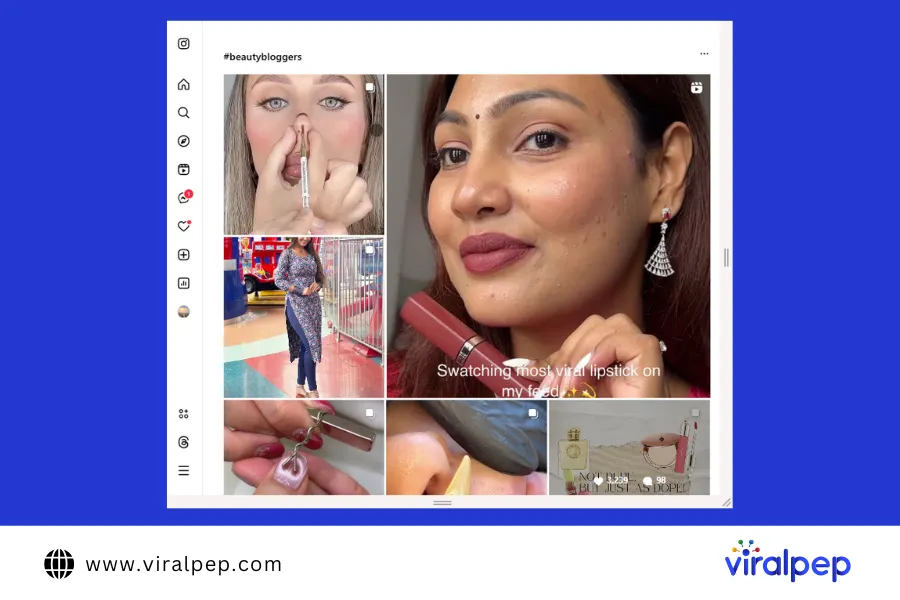
    Instagram Hashtag Search

  2. Explore Page and Suggested Accounts

    Instagram’s Explore Page suggests popular content based on user activity. You can also check the “Suggested for You” section when viewing an influencer’s profile to find similar creators.
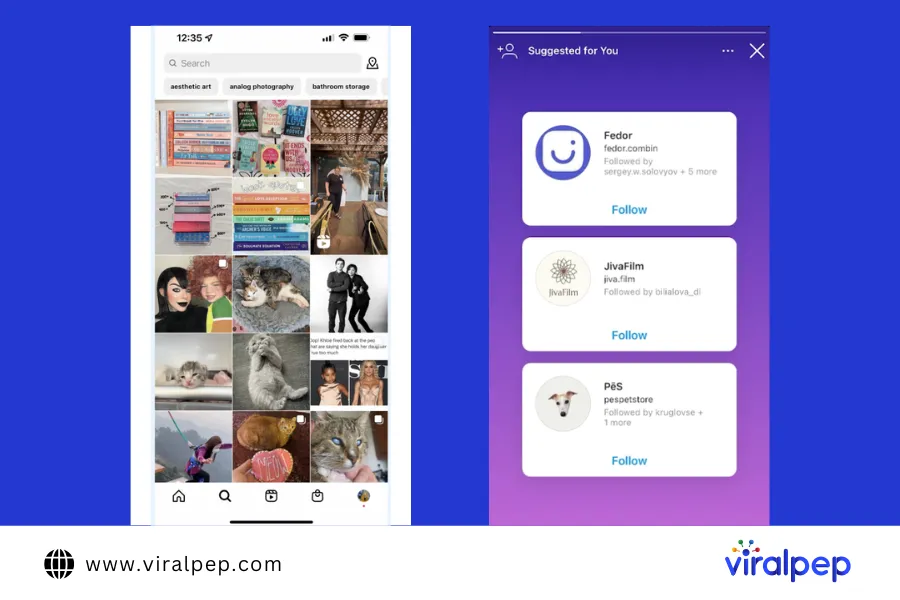
    Explore Page and Suggested Accounts

  3. Engagement With Brand Mentions

    Monitor posts where users mention your brand. This is a great way to identify Instagram influencers who already appreciate your products and have an organic interest in your brand.
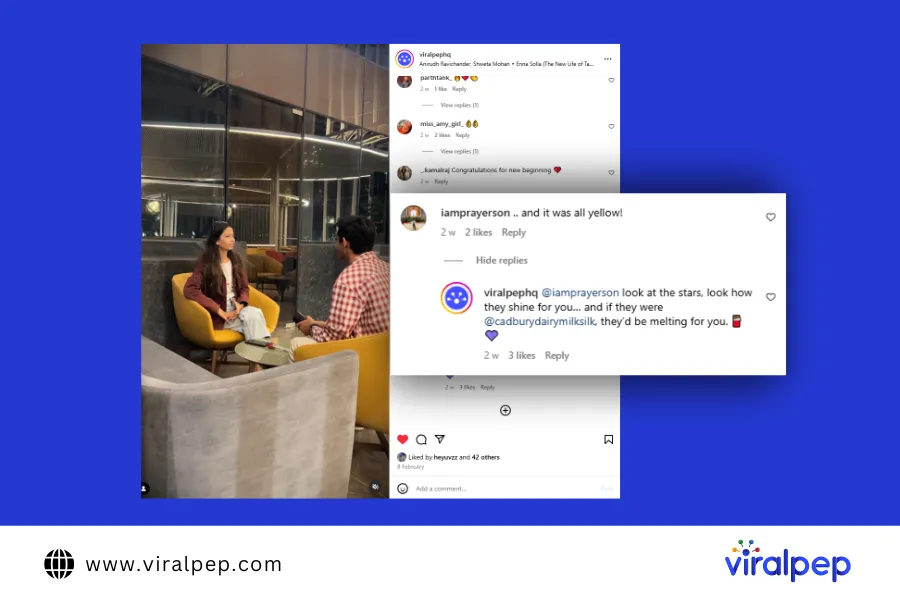
    Engagement with Brand Mentions

Step 3: Leverage Influencer Discovery Tools

Several online tools can help you streamline the process of finding Instagram influencers. Here are some of the best ones:

  1. Upfluence

    Upfluence is a data-driven influencer marketing platform that helps businesses search for Instagram influencers, manage campaigns, and track performance.
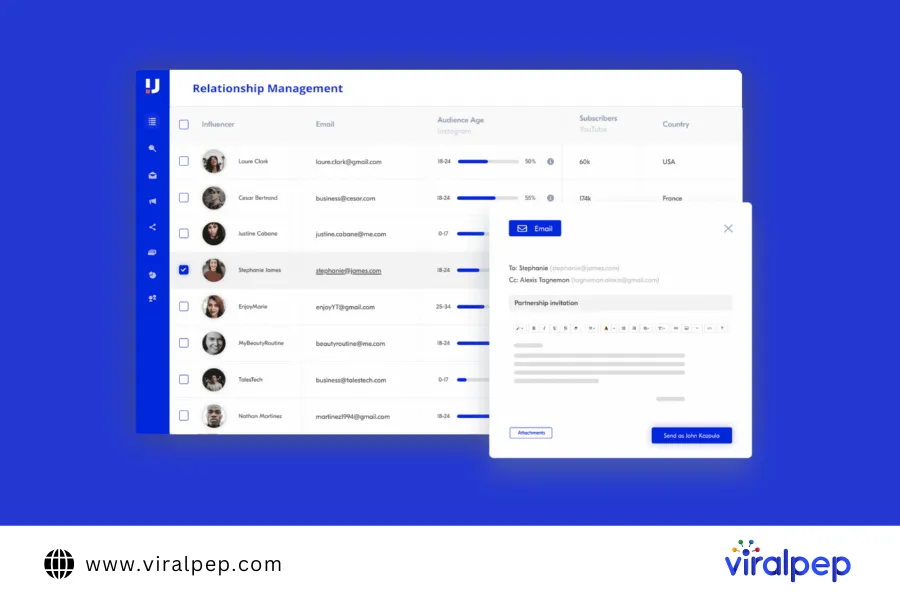
    Upfluence Influencer Tools

  2. Heepsy

    Heepsy is one of the best platforms to find influencers across different niches. It specializes in discovering micro and macro-influencers while analyzing their engagement rates, audience authenticity, and demographics to help brands choose the right partners.
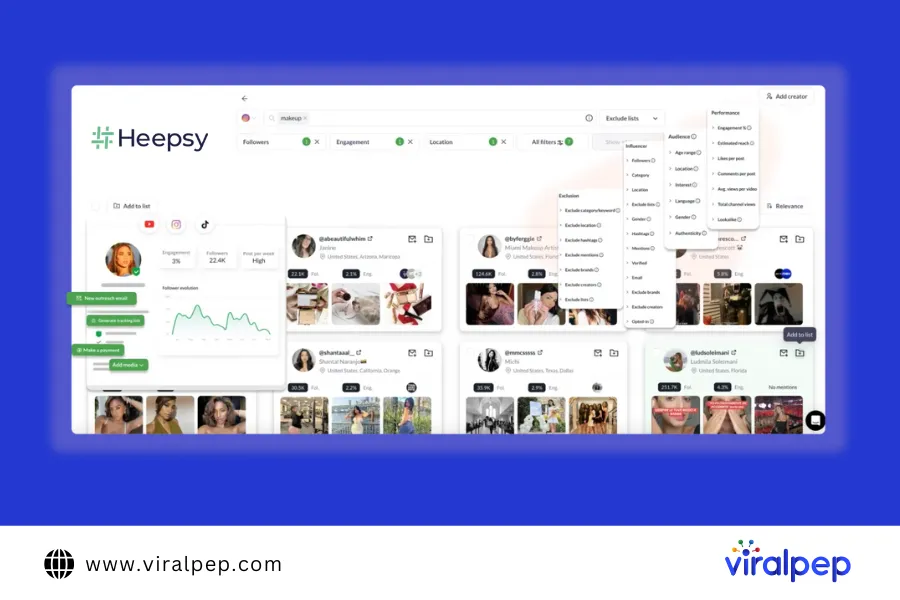
    Heepsy Influencer Tools

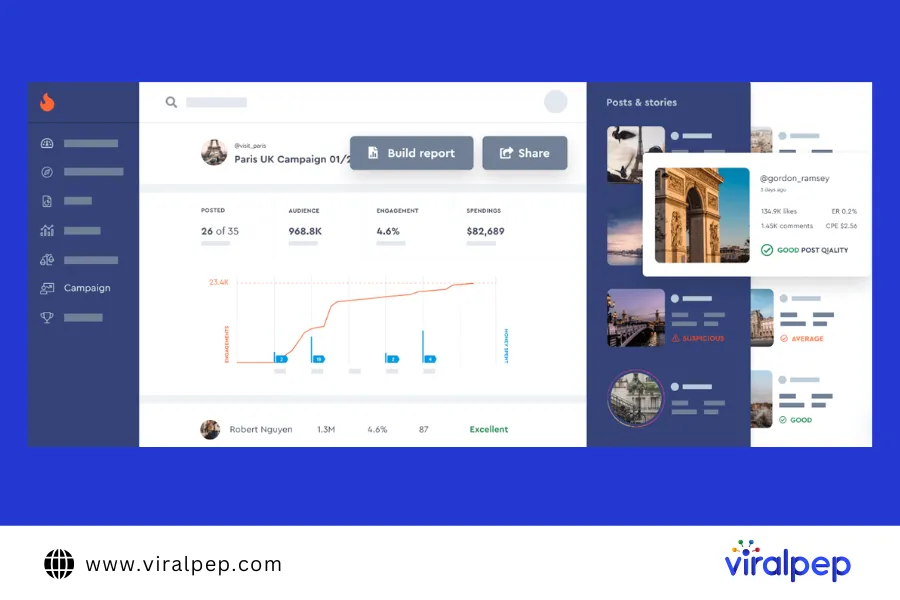
  3. HypeAuditor

    This tool provides deep analytics on Instagram influencers, including audience authenticity, engagement quality, and follower demographics.
    Hypeauditor Influencer Tools

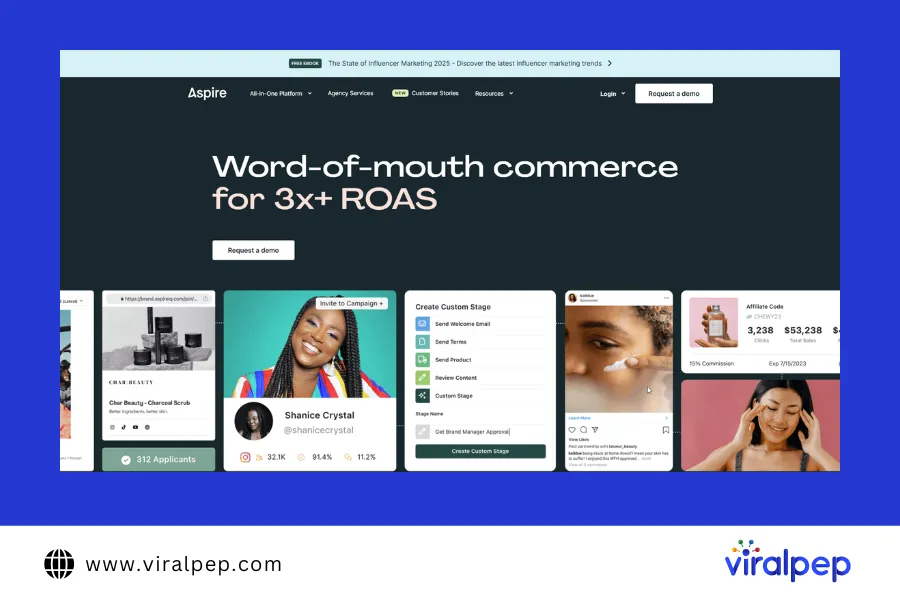
  4. AspireIQ

    AspireIQ connects brands with Instagram influencers and offers campaign management features.
    AspireIQ Influencer Tools

Step 4: Evaluate Influencer Authenticity and Engagement

Not all Instagram influencers provide real value. Some may have fake followers or artificially inflated engagement rates. Here’s how to ensure authenticity:

  1. Check Engagement Rate

    A high follower count does not guarantee real influence. A good engagement rate is around 2-4% for macro-influencers and higher for micro-influencers.

  2. Analyze Audience Demographics

    Ensure that the influencer’s audience matches your target customer base. Use analytics tools to get insights into follower location, age, and interests.

  3. Look for Genuine Interactions

    Review the influencer’s comments and interactions. Authentic Instagram influencers have meaningful conversations with their audience rather than just generic comments like “Nice post!”

  4. Identify Fake Followers

    Watch for sudden follower spikes, low engagement rates, and bot-like comments, which indicate purchased followers.

Step 5: Reach Out to Influencers

Once you have identified suitable Instagram influencers, follow these steps to initiate collaboration:

  1. Engage With Their Content First

    Like, comment, and share their posts before reaching out to build rapport.

  2. Send a Personalized Message or Email

    Avoid generic messages. Instead, craft a personalized outreach:

    “Hi [Influencer’s Name], I love your content, especially your recent post about [topic]. Our brand [brand name] aligns with your style, and we’d love to collaborate. Let’s discuss how we can work together!”

  3. Offer Value

    Instagram influencers receive numerous collaboration requests, so make yours stand out by offering:

    • Competitive compensation
    • Free products
    • Long-term partnerships

Step 6: Track and Measure Performance

Once you start working with Instagram influencers, track the campaign’s effectiveness using analytics tools. Key metrics include:

  • Engagement rates (likes, shares, comments)
  • Website traffic from influencer posts
  • Conversion rates and sales

Conclusion

Finding the right Instagram influencers is crucial for a successful marketing campaign. By defining clear goals, using Instagram’s search features, and leveraging powerful influencer marketing tools, you can streamline influencer discovery and management.

Additionally, using a reliable social media management tool like Viralpep helps brands schedule and publish social media, create social media content efficiently, collaborate with teams, and analyze campaign performance. Although Viralpep is not an influencer discovery tool, it enhances social media marketing strategies by improving workflow, scheduling, and analytics.

By following these steps, you can build authentic influencer partnerships, maximize engagement, and drive real business growth. Start leveraging influencer marketing today to elevate your brand’s reach and credibility!

FAQs

How do I find Instagram influencers for free?

You can use Instagram’s hashtag search, Explore Page, and suggested accounts to find influencers without paid tools.

What is the best tool to find Instagram influencers?

Platforms like Upfluence, Heepsy, and HypeAuditor are great for discovering and analyzing Instagram influencers.

How do I verify an influencer’s authenticity?

Check their engagement rate, analyze their audience demographics, and use tools like HypeAuditor.

Should I work with micro or macro-influencers?

Micro-influencers have better engagement, while macro-influencers provide wider reach. Choose based on your marketing goals.

What are the costs of influencer marketing?

Influencer pricing varies based on follower count and engagement. Micro-influencers may charge $50-$500 per post, while top influencers charge thousands.
Best YouTube Hashtags: Everything You Need to Know

Hashtags have taken over the internet, shaping the way we discover content, connect with brands, and even shop online. From social media to blogs, e-commerce stores, and even print ads—hashtags are everywhere! In fact, many young users now search for products using hashtags on social media instead of turning to Google.

With their ability to boost visibility and engagement, it’s no surprise that marketers are leveraging hashtags to drive sales and brand awareness. And YouTube is no exception. Content creators add hashtags to their videos hoping to increase discoverability, gain more views on YouTube, and attract a wider audience.

At first glance, this strategy makes perfect sense. When you add a trending hashtag to your video, anyone who clicks on the same tag across YouTube can potentially find your content. But do YouTube hashtags really work? Are they as powerful as we think, or are they just another digital marketing trend?

Instead of giving you a generic list of “the best YouTube hashtags” (which you can easily find online), we’ll dive deep into real-life examples and data-driven strategies to help you craft a winning hashtag approach.

In this detailed guide, we’ll explore YouTube hashtags, their significance, and the best ways to use them to boost video views.

What Are YouTube Hashtags?

YouTube hashtags are clickable keywords or phrases that start with a # (hashtag) symbol. They help categorize your videos, making it easier for viewers to discover related content. When you add hashtags to a video title or description, they automatically link to a dedicated page that showcases all videos using the same hashtag.

  1. How Do YouTube Hashtags Work?

    By incorporating hashtags, you:

    • Increase discoverability – Hashtags connect your video to trending topics and similar content.

    • Improve content organization – Viewers can find related videos under the same hashtag.

    • Boost engagement – Trending and niche-specific hashtags help attract the right audience.

    • Enhance SEO – YouTube uses hashtags to better understand your content and suggest it to relevant viewers.

    For example, adding #CookingTips to a recipe video groups it with other cooking-related content. This helps YouTube’s algorithm categorise your video, making it more likely to appear in search results and suggested videos.

  2. Where Do YouTube Hashtags Appear?

    1. Above the video title – If no hashtags are added to the title, the first three hashtags from the description will appear above the title.

    2. Inside the video title – Hashtags added directly to the title are clickable.

    3. Within the video description – Hashtags placed in the description become clickable links, leading to hashtag-based content pages.

    By using hashtags strategically, you can reach a wider audience, connect with trending conversations, and improve your YouTube video rankings.

How to Find the Best YouTube Hashtags for Your Videos

Using the right YouTube hashtags can boost your video’s visibility, help reach the right audience, and improve SEO rankings. However, not all hashtags are effective—some may be too broad, irrelevant, or overused. To avoid this, it’s important to research hashtags before using them.

Find the Best YouTube Hashtags

Here are the best ways to find high-performing hashtags for your YouTube videos:

  1. Check Trending Videos in Your Niche

    One of the easiest ways to discover effective hashtags is by analyzing popular videos in your niche.

    • Search for a broad keyword related to your video’s topic.
    • Analyze the top-ranking videos and take note of the hashtags they use.
    • Avoid branded hashtags unless they belong to your brand.

    For example, if you’re creating content about Social Media Management, searching #SocialMediaManagement on YouTube can reveal high-performing hashtags used in top-ranking videos.

  2. Research Competitor Videos

    Your competitors can provide valuable insights into which hashtags perform well in your industry.

    • Identify top competitors in your niche.
    • Check their most viewed videos and analyze their hashtag usage.
    • Look at related videos to discover additional relevant hashtags.

    If a competitor’s video is ranking well with a specific hashtag, using a similar one can help improve your content’s discoverability in related searches.

  3. Use YouTube’s Autosuggest Feature

    Similar to Google, YouTube offers autocomplete suggestions when you type in the search bar.

    • Type “#” followed by your keyword in the YouTube search bar.
    • Observe the hashtag suggestions—these indicate trending and frequently used tags.
    • Experiment with variations to find the most relevant and effective options.

    For instance, searching #marketing might generate suggestions like #DigitalMarketing, #MarketingTips, or #OnlineMarketing. These recommendations help refine your hashtag strategy.

  4. Use a YouTube Hashtag Generator

    If you need a quick and efficient way to generate hashtag ideas, consider using a YouTube hashtag generator. These tools analyze search volume and competition to provide optimised hashtag suggestions.

    Recommended YouTube Hashtag Generators:

    • Ahrefs – Provides data-driven hashtag recommendations based on search trends.
    • Kparser – Generates keyword-based hashtags tailored for SEO optimization.
    • Aux Mode – Offers real-time trending hashtags for YouTube content.

    If you use a social media management tool like Viralpep, you can go beyond hashtag generators and track conversations, analyze sentiment, and discover emerging hashtags in real time.

How to Add Hashtags to YouTube Videos

Adding hashtags to your YouTube videos is a simple yet effective way to improve discoverability. YouTube allows hashtags in two key areas: the video title and the video description. Here’s how to use them strategically:

  1. Add Hashtags in the YouTube Video Title

    Including hashtags in your video title makes them clickable and visible to viewers. When users click on a hashtag, YouTube directs them to a page with all videos using the same tag, helping categorize your content and increasing its reach.

    Best Practices:

    • Add 1-2 relevant hashtags in the title.
    • Keep the total character count between 60-70 characters to maintain readability.
    • Avoid overly broad hashtags—choose ones directly related to your content.

    For example, a video titled “Best Tips for Social Media Marketing #SocialMediaGrowth” will appear in searches related to social media strategies.

    Note: If you add a hashtag in the title, it will always be clickable, meaning viewers might navigate away from your video to see other content using the same tag.

  2. Add Hashtags in the YouTube Video Description

    Hashtags in the video description are even more powerful because YouTube automatically displays the first three hashtags above the video title. This makes them highly visible to viewers without cluttering the title.

    Best Practices:

    • Use 3-5 hashtags in the description to maintain a clean look.
    • Place hashtags at the end of the description to keep the main content readable.
    • Make sure the selected hashtags are highly relevant to your video topic.

    For example, a tutorial on scheduling social media posts could include hashtags like:

    Learn how to automate your content and post at the best times on YouTube! #SocialMediaScheduling #ContentMarketing #Viralpep

By strategically placing hashtags in your title and description, you can increase your video’s reach, boost engagement, and help YouTube categorize your content for the right audience.

How to Add Hashtags to YouTube Shorts

Just like regular YouTube videos, hashtags play a crucial role in making YouTube Shorts more discoverable and engaging. Using the right hashtags can help your Shorts reach a wider audience and improve visibility in search results and the Shorts feed. Here’s how to use them effectively:

  1. Add Hashtags in the YouTube Shorts Title

    Including hashtags in the title helps YouTube’s algorithm categorize your Shorts instantly and increase their reach. A well-crafted title with relevant hashtags improves searchability and boosts engagement.

    Best Practices:

    • Add 1-2 relevant hashtags in the title.
    • Keep the title short and impactful (between 60-70 characters) for better visibility.
    • Ensure hashtags align with your content and audience.

    For example, a Short about social media marketing tips might have a title like “Boost Engagement with These Tips! #SocialMediaMarketing #SocialMediaManagementTool” to attract marketers and business owners looking for effective strategies.

  2. Add Hashtags in the YouTube Shorts Description

    Hashtags in the Shorts description work similarly to regular video descriptions. They help categorize the content and improve its discoverability.

    Best Practices:

    • Write a concise description summarizing the Short’s content.
    • Place hashtags at the end of the description to keep it clean and readable.
    • Use 3-5 relevant and trending hashtags to maximize reach.

    For instance, a Short showcasing a social media scheduling tool could include hashtags like #SocialMediaManagementTool #ContentScheduling #MarketingTools at the end of the description to target social media managers and digital marketers.

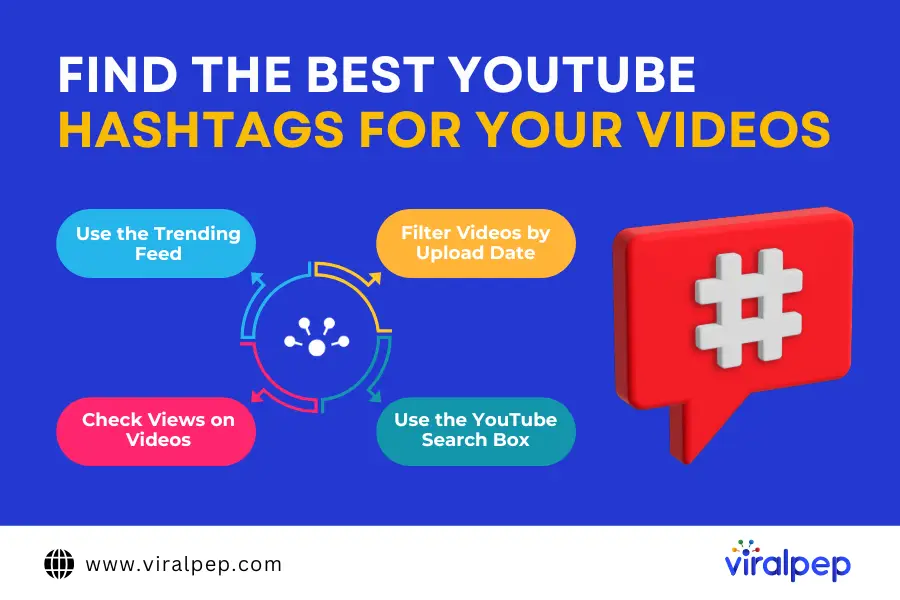
How to Find the Best YouTube Hashtags for Your Videos

Finding the right YouTube hashtags for your videos can be time-consuming, but using the right approach can make the process easier. Here are a few effective ways to discover relevant hashtags for your content:

  1. Use the Trending Feed

    Browse YouTube’s trending videos to see what content is currently popular. Focus on trending videos within your niche and analyze the hashtags they use. Selecting the right trending hashtags can improve your video’s visibility and engagement.

    For example, if you create social media marketing content, check out trending videos on digital marketing and use hashtags like #SocialMediaMarketing #SocialMediaManagementTool #MarketingTrends in your videos.

  2. Filter Videos by Upload Date

    To find the most recent trending videos, use YouTube’s upload date filter:

    • Search for a keyword related to your niche, like “content marketing” or “Instagram growth”.
    • Apply the “upload date: this week” filter to focus on the latest trending content.
    • Analyze the hashtags in these videos and use relevant ones for your content.

    For instance, if you run a fitness YouTube channel, filtering recent videos on “workout tips” can help you find the latest hashtags like #FitnessTips #WorkoutMotivation to reach a broader audience.

  3. Check Views on Videos

    Not all viral videos have the best hashtags. Instead, focus on videos with steady, organic growth that align with your niche.

    • Find competitor videos in your industry and check their most-used hashtags.
    • Identify the best-performing videos and consider incorporating some of their relevant hashtags into your own content.

    For example, if you’re creating content on social media growth strategies, look at popular social media influencers and their best-performing videos. If a video has high engagement and includes hashtags like #SocialMediaStrategy #SocialMediaManagementTool, those could be great choices for your content.

  4. Use the YouTube Search Box

    YouTube’s search suggestion feature is a powerful tool for finding popular hashtags.

    • Simply type “#” in the YouTube search bar.
    • YouTube will suggest trending hashtags based on popularity.
    • Select hashtags that are relevant to your content.

    For instance, if you start typing “#content”, YouTube might suggest #ContentMarketing, #ContentStrategy, #ContentCreation—all of which can help your video reach a targeted audience.

Best Practices for Using YouTube Hashtags

Using YouTube hashtags effectively can enhance your video’s reach, boost engagement, and help users discover your content more easily. However, misusing hashtags—such as adding too many, using irrelevant ones, or violating YouTube’s guidelines—can negatively impact your video’s performance. Below are the best practices to follow when incorporating hashtags into your YouTube strategy.

  1. Use 3-5 Relevant Hashtags Per Video

    YouTube allows up to 15 hashtags in a video description, but exceeding this limit causes YouTube to ignore all hashtags. To maximize results, limit your usage to 3-5 highly relevant hashtags per video.

    Additionally, while adding hashtags to your video title can improve discoverability, remember that only the first three hashtags in your description appear above the title.

  2. Leverage Trending and Branded Hashtags

    Trending hashtags can provide short-term visibility boosts, especially for YouTube Shorts. However, these trends fade quickly. Branded hashtags, on the other hand, are unique to your channel and help users find all your related content in one place.

    For example, if you create content about digital marketing, using #DigitalMarketing can help your video appear in searches, but a unique hashtag like #YourBrandNameMarketing ensures users see only your content when they click on it.

  3. Use Location-Based Hashtags for Local Videos

    If your video targets a specific geographic area, use location-based hashtags. Be specific—general tags like #Springfield could refer to multiple locations, whereas #SpringfieldIL makes it clear you’re referring to Springfield, Illinois.

  4. Monitor Hashtag Performance

    Once you’ve added hashtags, track their impact using YouTube Analytics. Identify which hashtags drive the most views and engagement, then adjust your strategy accordingly.

  5. Follow YouTube’s Hashtag Guidelines

    YouTube enforces strict guidelines for hashtags, and violating them can lead to penalties, including content removal. Keep these rules in mind:

    • No misleading hashtags – Only use hashtags relevant to your video content.
    • Avoid harassment or hate speech – Never use offensive, derogatory, or violent hashtags.
    • No explicit content – Sexually suggestive or vulgar hashtags may lead to video removal.
    • No excessive or repetitive hashtags – Overusing generic or spammy hashtags can lower your video’s reach.
  6. Track Industry and Competitor Hashtags

    Not sure which hashtags to use? Analyze your competitors’ videos to see which hashtags they use. This can provide valuable insights into trending topics and engagement strategies in your niche.

    By following these best practices, you can optimize your YouTube hashtag strategy and improve your content’s visibility and engagement.

Final Thoughts

Hashtags are a powerful for boosting user engagement, but they work best when used strategically. Focus on hashtags that are relevant, trending, and already in use within your niche.

Avoid excessive hashtag use, as it can make your content look spammy. Instead, develop your own branded hashtags to increase visibility and create a unique identity for your channel.

Consistently using well-researched hashtags in your videos can enhance discoverability, align with YouTube’s algorithm, and improve your video rankings.

Managing your YouTube content effectively requires the right social media management tool. With Viralpep, you can streamline your posting schedule and optimize your video strategy—all from a single, user-friendly dashboard.

Instagram Story Downloader: A Detailed Guide

Instagram has mastered keeping its users engaged with innovative and exciting features. One such game-changer was Instagram Stories, introduced in 2016. This feature, which allows users to share fleeting moments that disappear after 24 hours, became an instant hit.

But did you know that Instagram Stories was directly inspired by Snapchat? In fact, when Instagram rolled out Stories, many thought it was a bold but risky move, as Snapchat had already established itself as the pioneer of ephemeral content.

However, Instagram not only adopted the concept but surpassed Snapchat’s daily active users in no time. By June 2018, Instagram Stories had 400 million daily active users, and by January 2019, this number had soared to 500 million.

Now, while most users are familiar with creating Stories, a common frustration is that you can’t download an Instagram Story directly, unlike IGTV videos, reels, and posts.

This is exactly why we’re here! In this guide, we’ll explore various techniques to download Instagram Stories, including tools, methods, and insider tips to help you save stories effortlessly.

Stay tuned as we cover the best Instagram story downloader and how you can use them effectively!

Why Download Instagram Stories?

There are several reasons why users may want to download an Instagram story:

  • Save Your Own Stories: Preserve your memories before they disappear.
  • Repost Content: Reshare your content on other platforms.
  • Business & Marketing: Archive promotional content for future reference.
  • Offline Viewing: Watch stories without an internet connection.
  • Inspiration & Research: Save creative ideas from influencers and brands.
Can You Download a Story from Instagram?

Yes, you can download Instagram stories, but the method depends on whether it’s your own story or someone else’s.

If it’s your own, Instagram allows you to save it directly to your device through the “Save” option before it disappears after 24 hours. You can also enable the archive feature to keep all your stories saved automatically.

If you want to download someone else’s story or download reels, Instagram doesn’t provide a built-in option. Instead, you can use third-party apps, Instagram downloader story tools, or a story downloader for Instagram. Always ensure you have permission before saving someone else’s content.

How to Save Your Own Instagram Stories

Instagram provides multiple ways to save your Stories directly to your device or archive them for future reference.

  1. Use Instagram’s Auto-Save Feature

    With Instagram’s Auto-Save Feature, you can ensure that all your Instagram Stories download online directly to your device. Follow these steps:

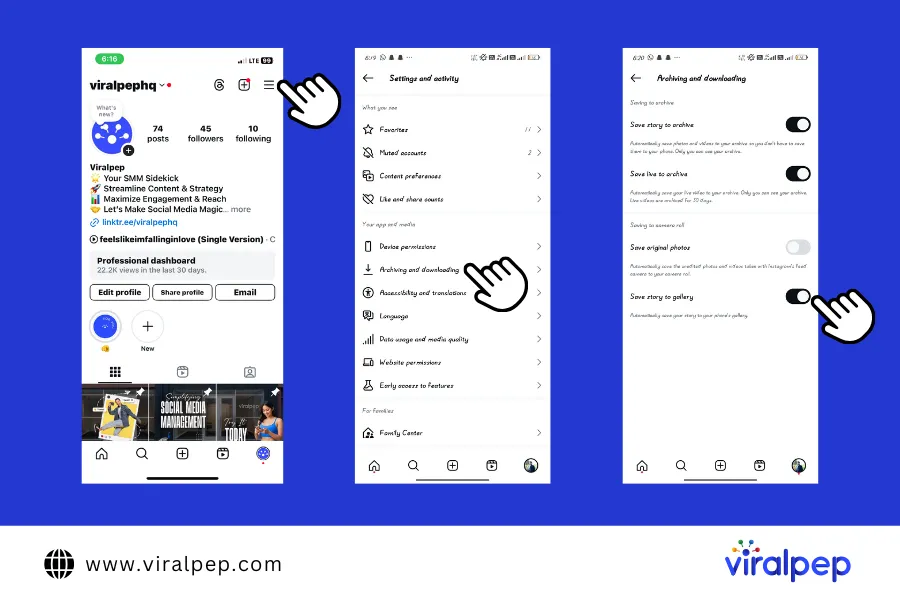
    For Android Users

    1. Open Instagram and go to your profile.
    2. Tap the three horizontal lines in the top-right corner.
    3. Select Settings and Activity.
    4. Tap Archiving and Downloading.
    5. Under Saving to Camera Roll, enable Save Story to Gallery.
    Instagram Story Downloader for Android

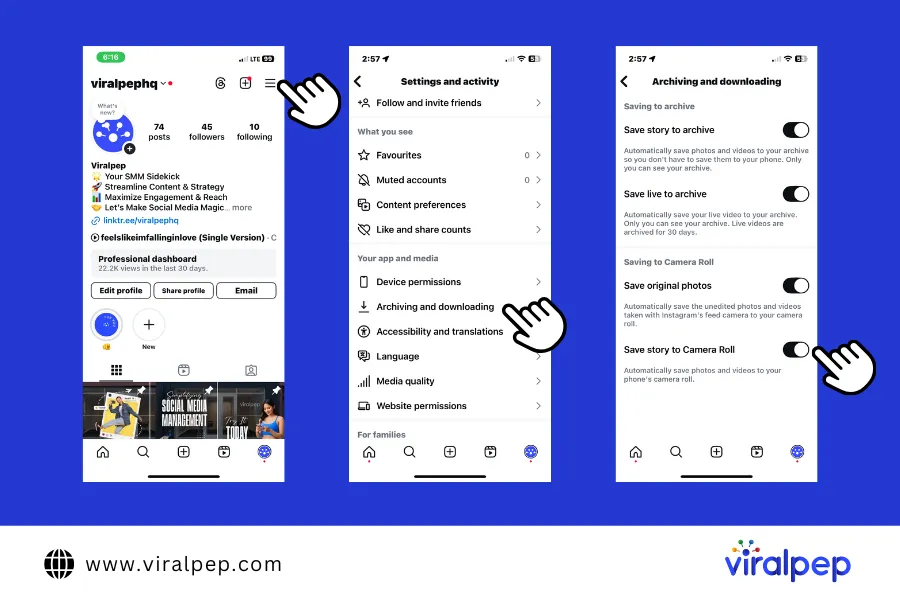
    For iPhone Users

    1. Open Instagram and go to your profile.
    2. Tap the three horizontal lines in the top-right corner.
    3. Select Settings and Activity.
    4. Tap Archiving and Downloading.
    5. Under Saving to Camera Roll, enable Save Story to Camera Roll.
    Instagram Story Downloader for Iphone
  2. Save a Story Before Posting

    If you want to save your Instagram Story before uploading it, follow these simple steps:

    1. Create your Story.
    2. Tap the Download (⬇️) icon at the top.
    3. Your Story will be saved to your device.
  3. Add to Highlights for Permanent Saving

    Stories saved to Highlights stay on your profile beyond 24 hours.

    1. Open your active Story.
    2. Tap Highlights at the bottom.
    3. Select an existing Highlight or create a new one.
    4. Tap Add, and the Story will be saved to your profile.

How to Download an Instagram Story from Someone Else

Instagram doesn’t allow direct downloads of other users’ Stories, but you can use third-party apps or screen recording tools.

  1. Story Saver for Instagram (For Android Users)

    • Download from the Google Play Store Or App Store
    • Log in to your Instagram account.
    • Find the Instagram download story you want to save and copy the link.
    • Paste the link into Story Saver and tap Download.
  2. Using Online Tools

    You can also download Instagram stories online using browser-based tools like storysaver.net or igram.world.

    Steps:

    1. Copy the URL of the Instagram Reel you want to download.
    2. Visit a site like storysaver.net or igram.world.
    3. Paste the copied link into the input field and click Download.
    4. The Reel will be saved directly to your Android device.

    These tools make it easy to download Instagram stories with music without needing extra software.

  3. Use a Screen Recorder

    If you don’t want to use third-party apps, you can download Instagram Story videos using screen recording.

    • Download a screen recording app.
    • Start recording and play the Story.
    • Stop the recording, and the video will be saved to your gallery.
  4. Take a Screenshot (For Image Stories)

    • Press Power + Volume Down (Android)
    • Press Power + Home/Volume Up (iPhone)
  5. Use iPhone’s Built-in Screen Recorder

    • Go to SettingsControl CenterAdd Screen Recording.
    • Swipe down from the top-right (iPhone X & newer) or swipe up (older models).
    • Tap the Record button and open the Story.

Conclusion

An Instagram Story Downloader makes it easy to save and revisit your favorite moments. Whether you’re using an Instagram Stories Downloader, a mobile app, or a browser extension, there’s a solution for every need.

Just be sure to respect privacy and copyright guidelines when saving and sharing content.

With the right tools, you’ll never miss out on a great Story again. Try an Instagram Story Downloader today and keep your favourite Stories at your fingertips! 🚀

Additionally, Viralpep offers a suite of social media management tools beyond scheduling. You can track analytics, collaborate with team members, and manage multiple social accounts effortlessly. Viralpep makes social media marketing smoother than ever. Whether you need to schedule Instagram posts and reels or manage content across various platforms like Facebook, Pinterest, Twitter(X) and Linkedin, Viralpep ensures you stay on top of your strategy efficiently. Start your 15-day free trial today!

FAQ

Downloading stories for personal use is generally acceptable, but sharing them without permission may violate Instagram’s terms of service.

Can I download Instagram Stories anonymously?

Yes, most online tools and apps allow anonymous downloads without notifying the story owner.

Why can’t I download a private Instagram story?

Private Instagram stories require login access, and most public downloaders don’t support them.

How to download Instagram Stories videos with music?

Some apps support Instagram download stories with music, but if not, you can use screen recording as an alternative.

Are Instagram story downloader tools safe?

Reputable tools are safe, but avoid shady websites that ask for login details.

How long do Instagram stories stay available for download?

Stories are available for 24 hours unless saved as highlights.

What’s the best Instagram story downloader?

It depends on your needs! Online tools are great for quick downloads, while apps offer more features.

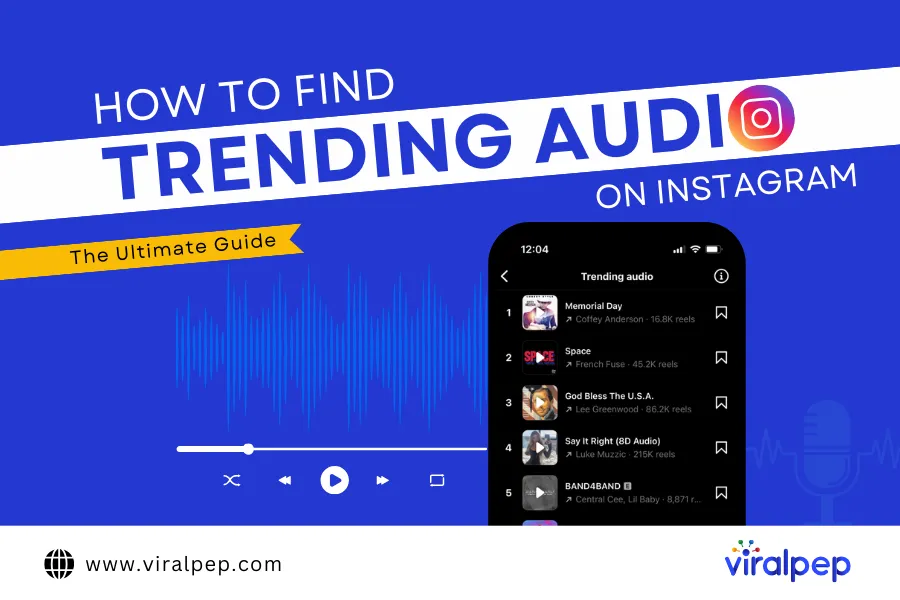
How to Find Trending Audio on Instagram: The Ultimate Guide

Struggling to keep up with how to find trending audio on Instagram? You’re not alone! With new viral sounds emerging weekly, finding the perfect track to boost your Reels engagement can feel like a never-ending challenge.

But here’s the good news—using trending audio on Instagram is one of the easiest ways to increase your content’s reach, visibility, and engagement. In 2025, Instagram’s algorithm continues to favor Reels, making audio selection more crucial than ever.

This guide will walk you through how to find trending audio on Instagram and leverage it effectively in your strategy. Whether you’re a brand, social media content creator, or social media enthusiast, we’ve got you covered.

Let’s dive in and start crafting viral Reels with the hottest Instagram trending songs!

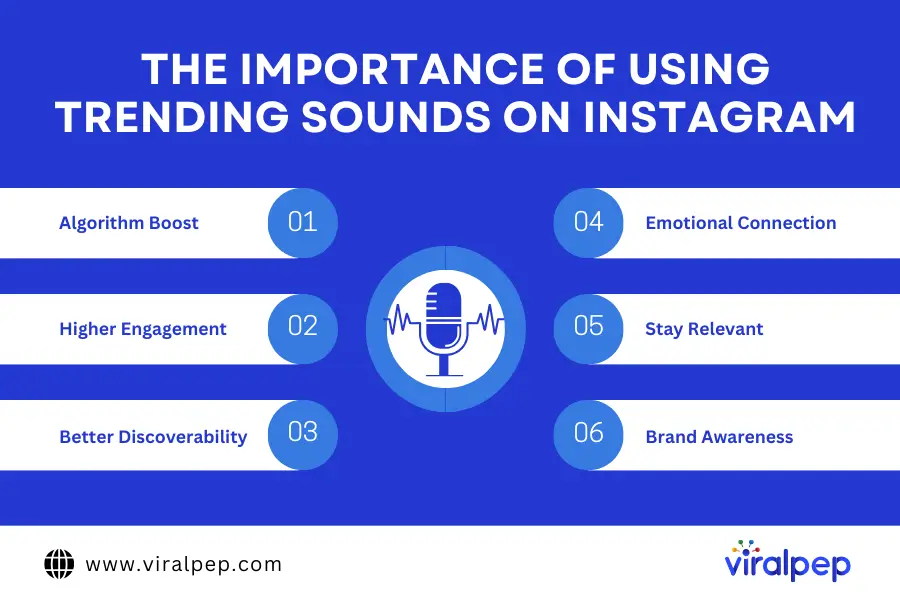
Why is Using Trending Sounds Important on Instagram?

Using trending audio on Instagram can significantly improve your visibility and engagement. While trending music from Instagram can be added to static posts and carousels, it has the biggest impact on Instagram Reels due to the way the video feed works.

Importance of Using Trending Sounds on Instagram

Here’s why incorporating trending songs on Instagram is essential:

  • Algorithm Boost: Instagram’s algorithm favors content that is entertaining and up-to-date with the latest trends. Reels featuring trending audio on Instagram are more likely to gain traction in users’ feeds.
  • Higher Engagement: Trending songs on Instagram encourage interaction through likes, shares, and comments, increasing your content’s overall reach.
  • Better Discoverability: Many users actively search for videos using a specific trending sound, making it easier for new audiences to discover your content.
  • Emotional Connection: Audio helps set the mood, tell a story, or evoke emotions that make your content more memorable.
  • Aligns with Trends: Staying on top of trends keeps your content relevant and shareable.
  • Improves Brand Awareness: Businesses leveraging trending music from Instagram create more relatable content.

To maximize impact, integrate trending audio on Instagram naturally into your content so it aligns with your brand and messaging. From creating humorous videos to setting a specific vibe, music plays a crucial role in enhancing content appeal.

How to Find Trending Audio on Instagram

Finding how to find trending audio on Instagram is crucial for staying relevant and engaging your audience. If you know where to look, you can easily identify trending songs on Instagram to enhance your content. Here are ten effective ways to discover trending audio on Instagram:

  1. Browse Trending Instagram Reels

    One of the easiest ways to find trending audio is by browsing the Reels feed. Instagram’s algorithm tailors content to your interests, so your feed will naturally show relevant trending sounds. Here’s how you can identify them:
    • Scroll through Reels to see commonly used sounds.
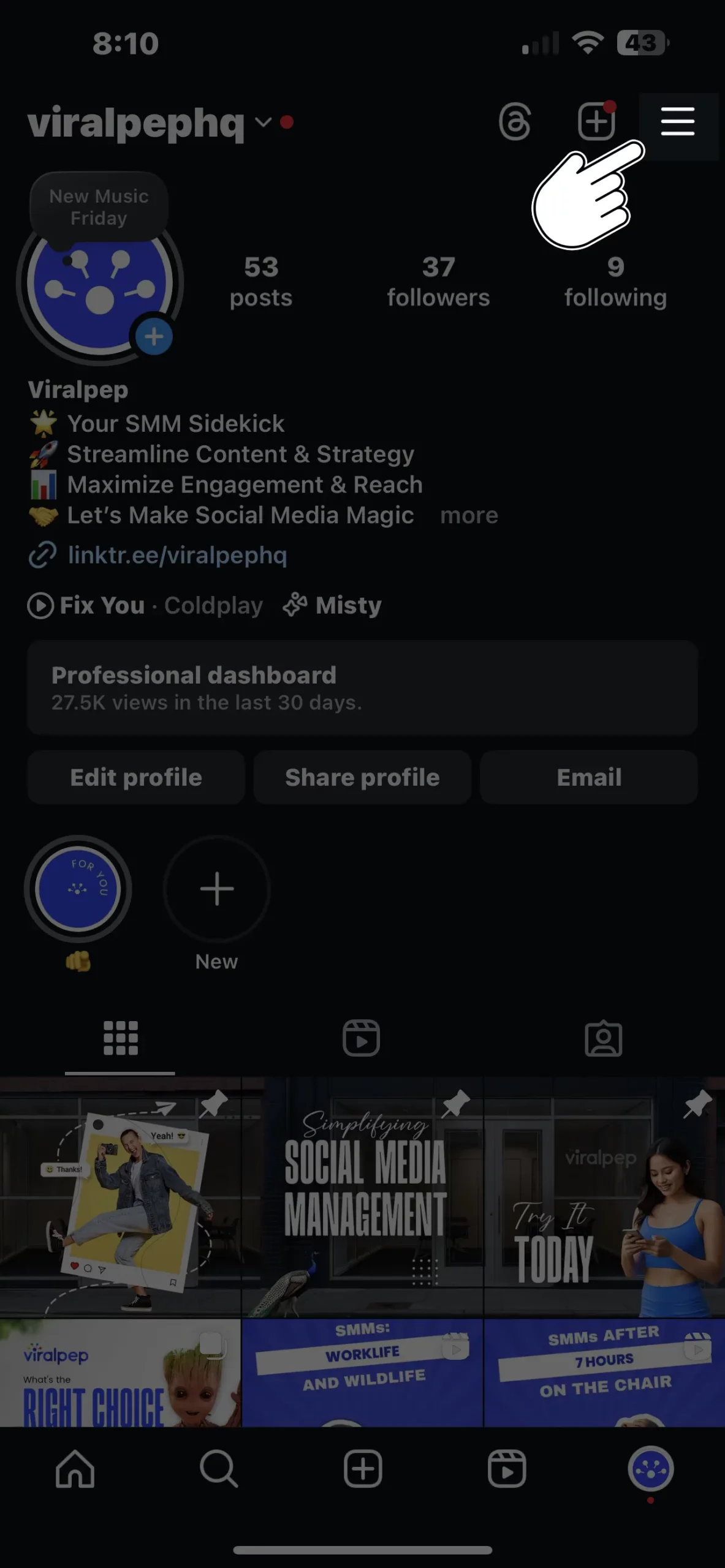
    • Click on the audio name (next to the music icon) to open the sound page.
    • Trending song on Instagram may have an arrow next to their name instead of a music note.
    • Check how many times an audio track has been used and its origin.
    • Tap “Use Audio” to start creating your own Reel and download the reel with the trending music from Instagram.
  2. Follow the Instagram Creators Account (@Creators)

    Instagram’s official @creators account regularly shares trend reports and insights from industry experts. It’s an excellent resource for discovering:

    • Weekly updates on trending audio on Instagram.
    • Best practices for using Instagram trending songs in content.
    • Tips from successful content creators.
  3. Instagram’s Trending Audio List

    Professional Instagram accounts can access a built-in Trending Audio List through the Professional Dashboard. This curated list highlights the top 50 most popular sounds. Here’s how to find it:

    1. Open your Professional Dashboard from your Instagram profile.
    2. Scroll to Tips and Resources.
    3. Select Trending Audio to explore popular sounds.
  4. Explore YouTube Shorts

    Trending sounds on YouTube Shorts often gain traction on Instagram too. To find trending audio:

    • Open YouTube and tap the “+” button.
    • Select Add Sound at the top.
    • Browse the Top Sounds list.
    • Note the song title and search for it in Instagram’s audio library.
  5. TikTok’s Trending Sounds

    Trends often originate on TikTok before spreading to Instagram. Use these methods to discover trending TikTok audio:

    • Use TikTok’s Sound Library by tapping the “+” button and selecting Add Sound.
    • Scroll through the Recommended section for popular audio clips.
    • Check the For You page for frequently used sounds in viral videos.
    • Visit TikTok’s Creative Center (desktop) and navigate to the Trending Sounds section.
    • Follow trend-focused accounts like @tiktoktrends for weekly updates.
  6. Use Meta Sound Collection

    Meta’s Sound Collection provides a vast library of licensed audio available for use on Instagram and Facebook. To find trending sounds:

    • Open Meta Sound Collection via the Meta Business Suite.
    • Sort by Most Popular to discover top-trending audio.
  7. Monitor Top Instagram Creators in Your Niche

    Influencers and top content creators often use the latest trending audio. Identify successful creators in your industry and check:

    • What audio they frequently use.
    • The engagement levels on their posts.
    • Their most popular Reels for audio inspiration.
  8. Explore Page Search & Hashtags

    Instagram’s Explore Page is another way to find trending sounds. To refine your search:

    • Use keywords or hashtags like #TrendingAudio or #ReelsTrend.
    • Switch the search tab to Audio to find relevant sounds.
    • Click on an audio file to see its popularity and usage.
  9. Check Streaming Platforms for Viral Songs

    Trending songs on Spotify, Apple Music, and YouTube Music often make their way to Instagram. Look for playlists like:

    • Viral Hits
    • TikTok Top 50
    • Instagram Reels Trends Once you find a track, search for it in the Instagram audio library. If it has the “Trending” arrow, it’s gaining traction on the platform.
  10. Use Instagram’s Music Suggestions When Creating a Post

    Instagram suggests trending audio when you create a post. To access it:

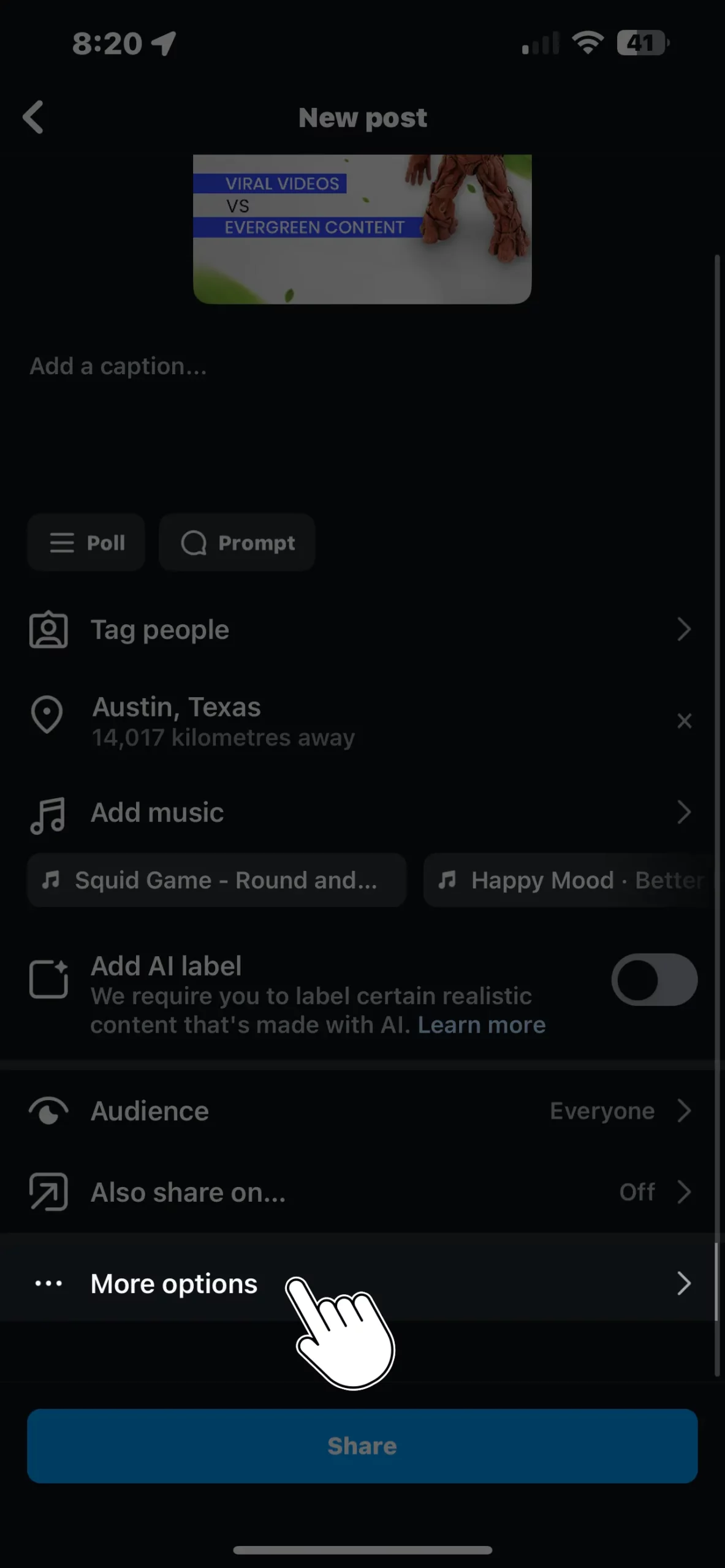
    • Tap Add Music when making a Reel.
    • Browse the Trending section for popular sounds.
    • Instagram may also recommend tracks based on your content type.

Find Trending Sounds and Go Viral on Instagram!

Now that you know how to find trending audio on Instagram, it’s time to put that knowledge to work. Whether you’re exploring the Reels Explore page, following creator trends, or leveraging external platforms, staying ahead of trending songs on Instagram is the key to boosting engagement.

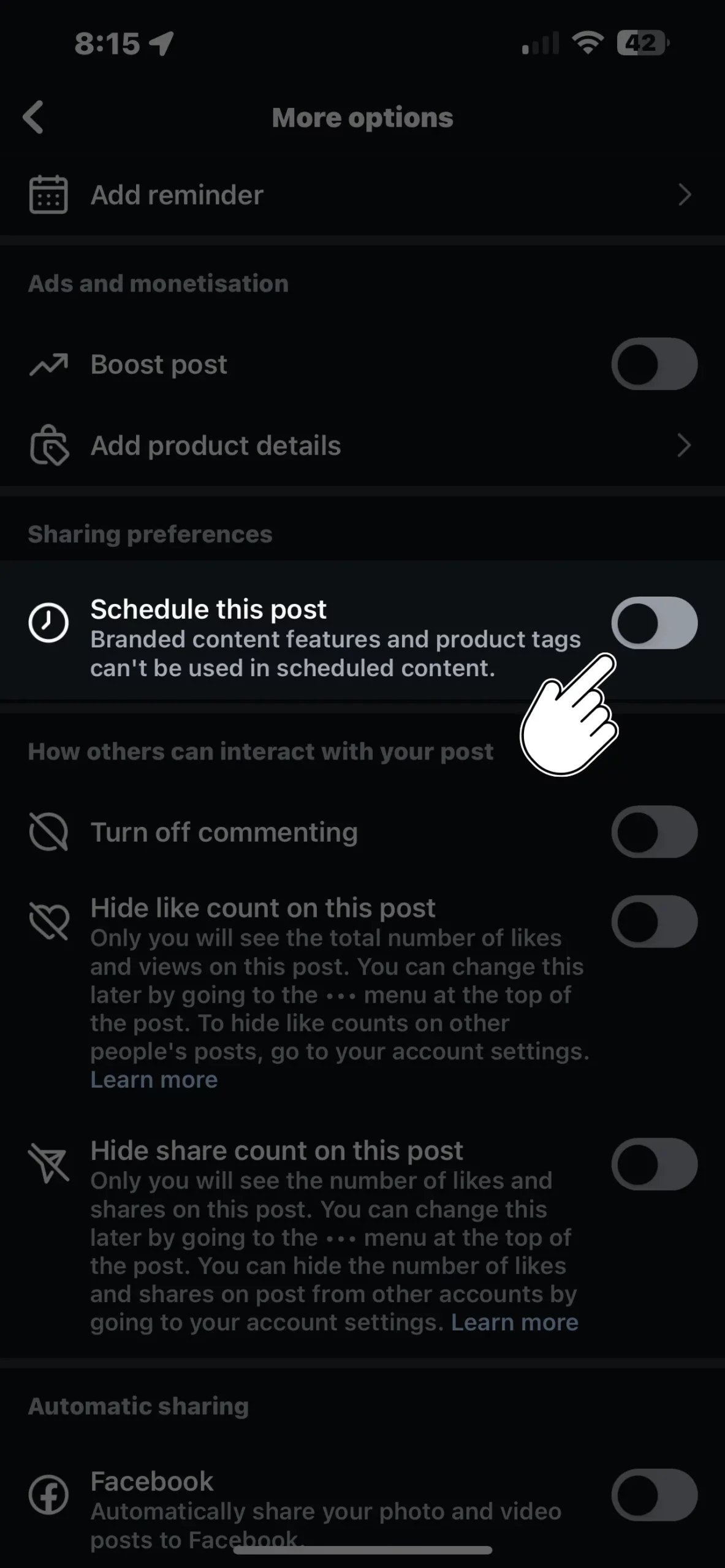
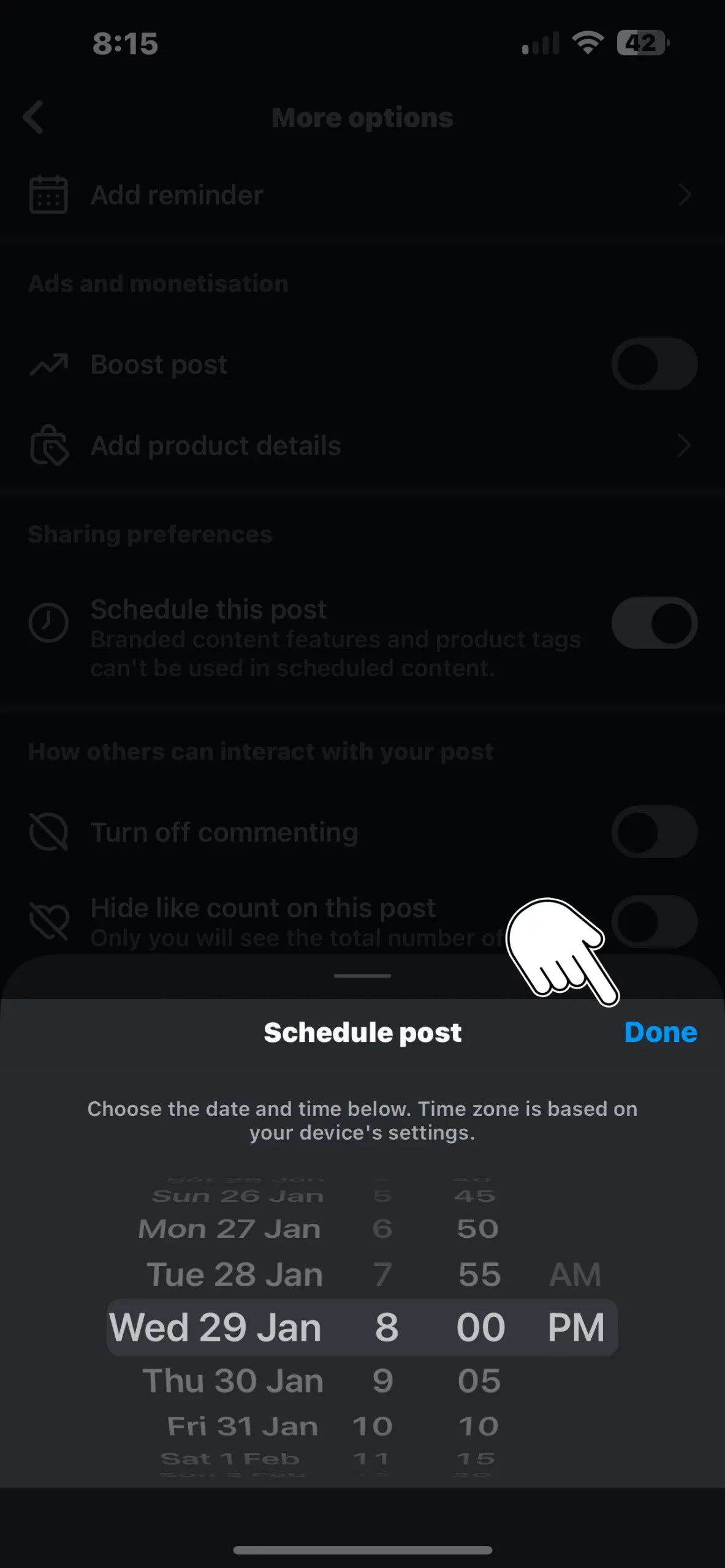
But finding the right audio is just one piece of the puzzle. To truly maximize reach, you need a consistent posting schedule and insights into the best times to post—and that’s where Viralpep comes in.

With Viralpep’s social media scheduler, you can:

✅ Schedule Instagram Reels at peak engagement times.
✅ Track performance analytics to see which sounds work best.
✅ Manage multiple social accounts effortlessly.
✅ Automate your content strategy while staying on top of trends.

Want to see your Instagram content skyrocket? Start your 15-day free trial with Viralpep today!

FAQs

Look for the upward arrow next to the trending audio on Instagram when browsing Reels

Can I download music from Instagram?

No, Instagram doesn’t allow direct downloads, but you can save audio within the app and download audio from audio download tools.

Engagement matters! Interact with other posts, use relevant hashtags, and post at peak hours.

Instagram trending songs shift weekly or even daily, so stay updated by checking the Reels music library frequently.

Can I use any song for my business on Instagram?

Not all songs are available for commercial use—check Instagram’s licensed music library for business-friendly tracks.

What is the best way to find viral audio before it peaks?

Follow trend forecasting tools like TrendTok and monitor Spotify’s viral playlists.

Yes! Using trending songs on Instagram increases visibility, engagement, and potential virality.

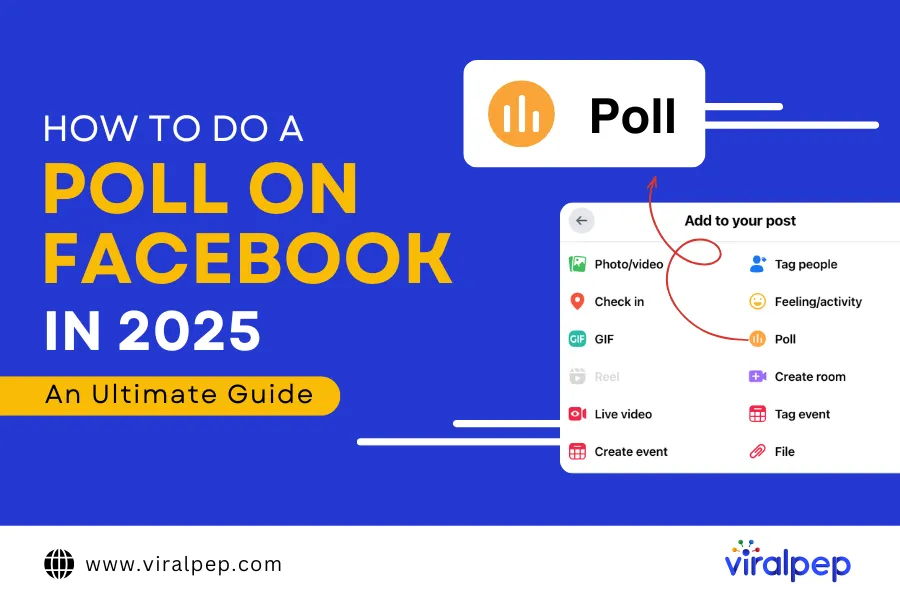
How to Do a Poll on Facebook in 2025 : An Ultimate Guide

The concept of gathering public opinions through polls has been around for centuries. But gone are the days of time-consuming paper surveys and manual data collection.

Today, technology allows us to conduct polls effortlessly, and Facebook is one of the best platforms for engaging with your audience through quick and interactive polls.

If you’re still relying on outdated methods, it’s time to embrace the convenience of Facebook polls. Whether you’re a business owner, a social media manager, or just someone who loves sparking conversations, learning how to do a poll on Facebook is easier than you think.

Worried it might be too technical? Don’t be! With the right guidance and a reliable social media management tool like Viralpep, you can set up a poll in minutes.

In this blog, we’ll walk you through how to create a poll on Facebook step by step, explore different Facebook poll options, and answer frequently asked questions to help you maximize engagement.

What Are Facebook Polls?

Facebook polls are an interactive feature that allows users to create multiple-choice questions to gather opinions from their audience. Whether you want feedback on a product, engagement on a trending topic, or just a fun way to interact with your followers, Facebook survey polls provide a simple yet effective solution.

These polls can be created on your timeline, in stories, or on business pages, making them a versatile tool for brands, influencers, and everyday users. When setting up a poll on Facebook, you can choose between public and private options—public polls are visible to everyone, while private polls are restricted to selected participants.

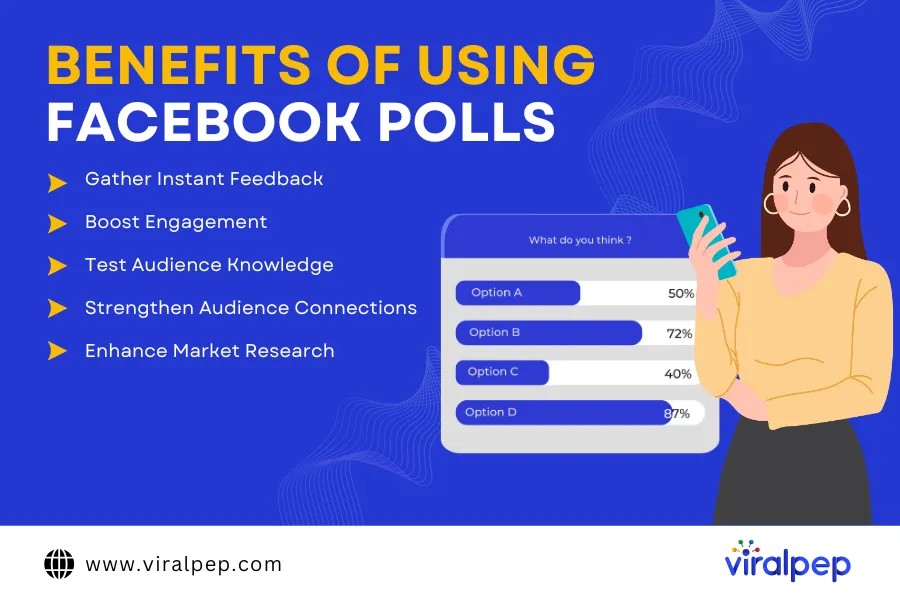
Benefits of Using Facebook Polls

  • Quick Feedback: Get instant opinions on products, services, or ideas.
  • Enhanced Engagement: Encourage audience participation and interaction.
  • Market Research: Understand customer preferences and trends.
  • Fun & Interactive: Create entertaining polls to keep your followers engaged.

One of the best features of how to do polls on Facebook is their flexibility. You can set a deadline for responses, view real-time results, and even allow participants to add their own answers. Once the poll ends, the results are displayed, showing the total votes and percentages for each option.

Facebook polls are a powerful way to understand your audience while keeping your content fresh and engaging. Now that you know what they are, let’s explore how to create one step by step!

Why Should You Create a Facebook Poll?

Facebook polls serve multiple purposes, making them a valuable tool for businesses, influencers, and casual users alike.

Benefits of Using Facebook Polls

Here’s why you should consider using them:

  1. Gather Instant Feedback

    Need quick insights on a product, service, or idea? Learning how to make a survey on Facebook enables you to collect immediate responses from your audience, helping you make informed decisions based on real-time feedback.

  2. Boost Engagement

    How to make a poll on FB is a fantastic way to encourage interaction on your page. They often spark conversations, generate comments, and even get shared, increasing your visibility and reach on Facebook.

  3. Test Audience Knowledge

    Want to see how much your followers know about a topic? How to create a poll on Facebook timeline can be used as a fun quiz to test knowledge and keep your audience engaged while learning something new.

  4. Strengthen Audience Connections

    By inviting your followers to participate in a survey on Facebook, you create a sense of community and involvement. Understanding their opinions makes them feel valued and deepens your connection with them.

  5. Enhance Market Research

    Facebook polls can act as a mini-market research tool, helping you gauge customer preferences, track trends, and shape your Facebook marketing strategies accordingly.

    Whether you want to engage your audience, collect feedback, or get more followers on Facebook, polls offer a simple yet effective solution. Give it a try—head over to your Facebook page and create your first poll today!

Where Can You Create Facebook Polls?

Facebook offers multiple ways to create polls, depending on where you want to engage your audience. Here’s how to set up a poll on Facebook in different areas:

  1. Facebook Stories

    With poll stickers available in Facebook Stories, you can create interactive polls that appear directly in your followers’ story feed. These quick, engaging polls allow users to vote with just a tap, making them perfect for capturing instant feedback. You can add visuals like images or GIFs to make your poll more eye-catching.

  2. Facebook Business Page

    If you want to gather insights from your followers, you can create a poll directly on your Facebook Business Page. This is an excellent way to boost engagement and collect audience opinions on products, services, or trending topics. Note that poll creation on business pages is currently available only through the Facebook mobile app.

  3. Facebook Groups

    Polls in Facebook Groups allow you to gather feedback from community members in a collaborative setting. Whether you’re running a business group, fan page, or private community, group polls encourage discussions and help members voice their preferences.

  4. Facebook Events

    Planning an event? Facebook Event polls are great for gathering opinions from attendees. You can ask guests about preferences such as event schedules, food choices, or activity options, making event planning more interactive and efficient.

  5. Facebook Group Chats

    For quick and informal decision-making, Facebook also allows you to create polls within group chats. Whether you’re planning a meetup, choosing a topic for discussion, or coordinating activities, chat polls offer a fast and simple way to get input from participants.

    No matter where you create a Facebook poll, the process is straightforward and highly effective in engaging your audience. Try it today and see how your followers respond!

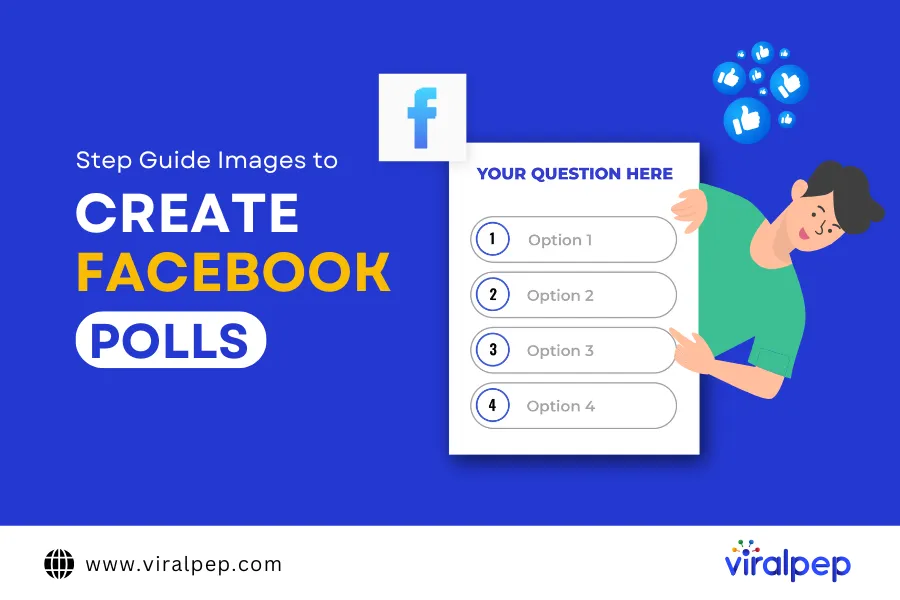
Step-By-Step Guide to Creating a Facebook Poll

Now that you know why polls are beneficial, let’s explore how to create one on different Facebook platforms.

Step Guide to Creating a Facebook Poll

  1. How to Create a Poll on Facebook Story

    According to Meta, 300 million people use Facebook Stories daily. Research also suggests that 62% of users become more interested in a brand after seeing it in Facebook Stories.

    Here’s how to create a poll on Facebook Story using your mobile device:

    • Tap on the blue circle with the + sign to “Create Story.”
    • Select an existing video/photo from your gallery or tap the camera icon to capture new media.
    • Tap the stickers (smiling face) icon in the top-right corner and select Poll.
    • Type your poll question and customize the answer options (e.g., Yes/No).
    • Tap Done and then Share to post your poll.
  2. How to Create a Poll on a Facebook Business Page

    Only Facebook page administrators can create polls on business pages. Here’s how:

    • Switch to your Facebook Page.
    • Click on ‘What’s on Your Mind’ in the post creation section.
    • Select the Poll option.
    • Type your question and add response options.
    • Once you’re done, tap Post to publish your poll.
  3. How to Create a Poll on a Facebook Event

    If you’re hosting an event, polls are great for gathering opinions on event-related decisions.

    1. Navigate to Events and select the event.
    2. Tap the three dots in the bottom-right corner.
    3. Choose Poll.
    4. Enter your question and response options.
    5. Click Post to publish.
  4. How to Create a Poll in a Facebook Group

    Facebook Groups provide a strong sense of community. Here’s how to create a poll within a group:

    • Go to Groups & Your Groups and select your group.
    • Click Poll in the post creation options.
    • Type your question and provide response options.
    • Tap Post to publish.
  5. How to Create a Poll in a Facebook Group Chat

    Polls in group chats help streamline decision-making. Here’s how to create one:

    1. Open the Facebook group chat you want to create a poll in.
    2. Tap the three dots in the top-right corner.
    3. Select Create Poll.
    4. Enter your question and up to five response options.
    5. Tap Send to share your poll.

Final Thoughts

Now that you know how to do a poll on Facebook, you can start using polls to engage your audience and gain valuable insights. By integrating polls into your social media strategy, you can encourage interaction, collect feedback, and make informed decisions based on audience responses.

To simplify Facebook post scheduling, using a social media management tool can be highly beneficial. A tool like Viralpep allows you to schedule and manage Facebook posts effortlessly, ensuring consistent engagement with your audience. Additionally, built-in analytics help track post performance, giving you deeper insights into audience interaction and content effectiveness.

Leverage Facebook polls options to enhance your social media presence and connect with your audience more effectively. Start creating polls today and make data-driven decisions that boost engagement and brand growth!

How to Edit a Cover Photo to Instagram Reels: A Simple Guide

Instagram Reels have become one of the most popular features on the platform, offering users a fun way to engage with their followers through short, creative videos. Whether you want to know how to make Reels on Instagram or how to edit Reels after posting, this guide has you covered.

While Reels are fantastic for sharing content, they might not always fit your carefully curated Instagram aesthetic—especially when it comes to profile grids. That’s where the Instagram Reels editing process for a cover photo comes into play. Adding a cover photo to your Instagram Reels allows you to maintain a cohesive look on your profile while still content on social media. Even better, Instagram now lets you edit the cover photo on an already published Reel, giving you the flexibility to improve your visual branding at any time.

In this article, we’ll walk you through how to post Reels on Instagram, add, change, and edit the cover photo for your Instagram Reels. Let’s dive in!

How to Add a Cover Photo to Instagram Reels

Adding a cover photo to your Instagram Reel is a simple process, but it’s an important step in keeping your profile grid neat and visually appealing. Follow these easy steps to ensure your Reels match your brand aesthetic:

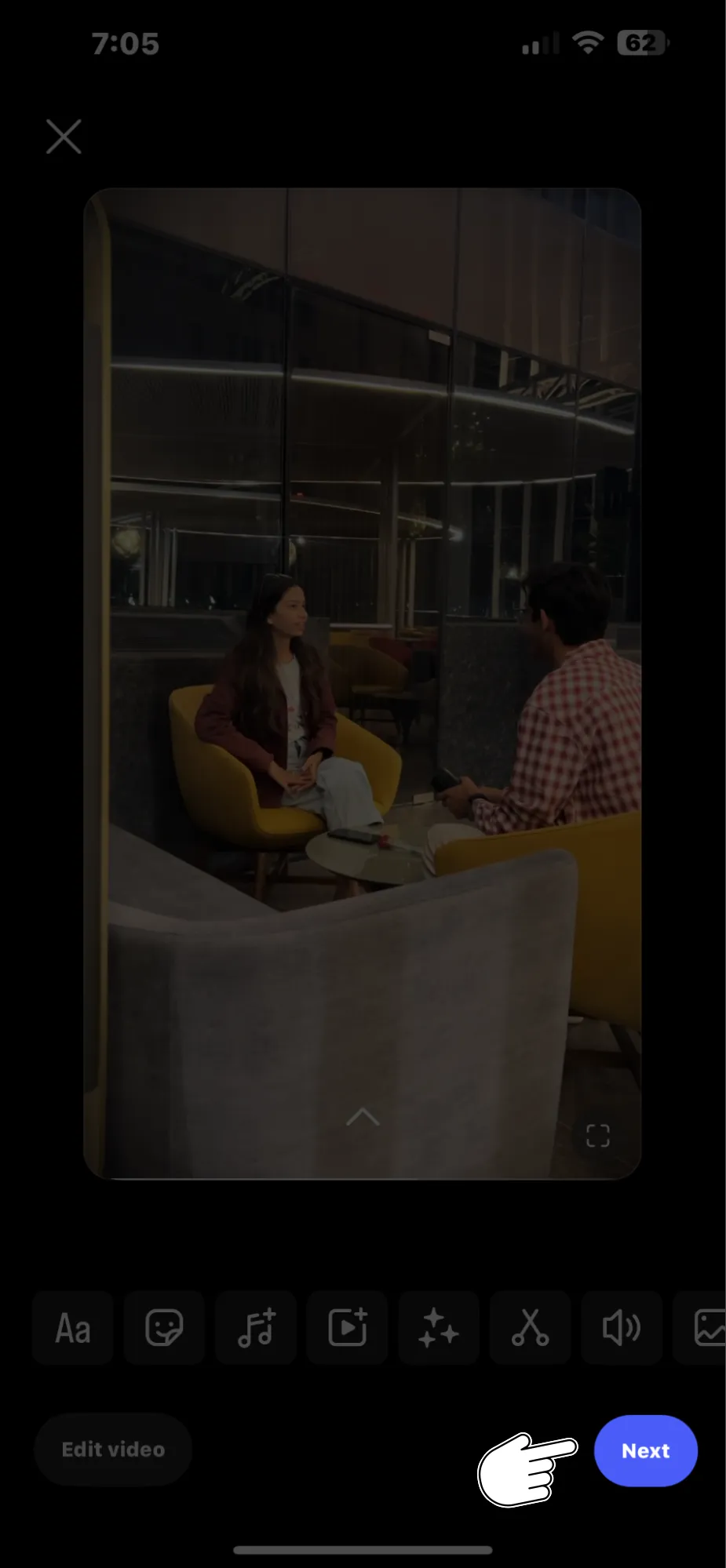
  1. Create Your Instagram Reel: Record your Reel as usual and move to the “Share” settings screen by tapping Next.

Create Your Instagram Reel

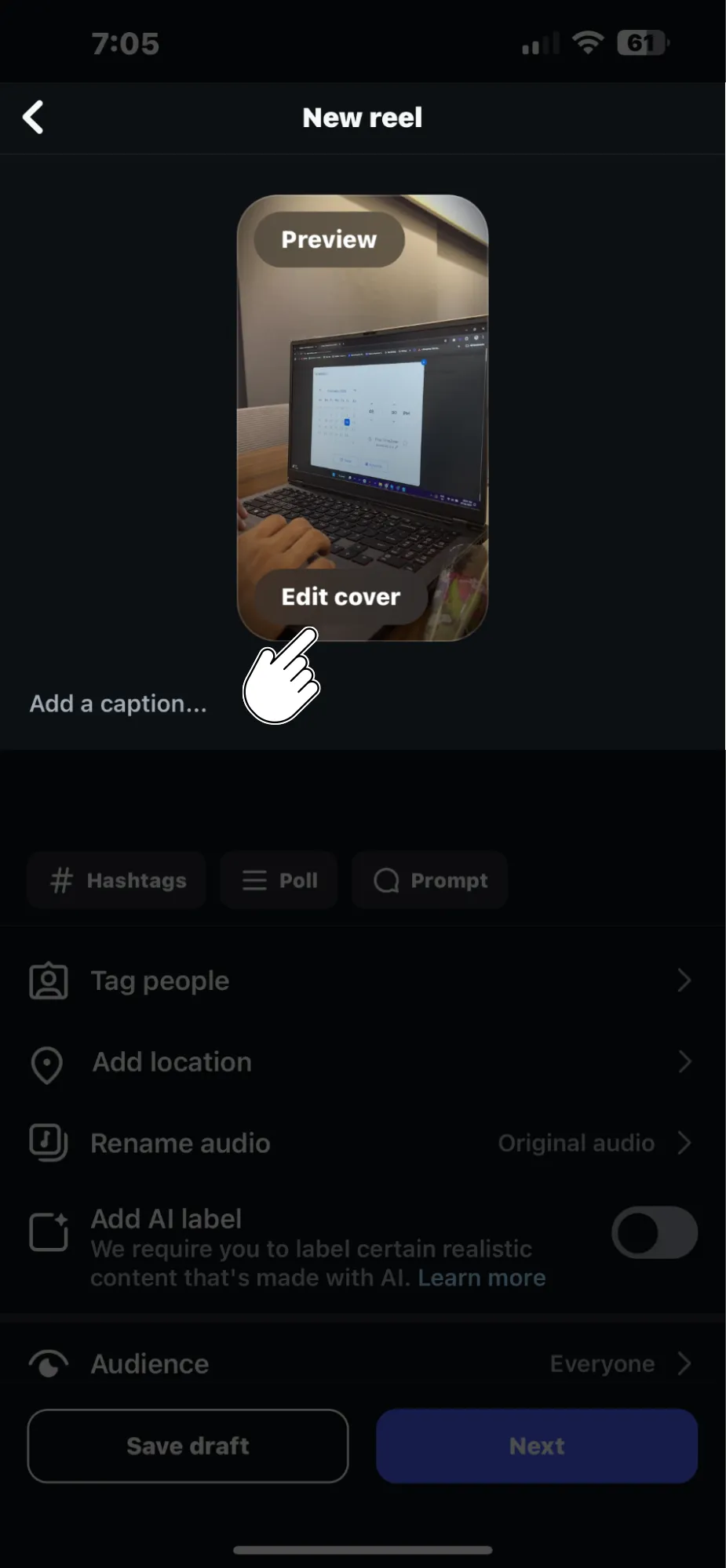
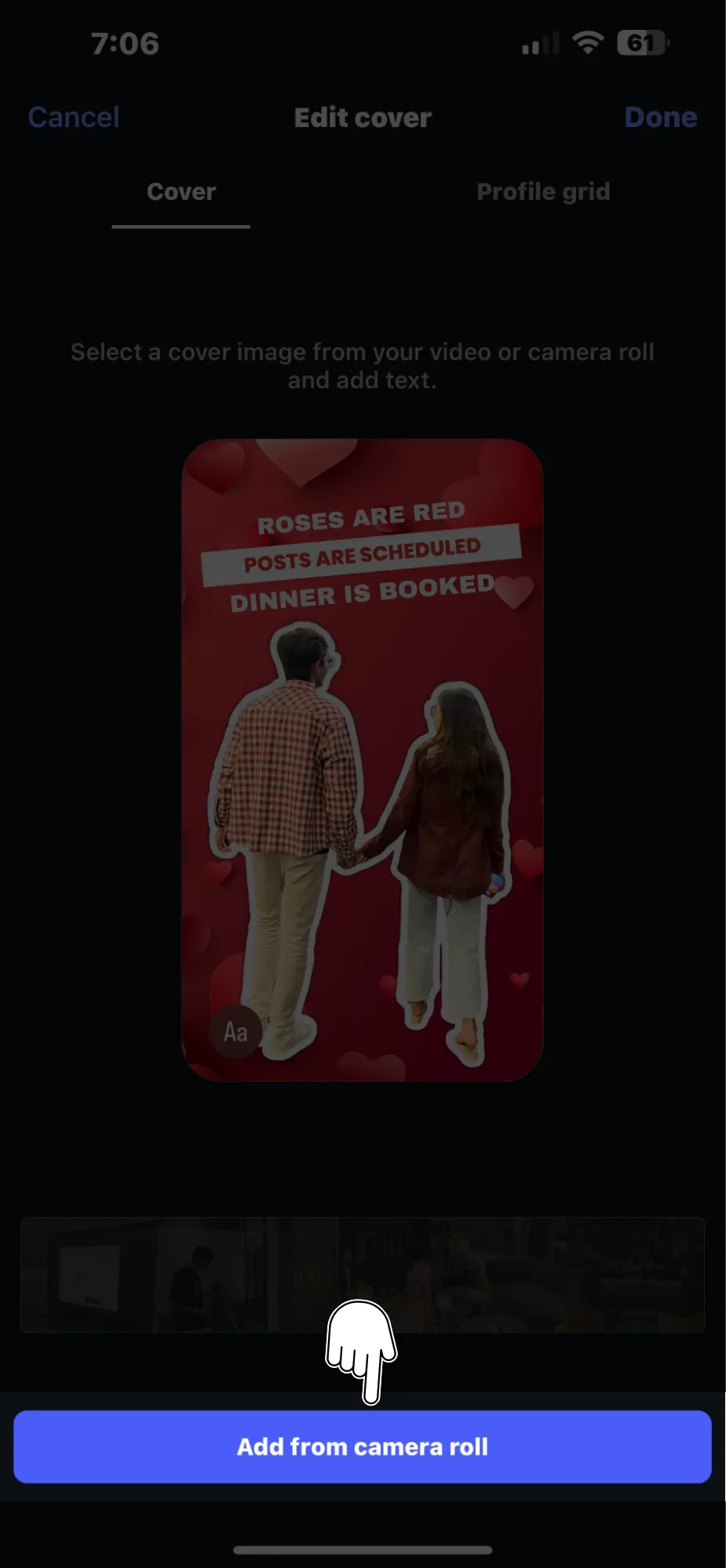
  1. Tap on “Cover”: On the Reel preview screen, tap the Cover option located on the preview image of your Reel.

Tap on Cover

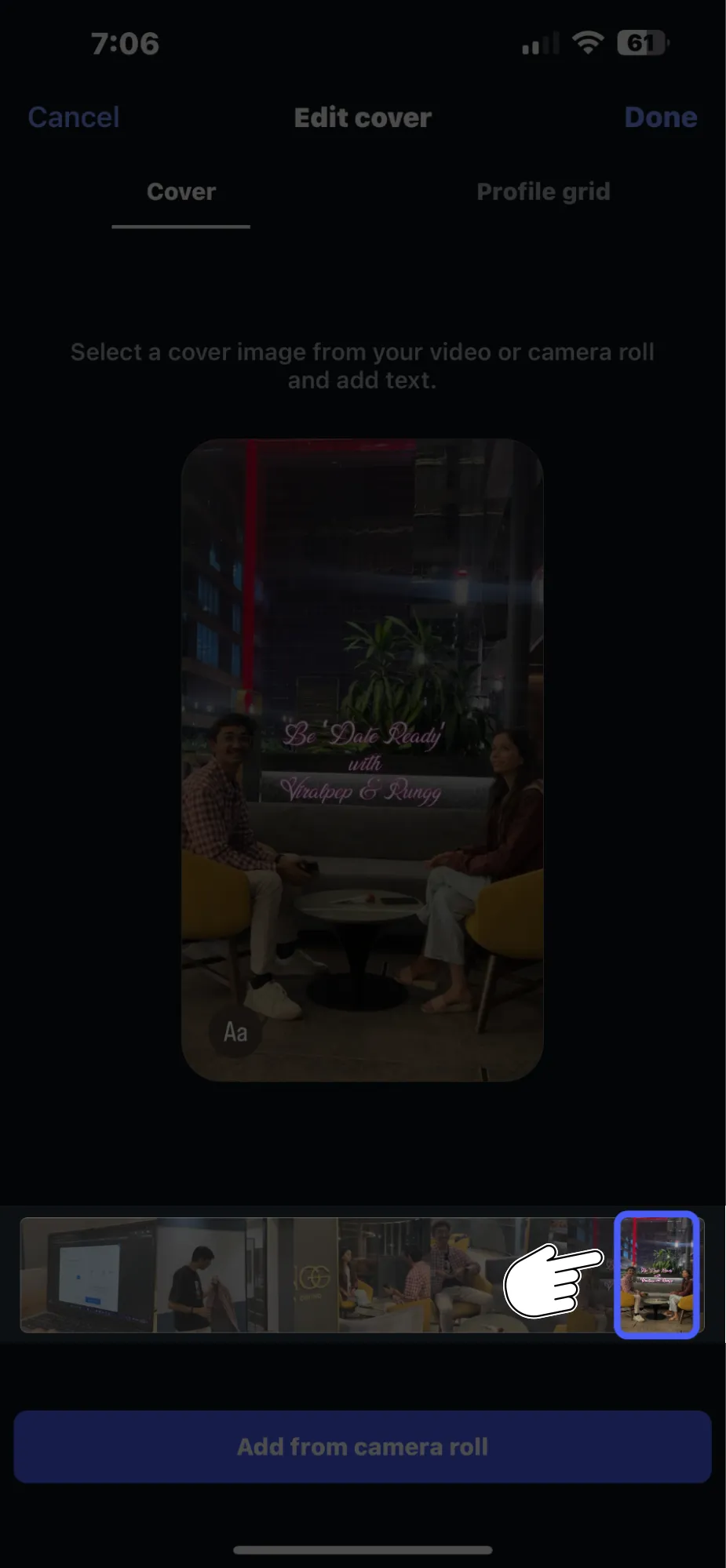
  1. Choose Your Cover Image:
      • You can select a still frame from your video by dragging the selector icon across the video timeline.

     Choose Your Cover Image

      • Alternatively, tap Add From Camera Roll to upload a high-quality image directly from your phone’s photo library.

    Add From Camera Roll

  2. Pro Tip: Images from your Camera Roll are usually higher quality than a still taken from the video footage.
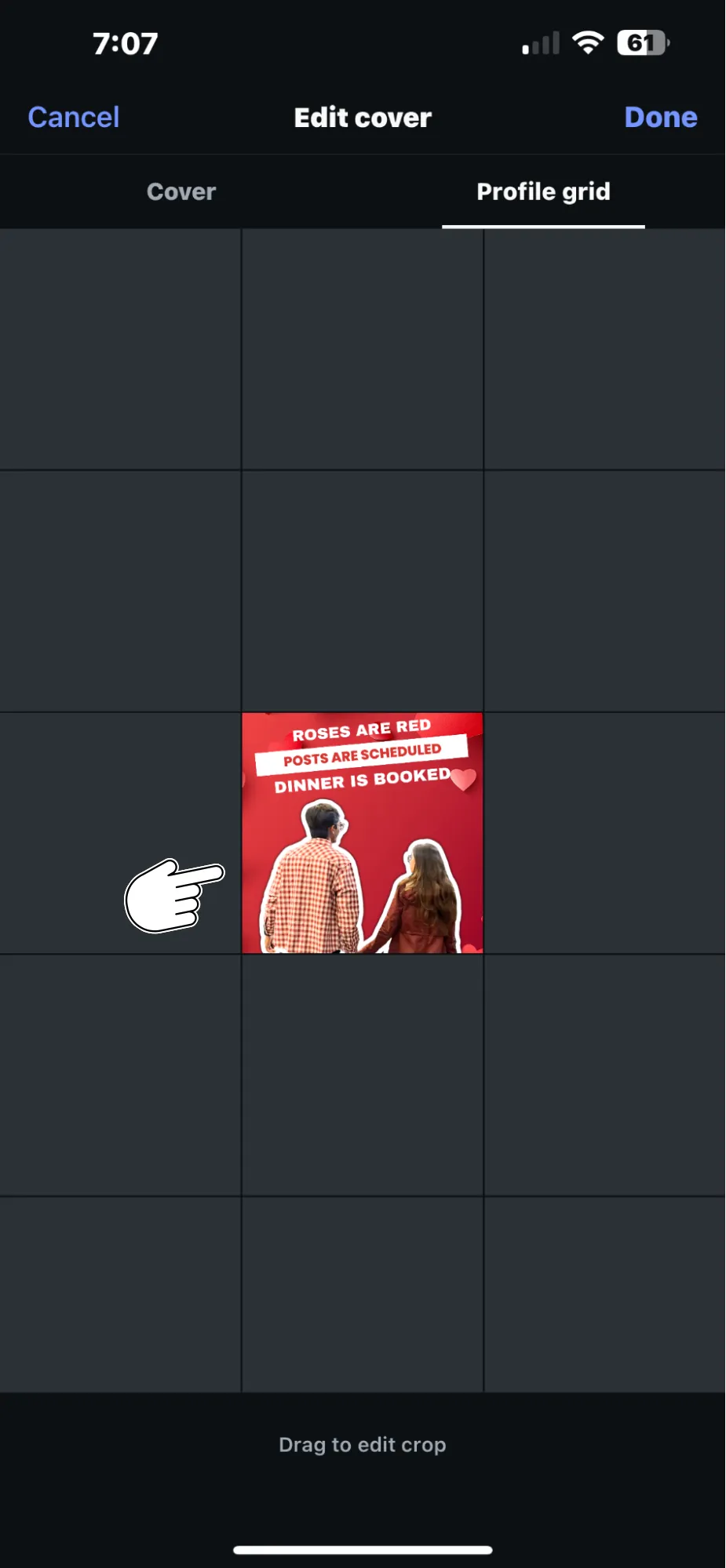
  3. Preview and Edit: Once you’ve selected your cover image, you can adjust how it appears on your profile grid. Tap Crop Profile Image to reposition, zoom in, or zoom out.

Preview and Edit Reel

By following these steps, you ensure that your Reels align with your overall Instagram aesthetic, keeping your profile looking sleek and well-organized.

How to Edit Reel Cover Photo on Instagram After Posting

Wondering how to edit an Instagram post or specifically its Reel cover photo? Instagram now allows you to edit the cover photo of a Reel even after it’s been posted. This is a great update, especially if you want to refresh older Reels or ensure your feed stays visually cohesive.

Here’s how to edit a Reel cover photo after posting:

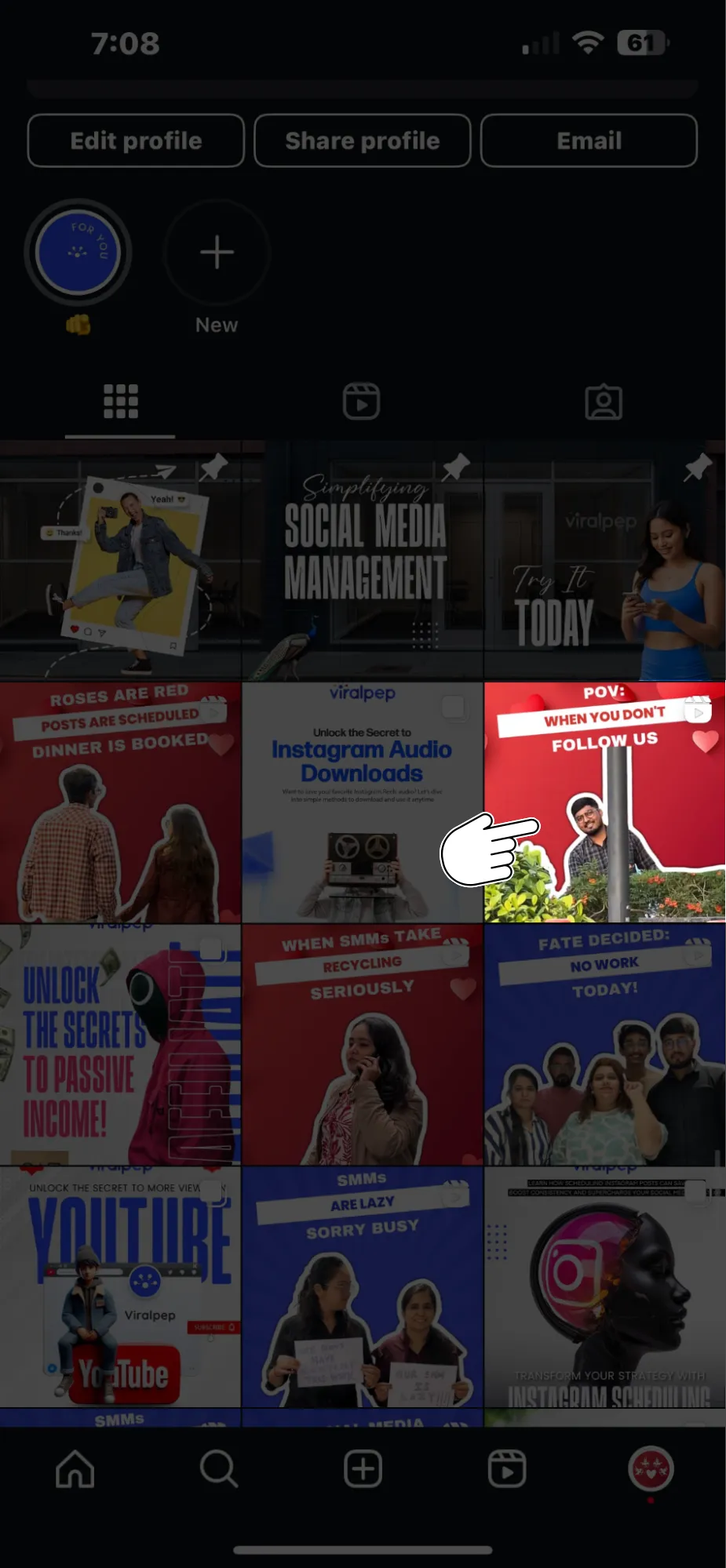
  1. Open the Published Reel: Go to your Instagram profile and tap on the Reels tab to find the video you want to edit.

Open the Published Reel

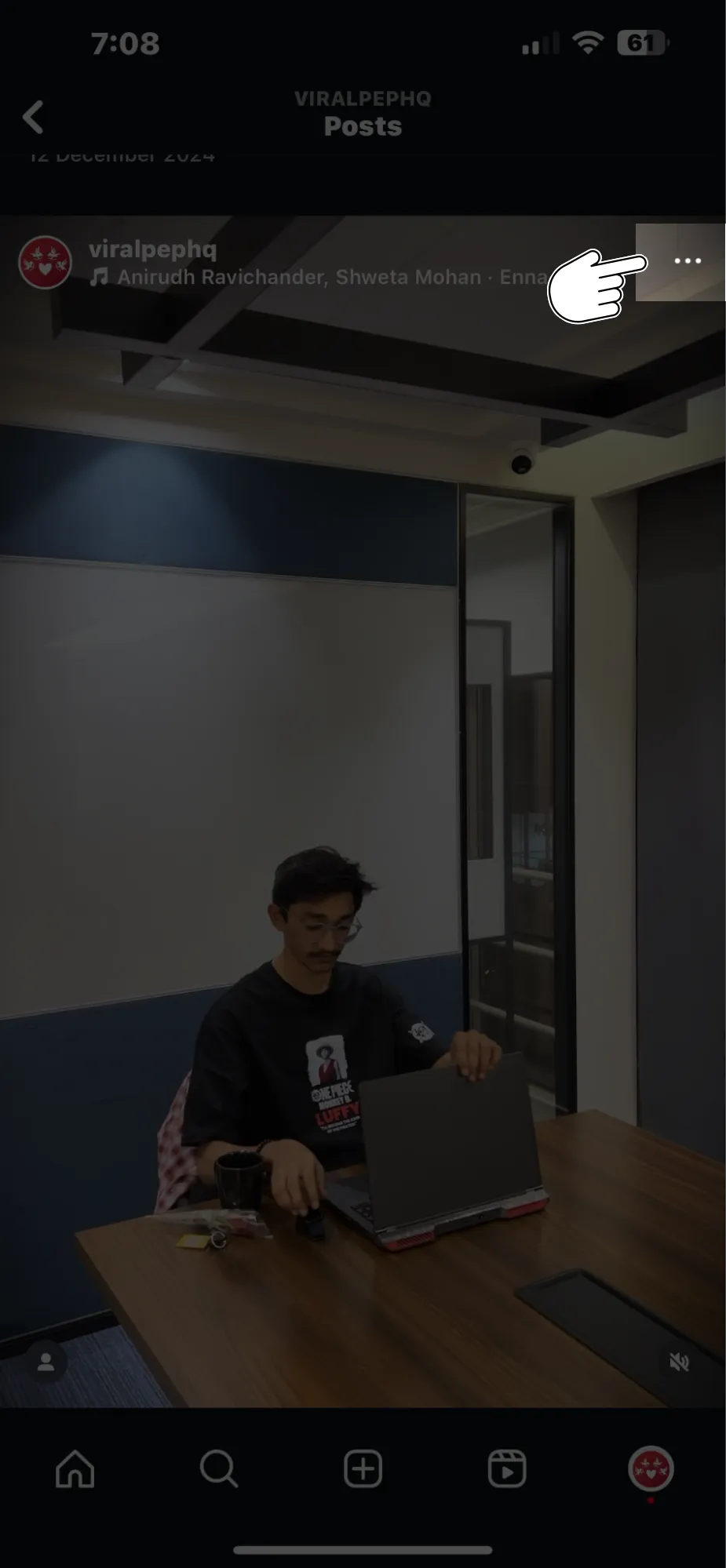
  1. Tap the Three Dots: On the right-hand side of the screen, click the three-dot menu to open additional options.

Tap the Three Dots

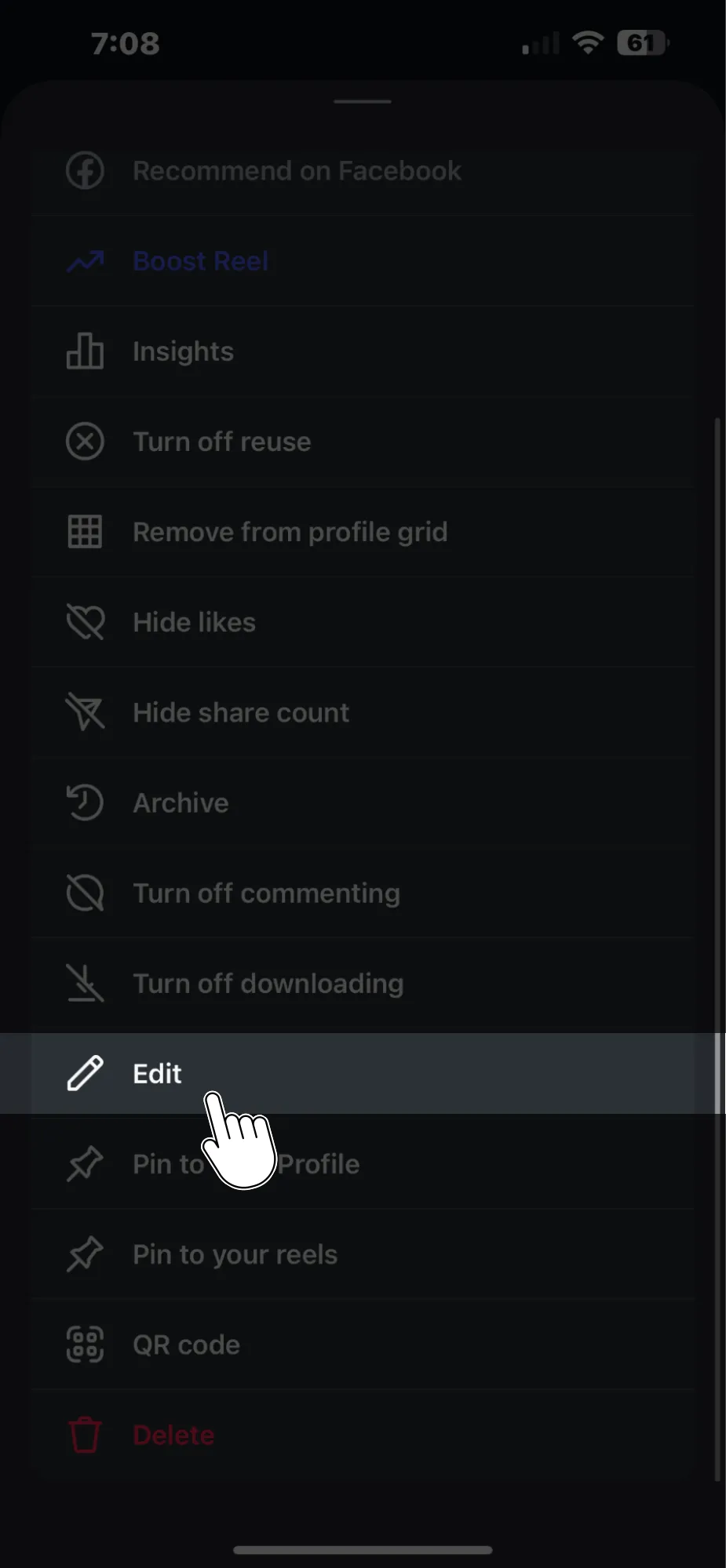
  1. Select “Edit”: From the dropdown menu, select Edit to begin modifying your Reel.

Select Edit

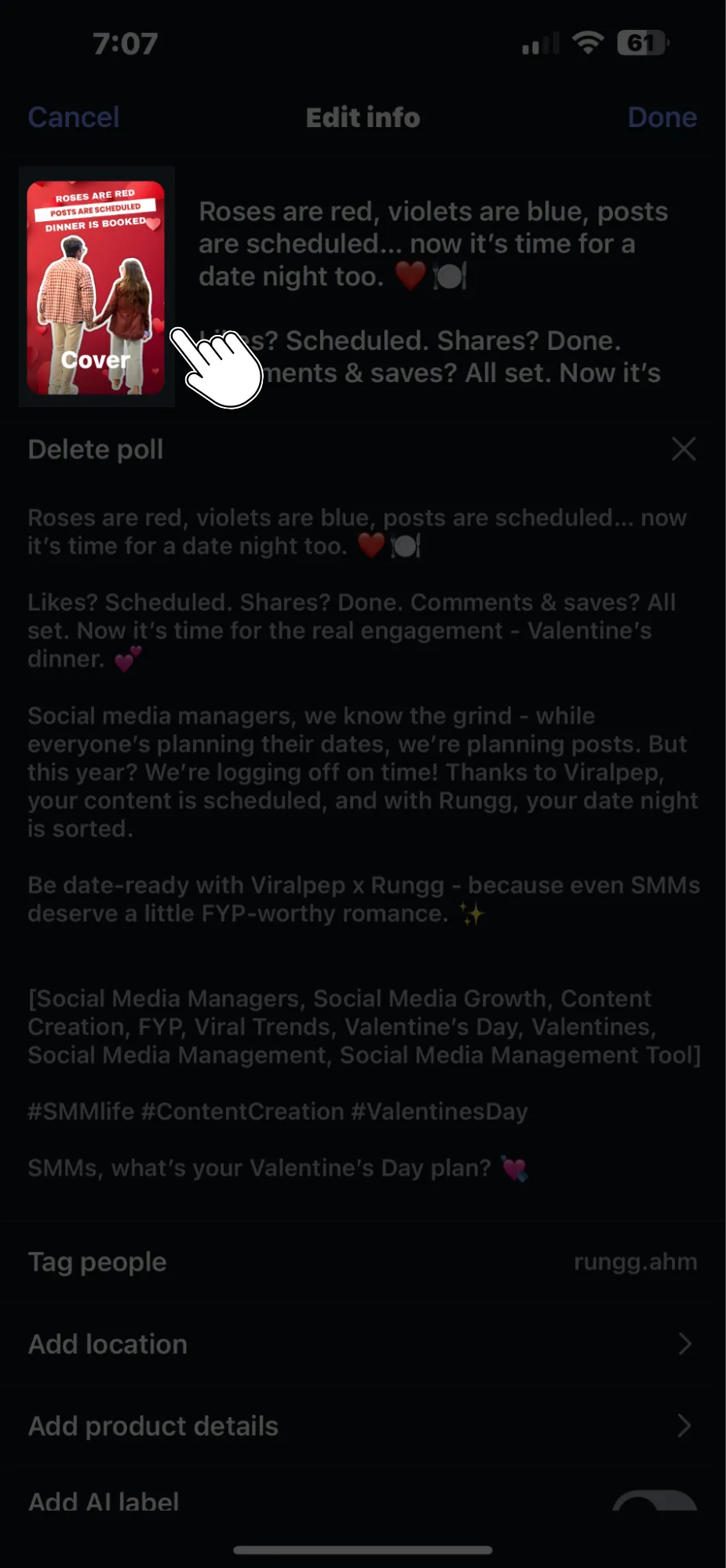
  1. Edit the Cover Photo: Tap Cover on the Reel preview image, then choose either:
    • A new still from the video timeline by dragging the selector icon.
    • An image from your Camera Roll for a fresh look.

    Edit the Cover Photo

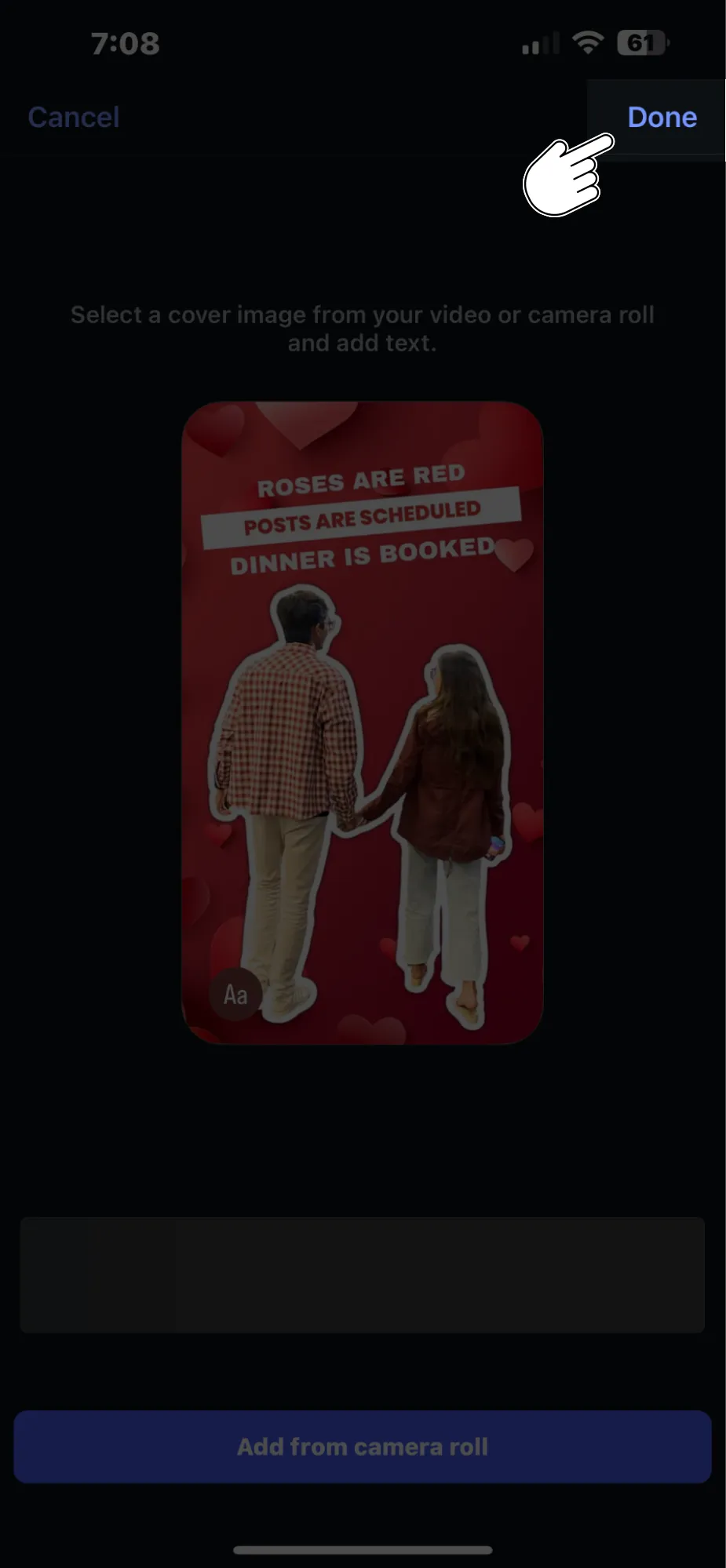
  2. Save Changes: Once you’re happy with the new cover photo, hit Done to save the update.

Save Changes

This flexibility in Instagram Reels editing is a game-changer for anyone serious about their Instagram branding.

Why Adding a Cover Photo to Instagram Reels is Important

You might wonder, “Why is adding a cover photo to Instagram Reels so important?” The simple answer is that it helps maintain the overall aesthetics of your profile while providing viewers with a clean, professional look. Here are a few reasons why you should make it a habit:

  • Brand Consistency: A custom cover photo ensures that each Reel fits into your Instagram feed’s visual theme, helping you build a recognizable brand image.
  • Increased Engagement: A well-designed cover photo can attract more viewers to your Reel, encouraging more likes, comments, and shares.
  • Professional Appearance: When your Reels match the look and feel of your other content, your profile appears more polished and organized, which could lead to more followers and better engagement on Instagram.

In short, adding and editing cover photos on Instagram Reels is an easy but effective way to elevate your social media content and enhance your Instagram presence.

Common Mistakes to Avoid When Adding a Cover Photo to Instagram Reels

While adding a cover photo to your Reels may seem like a straightforward task, some common mistakes can hinder your visual branding efforts. Here are a few things to avoid:

  1. Choosing Low-Quality Images: Ensure that the image you choose for your cover photo is high quality. Blurry or pixelated images won’t make your Reel look professional.
  2. Ignoring Aspect Ratios: Instagram’s profile grid uses a 1:1 aspect ratio, so make sure your cover photo fits within that ratio to avoid awkward cropping.
  3. Not Maintaining Consistency: If your feed has a certain color scheme or style, make sure your cover photos reflect that. Randomly chosen images can make your profile look disorganized.
  4. Overcomplicating the Design: Keep your cover photo simple and clear. Too much text or cluttered visuals can confuse your audience and reduce the effectiveness of the image.

By avoiding these common mistakes, you can ensure your Instagram Reels always look their best.

Tips for Designing an Eye-Catching Instagram Reels Cover Photo

Designing a cover photo isn’t just about uploading any image—it’s about choosing one that resonates with your audience. Whether you’re editing videos for Instagram or creating Instagram Reels editor-ready content, these tips will help:

  • Use Bold, Readable Fonts: If you include text on your cover photo, use large, bold fonts that are easy to read, even on smaller screens.
  • Incorporate Your Brand Colors: To keep your brand identity strong, make sure your cover photo aligns with your brand’s color palette.
  • Be Consistent: Use similar cover photo styles across all your Reels to create a cohesive look.
  • Highlight Key Visuals: If your Reel features a special moment or action, make that the focus of your cover photo.

By following these tips, you can create cover photos that not only look great but also boost engagement with your Reels by posting them at the best time on Instagram.

Conclusion: Enhancing Your Instagram Aesthetic with Reels Cover Photos

Adding and editing cover photos for Instagram Reels is a simple yet powerful way to enhance your profile’s aesthetic. Whether you’re uploading a new Reel or updating an older one, this feature allows you to maintain a cohesive visual identity that reflects your brand.

Don’t forget that the cover photo is the first thing people see when they encounter your Reel, so make it count!

Take your Instagram game to the next level by mastering this feature. If you’re ready to streamline your social media strategy even further, consider using tools like Viralpep to schedule and plan Instagram content in advance.

Frequently Asked Questions (FAQs)

Can I change my Instagram Reels cover photo after posting?

Yes, Instagram now allows you to edit your Reels’ cover photos even after they’ve been posted.

How do I add a custom cover photo to my Instagram Reel?

You can add a custom cover photo by selecting a still frame from your video or uploading an image from your Camera Roll.

Why should I add a cover photo to my Instagram Reels?

Adding a cover photo helps maintain a cohesive aesthetic on your profile and can boost engagement.

What’s the best size for an Instagram Reels cover photo?

Instagram uses a 1:1 aspect ratio for the grid, so your cover photo should be square (1080px by 1080px).

Can I use text on my Instagram Reels cover photo?

Yes, you can add text to your cover photo, but make sure it’s large and legible, especially on smaller screens.

How do I edit the cover photo of a Reel already posted?

Go to the Reel, tap the three dots, select “Edit,” then change the cover photo by choosing a new still or uploading an image.

What’s the best way to design an Instagram Reels cover photo?

Keep it simple, use bold fonts, align with your brand colors, and highlight key visuals from the Reel

How to Make Money with Affiliate Marketing: A Complete Guide

Affiliate marketing is one of the most effective ways to earn money online by promoting other people’s products or services. Once you set up your affiliate marketing campaigns, it has the potential to generate passive income consistently. While the initial effort of creating visibility for your affiliate offers can be challenging, the long-term rewards make it a worthwhile endeavor.

For beginners, understanding how to make money with affiliate marketing often feels overwhelming. With so many resources available online and claims like “make money while you sleep with affiliate marketing,” it’s easy to get confused. However, understanding the fundamentals and adopting the right strategy can simplify the process and set you up for success.

Affiliate marketing is not a get-rich-quick scheme, but it is a legitimate way to earn money online if done correctly. To understand its potential, it’s essential to first grasp what is affiliate marketing and how it works. Many successful affiliates report steady income growth yearly by following proven strategies. For instance, approximately 30% of the revenue from many blogs is generated through affiliate marketing, showing its effectiveness as a reliable income source. If you’re also curious about platforms like TikTok, you might wonder, how much money per view on TikTok can contribute to an overall income strategy, especially when combined with affiliate promotions. Exploring this can give you a broader understanding of how social media can work hand-in-hand with affiliate marketing.

In this post, we’ll walk you through how to make money with affiliate marketing by outlining the exact steps to get started and the strategies you need to make it work. Whether your goal is to earn $100 per day or scale that to $1,000 per day, this guide will provide actionable insights to help you achieve those milestones.

The best part? Affiliate marketing doesn’t require you to create your own products or services. All you need is a website, the right approach, and the willingness to learn. With the affiliate marketing industry projected to grow from $8.2 billion in 2022 to an estimated $10.72 billion by 2024 (according to Influencer Marketing Hub), now is the perfect time to get started.

By learning how can you make money with affiliate marketing and taking the first steps today, you’ll position yourself to take advantage of this growing opportunity and build a sustainable source of online income. Let’s dive into the world of affiliate marketing and discover how you can turn it into a successful venture.

What Is Affiliate Marketing?

Affiliate marketing is a performance-driven marketing approach where businesses compensate individuals or organizations (affiliates) for promoting their products or services and driving new customers. It operates on a commission-based model, making it a mutually beneficial system for both the business and the affiliate.

If you’re wondering, how do you earn money from affiliate marketing, the process involves three primary participants:

  1. The Merchant – The company or business offering a product or service.
  2. The Affiliate – You, the individual or organization promoting the merchant’s offerings.
  3. The Customer – The end user who purchases the product or service through the affiliate’s efforts.

Affiliates earn commissions by successfully driving actions, such as sales or leads, for the merchant. For example, if you recommend a product like an online course on your blog, and a visitor clicks on your affiliate link to purchase it, you receive a percentage of the sale as a reward.

This model is popular for its simplicity and effectiveness. For businesses, it’s a cost-efficient way to expand their customer base without upfront advertising costs. For affiliates, it’s a lucrative opportunity to monetize their content, whether through blogs, social media, or other platforms.

Affiliate marketing thrives because it creates a win-win scenario: businesses gain increased visibility and sales, while affiliates are rewarded for their promotional efforts. This synergy is what makes affiliate marketing a key player in today’s digital economy.

How Does Affiliate Marketing Work?

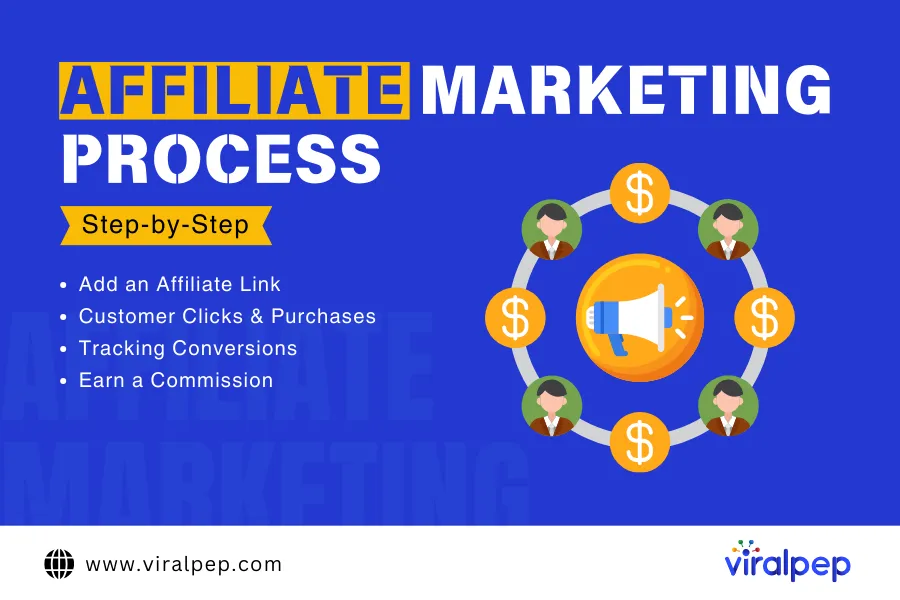
Affiliate marketing operates on a simple and effective model. Affiliates promote a company’s product or service and earn commissions based on completed actions, such as sales, leads, or visits.

Affiliate Marketing Process

Here’s how it works step by step:

  • Sign Up for an Affiliate ProgramAffiliates join a company’s affiliate program and receive unique tracking links. These links monitor the traffic, sales, or actions generated through the affiliate’s marketing efforts.
  • Promote the Products or ServicesAffiliates use various platforms—such as blogs, websites, newsletters, or social media—to promote the company’s offerings. The goal is to drive traffic through the affiliate link to encourage conversions.
  • Earn CommissionsEvery time a user completes a desired action (such as purchasing a product or signing up for a service) through the affiliate’s link, the affiliate earns a commission.

For example, joining the Amazon Affiliate Marketing Program allows you to earn $200 per sale and $10 for every free trial sign-up made through your referral link.

Benefits of Affiliate Marketing

Affiliate marketing offers numerous advantages that make it an appealing venture for beginners and experienced marketers a like:

Benefits of Affiliate Marketing

  1. Low Barrier to Entry

    • You don’t need to create or own a product.
    • Simply promote existing products and earn a commission for each successful referral.
    • It’s as easy as selecting a product, sharing a referral link, and earning income when sales occur.
  2. Low Cost and Risk

    • There’s no need for product development, inventory management, or substantial upfront investment.
    • Your primary investment is time and effort. If a product isn’t resonating with your audience, you can quickly switch to promoting another without incurring significant losses.
  3. Easily Scalable

    • Affiliate marketing allows you to reach a global audience.
    • By diversifying your portfolio and promoting multiple products, you can attract a broader audience.
    • Optimizing your content and strategies helps scale your income as your reach expands.
  4. Passive Income

    • Once your promotional content is created, it can continue to generate income over time.
    • While it’s not a quick-money scheme, consistent effort can lead to a steady passive income stream.
  5. Work From Anywhere

    • Flexible working hours and location.
    • All you need is internet access and your platform.

Types of Affiliate Marketing

There are three primary models of affiliate marketing: unattached, related, and involved.

  1. Unattached Affiliate Marketing

    • This is a low-commitment model where the affiliate has no personal connection to the product or niche.
    • Affiliates often use paid ads (e.g., PPC campaigns) to direct traffic to their links without endorsing the product.
    • Example: Running ads for a fitness gadget without ever using it yourself.
  2. Related Affiliate Marketing

    • Affiliates have knowledge or authority in the product’s niche but don’t use the product themselves.
    • This model benefits from audience trust since the affiliate is seen as an expert in the field.
    • Example: A fitness blogger promoting nutritional supplements relevant to their audience.
  3. Involved Affiliate Marketing

    • Affiliates personally use and endorse the product or service.
    • This approach builds the highest level of trust and often results in better conversion rates.
    • Example: A tech reviewer testing a gadget and sharing a detailed review to influence purchasing decisions.

    For long-term success, focusing on related and involved affiliate marketing can lead to stronger audience trust and higher earnings potential.

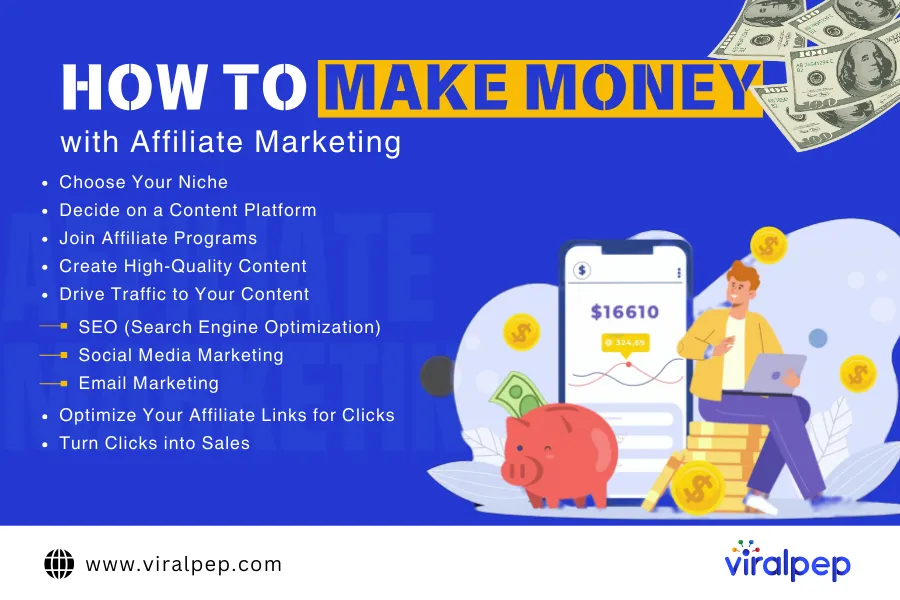
How to Make Money with Affiliate Marketing

Affiliate marketing is one of the simplest and most profitable ways to generate passive income online. By promoting products or services and earning a commission for every sale made through your unique links, you can turn your online presence into a revenue stream. Here’s a step-by-step guide to help you get started with affiliate marketing and make it work for you.

How to Make Money with Affiliate Marketing

  1. Choose Your Niche

    Your niche is the specific area or topic you’ll focus on when creating social media content and promoting products. Choosing the right niche is critical for standing out in today’s competitive landscape.

    • How to Find Your Niche

      • Passion: What topics excite you the most? Writing about what you love keeps you motivated.
      • Expertise: What are you knowledgeable about or willing to learn?
      • Audience Demand: What are people searching for? Use tools like Google Trends or a Google Trends alternative to identify trending topics.
      • Profitability: Does this niche have products with affiliate programs?

    For example, instead of a broad category like “fitness,” narrow it down to “home workout routines for beginners.” A focused niche helps you build a loyal audience and improves your chances of ranking in search engines.

  2. Decide on a Content Platform

    Affiliate marketing works on various platforms, including:

    • Websites or Blogs (recommended for long-term growth and SEO)
    • YouTube Channels (great for tutorials and reviews)
    • Social Media Platforms (Instagram, TikTok, etc.)
    • Email Newsletters (perfect for building a community and sharing updates)

    We recommend starting with a website and using SEO to drive organic traffic. A well-optimized blog can provide consistent, passive traffic over time.

  3. Join Affiliate Programs

    Affiliate advertising programs come in various forms. Here’s a breakdown:

    1. High-paying, low-volume programs – Products like software or services with high commissions but fewer buyers.
    2. Low-paying, high-volume programs – Products with broad appeal, like Amazon Affiliates, which pay smaller commissions but offer high sales potential.
    3. High-paying, high-volume programs – Popular, expensive products like credit cards, though these often attract experienced marketers.

    To find the best affiliate marketing programs, search for brands in your niche or analyze competitors. Tools like Ahrefs can help identify what programs they’re using. If you can’t find a program for a product you love, reach out to the company directly.

  4. Create High-Quality Content

    Content is the backbone of affiliate marketing. To succeed, your content must solve problems and add value. Here are a few examples of content types that work well:

    • Product Reviews: Test products and share your honest experience.
    • How-To Guides: Provide actionable advice that integrates affiliate links naturally.
    • Comparisons: Help your audience choose between similar products.

    For instance, if you’re reviewing “the best social media management tools for businesses,” ensure you’ve tested the tools and provide detailed insights into their pros and cons. Authenticity builds trust, leading to more clicks and conversions.

  5. Drive Traffic to Your Content

    Creating great content is only half the battle—you also need to bring visitors to your platform. Here are three proven strategies:

    • A. SEO (Search Engine Optimization)

      SEO involves optimizing your website to rank higher on search engines. Focus on:

      • Keyword Research: Use tools like SEMrush or Ahrefs to target popular search terms.
      • On-Page Optimization: Write meta titles, descriptions, and headings with relevant keywords.
      • Link Building: Gain backlinks from reputable websites to boost your domain authority.
    • B. Social Media Marketing

      Promote your content on platforms like Instagram, Facebook, and TikTok to attract targeted traffic.

    • C. Email Marketing

      Build an email list by offering something valuable, like a free guide, and use it to drive repeat visits to your content.

  6. Optimize Your Affiliate Links for Clicks

    Even the best content won’t succeed if readers don’t click on your affiliate links. Here are some tips:

    • Strategic Placement: Ensure links are visible but not intrusive.
    • Contextual Use: Mention the benefits of the product naturally within your content.
    • Callouts: Use buttons or comparison tables to make links stand out.
  7. Turn Clicks into Sales

    Once you get clicks, the final step is to ensure those clicks convert into purchases. Although the merchant controls the final sale, here’s how you can increase the likelihood of conversions:

    • Promote Reputable Products: Only recommend high-quality items you believe in.
    • Track Performance: Use tools like Google Analytics to monitor click-through and conversion rates.
    • Learn from Others: Study income reports from successful affiliate marketers to identify high-performing programs.

    Affiliate marketing is a fantastic way to earn passive income, but it requires effort, strategy, and patience. By choosing the right niche, creating valuable social media content, and optimizing your marketing efforts, you can build a sustainable affiliate business and achieve your financial goals.

    Start your affiliate marketing journey today and turn your passion into profit!

Best Affiliate Marketing Tools

Affiliate marketing tools help businesses and marketers manage their affiliate programs effectively, track performance, and boost conversions and engagement. Here are some top categories of tools and notable options for affiliate marketing:

  1. Affiliate Program Management Tools

    • Post Affiliate Pro: Manage affiliates, track referrals, and monitor commissions in one platform.
    • Tapfiliate: A cloud-based affiliate management tool offering integration with popular e-commerce platforms.
    • PartnerStack: Focuses on managing affiliate, reseller, and referral programs.
  2. Affiliate Networks

    • ShareASale: Connects affiliates with merchants and offers tools for tracking and reporting.
    • CJ Affiliate (formerly Commission Junction): One of the largest networks for finding and managing affiliate partnerships.
    • Rakuten Advertising: Combines affiliate marketing with advanced analytics and reporting.
  3. Link Tracking& Analytics Tools

    • Voluum: Advanced tracking and analytics for affiliate campaigns, including split testing.
    • ClickMeter: Tracks clicks, conversions, and affiliate links with ease.
    • Pretty Links: A WordPress plugin to create, track, and manage affiliate links.
  4. SEO& Content Marketing Tools

    • SEMrush: Find high-converting keywords and analyze competitors’ affiliate strategies from SEMrush.
    • Ahrefs: Analyze backlinks and search traffic to identify top affiliate opportunities from Ahrefs.
    • Grammarly: Improve the quality of affiliate content with real-time grammar and style suggestions.
  5. Email Marketing Tools

    • GetResponse: Combines email marketing with sales funnels to drive affiliate commissions.
    • AWeber: Focused on helping affiliates build email lists and send targeted campaigns.
    • ConvertKit: Ideal for bloggers and creators promoting affiliate products.
  6. Social Media Tools

  7. Affiliate Marketplace Tools

    • ClickBank: A platform for finding digital products to promote as an affiliate.
    • JVZoo: Specializes in software and digital products for affiliate marketers.
    • Impact: Connects affiliates and merchants with robust tracking and reporting.
  8. Landing Page& Conversion Optimization Tools

    • Unbounce: Create optimized landing pages for affiliate offers.
    • ClickFunnels: Build sales funnels specifically designed for affiliate marketing.
    • Instapage: Easy-to-use landing page builder with A/B testing capabilities.
  9. Payment Processing Tools

    • Payoneer: Widely used by affiliates for receiving international payments.
    • Wise (formerly TransferWise): Offers affordable international money transfers for affiliate commissions.
    • Stripe: Secure payment processing for affiliate program payouts.
  10. Compliance& Fraud Prevention

    • Everflow: Advanced fraud detection and affiliate program management.
    • TUNE: Tracks fraud and ensures compliance within affiliate campaigns.
    • Fraudlogix: Focuses on preventing fraudulent activity in affiliate marketing.

Choosing the Right Tools

The best tools for you depend on the size of your affiliate program, the channels you use, and your specific needs (e.g., tracking, payments, or content creation). Would you like me to recommend tools tailored to your specific business goals?

Conclusion

Earning through affiliate marketing begins with understanding your audience’s needs and identifying high-paying products that align with their interests. By creating engaging, high-quality content, you can attract the right audience to your site and guide them toward your affiliate offers.

Stick to the steps outlined in this guide and explore our additional resources to further master the art of making money with affiliate marketing.

Instagram Audio Download: Step-by-Step Guide

Scrolling through Instagram Reels can be a goldmine of inspiration, especially when you stumble upon an audio clip that sparks creativity or perfectly fits your upcoming content. But how do you save or download Instagram Reels audio for future use?

In this guide, we’ll explore several reliable methods to save or download Instagram Reels audio clips effortlessly. From practical tools to insider tips, we’ve got you covered with five foolproof tricks to help you access your favourite audio clips anytime. Stick around to discover a bonus hack that you won’t want to miss!

Can You Download Audio from Instagram Reels?

The Short Answer? Yes.

Instagram doesn’t provide an official way to download audio directly from Reels, but you can still get your hands on the sounds you love through some simple methods. Whether you’re a content creator looking to reuse an audio clip or just want to save your favorite tunes, there are ways to download or access that audio.

The Long Answer: Why Can’t You Download Audio Directly?

While it might seem like a simple feature to add, Instagram has decided not to offer a built-in option for downloading audio from Reels. This decision is likely due to copyright and licensing concerns, as the platform offers a wide range of copyrighted music for users to include in their videos. Instagram’s current focus is on allowing users to enjoy the audio within the app, but not necessarily give them direct access to download and use it outside the platform.

Why Download Audio from Instagram?

Downloading audio from Instagram serves multiple purposes, whether you’re a content creator, marketer, or casual user. Here’s why it matters:

  • Repurpose for Content Creation: Reuse trending audio clips in YouTube videos, podcasts, or Instagram reels.
  • Offline Access: Listen to your favorite audio without needing an internet connection.
  • Preservation: Save audio before it’s removed or becomes unavailable.

Using reliable tools, you can download Instagram reels or stories audio effortlessly and enhance your digital projects.

How to Download Audio from Instagram

Here’s how you can download audio from Instagram using simple steps:

  1. Choose a Reliable Instagram Audio Downloader: Select a trusted tool like SaveFrom.net or DownloadGram.
  2. Find the Audio Source: Identify the Instagram reel, story, or video with the desired audio.
  3. Copy the URL: Click the three-dot menu on the post and copy the link.
  4. Paste the Link: Go to the downloader tool, paste the copied URL, and initiate the download.
  5. Save the File: Choose the audio format and download it directly to your device.

These steps are quick and effective, whether you need to download Instagram reels audio or save background music from a story.

Best Instagram Audio Downloader Tools

Below is a detailed overview of tools to help you download audio from Instagram efficiently:

  1. SaveFrom.net

    SaveFrom.net is a versatile tool that supports Instagram reels download and audio extraction. With its simple interface, users can save audio files in MP3 format quickly.

    • Features: Multi-platform support, no installation required.
    • Formats Supported: MP3, MP4.
  2. 4K Video Downloader

    This 4K video downloader tool desktop application excels in downloading high-quality audio and video from Instagram. It’s ideal for users who prefer offline tools.

    • Features: HD audio support, user-friendly interface.
    • Formats Supported: MP3, MP4.
  3. DownloadGram

    DownloadGram is an online Instagram audio downloader with a fast and straightforward process for saving audio files.

    • Features: Web-based tool, no installation needed.
    • Formats Supported: MP3, MP4.
  4. Instadownload

    Instadownload is a reliable option for users looking to download Instagram audio quickly. It’s known for its intuitive design.

    • Features: Quick downloads, mobile-friendly.
    • Formats Supported: MP3.
  5. Viralpep

    Viralpep’s social media management tool includes robust features for managing, scheduling, and optimizing content. While not specifically an Instagram audio downloader, it’s an excellent tool for streamlining social media workflows.

Tool Comparison Table

Tool Key Features Supported Formats
SaveFrom.net Multi-platform, no installation MP3, MP4
4K Video Downloader Desktop app, HD support MP3, MP4
DownloadGram Web-based, simple process MP3, MP4
Instadownload Mobile-friendly, fast downloads MP3
Viralpep Social media management features N/A

How to Save Instagram Reels Audio to Use Later

If you want to use Instagram Reels audio in your own videos but prefer to stay within the app, Instagram makes it easy to save audio for later use. While you can download or extract audio using third-party tools, this method lets you manage everything directly from Instagram, keeping it simple and streamlined.

Guide on How to Save Instagram Reels Audio

Here’s how to save and access audio clips within the app:

  1. Step-by-Step Guide

    1. Find the Reel with the Audio You Want to Save: First, locate the Reel that features the audio you want to reuse in your own video. For example, let’s say you want to use an audio clip from Viralpep’s Reel (you can check out the specific example here).
    2. Save the Audio: Once you’ve found the Reel, tap the audio name at the bottom of the screen. This will take you to the audio’s page, where you can explore other Reels using the same sound.In the top right corner of the audio page, you’ll see a Save icon (it looks like a flag or bookmark). Tap this icon to save the audio to your account. Once saved, the icon will turn from a white outline to solid black, indicating that it’s been successfully added to your Saved collection.Tip: If you’re ready to create your video right then and there, you can also tap Use Audio to start recording immediately.
    3. Access Saved Audio: Now that your audio is saved, you can easily access it later. To do so, go to your profile and tap the hamburger menu (three horizontal lines) in the top right corner. From the menu, tap Saved.
    4. Navigate to the “Audio” Folder: In your Saved folder, you’ll find two main categories: “All Posts” and “Audio.” Tap on Audio to see all the sounds you’ve saved from Instagram Reels. You can scroll through your saved audio collection and tap on any track to view more details or start using it.
    5. Use Audio for Your Own Reels: When you’re ready to create your video, simply tap on the saved audio and then select Use Audio to add it to your Reel. You can either start recording or upload a pre-recorded video.
  2. Why Save Audio on Instagram

    Saving audio directly on Instagram has several benefits:

    • Convenience: You can keep a collection of audio clips you love, making it easier to plan and create future Reels without scrambling to find the right sound each time.
    • Organized Workflow: If you’re working on multiple Reels at once or brainstorming content ideas, saving audio keeps everything in one place, so you don’t lose track of great sounds.
    • Reusing Content: If you want to rework a previous audio clip in your next video, having it saved ensures you can quickly reuse it without searching again.

    This method is especially useful if you’re constantly looking for new audio tracks to inspire your Reels or if you’re putting together a content strategy for the upcoming weeks.

How to Use Downloaded Audio Creatively

After downloading audio from Instagram, here are some creative ways to use it:

  • Reels and Stories: Add saved audio to new Instagram reels or stories for better engagement.
  • YouTube Videos: Enhance your videos with popular audio clips.
  • Podcasts: Use downloaded audio as intros, outros, or background music.
  • Social Media Campaigns: Incorporate trending sounds into marketing campaigns.

Legal Guidelines for Downloading Instagram Audio

When downloading audio, follow these legal considerations:

  • Respect Copyright: Avoid using copyrighted audio without permission for commercial purposes.
  • Personal Use: Downloaded audio should be for personal use unless explicitly allowed.
  • Fair Use Doctrine: Understand fair use regulations to avoid legal complications.

Conclusion

Downloading Instagram audio opens up countless opportunities for content creators and casual users alike. Whether you’re repurposing sounds for projects or saving them for personal use, tools like SaveFrom.net, DownloadGram, and Viralpep simplify the process. Ready to explore the endless possibilities? Start using an Instagram audio downloader today to elevate your content!

FAQs

How can I download Instagram reel audio for free?

Use tools like SaveFrom.net or DownloadGram. Copy the reel’s URL, paste it into the tool, and download the audio.

Yes, for personal use. Commercial use requires permission from the copyright owner.

Which is the best Instagram audio downloader?

SaveFrom.net and 4K Video Downloader are top choices for reliability and quality.

Can I download Instagram reels and audio together?

Yes, tools like 4K Video Downloader allow simultaneous downloading of video and audio.

Are there mobile apps for Instagram audio download?

Yes, apps like InShot and 4K Video Downloader have mobile solutions.

Best Times to Post on YouTube for Views and Engagement

Creating successful videos on YouTube involves several key factors, including compelling titles, eye-catching thumbnails, strong YouTube SEO, and—most importantly—the quality of the content itself. With so much to consider, it can be challenging to determine what will truly resonate with your audience.

However, one aspect that can significantly impact your video’s success is timing. Through the analysis of over a million YouTube videos, we’ve gathered valuable insights into one critical factor: the best time to post on YouTube.

While this isn’t a guaranteed formula for viral success—since elements like content quality and SEO play substantial roles—posting your videos at the right time can give them a better chance to shine. It’s a simple yet effective step to help maximize your content’s visibility and engagement.

In this blog, we’ll explore the best times to upload YouTube videos, backed by data and audience behavior trends. Additionally, we’ll guide you on how to post a video on YouTube and identify the optimal posting schedule tailored to your audience, whether you’re a business, a casual content creator, or a full-time YouTuber.

The Best Time to Post on YouTube

Based on our analysis, the best time to post on YouTube videos is Friday between 3 p.m. and 4 p.m. Videos uploaded during this window tend to receive the highest views. Other peak times include Tuesday at 2 p.m. and Thursday at 6 p.m.

Audience behavior on YouTube follows a fairly predictable pattern. According to Statista, a significant portion of YouTube users are working-age adults, with 21% of male users and 17% of female users falling between 25 and 44 years old. This demographic trend influences when users are most active on the platform.

During weekdays, viewership is generally lower in the early morning hours, increasing steadily mid-morning, during lunch breaks, and peaking in the late afternoon and evening. Interestingly, there are also some late-night hot spots, such as 11 p.m. on Mondays and Thursdays. Viewership typically rises as the week progresses, reaching its peak on Fridays before declining over the weekend.

Conversely, the worst times to post on YouTube are between 1 a.m. and 6 a.m. when most viewers are asleep. Other low-traffic periods include early Monday mornings (4 a.m. to 5 a.m.), Saturday mornings at 8 a.m., and Sunday evenings at 9 p.m.

While YouTube stands out from other platforms like Instagram, Facebook, TikTok, and LinkedIn with a distinct peak posting time, there are still other favorable times throughout the week that shouldn’t be overlooked. Let’s take a closer look at the best times to post a Youtube video each day:

  • Monday: 5 p.m.
  • Tuesday: 2 p.m.
  • Wednesday: 9 a.m.
  • Thursday: 6 p.m.
  • Friday: 3 p.m.
  • Saturday: 4 p.m.
  • Sunday: 11 a.m.

These insights, backed by research, confirm that YouTube users are most active outside regular working hours, making these time slots optimal for maximizing your content’s visibility and engagement.

  1. Best Time to Post on YouTube on Monday

    For maximum engagement on Monday, aim to post your video by 5 p.m. The next best times are 12 p.m. and 7 p.m. when views also tend to peak.

    Peak Time for Views on Monday: 5 p.m.

    Recommended Content Types: Start the week with something engaging like tutorials, vlogs, or trending topics. People are gearing up for the week and looking for content to wind down after work.

  2. Best Time to Post on YouTube on Tuesday

    On Tuesday, aim for 2 p.m. as the peak time to post, followed by 8 p.m. This time frame offers excellent opportunities for audience engagement, similar to Friday’s peak hours.

    Peak Time for Views on Tuesday: 2 p.m.

    Recommended Content Types: Educational videos, explainer videos, and Q&A sessions work well, as audiences tend to be more receptive to content that adds value mid-week.

  3. Best Time to Post on YouTube on Wednesday

    The best time to post on Wednesday is 9 a.m., with 2 p.m. and 6 p.m. also showing significant engagement.

    Peak Time for Views on Wednesday: 9 a.m.

    Recommended Content Types: Mid-week, audiences are looking for inspiration. Share motivational content, reviews, or entertainment pieces that are easy to digest.

  4. Best Time to Post on YouTube on Thursday

    Thursday’s peak posting time is 6 p.m., followed by 3 p.m. and 8 p.m. for optimal reach.

    Peak Time for Views on Thursday: 6 p.m.

    Recommended Content Types: People are gearing up for the weekend, so content related to “weekend prep,” reviews, or trend-based content tends to perform well.

  5. Best Time to Post on YouTube on Friday

    Friday stands out with 3 p.m. being the top time for posting, followed by 9 p.m., both of which draw the most views for the week.

    Peak Time for Views on Friday: 3 p.m.

    Recommended Content Types: Release content related to weekend activities, such as “weekend plans,” “best of the week” lists, or casual, fun videos that align with viewers’ leisure time.

  6. Best Time to Post on YouTube on Saturday

    Though Saturdays tend to be quieter on YouTube, the optimal time to post is between 3 p.m. and 5 p.m.

    Peak Time for Views on Saturday: 4 p.m

    .Recommended Content Types: Focus on light-hearted or highly engaging videos like social media marketing challenges, DIYs, or funny clips, as these are more likely to be shared and enjoyed on a more relaxed day.

  7. Best Time to Post on YouTube on Sunday

    Sunday is the slowest day, but uploading at 11 a.m. can yield the highest views, followed by 2 p.m. and 3 p.m.

    Peak Time for Views on Sunday: 11 a.m.

    Recommended Content Types: Offer relaxing or reflective content such as week-in-review videos, relaxation techniques, or lifestyle tips that help viewers wind down and prepare for the upcoming week.

The Optimal Times to Post YouTube Shorts

Timing plays a crucial role in maximizing the reach and engagement of your YouTube Shorts. Based on insights from a comprehensive dataset, the best time to post YouTube Shorts is on Friday between 3 p.m. and 4 p.m.. Other highly effective time slots include:

  • Thursday at 6 p.m.
  • Tuesday at 2 p.m.

Why Timing Matters

This data reflects the viewing patterns of YouTube audiences, ensuring that your content gets the attention it deserves when activity on the platform is at its peak. Notably, this dataset analyzed the median views of all YouTube videos—both Shorts and long-form—making these findings relevant regardless of the format you’re using.

By strategically posting your YouTube Shorts during these high-engagement windows, you can boost visibility, increase views, and attract more subscribers to your channel.

Finding the Best Time to Post YouTube Videos and Shorts

Every audience is unique, and while there are general guidelines for the best time to upload to YouTube, these may not always align with your audience’s preferences. To maximize views on YouTube, you need to tailor your posting schedule based on your audience’s behavior.

Fortunately, YouTube Analytics provides powerful tools to help you determine the best time to post a YouTube video.

Best Time to Post YouTube Shorts and Video

Here’s a step-by-step guide to finding your ideal time slots.

  1. Access YouTube Studio

    To get started, head over to YouTube Studio. The easiest way to access it is by going directly to studio.youtube.com.

    If you’re new to YouTube Studio, it’s worth taking the time to familiarize yourself with its features. Think of it as the control center for your channel. Here, you can:

    • Upload videos and Shorts.
    • Monitor your subscribers and comments.
    • Manage monetization.
    • Track video performance.
  2. Explore Your Analytics

    Once inside YouTube Studio, navigate to the Analytics tab in the left-hand menu. You’ll land on the Overview page, where you can access detailed insights into your channel’s performance, including:

    • Total viewership and watch time.
    • Subscriber growth.
    • Engagement metrics.

    Make it a habit to check your analytics regularly—it’s one of the best tools for optimizing your content strategy.

  3. Navigate to the Audience Tab

    Now, let’s dig deeper into your audience data. Click on the Audience tab at the top of the Analytics page. This section provides valuable insights, including:

    • Audience demographics (age, location, gender).
    • The type of content your viewers engage with (videos, Shorts, or Lives).
    • Insights into which videos are helping you grow your audience.

    For identifying the best time to post on social media, scroll down to the “When your viewers are on YouTube” graph.

  4. Analyze the ‘When Your Viewers Are on YouTube’ Graph

    The heat map in this section is your key to understanding audience activity. Here’s how to interpret it:

    • Dark purple blocks: These indicate the times when your audience is most active on YouTube.
    • Light purple blocks: Represent times of lower audience activity.

    For example, if your audience is most active between 4 p.m. and 5 p.m. on Mondays and 5 p.m. to 6 p.m. on Tuesdays, those time slots are prime opportunities for posting your videos.

    Keep in mind that this data is based on the past 28 days and is updated in real time, so it’s essential to monitor it periodically to account for shifts in audience behavior.

  5. Fine-Tune Your Posting Strategy

    Using this data, you can develop a posting schedule that aligns with your audience’s habits. If you post videos on YouTube when your audience is most active, your content is more likely to appear on their homepages, resulting in higher engagement.

    Additionally, if you’re experimenting with Shorts or Live videos, you can apply the same data to determine when your audience is more likely to interact with these formats.

    By consistently analyzing your metrics and adapting to your audience’s preferences, you’ll be well on your way to growing your YouTube channel effectively.

Ultimate Checklist for Creating High-Performing YouTube Videos and Shorts

While posting at the right time can give your YouTube channel a boost, it’s only part of the equation. For sustained growth and success, you’ll need to focus on a variety of factors.

Checklist for Creating YouTube Videos

Use this comprehensive checklist to ensure your YouTube videos and Shorts are optimized for maximum social media impact:

  1. Polish Your Channel

    • Invest in high-quality channel art, including a profile picture, banner image, and video watermark.
    • Write a detailed channel description that highlights your niche and value.
    • Create a standout channel trailer or spotlight video to introduce new viewers to your content.
  2. Understand the YouTube Algorithm

    YouTube’s algorithm determines how content is shown to viewers based on metrics like watch time, engagement, and views. Learn how the algorithm works to increase the visibility of your videos and Shorts.

  3. Master YouTube SEO

    • Conduct keyword research and incorporate those terms into your video titles, descriptions, and tags.
    • Optimize your channel description and playlists to improve discoverability.
    • Treat your video descriptions like mini-blog posts, including keywords naturally.
  4. Create Eye-Catching Thumbnails

    • Use bright, high-contrast colors and bold text to grab attention.
    • Include faces and emotions in thumbnails to connect with viewers.
    • Maintain consistent branding across your thumbnails for a polished look.
  5. Capture Attention Immediately

    • Skip long introductions and dive straight into the core content.
    • Clearly deliver on the promises made in your video title and thumbnail.
  6. Incorporate Pattern Interrupts

    Avoid monotony in your videos with dynamic edits, such as:

    • Text overlays, transitions, and animations.
    • B-roll footage and visual effects to maintain viewer engagement.
  7. Develop Video Series

    Turn successful videos into ongoing series. Regular installments give your audience a reason to return and stay engaged with your channel.

  8. Leverage YouTube Shorts

    With over 70 billion daily views, Shorts can help you reach new audiences. Focus on creating snackable, engaging content and explore creative ideas to draw in subscribers.

  9. Post Consistently

    Establish a regular posting schedule. Platforms like YouTube reward creators who maintain consistency, so use a social media content calendar to stay organized and on track.

  10. Engage With Your Community

    • Reply to and like viewer comments to foster relationships.
    • Highlight audience comments in your videos for added engagement.
    • Encourage discussions by asking questions and moderating comments to keep your community positive.

How to Post Video on YouTube: Wrapping Up

Video marketing is no easy task. The immense effort and time required to produce and export a single video can be overwhelming.

That’s why it’s essential to explore every strategy that can help your hard work get the recognition it deserves — including how to post a YouTube video at the right time.

By leveraging the methods shared above and insights from our study of over 50,000 YouTube accounts, you’ll be able to pinpoint the optimal times to post both YouTube Shorts and long-form videos.

Take inspiration from the general peak times, dive into your audience data using YouTube Analytics, and kickstart a well-planned YouTube marketing strategy.

However, remember that timing is just one piece of the puzzle. It gives you an edge, but the true game-changer is delivering high-quality, engaging content that resonates with your audience.

For even better results, use social media management tools like Viralpep to schedule your YouTube videos and Shorts seamlessly and enhance your YouTube marketing performance.

How to Schedule Instagram Posts for Maximum Impact

Instagram has become an indispensable tool for businesses, influencers, and content creators aiming to grow their online presence. However, posting consistently at the right time can be challenging, especially with a busy schedule. This is where learning how to schedule Instagram posts can make a significant difference. By automating Instagram posts, you can save time, maintain a consistent posting schedule, and reach your audience when they’re most active.

Using an Instagram scheduler also frees up your day for critical tasks like community engagement, performance analysis, and strategy development—all without the hassle of staying up late or waking up early to post for an international audience.

Given that nearly 38% of social media teams consist of just one person, learning how to schedule a post on Instagram is an invaluable tool for managing time effectively and maximizing impact.

In this guide, we’ll explore actionable steps on how to schedule a post on Instagram, the tools you can use, and why scheduling is a game-changer for your social media strategy. Let’s dive in!

Can You Schedule Instagram Posts in Advance?

The short answer? Absolutely, yes! Instagram offers multiple ways to schedule Instagram posts in advance, making it easier than ever to stay consistent and efficient with your content strategy. Whether you’re a busy social media manager or a solo entrepreneur, scheduling tools can streamline your workflow and free up time for other impactful tasks.

Interestingly, data shows that posting twice a week on Instagram achieves the highest engagement rate of 5.6%. This highlights the importance of consistency in maintaining an active and engaging presence on the platform.

  1. Methods for Scheduling Instagram Posts

    Here are three effective ways to schedule Instagram posts:

    1. Instagram’s Native Scheduling Feature: Instagram itself now offers a built-in scheduling option for Business and Creator accounts. This feature allows you to plan and queue posts directly within the app, ensuring they go live at the perfect time without any extra tools.
    2. Meta Business Suite: If you manage multiple social media accounts, Meta Business Suite is a powerful tool. It lets you schedule Instagram posts and manage other platforms simultaneously, giving you a centralized space for all your content planning.
    3. Social Media Scheduling Tools: Advanced scheduling tools like Viralpep are revolutionizing social media management. These tools not only enable you to automate Instagram posts but also offer analytics and collaboration features to optimize your social media strategy.
  2. Why Scheduling Matters for Brands

    Scheduling Instagram posts isn’t just about saving time—it’s about focusing your energy on what truly matters. According to a Social Media Productivity report, 63% of marketers say manual tasks hinder their ability to perform high-impact work. However, 59% report gaining extra time by using the right social media management tools.

    When you eliminate the hassle of manual posting and forget about setting alarms for peak engagement times, you can dedicate more time to creating original, compelling content and fostering genuine connections with your audience.

    Pro Tip: Scheduling is only available for Instagram Business or Creator accounts. If you’re still using a personal account, switch over to unlock these valuable features!

How to Schedule Instagram Posts Using the Instagram App

Instagram finally delivered what users had been requesting for years—in-app scheduling! Introduced in late 2022, this feature allows you to plan and schedule posts on Instagram up to 25 posts per day and as far as 75 days in advance, making it a game-changer for content creators and social media managers.

  1. Who Can Use This Feature

    Before you dive in, remember that in-app scheduling is only available for Instagram Business and Creator accounts. Unfortunately, personal accounts don’t have access to this functionality. If you’re using a personal account, consider upgrading to unlock the scheduling feature.

  2. Step-by-Step Guide to Scheduling Instagram Posts

    Follow these simple steps to schedule a post on Instagram or Reels directly within the Instagram app:

    1. Open the Instagram App: Launch the app and tap the + icon at the bottom of your screen, or swipe right on your home feed to start creating a new post.
      Open Instagram App
    2. Choose Your Content Type: Select whether you’re creating a Post or a Reel.
      Select Instagram Content Type
    3. Create or Upload Your Content:
      • Use the in-app camera to take a photo or record a video.
      • Alternatively, upload a pre-prepared image or video from your device’s camera roll.

      Upload Instagram Content

    4. Edit and Add Your Details
      • Apply filters, effects, or stickers as needed.
      • Add a compelling caption and any relevant hashtags.

      Edit Instagram Post

    5. Access Advanced Settings: Scroll to the bottom of the screen and tap More Settings.
      Click on More Options
    6. Toggle Scheduling On:
      Enable the Schedule this Post option, then select your desired date and time for the post to go live.
      Toggle Scheduling On
    7. Schedule Your Post: Navigate back to the previous screen and tap Schedule to finalize your post.
      Choose Schedule Post
  3. Revising Scheduled Posts

    Need to make changes to a post you’ve already scheduled? No problem! Here’s how:

    1. Go to your Instagram profile and tap the menu icon (three horizontal lines) in the top-right corner.
      Click on the Menu Icon
    2. Select Scheduled Content from the menu.
      Select Schedule Content Option
    3. Find the post or Reel you want to edit, then tap the three dots next to it.
      Find the Schedule Post
    4. From here, you can edit, reschedule, share immediately, or delete the post.
      Edit Delete Share Now Instagram Post
  4. Important Notes About Instagram’s Native Scheduler

    • Limits: You can schedule a maximum of 25 posts per day and up to 75 days in advance.
    • No Cross-Posting: The in-app scheduler doesn’t support cross-posting to Facebook, Threads, or other platforms. If cross-posting is important to you, consider using tools like Viralpep to streamline the process.
    • No Stories Scheduling: Currently, this feature is limited to posts and Reels. To schedule Stories, you’ll need to use third-party scheduling tools like Viralpep.

By utilizing Instagram’s native scheduling feature, you can plan your content strategically and ensure it reaches your audience at the optimal times—all without the hassle of manual posting.

How to Schedule Instagram Posts Using Meta Business Suite

Meta Business Suite provides a seamless way to schedule Instagram posts and manage your social media strategy more effectively. Before you get started, ensure your Instagram Business Account is linked to your Facebook Page to unlock this feature.

  1. Step-by-Step Guide to Scheduling Instagram Posts

    Follow these steps to schedule posts on Instagram through Meta Business Suite:

    1. Open Meta Business Suite: Navigate to your Facebook Page and select Meta Business Suite from the menu on the left-hand side.
      Click on Meta Business Suite
    2. Create a New Post or Reel: Click on Create post or Create reel from the Home tab. Alternatively, you can find this option under Content or Planner in the navigation menu.
      Click on Create Post
    3. Select Your Instagram Account: In the Post to section, choose the Instagram account you want to share your content to. You can also select your Facebook Page if you’d like to cross-post the content.
      Select Your Instagram Account
    4. Upload and Customize Your Content:
      • Add your media, such as images or videos.
      • Write your caption, including mentions and hashtags.
      • If needed, geotag a location to enhance your post’s visibility.

      Add Content and Photo

    5. Schedule Your Post:
      • Click on Schedule and set your preferred date and time.
      • Use the Active times feature to view recommendations on when your audience is most active.

      Schedule Your Post

    6. Save and Finalize: Once you’ve set the date and time, click Save, then hit Schedule to confirm.
  2. Managing Scheduled Posts

    You can find all your scheduled posts under the Content section in the Posts and Reels tab in the left sidebar. Here, you can:

    • Edit your scheduled posts.
    • Reschedule or publish them immediately.
    • Delete posts if needed.
  3. Why Use Meta Business Suite

    Meta Business Suite offers the convenience of managing Instagram and Facebook content from a single platform. It’s ideal for those who want to save time without relying on third-party tools.

    However, if you’re managing multiple platforms beyond Instagram and Facebook or need additional features, third-party tools like Viralpep can simplify your workflow even further.

How to schedule Instagram posts using Viralpep

When managing a larger social media strategy across multiple platforms, a dedicated tool like Viralpep can simplify your workflow. Beyond basic scheduling, Viralpep enables cross-platform posting, team collaboration, permission management, and robust analytics.

With Viralpep, you can schedule various Instagram content types, including:

  • Single image or video posts
  • Reels
  • Carousel posts
  • Stories

Additionally, Viralpep’s post preview allows you to visualize how your Instagram post will look with your scheduled post. Viralpep streamlines the process, so you can focus on creating engaging content.

  1. Sign in to Your Viralpep Account

  2. Connect Your Instagram Account

    • Navigate to the Accounts section and connect your Instagram profile.
    • Grant the necessary permissions to ensure seamless integration.

    Click on Account Section

  3. Create a New Post

    • Go to the Dashboard and click on the Create Post button.
    • Select Instagram as the platform.

    Click on the Create Post Button

  4. Add Content

    • Upload the photo or video you want to post.
    • Write an Instagram engaging caption, including hashtags and tags if needed.
    • Add emojis and mentions to make your post more interactive.

    Add Content

  5. Customize Posting Time

    • Choose the Schedule for Later option.
    • Pick a date and time for your post to go live.

    Choose the Schedule for Later

  6. Use Additional Features

    • Preview your post to ensure it looks perfect.
    • If you’re posting a carousel or reel, ensure your file formats meet Instagram’s requirements.

    Preview the Post

  7. Save and Schedule

    • Click on the Schedule button. Viralpep will handle the rest, ensuring your post goes live at the scheduled time.

    Click on the Schedule Button

  8. Benefits of Using Viralpep

    • Cross-Platform Management: Schedule social media content for Instagram, Facebook, TikTok, LinkedIn, Pinterest, and more—all from a single dashboard.
    • Team Collaboration: Assign tasks, manage permissions, and work seamlessly with your team.
    • Advanced Analytics: Access in-depth metrics to track performance and refine your strategy.

Viralpep goes beyond just Instagram scheduling by empowering brands to streamline their entire social media workflow, saving time and maximizing engagement impact.

Why Scheduling Instagram Posts in Advance is a Game-Changer

Scheduling your Instagram posts in advance with Viralpep offers several advantages for social media marketers and businesses alike. Here’s how planning your content ahead can make a difference:

  1. Save Time and Boost Efficiency

    Using Viralpep, you can streamline your workflow by scheduling all your Instagram posts in one go. This eliminates the need for last-minute posts, giving you more time to focus on crafting engaging visuals and captions. With a few clicks, your content is ready to go live when your audience is most active.

  2. Ensure Consistency in Posting

    Consistency is crucial for maintaining an active presence on Instagram. Viralpep helps you stick to a regular posting schedule, ensuring your followers always have fresh, engaging content to interact with.

  3. Increase Productivity

    Batch-scheduling your posts in advance with Viralpep means you can work smarter, not harder. Instead of daily uploads, plan your content calendar ahead of time to align with marketing goals and engagement trends.

  4. Get Timely Approvals

    For businesses with multi-level approvals, scheduling Instagram posts in advance allows stakeholders to review and approve content without any rush. Viralpep’s collaborative platform makes it easy for teams to stay aligned on the content pipeline.

  5. Better Strategic Planning

    Planning your posts ahead lets you take a step back and develop a more cohesive strategy. By analyzing engagement trends through Viralpep’s analytics tools, you can create posts that resonate with your audience and achieve better results.

Best Practices for Scheduling Instagram Posts with Viralpep

Using Viralpep, you can make the most out of Instagram scheduling with these expert tips:

Best Practices for Scheduling Instagram Posts

  1. Schedule Posts at the Right Time

    Timing is everything when it comes to social media engagement. Viralpep’s advanced social media analytics tool help you determine the best times to post based on your audience’s activity. This ensures your posts go live when your followers are most likely to engage.

  2. Plan Content Ahead of Time

    A solid content plan is the backbone of a successful Instagram strategy. Viralpep’s user-friendly scheduler lets you plan and visualize your posts in advance, ensuring a balanced mix of promotional, informational, and engaging content.

  3. Curate High-Quality and Relevant Content

    Quality over quantity is key on Instagram. Use Viralpep to curate visually appealing, relevant content that resonates with your audience. Incorporate engaging captions, strategic hashtags, and mentions to maximize reach and engagement.

  4. Maintain Flexibility for Last-Minute Changes

    The social media landscape changes quickly, and Viralpep allows you to adjust or pause scheduled posts for Instagram easily. Whether a new trend emerges or a crisis requires a change in strategy, you can adapt without disrupting your workflow.

  5. Analyze and Optimize Performance

    Leverage Viralpep’s in-depth analytics to track the performance of your scheduled posts on Instagram. Understand what works, identify gaps in your content strategy, and double down on posts that drive the most engagement.

Conclusion: Take Control of Your Instagram Strategy

Scheduling Instagram posts can revolutionize your social media marketing strategy by saving time and ensuring consistency. With tools like Viralpep, you can automate Instagram posts, track their performance, and focus on creating meaningful interactions with your audience. Ready to elevate your Instagram game? Start scheduling today and watch your engagement soar!

By scheduling posts on Instagram, you can make the most of your content, reduce the stress of daily posting, and ensure that your business or brand remains active and visible on the platform. The power to manage and organize your content is in your hands—start scheduling now and experience the benefits firsthand!