

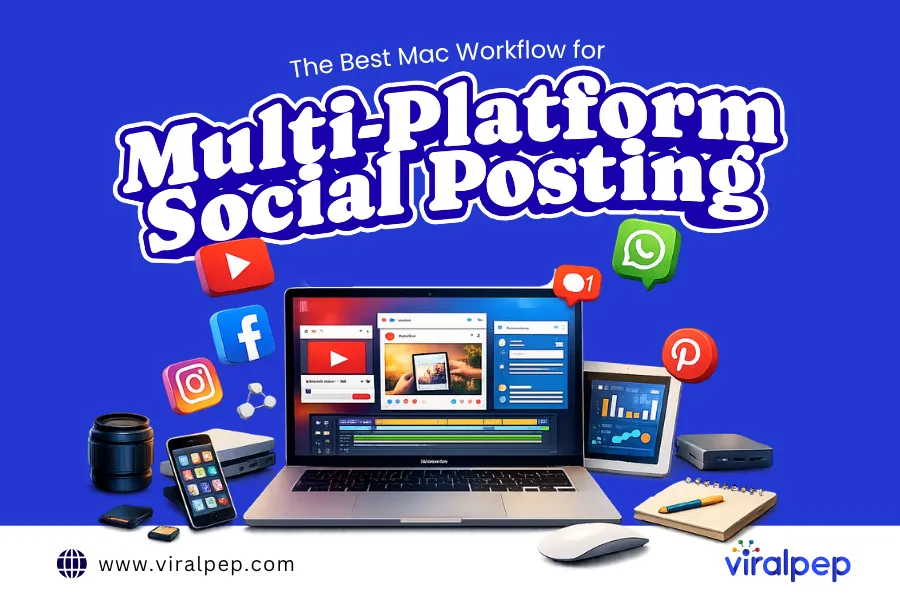
Managing social media across five or six platforms simultaneously is not as straightforward as it sounds. There are competing image dimensions, varying character limits by channel, and audience tones that shift from LinkedIn formality to TikTok spontaneity.
Add that to a Mac that crawls under the weight of browser tabs, or preview windows, and your workflows won’t be as efficient as you’d like. Most social media managers have notably experienced that mid-campaign freeze precisely when a time-sensitive post needs to go live.
Building a reliable Mac workflow is not just about adding more apps to the mix. You have to pick the right tools, use them smartly, and keep the machine underneath it all running at full strength.
The best Mac workflow for multi-platform social posting is built around a few focused tool categories that excel at what they do. Here is a breakdown of what works:
1.System optimization & Mac clean up: Mackeeper
Mac system optimization tools improve performance and free up disk space by cleaning junk files, managing startup apps, freeing up RAM, and finding duplicate files. They are the foundation to build on if you want an efficient workflow for your multi-platform social posting.
A Mac clean-up tool like MacKeeper handles exactly what social media professionals need handled before a busy posting day: freeing up disk space, clearing junk files, removing app leftovers, and cleaning out RAM so everything else runs smoothly.
On average, this may help you recover up to 7.5GB of disk space in a first scan, which is significant when large video files and high-resolution graphics are part of the daily workflow.
The best Mac clean-up tools also clear logs, caches, mail attachments, and localization files without putting personal files at risk. For anyone juggling multiple scheduling tools, browser extensions, and design apps simultaneously, this kind of background maintenance keeps the Mac responsive throughout a full workday.
2.Core management & scheduling: Buffer
Once the Mac is running cleanly, the central scheduling hub is the next priority. Buffer handles multi-platform scheduling from a single dashboard, supporting Instagram, Facebook, X, LinkedIn, Pinterest, and TikTok.
The platform is queue-based: you load batches of content, and it automatically distributes them according to your schedule, so you don’t have to work on each post manually.
Buffer runs smoothly in Safari with minimal system resources. The Buffer browser extension makes it easy to add content from any webpage into your queue quickly.
It also has a built-in analytics dashboard that lets teams managing multiple brand accounts see how posts are performing across accounts in real time, without using a separate reporting tool.
3.Graphic design and content creation: Canva
Every platform has different image dimensions, and manually resizing graphics for each one is one of the fastest ways to burn time in a social media workflow. Canva eliminates that problem with platform-specific templates built directly into the interface.
An Instagram square can be resized into a LinkedIn banner, a Facebook cover, and a Story format within the same project. The Brand Kit feature stores fonts, colors, and logos centrally so every piece of content stays consistent regardless of who on the team created it.
On Mac, Canva runs in the browser or as a desktop app, and the desktop version in particular stays responsive even when other memory-intensive tools are open alongside it. For teams producing high volumes of content weekly, the ability to build templates that can be populated quickly is one of the most time-saving capabilities in this entire stack.
4.Social media posting: Viralpep
Viralpep is a social media workflow tool that makes it easy to manage multiple platforms from a single location. You can schedule and publish posts to multiple networks without having to switch back and forth between apps.
The tool is used by creators and marketers as a way to post on a consistent schedule with less manual effort. This makes it easy to be organized and helps increase overall content reach and engagement.
Viralpep includes automation features that help reduce repetitive tasks for a multi-platform Mac workflow. This means that marketers can focus more on the content strategy than the daily posting logistics.
5.Video editing: Final Cut Pro
Short-form video is now a core content format across Instagram Reels, TikTok, and YouTube Shorts. Final Cut Pro video editor takes full advantage of Apple Silicon, delivering faster exports and a more responsive timeline than browser-based or cross-platform alternatives.
The native integration with Photos and iCloud Drive keeps source footage accessible without manual file transfers between locations.
In the Mac workflow, Final Cut Pro’s practical advantage is speed. A 60-second Reel can be cut, captioned, color-graded, and exported at platform-ready resolution in a fraction of the time it takes other editors on the same machine. That speed compounds meaningfully across a full week of content production.
6.Workflow and content planning: Notion
Every tool in this stack needs a central space where the strategy lives and the planning happens. Notion fills that role without adding unnecessary complexity to the workflow.
A content calendar built in Notion holds briefs, approved copy, hashtag sets, posting schedules, and platform-specific notes all in one shared space. The platform sits entirely at the start and end of each posting cycle within the Mac workflow.
The day begins by checking the calendar for what is due and confirming what is ready to schedule. It closes with a quick log of what went live and any performance notes worth tracking.
Keeping that layer in Notion rather than scattered across email threads or disconnected spreadsheets is what makes the workflow repeatable across weeks and months, not just manageable on a single busy day.
How the full workflow runs day to day
A Social media management workflow.Source
Each tool connects to the next in a consistent daily rhythm. Here is how a productive multi-platform posting day flows when the Mac workflow is fully in place:
- Start the week with a Mac clean-up tool until the full tool stack is available. Clearing your system helps you to work on everything else more quickly for the rest of the day.
- Open Notion to check your content calendar, ensure what’s due is being published, and grab any approved copy that needs to go in today’s scheduled posts for all platforms.
- Build or resize graphics in Canva, make sure each channel has the right dimensions, and export to a folder, organized by platform, before you load a thing into your scheduler.
- On video content days, edit and export from Final Cut Pro. When it’s ready to launch, upload to your scheduling tool if you can or schedule directly on the platform.
The rhythm often works because each tool has a defined role, and the Mac supporting all of it stays clean and fast. Nothing overlaps, and nothing is left to chance.
Final thoughts
The best Mac workflow for multi-platform social posting isn’t built on a single app or a single clever trick. You need to build it on a deliberate stack where each layer covers a specific part of the process, starting with the Mac itself.
A dedicated Mac clean-up tool keeps the machine fast and RAM available so every creative and distribution tool above it can run without friction. Core management and scheduling tools manage scheduling across channels, while tools like Canva and Final Cut Pro produce the content. A workflow and content planning tool like Notion ties the strategy together.
When each part of that stack is doing its job properly, multi-platform posting stops feeling like daily chaos and becomes a system that runs consistently. The content goes out on time, the Mac stays responsive, and the workflow holds up as volume and complexity grow.