How to Provide Value and Build Connections with Social Media Power

In today’s digital age, social media has become a powerful platform to connect, share information, and build communities. However, with the oceans of information available, providing value to stand out from the crowd is essential. This blog post explores the significance of delivering value on social media and how it can build meaningful connections to achieve your goals.

Understand Your Target Audience

Understanding your target audience is crucial when providing value on social media. Take the time to define their characteristics, preferences, and pain points. Are millennials or baby boomers primarily interested in health and wellness, fashion, and personal development? Identifying these factors can let you tailor your content to meet their expectations. Age range, gender, and specific demographics: Determine the age range and gender of your target audience. Consider their geographic location, language, and cultural background to create content that resonates with them.

  • Common aesthetic concerns and goals

    Understand the common aesthetic concerns and goals of your target audience. Are they interested in anti-aging treatments, body contouring, or facial rejuvenation? This understanding will help you create content that addresses their specific needs.

  • Conduct market research on your target audience’s social media habits and preferences

    Use social media analytics tools and surveys to gather insights on your target audience’s social media habits. Determine which platforms they use most frequently, the type of content they engage with, and their preferred communication style.

  • Tailor your social media strategy to reach and engage your specific audience effectively

    Based on your research, develop a social media strategy that aligns with your target audience’s preferences. Determine the best times to post, their preferred content formats (such as videos or infographics), and the tone and language that resonates with them.

Research Relevant Topics and Trends

Staying relevant and engaging with your audience is essential to researching relevant industry topics and trends. Explore what’s currently popular or trending and find ways to incorporate those topics into your content strategy. Social media tools and platforms can help you identify trending topics and hashtags, allowing you to join conversations and provide valuable insights. Explore tomorrow trends

  • Explore industry-related topics that are currently popular or trending

    Keep an eye on industry news, blogs, and social media platforms to identify topics generating buzz. Stay informed about your field’s latest advancements, controversies, or discussions.

  • Discuss the importance of staying up-to-date with the latest trends

    Explain to your audience that staying updated with the latest trends demonstrates your expertise and relevance. You position yourself as a knowledgeable resource by providing content that addresses current trends.

  • Provide tips on using social media tools or platforms to identify trending topics

    Share tips and tricks on leveraging social media tools like Google Trends, Twitter trending topics, or Facebook Insights to identify and capitalize on trending topics. This empowers your audience to stay current and join relevant conversations.

Create Engaging and Informative Content

Engaging and informative content is crucial in providing value on social media. Develop high-quality content that educates, entertains, or inspires your audience. Consider different content formats like articles, videos, infographics, or podcasts. Use storytelling techniques, visuals, and interactive elements to captivate your audience.

  • Emphasize the value of creating content that is both engaging and informative

    Explain to your audience that content should go beyond promotional material. It should provide valuable information, solve problems, or entertain them.

  • Provide guidelines for creating high-quality content, such as articles, videos, or infographics

    Share tips on creating well-researched articles, producing professional social media videos specs, or designing visually appealing infographics. Offer guidance on structure, tone, and style to ensure your content is easily digestible and engaging.

  • Suggest incorporating storytelling, visuals, or interactive elements to captivate the audience

    Encourage the use of storytelling techniques to make the content relatable and memorable. To enhance engagement, advocate for including visuals, such as images, graphics, or videos. Consider interactive elements like quizzes, polls, or infographics to create an immersive experience for your audience.

Establish Thought Leadership

Explain the concept of thought leadership in the context of social media. Share strategies for establishing yourself or your brand as a trusted authority. Encourage sharing insights, expertise, and industry knowledge to build credibility. Lead the way Establish thought dominance

  • Explain the concept of thought leadership in the context of social media

    Define thought leadership as sharing unique insights, expertise, and perspectives that establish you or your brand as an authority in your industry. Emphasize the importance of becoming a go-to resource for valuable information.

  • Share strategies for establishing yourself or your brand as a trusted authority

    Provide actionable steps for establishing thought leadership, such as regularly sharing industry insights, participating in industry events, and contributing to reputable publications or blogs.

  • Encourage sharing insights, expertise, and industry knowledge to build credibility

    Stress the significance of sharing valuable insights and expertise with your audience. Encourage the dissemination of industry knowledge through blog posts, videos, or social media updates. Emphasize the value of building trust and credibility with your audience.

Encourage Interaction and Engagement

Discuss the importance of fostering two-way communication with your audience. Provide tips for encouraging comments, likes, and shares on social media posts. Mention the significance of responding promptly and thoughtfully to audience feedback.

  • Discuss the importance of fostering two-way communication with your audience

    Explain that social media is about broadcasting messages and conversing with your audience. Encourage the building of relationships and connections.

  • Provide tips for encouraging comments, likes, and shares on social media posts

    Share strategies for increasing engagement, such as asking thought-provoking questions, conducting polls or surveys, or running contests. Encourage your audience to actively participate in discussions and share your content with their networks.

  • Mention the significance of responding promptly and thoughtfully to audience feedback

    Emphasize listening to your audience and promptly responding to their comments, questions, or concerns. Show appreciation for their engagement and provide helpful and meaningful responses.

Offer Exclusive Promotions or Discounts

Highlight the benefits of offering exclusive promotions or discounts to your social media followers. Share creative ideas for incentivizing engagement through giveaways or contests. Explain how limited-time offers can create a sense of urgency and drive conversions Offer Exclusive promotions and discounts

  • Highlight the benefits of offering exclusive promotions or discounts to your social media followers

    Explain that exclusive promotions or discounts make your social media followers feel special and valued. It incentivizes their engagement and encourages them to take action.

  • Share creative ideas for incentivizing engagement through giveaways or contests

    Provide examples of engaging giveaways or contests that encourage your audience to participate and share your content. This can include photo contests, caption contests, or user-generated content campaigns.

  • Explain how limited-time offers can create a sense of urgency and drive conversions

    Discuss the psychological effect of scarcity and urgency in motivating people to take action. Explain that limited-time offers create a fear of missing out (FOMO) and can lead to increased conversions and sales.

Collaborate with Influencers or Industry Experts

Explain the value of collaborating with influencers or industry experts. Guide identifying relevant influencers or experts in your niche. Discuss collaboration opportunities, like guest posts, interviews, or joint campaigns.

  • Explain the value of collaborating with influencers or industry experts

    Describe the benefits of partnering with influencers or industry experts, such as expanding your reach, gaining credibility, and tapping into your established audience.

  • Guide identifying relevant influencers or experts in your niche

    Share tips on identifying influencers or experts who align with your brand values and target audience. Emphasize the importance of social media to researching their audience, engagement metrics, and authenticity.

  • Discuss different collaboration opportunities, such as guest posts, interviews, or joint campaigns

    Provide examples of collaboration opportunities, such as guest posting on an influencer’s blog, interviewing an industry expert, or co-creating content for a joint campaign. Explain the mutual benefits and how it can enhance your credibility and reach.

Analyze and Optimize Your Social Media Strategy

Discuss the importance of tracking and analyzing social media metrics. Share popular social media analytics tools and their key features. Explain leveraging data to optimize your content and strategy for better results. Boost Your Brand Master Social Media Strategies

  • Discuss the importance of tracking and analyzing social media metrics

    Explain the significance of monitoring social media metrics to understand the effectiveness of your efforts. Emphasize the need to track metrics such as engagement, reach, conversion rates, and audience demographics.

  • Share popular social media analytics tools and their key features

    Introduce popular social media analytics tools such as Google Analytics, Facebook Insights, or Instagram analytic. Highlight their key features, such as audience insights, content performance tracking, and competitor analysis.

  • Explain how to leverage data to optimize your content and strategy for better results

    Guide using data insights to make informed decisions and improve your social media strategy. Discuss strategies like A/B testing, content optimization based on performance data, and identifying trends or patterns in audience behavior.

Conclusion

In conclusion, providing value on social media is essential for building strong connections with your audience and achieving your goals. By understanding your target audience, researching relevant topics, creating user-generated engaging content, establishing thought leadership, encouraging interaction, offering exclusive promotions, collaborating with influencers, and analyzing your strategy, you can effectively provide value and differentiate yourself in the crowded social media landscape. Implement these strategies, adapt them to your unique brand and audience, and watch your social media presence thrive.

FAQs

Why is it essential to provide value on social media?

Providing social media value helps build trust, credibility, and relationships with your audience. It positions you as an expert in your industry, attracts followers, and encourages engagement and loyalty.

How can I identify what type of content would provide value to my audience?

Conduct audience research, analyze their interests and pain points, and engage with them through surveys, polls, or direct conversations. This will help you understand their needs and tailor your content accordingly.

What examples of valuable content can I provide on social media?

Valuable content can include educational articles, how-to guides, industry insights, tips and tricks, case studies, behind-the-scenes content, and inspirational stories. It should focus on solving problems or providing helpful information to your audience.

How often should I post valuable content on social media?

Consistency is vital. Aim to post valuable content regularly, but quality should always precede quantity. Providing less precious and relevant content is better than overwhelming your audience with mediocre content.

How can I encourage engagement and interaction with my valuable social media content?

Encourage your audience to comment, ask questions, and share their opinions. Respond to their comments promptly and thoughtfully. Use call-to-actions, polls, and contests to encourage active participation and make your content more interactive.

Can I repurpose my valuable content across different social media platforms?

Repurposing content is a smart strategy. Adapt your valuable content to suit each platform’s format and audience preferences. For example, turn a blog post into a video, create infographics or quote graphics from key points, or share bite-sized tips on Twitter.

How can I measure the impact of my valuable content on social media?

Use social media analytics tools to track engagement, reach, click-through rates, and conversions. Monitor comments, shares, and feedback to gauge audience response and adjust your strategy accordingly.

Can I collaborate with others to provide even more value on social media?

Yes, collaborations can amplify the value you provide. Partner with influencers, industry experts, or complementary brands to create joint content, host webinars or live sessions, or cross-promote each other’s valuable content for mutual benefit.

Viralpep’s New Features: The Game-changer Your Social Media Strategy Needs

Introduction

Effective online presence is key to success in the ever-evolving social media landscape. Viralpep, the trusted social media management tool, will make your social media life even easier with exciting new features that will elevate your social media game to the next level. Get ready for a thrilling journey into Viralpep’s latest innovations. We’ve got something for everyone, from Pinterest integration that unlocks a new visual playground to drafts that let you curate your content on your terms. If you’re a video enthusiast, get ready to unleash your creativity with an expanded video file size limit.
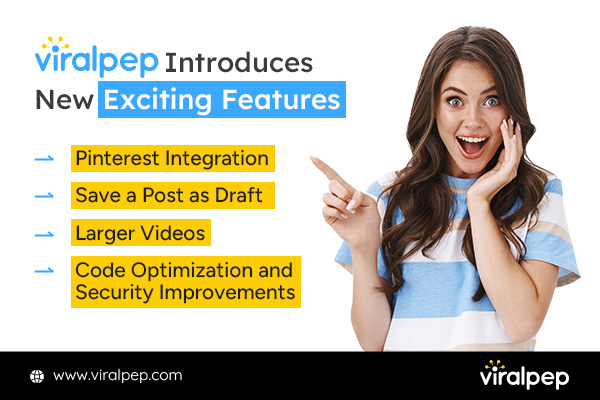
Viralpep Introduces New Exciting Features

  1. Pinterest Integration: Pin Your Way to Success

    We are delighted to announce that Viralpep now supports Pinterest. Apart from the well-loved social networks like Twitter, LinkedIn, Instagram, and Facebook, we’ve expanded our reach to Pinterest, offering you even more ways to engage and connect with your audience.

    Pinterest Integration Pin Feature in Viralpep

    With Viralpep’s Pinterest support, you can seamlessly schedule and manage your posts, select one or multiple boards, upload images, add interactive links, add hashtags, and more to gain better control over your content strategy and reach your audience at perfect times. But that’s not all! Viralpep also provides powerful Pinterest Analytics tools to help you measure the impact of your pins. Gain insights into your Pinterest performance, track engagement, and fine-tune your strategy for optimal results. Experience the full potential of Pinterest with Viralpep’s scheduling and analytics features. Start making your pins go viral and take your Pinterest presence to the next level! You asked, and Viralpep delivered! Now, you can seamlessly connect post, and analyze multiple Pinterest accounts and boards to Viralpep, putting Pinterest on par with other major social media platforms like Facebook, LinkedIn, Instagram, and Twitter. Schedule Pinterest Boards with Viralpep Today

  2. Drafts: Your Posts, Your Schedule

    In the hustle and bustle of life, we understand that timing is everything. Introducing Viralpep’s innovative “Drafts” feature, your solution for those moments when inspiration strikes but you’re not quite ready to share your brilliance with the world.

    Draft Post Feature in Viralpep

    With our new “Drafts” feature, you have the power to craft and save an unlimited number of posts for future use. Whether it’s a witty tweet, an engaging Facebook update, a professional LinkedIn post, interesting pins, or a stunning Instagram caption, you can now tailor your content to your schedule. No more rushing to hit that ‘post’ button; it’s your content, on your terms. You can revisit and refine your drafts anytime, ensuring each post is perfectly timed to captivate your audience. Take control of your social media strategy and let your creativity flow, knowing your content is safe, accessible, and ready to shine when the moment is just right. Try Viralpeps Drafts Feature

  3. Elevate Your Storytelling with Larger, Higher-Quality Videos

    Video content is a powerhouse on social media, and Viralpep knows it. That’s why they’ve upped the ante on video file size limits. Previously capped at 50 MB, you can now upload videos up to a whopping 400 MB in size!

    Large Video Posting Feature in Viralpep

    Share your stories, products, and ideas in stunning detail without worrying about compression or quality loss. Engage your audience with visually compelling content like never before.

    Social Presence with Viralpep's Bigger Videos!

  4. Code Optimization and Security Improvement

    Efficiency is the game’s name in the digital age, and Viralpep is all about making your experience seamless and lightning-fast. With our Code Optimization, we’ve fine-tuned our code to ensure that Viralpep runs at peak performance.

    Code Optimization and Security Improvement in Viralpep

    • Faster Load Times

      To get rid of the frustrating loading delays. Viralpep now loads in the blink of an eye, helping you work more efficiently.

    • Smooth User Experience

      Navigating through Viralpep is now smoother than ever. Enjoy a hassle-free experience as you manage your social media accounts.

    • Reduced Resource Consumption

      We care about your resources. The optimized code ensures that Viralpep uses minimal system resources, making it easy on your devices.

    • Robust Security Enhancement

      At Viralpep, we understand your data is invaluable and protect it seriously. Our Security Improvement is made to make you feel very sure that your information is safe. We do this by using strong codes and checks and regularly checking if everything is safe.

Experience the Digital Age with Viralpep

Enhance Your Social Media Presence with Viralpep

With these new features, Viralpep continues to prove its dedication to simplifying and enhancing your social media management experience. Whether you’re a small business owner, a social media manager, or an influencer, these updates empower you to take control of your online presence and make a more significant impact. Stay tuned for more exciting developments from Viralpep as they continue to innovate and provide you with the tools you need to succeed in the world of social media marketing. Ready to elevate your social media game? Try out Viralpep’s new features today and watch your online presence soar! Elevate Your Efficiency Today With Viralpep Read also: How to use Social Media Marketing to Grow Your Business

FAQs

Pinterest Integration: Pin Your Way to Success

How do I connect my Pinterest account to Viralpep?

  • Log in to your Viralpep account.
  • Go to the “Settings” or “Account Settings” section.
  • Look for “Social Media Accounts” or a similar option.
  • Click on “Connect Pinterest” and follow the prompts to authorize Viralpep to access your Pinterest account.

Can I manage multiple Pinterest boards through Viralpep?

Yes, you can manage multiple Pinterest boards through Viralpep. Viralpep offers comprehensive support for organizing and scheduling pins across all your Pinterest boards.

Is it possible to schedule pins in advance?

Absolutely, you can schedule pins in advance using Viralpep. Simply create your pin, set the date and time you want it to be posted, and Viralpep will automatically publish it at the scheduled time.

Is there a way to view Pinterest analytics within Viralpep?

Yes, Viralpep provides Pinterest analytics tools, allowing you to view the performance of your pins, including impressions, clicks, and engagement metrics, all within the Viralpep platform.

Can I add collaborators to my Pinterest boards through Viralpep?

Yes, you can add collaborators to your Pinterest boards through Viralpep. Utilize the team collaboration features to invite and manage collaborators with role-based access control.

How do I disconnect my Pinterest account from Viralpep?

  • Log in to your Viralpep account.
  • Go to “Settings” or “Account Settings.”
  • Look for “Social Media Accounts” or a similar option.
  • Find your connected Pinterest account and click on the option to disconnect or remove it.

Drafts: Your Posts, Your Schedule

How do I save a post as a draft?

To save a post as a :

  • Create your post or content as usual in Viralpep.
  • Before clicking the “Post” or “Publish” button, look for the “Save as Draft” or a similar option.
  • Click on it to save your post as a draft.

Can I edit my drafts later?

Yes, you can edit your drafts later. Simply access the “Drafts” section within Viralpep, locate the draft you want to edit, and make the necessary changes.

Is there a limit to the number of drafts I can save?

Viralpep typically does not impose a strict limit on the number of drafts you can save. However, there may be practical limitations based on your subscription plan or available storage space.

Can I schedule a draft to be posted at a later time?

Yes, you can schedule a draft to be posted at a later time. After editing your draft, use the scheduling feature to set the date and time for it to be posted.

Bigger, Better Videos: Share Your Story in Stunning Detail

What is the maximum video file size I can upload?

The maximum video file size you can upload is 400MB

Are there any specific video formats supported?

The commonly supported video formats include MP4 and MOV.

Will the quality of my video be compromised after uploading?

The video compression process is typically taken care of by social media platforms only. Viralpep is not responsible for compressing any type of file.

Can I schedule video posts in advance?

Yes, you can typically schedule video posts in advance using Viralpep’s scheduling features. Set the date and time you want your video to be posted, and Viralpep will publish it at the scheduled time.

Is it possible to upload multiple videos at once?

With the help of the social media management tool, you can upload single video at a time.

Is there a duration limit for the videos I can upload?

The duration limit of the video in Viralpep strictly works as per the social media platforms.

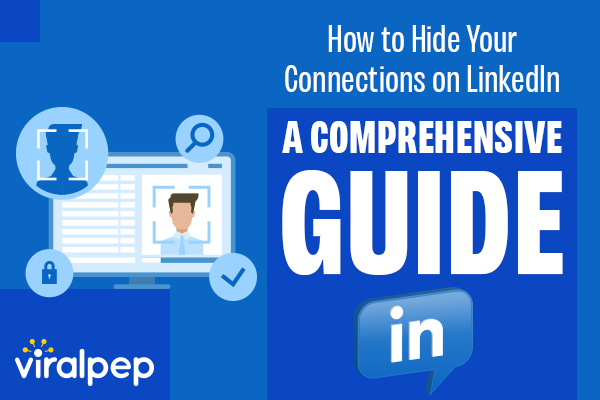
How to Hide Your Connections on LinkedIn: A Comprehensive Guide by Viralpep

LinkedIn is a powerful platform for building professional connections and showcasing your skills and achievements. However, there may be times when you want to hide your connections from public view for various reasons, such as maintaining privacy or avoiding unwanted solicitations.
In this guide, we will explore the feature of hiding your connections on LinkedIn, and provide a step-by-step guide on how to use it effectively. We will also highlight some of the hidden features of LinkedIn that you may not know about, and how they can enhance your LinkedIn experience.

What is the ‘Hide Your Connections’ Feature on LinkedIn?

The ‘Hide Your Connections’ feature on LinkedIn allows you to control who can see your connections. By default, your connections are visible to your first-degree connections and anyone who visits your profile.

However, by hiding your connections, you can choose to keep your connections private and visible only to you.

Related Blog: Harness the power of LinkedIn Groups to boost your business

Reasons to hide LinkedIn connection

Why Use the “Hide Your Connections” Feature

There are several reasons why you may want to hide your connections on LinkedIn:

  1. Maintaining privacy

    If you are concerned about your privacy or security on LinkedIn, hiding your connections can help you avoid unwanted attention or solicitations.

  2. Professional discretion

    If you have a large number of connections, hiding them can prevent others from making assumptions about your professional network or affiliations.

  3. Competitive advantage

    If you are in a competitive industry or job market, hiding your connections can prevent others from poaching your contacts or using your connections to their advantage.

How to Hide Your Connections on LinkedIn:

Follow these simple steps to hide your connections on LinkedIn:

Log in to your LinkedIn account on a web browser.

Login on linkedIn

Click on “Me” in the top right corner of your LinkedIn homepage.

Click on me in LinkedIn homepage

Select “Settings & Privacy” from the drop-down menu.

Select settings and privacy in LinkedIn

Click on “Visibility” in the left sidebar.

Select visibility section in LinkedIn

Scroll to the “Who can see members you follow” section

Click on who can see members you follow option in LinkedIn

Click on “Only Visible to me”

Select only visible to me for hiding connection in LinkedIn

Your connections will now be hidden from public view on your LinkedIn profile.

Read also: How to Create a Social Media Calendar for Your Small Business

Other Hidden Features of LinkedIn

In addition to the “Hide Your Connections” feature, LinkedIn has several other hidden features that can enhance your experience on the platform, such as:

  1. LinkedIn Learning

    LinkedIn Learning offers a wide range of courses and tutorials on various topics, such as business, technology, and creative skills. Accessing LinkedIn Learning can help you improve your skills and stay up-to-date on industry trends.

  2. Advanced Search

    LinkedIn’s Advanced Search feature allows you to search for specific people, jobs, companies, or keywords. You can refine your search using various filters, such as location, industry, and experience level.

  3. Recommendations

    LinkedIn’s Recommendations feature allows you to receive and give recommendations to your connections. Recommendations can help build your credibility and establish your professional reputation on LinkedIn.

Hiding your connections on LinkedIn is a simple and effective way to maintain your privacy and control who can see your connections. By following the steps outlined in this guide, you can easily hide your connections and enhance your LinkedIn experience.

Don’t forget to explore other hidden features of LinkedIn, such as LinkedIn Learning, Advanced Search, and Recommendations, to maximize the value of the platform for your professional growth and networking.

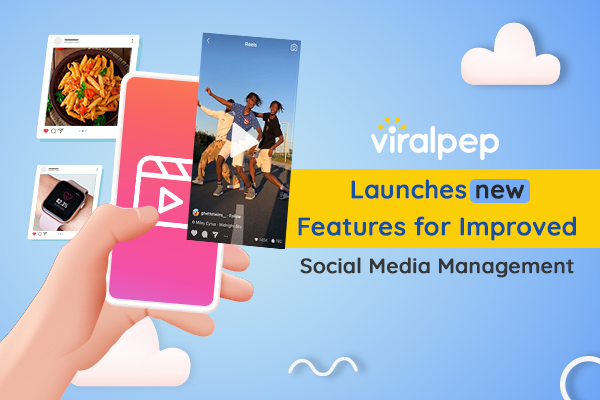
Viralpep Launches New Powerful Features for Social Media Management

Welcome to Viralpep.com, your social media scheduling tool! We are excited to announce the launch of several new features to help you take your social media presence to the next level. With these new features, you can easily create and schedule engaging content, track performance, and collaborate with your team. Keep reading to learn more about our new features and how they can help you succeed on social media.

Upload reels to your Instagram account from Viralpep

Upload reels to your Instagram account from Viralpep

Yes, you heard it right! Viralpep subscribers can now easily upload Instagram Reels from their Viralpep account. Use your innovative idea to shoot a short, amusing video and add music to capture users’ attention. Add the flavors of facts, filters, effects, and other creative tools. Preview your video in its totality. Viralpep is Ready when you are. Now upload this video to your Instagram Reels from your Viralpep account. All of these result in a high level of engagement for individuals and organizations alike.

Upload more media with fewer efforts

Upload more media with fewer efforts

With social platforms relaxing their limits, you can now upload more images per post on all 4 social media accounts. Viralpep offers a range of features, including the ability to upload multiple images for each post. The updated limits are as follows:

  • Facebook offers 10 images per post,
  • Instagram offers 10 images per post,
  • LinkedIn offers 9 images per post,
  • and Twitter offers 4 images per post.

You can create more engaging and informative posts with multiple images. You can add a video, gif, links, or hashtags to your post. You can also schedule your posts and track their performance through your Viralpep account.

Security Updates

Security Updates

We implemented enhanced security measures to protect the stored user data in the system. We reviewed the website code, modified it, and updated it to ensure the highest level of security. We secured all user data from unauthorized access by applying complex security measures. Our teams continuously monitor the system for suspicious activities. Viralpep is committed to providing its users with a secure experience.

Performance upgrades

Performance upgrades

At Viralpep, we consider user experience as a serious affair. Using extensive optimization patterns and multiple testing algorithms, we have improved our product’s (application) performance, ensuring that all the functions run smoothly. We have also increased the speed of all the functions to deliver the expected results within a reasonable timeframe. Our performance upgrades will ensure our customers a flawless and pleasant product experience. To learn more about these features. Signup to our exciting plans and enjoy much more powerful and easy to use features from Viralpep.